High Tech Binoculars

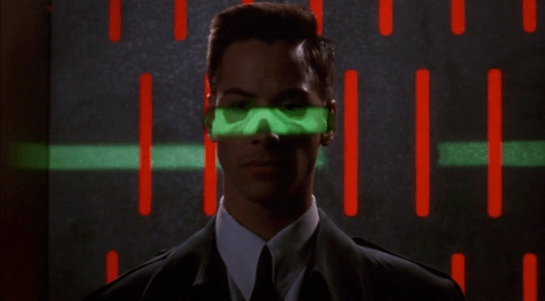
In Johnny Mnemonic we see two different types of binoculars with augmented reality overlays and other enhancements: Yakuz-oculars, and LoTek-oculars.

Yakuz-oculars

The Yakuza are the last to be seen but also the simpler of the two. They look just like a pair of current day binoculars, but this is the view when the leader surveys the LoTek bridge.

jm-25-yakuza-binocs-adjusted

I assume that the characters here are Japanese? Anyone?

In the centre is a fixed-size green reticule. At the bottom right is what looks like the magnification factor. At the top left and bottom left are numbers, using Western digits, that change as the binoculars move. Without knowing what the labels are I can only guess that they could be azimuth and elevation angles, or distance and height to the centre of the reticule. (The latter implies some sort of rangefinder.)

So far, this is a simple uncluttered display. But why is there a brightly glowing Pharmakom logo at the top right? It blocks part of the view, and probably doesn’t help anyone trying to keep their eyes adapted for night vision.

LoTek-oculars

The LoTeks, despite their name, have more impressive binoculars. They’re first used when Johnny gets out of his airport taxi.

jm-11-lotek-binocs-a-adjusted

There’s a third tube above the optics, a rectangular inlet, and an antenna.

In these binoculars, the augmented reality overlay is much more dynamic. Instead of a fixed circle, green lines converge in a bounding box around the image of Johnny. Text slides onto the display from left to right, the last line turning yellow.

jm-11-loteks-animated

Zoomrect

The animated transition of the bounding box resembles what Classic MacOS programmers of the 1990s called “zoomrects” used for showing windows opening or closing. It’s a very effective technique to draw attention to a particular area of an image.

Animated text

Text appearing character by character is ubiquitous in film interfaces. In the 1960s and 1970s mainframe and minicomputer terminals really did display incrementally, as the characters arrived one by one over slow serial port links. On any more recent computer it actually takes extra programming to achieve this effect, as the normal display of text is so fast that we would perceive it as instantaneous. But people like to see incremental text, or have been conditioned by film to expect it, so why not?

Bioscanning

The binoculars detect Johnny’s implant. It might just be possible to detect this passively from infrared or electronic signals, but more likely the binoculars include a high resolution microwave radar as well. If there had been more than one person in view, the bounding box would indicate which one the text refers to. And note that the last line of text is a different color. What that means is unclear here, but it becomes clear (and I’ll discuss it) later.

The second time we see the LoTek binoculars is when a lookout spots Street Preacher, a very bad guy and another who wants to remove Johnny’s head. Once again the binoculars have performed more than just a visual scan.

jm-17-lotek-binocs-a-adjusted

The binocular view and overlay are being relayed to another character, the LoTek leader J-Bone who can watch on a monitor. Here the film anticipates the WiFi webcam.

jm-17-lotek-binocs-b-adjusted

The overlay text now changes.

jm-17-lotek-binocs-c-adjusted

Narrow AI?

This is interesting, because the binoculars can not only detect implants and other cyborg modifications, but are apparently able to evaluate and offer advice. It appears that the green text is used for the factual (more or less) information about what has been detected, while yellow text is uncertain or or speculative.

Does this imply a general artificial intelligence? Not necessarily. This warning could be based solely on the detected signature, in the same way that current day military passive sonars and radar warning receivers can identify threats based on identifying characteristics of a received signal. In the world of Johnny Mnemonic it would make sense to assume that anyone with full custom biomechanics is extremely dangerous. Or, since Street Preacher is a resident rather than a stranger and already feared by others, his appearance and the warning could have been entered into a LoTek facial recognition database that the binocular system uses as a reference.

These textual overlays are an excellent interface, not interfering with normal vision and providing a fast and easy-to-understand analysis. But, the user must have faith that the computer analysis is accurate. There’s no reason given as to why any of the text is displayed. If Johnny was carrying an implant in his pocket instead of his brain, would the computer know the difference?

An alternative approach would be some kind of sensor fusion or false spectrum display, with the raw infrared or radar image overlaid over the visuals and the viewer responsible for interpreting the data. The problem with such systems is that our visual system didn’t evolve to interpret such imagery, so a lot of training and practice is required to be both fast and accurate. And the overlay itself interferes with our normal visual recognition and processing. If the computer can do a better job of deciphering the meaning of non-visual data, it should do so and summarise for the human viewer.

Further advantages of this interface are that even a novice sentry will benefit from the built-in scanning and threat analysis, and the wireless transmission ensures that the information is shared rather than being limited to the person on watch. 

Door Bomb and Safety Catches

Johnny leaves the airport by taxi, ending up in a disreputable part of town. During his ride we see another video phone call with a different interface, and the first brief appearance of some high tech binoculars. I’ll return to these later, for the moment skipping ahead to the last of the relatively simple and single-use physical gadgets.

Johnny finds the people he is supposed to meet in a deserted building but, as events are not proceeding as planned, he attaches another black box with glowing red status light to the outside of the door as he enters. Although it looks like the motion detector we saw earlier, this is a bomb.

jm-12-doorbomb-a-adjusted

This is indeed a very bad neighbourhood of Newark. Inside are the same Yakuza from Beijing, who plan to remove Johnny’s head. There is a brief fight, which ends when Johnny uses his watch to detonate the bomb. It isn’t clear whether he pushes or rotates some control, but it is a single quick action.

jm-12-doorbomb-b-adjusted

This demonstrates an interesting difference between interface design for the physical world and for software systems. Inside a computer, actions are just flipping bits in storage and thus easy to undo. Even supposedly destructive actions such as erasing files can often be reversed. In the real world, the effects of, for example, explosions tend to be much more permanent.

We generally don’t want destructive actions to be too easy to perform, from guns and other things that go boom to formatting computer disks.

A widely used solution in the real world is the safety catch, as with guns, or arming switch, seen in countless thriller films with nuclear weapons. Another example are the two-hand safety switches used in high voltage electrical distribution panels. Activation of these requires two individual actions, separated in time and at least a short distance in space. Some systems, both real and in film, go even further and have covers on the arming switches, so even just preparing for activation requires two separate physical actions.

While the bomb is on his belt, Johnny doesn’t have to worry about accidentally pressing the “explode” button on his watch because the bomb is not active. Only after he has armed it and placed on the door can the watch activate the bomb, so he can take his time and verify whether or not it is necessary before doing so. And when it is active, he can do so very quickly even though he is in the middle of a fight.

But safety catches and arming switches introduce modes to an interaction, which have a bad reputation in interface design. Had the watch-bomb designers followed most conventional GUI design guidelines, there would be no arming switch on the bomb. Instead the watch would have popped up a “Do you really want to explode the bomb (Y/N)?” dialog, possibly with a short delay to ensure Johnny thought about his decision before answering. He would have been decapitated.

Compare to LoTek

Later on in the film we see an example of a poorly designed system without a safety catch. The LoTeks in their bridge home have a defensive “bug dropper”, so called because it drops ancient Volkswagens from a great height.

jm-12-bugdropper-animated

The bug dropper can be activated by pushing just a single handle. Because there is no safety switch, a guard accidentally drops a flaming VW Beetle onto the lead characters, nearly killing them.

Conclusion

From the description above it would seem that safety catches are the obvious solution. But of course it’s more complicated than that. Consider what would have happened if Johnny had met friends instead of enemies and settled down for a conversation. Thirty minutes later they’ve agreed on another meeting, and Johnny taps his watch to bring up the reminders app. Oops!

Should the bomb have disarmed itself after a given time period? If it did, how would Johnny be notified of this?

Most of us do not design interfaces for lethal hardware and life or death situations. There are however an increasing number of drones and other physical devices which are now remotely controlled from phone or tablet apps rather than dedicated hardware controllers as in the past. The “Internet of Things” will bring even more real world actions under computer interface control. In the future, we will most likely see more of these safety catches and arming switches in computer interfaces, and we need to figure out how to use them properly.

Video call

After ditching Chewie, Boba Fett heads to a public video phone to make a quick report to his boss who turns out to be…Darth Vader (this was a time long before the Expanded Universe/Legends, so there was really only one villain to choose from).

To make the call, he approaches an alcove off an alley. The alcove has a screen with an orange bezel, and a small panel below it with a 12-key number panel to the left, a speaker, and a vertical slot. Below that is a set of three phone books. For our young readers, phone books are an ancient technology in which telephone numbers were printed in massive books, and copies kept at every public phone for reference by a caller.

faithful-wookiee-video-call-04
faithful-wookiee-video-call-05

To make the call, Fett removes a card from his belt and inserts it. We see a close up of his face for about a second after this, during which time we cannot see if he is taking any further action, but he appears to be waiting and not moving. We hear a few random noises and see some random patterns until Darth Vader comes into view. Fett reports, “I have made contact with the Rebels, and all is proceeding according as you wish, Darth Vader.” We don’t see the interaction from Vader’s side.

faithful-wookiee-video-call-06

Doorknob-simple workflow

A nice feature is that the workflow could barely be simpler. Once Fett inserts the card, the phone is activated, recipient specified, and payment taken care of. Fett has only to wait for Vader to pick up. To make this work, we have to presume that this is a special card, good only for calling Vader at no charge. It’s a nice interaction. Presuming the call is not, you know, top secret. Which, if it needs saying, it is.

The Force is not with this security

As this blog must routinely point out, the system seems to be missing multifactor authentication. The card counts as one factor, that is, something Fett possesses. There should be at least one more. A card can be stolen, so let’s instead focus on something he is and something he knows. Using just the equipment in the scene, the Empire could monitor all the video phones where it knows Fett to be. With face recognition or, more appropriately given his helmet, voice print, it could recognize him for one factor, and then ask him for a password. Two factors. No card. Even more simple and more secure.

But the security problems go beyond the authentication problems that might have some unfortunate pickpocket face to face with the galaxy’s most impulsive Force-choker. During Fett’s call, back on the Falcon, R2D2 is casually trying to find Chewbacca and Fett on the viewscreen and he happens—literally happens—across the transmission between Fett and Vader, with Vader saying, “Good work, but I want them alive. Now that you’ve got their trust, they may take you to their new base.” Fett replies, “This time we’ll get them all.” Vader ends the call saying, “I see why they call you the best bounty hunter in the galaxy.”

Note that the call is public. R2 doesn’t suspect Imperial malfeasance at this point. He’s just checking public video feeds to see if he can find out where Chewie is.

Note also that there isn’t a lick of encryption.

Note finally that the feed we see isn’t even a just a transmission signal. If it was, we’d see the call from one side or the other, in which we’d see either Fett or Vader. But in the clip we see the video switch between them to focus on the active speaker, so either R2 is doing some sweet just-in-time editing, or the signal is actually formatted especially for some third party to eavesdrop on.

So 👏 why👏 the👏 eff 👏  are top secret Imperial transmissions being made on insecure party lines? Heads up, Star Wars fans. We didn’t really need Rogue One. The Rebellion could have come across the plans to the Death Star just channel-flipping from the comfort some nearby couch.

Airport Security

After fleeing the Yakuza in the hotel, Johnny arrives in the Free City of Newark, and has to go through immigration control. This process appears to be entirely automated, starting with an electronic passport reader.

jm-9-customs-b

After that there is a security scanner, which is reminiscent of HAL from the film 2001: A Space Odyssey.

jm-9-customs-f

The green light runs over Johnny from top to bottom.

jm-9-customs-c

Looking at the picture, we can see that this green light is somehow making Johnny’s skeleton visible. It would be possible, by having an X-ray imaging system running at the same time and then re-projecting the X-ray image back onto the body, but why? Since there don’t appear to be any actual human beings on duty, I can only suggest that it is meant to look intimidating and impressive to encourage obedience. In the film Johnny appears to be alone and cannot see this himself, but it would be much more common for there to be multiple passengers, so each could watch the others being scanned.

There is also a screen showing another scan, a blurry body image, and text appearing on the right side. A voice repeats the text content. For the first time we see a blue background, the most common color for futuristic film interfaces.

jm-9-customs-d

The scanner detects Johnny’s implant, but whatever secrecy measures are present cause the system to decide that it is a registered dyslexia aid. The popup alert below includes the registration issuer and a domain name, so perhaps this is online verification over the Internet. Presumably Johnny can see this screen himself, if he cares.

jm-9-customs-e

The voiceover helpfully informs Johnny that there is “synaptic seepage”, and he should seek medical attention within 24 hours. This shows quite high level decision making by the system and an offer of assistance. Johnny says “thanks” in reply, an anthropomorphic response to this seemingly intelligent machine.

However, there seems to be a more detailed explanation in smaller text on the right of the display, and this isn’t announced. It’s not clear in this scene whether Johnny can see this display or not, but even if he could it would be difficult to read. Perhaps this is a legacy system from the days when airport security had actual staff.

Next

At this point Johnny leaves the airport, riding in a taxi from the airport. It is a good time for the first review of a group of related interfaces, which will be the next series of posts.

Brain Upload

Once Johnny has installed his motion detector on the door, the brain upload can begin.

3. Building it

Johnny starts by opening his briefcase and removing various components, which he connects together into the complete upload system. Some of the parts are disguised, and the whole sequence is similar to an assassin in a thriller film assembling a gun out of harmless looking pieces.

jm-6-uploader-kit-a

It looks strange today to see a computer system with so many external devices connected by cables. We’ve become accustomed to one piece computing devices with integrated functionality, and keyboards, mice, cameras, printers, and headphones that connect wirelessly.

Cables and other connections are not always considered as interfaces, but “all parts of a thing which enable its use” is the definition according to Chris. In the early to mid 1990s most computer user were well aware of the potential for confusion and frustration in such interfaces. A personal computer could have connections to monitor, keyboard, mouse, modem, CD drive, and joystick – and every single device would use a different type of cable. USB, while not perfect, is one of the greatest ever improvements in user interfaces.

Why not go wireless? Wireless devices remove the need for a physical connection, but this means that anyone, not just you, could potentially connect. So instead of worrying about whether we have the right kind of cable, we now worry about the right kind of Bluetooth pairing and WiFi encryption password scheme. Mobile wireless devices also need their own batteries, which have to be charged. So wireless may seem visually cleaner, but comes with its own set of problems.

As of early 2016 we have two new standards, Lightning and USB-C, that are orientation-independent (only fifty years after audio cables), high bandwidth, and able to transmit power to peripherals as well. Perhaps by 2021 cables will have made a comeback as the usual way to connect devices.

2. Explaining it

Johnny explains the process to the scientists. He needs them to begin the upload by pushing a button, helpfully labelled “start”, on the gadget that resembles an optical disk drive. There’s a big red button as well, which is not explained but would make an excellent “cancel” button.

jm-6-uploader-kit-b

It would be simpler if Johnny just did this himself. But we will shortly discover that the upload process is apparently very painful. If Johnny had his hands near the system, he might involuntarily push another button or disturb a cable. So for them, having a single, easily differentiated button to press minimizes their chance of messing it up.

1. Making codes

He also sticks a small black disk on the hotel room’s silver remote control. The small disk is evidently is a wireless controller or camera of some kind. The scientists must watch the upload progress counter, and as it approaches the end, use this modified remote to grab three frames from the TV display, which will become the “access code” for the data. (More on this below.)

jm-6-uploader-kit-x

None of the buttons on this remote have markings or labels, but neither Johnny nor the scientist who will be using it are bothered. Perhaps this hotel chain tries to please every possible guest by not favouring any particular language? But even in that case, I’d expect there to be some kind of symbols on the buttons and a multilingual manual to explain the meaning of each. Maybe Johnny spends so much time in hotel suites that he has memorised the button layout?

Short of a mind reading remote that can translate any button press into “what the user intended”, I have to admit this is a terrible interface.

(There is a label on the black disk, but I have no idea what it means or even which script that is. Anyone?)

0. Go go go

Johnny plugs in his implant, puts on a headset with more cables, and bites down on a mouthguard. He’s ready.

jm-6-uploader-kit-d

The scientist pushes the start button and the upload begins. Johnny sees the data stream in his headset as a flood of graphics and text.

jm-7-uploading-a

Why does he need the headset when there is a direct cable connection to the implant? The movie doesn’t make it explicit. It could be related to the images used as the access code. (More on this below.) Perhaps the images need to be processed by the recipient’s own optic nerve system for more reliable storage?

Still, in the spirit of apologetics we should try to find a better explanation than “an opportunity for 1995 cutting edge computer generated graphics.” Perhaps it is a very flashy progress indicator? Older computer systems had blinking lights on disk drives to indicate activity, copied on some of today’s USB sticks. Current-day file upload or download GUIs have progress bars. As processing and graphics capabilities increase, it will be possible for software to display thumbnails or previews of the actual data being transferred without slowing down.

Unfortunately there is an argument against this, which is that the obvious upload progress indicator is a numeric display counting gigabytes down to zero, and it makes a fast chirping sound as a sonic indicator as well. The counter shows the data flowing at gigabytes per second, the entire upload lasting about a minute. There’s also the problem that it’s not Johnny who is interested in knowing whether the upload is scientific data rather than, say, a video collection; but the scientists, and they can’t see it.

jm-7-uploading-b

As the counter drops below one hundred, the scientist points the remote with black disk at the TV display, currently showing a cartoon, and presses the middle button. The image from the TV appears overlaid on the data stream to Johnny. This is a little odd, because Johnny assured the scientists that he wouldn’t know what the access codes were himself. Maybe these brief flashes are not enough time for him to remember these particular images among the gigabytes of visual content. But the way they’re shown to us, I’ll bet you can remember them when they come up again later in the plot.

jm-7-uploading-d

Two more images are grabbed before the counter stops. When the upload finishes, the three images are printed out. (In the original film this is shown upside down, so I have rotated the image.)

jm-7-uploading-f-rotated

Tagged

So what are the images for? The script isn’t clear. I suggest that the images are being used as the equivalents of very large random numbers for whatever cryptography scheme protects the data against unauthorised access. Some current day systems use the timing of key presses and mouse movements as a source of randomness because humans simply can’t move their fingers with microsecond precision. Here, the human element makes it impossible to predict exactly which frame is chosen.

Humans also find images much easier to recognise than hundred digit numbers. Anyone who has seen the printout will be able to say whether a particular image is part of the access code or not with a high degree of confidence. In computer systems today, Secure Shell, or ssh, is a widely used encrypted terminal program for secure access to servers. Recent versions of ssh have a ‘randomart’ capability which shows a small ASCII icon generated from the current cryptographic key to everyone who logs on. If this ASCII icon appears different, this alerts everyone that the server key has been changed.

There’s one potential usability problem with the whole “pick three random images” mechanism. The last frame was grabbed when the counter was very close to zero. What would have happened if he had been too slow and missed altogether? Wouldn’t it be more reliable to have the upload system automatically grab the images rather than rely on a human? Chris suggests that maybe it secretly did grab three images that could have used without human input, but privileged the human input since it was more reliably random.

Quick aside: You may be asking, if images would be so wonderful, why aren’t we using them in this way already? It’s because our current security systems need not just very large random numbers, but very large random numbers with particular mathematical properties such as being prime. But let’s cut Johnny Mnemonic some slack,  saying that by 2021 we may have new algorithms.

OK, back to the plot.

-1. Sharing the codes

The access codes are to be faxed from Beijing to Newark, although this gets interrupted by the Yakuza intruders. This is yet another device with unmarked buttons.

jm-7-uploading-g

This device makes the same beeps and screeches as a 1990s analog fax machine. Since we’ll later learn that all the fax messages and phone calls are stored digitally in cyberspace, this must be a skeuomorphism, the old familiar audio tones now serving just as progress indicators.

As with other audio output, the tones allow the user to know that the transmission is proceeding and when it ends without having to pay full attention to the device. On the other hand, there is potential for confusion here as the digital upload is (presumably) much faster. Most current day computer systems could upload three photos, even in high resolution, well before the sequence of tones would complete. Users would most likely wait longer than actually necessary before moving on to their next task.

-2. Washing up

During the upload Johnny clenches his fists and bites his mouthguard. When the upload finishes, he retreats to the bathroom in considerable pain. At one point blood flows from his nose, and he swipes his hand over the tap to wash it down the drain. The bathroom announces that the water temperature is 17 degrees. We’ll come back to this later.

jm-8-bathroom-tap

As Make It So emphasises in the chapter on brain interfaces, there is nothing in our current knowledge to suggest that writing or reading memories to or from a human brain would be painful. On the other hand, we know that information in the brain isthe shape of the neurons in the brain. Who knows what side effects will happen as those neurons are disconnected and reconnected as they need to be? We don’t know, so can’t really say whether it would hurt or not.

-3. Escaping the Yakuza

As mentioned in a prior post, while he is in the bathroom, the motion detector Johnny installed on the hotel door isn’t very effective and the Yakuza break in, kill everyone else, and acquire the second of the three access code images. Johnny escapes with the first image and flies to Newark, North America. 

Motion Detector

Johnny, with newly upgraded memory, goes straight to the hotel room where he meets the client’s scientists. Before the data upload, he quickly installs a motion detector on the hotel suite door. This is a black box that he carries clipped to his belt. He uses his thumb to activate it as he takes hold and two glowing red status lights appear.

jm-5-motion-detector-a-adjusted

Once placed on the door, there is just one glowing light. We don’t see exactly how Johnny controls the device, but for something this simple just one touch button would be sufficient.

jm-5-motion-detector-b-adjusted

A little later, after the brain upload (discussed in the next post), the motion detector goes off when four heavily armed Yakuza arrive outside the door. The single light starts blinking, and there’s a high pitched beep similar to a smoke alarm, but quieter.

Analysis

A sonic alarm is good, because it is omnidirectional. But being omnidirectional it might also notify the would-be attackers that they have been detected. Here the designers have erred too far on the side of caution. The alarm is so quiet that none of the scientists notice, and Johnny himself is lucky to be within a few metres when it goes off. The Yakuza burst in and slaughter the unaware scientists. It would almost certainly have been better for the alarm to be configured as loud as possible, ensuring everyone who needed to hear did so. And while the attackers would have been alerted, they might have been deterred by the thought of witnesses arriving.

Bulkhead Doors

image09

At every major intersection, and at the entrance to each room, the Battlestar Galactica has very large pressure doors.  These doors each have a handle and a large wheel on each side.  During regular operation crewmembers open the door with the handle and close it firmly, but do not spin the wheel.  Occasionally, we see crew using the wheel as a leverage point to close the door.


Sealing it off

We never directly see a crewmember spin the wheel on the door after it closes.  While Chief Tyrol is acting as head of damage control, he orders all bulkheads in a section of the ship sealed off.  This order is beyond the typical door closing that we witness day-to-day.

image14

This implies that the door has three modes: Open, Closed, and Sealed.

image08

Crewmembers could use the door most of their day in an open or closed mode, where an easy pull of the handle unlatches the door and allows them to enter or leave quickly.  In an emergency, a closed door could be sealed by spinning the valve wheel on one side of the door.


Danger?

As with other parts of the Galactica, the doors are completely manual, and cannot be activated remotely. (Because Cylon hacking made them go network-less.) Someone has to run up to the door in an emergency and seal it off.

One worry is that, because there is a valve wheel on both sides, an untrained crewmember might panic and try to unseal the door by turning it in the wrong direction.  This would endanger the entire crew.

image13  image10

The other worry is that the valve spins along a single axis (we see no evidence either way during the show), requiring the crew to know which side of the door they were on to seal it against a vacuum.  “Righty Tighty, Lefty Loosey” would fail in this instance, and might cause hesitation or accidental unsealing in an actual emergency.

Ideally, the doors would have wheels that spun identically on either side, so that a clockwise spin always sealed the door, and a counter-clockwise spin always unsealed it.

image15

Current water-tight doors have two sides, the ‘important’ side and the ‘unimportant’ side.  The important side faces towards the ‘center’ of the vessel, or the core of the larger block of the ship, and can be sealed off quickly from that side with a wheel and heavy ‘dogs’.

Weathertight doors have a handle-latch on both sides that is connected (much like a doorknob), and can seal/unseal the door from either side.

If there is a technical limitation to that mechanism (unlikely, but possible), then a large and obvious graphic on the door (a clockwise or counterclockwise arrow) could serve to remind the crew which direction of turn sealed the door.  In this case, sealing the door is the primary action to call out because it is the action done under a panic situation, and the action most easily forgotten in the heat of the moment.

Otherwise, the doors could be a danger to the crew: the crew on the ‘safe’ side could seal the door against depressurization, but crew on the ‘unsafe’ side might try to unseal it to save themselves in a panic.

Air pressure might keep the door properly closed in this instance, but it is still a risk.


Effective?

image12

We see during the damage control incident that the doors are quickly closed and sealed by the crew, even in an emergency, making the rest of the ship airtight.  This either shows that the doors are effective at their job, or the crew is very well trained for such a situation.

Like the rest of the Galactica, the technology relies on people to work.  A couple hints or minor tweaks to that technology could make the crew’s lives much easier without putting them at danger from the Cylons or the empty void of space.

Rebel videoscope

Talking to Luke

Hidden behind a bookshelf console is the family’s other comm device. When they first use it in the show, Malla and Itchy have a quick discussion and approach the console and slide two panels aside.

SWHS-rebelcomms-02

The device is small and rectangular, like an oscilloscope, sitting on a shelf about eye level. It has a small, palm sized color cathode ray tube on the left. On the right is an LED display strip and an array of red buttons over an array of yellow buttons. Along the bottom are two dials.

SWHS-rebelcomms-03

Without any other interaction, the screen goes from static to a direct connection to a hangar where Luke Skywalker is working with R2-D2 to repair some mechanical part. He simply looks up to the camera, sees Malla and Itchy, and starts talking. He does nothing to accept the call or end it. Neither do they.

We also see the conversation from Luke’s perspective as well. It’s even more oscillioscopey, with lots of dials, switches, and sliders to either side.

SWHS-rebelcomms-06

So this all might be intriguing (and right in line with agentive design) but before we start to investigate, we need to look at another instance of its use. Just like the Imperial-issie Media Console, this functions differently later in the same show.

Talking to Leia

SWHS-rebelcomms-08

After Itchy’s SFW living room masturbation chair sequence, the camera cuts to Leia and C-3PO in an unspecified office somewhere. The droid works at a console for a moment and finally turns a dial. In the Wookie household, a loud dee-DEEP dee-DEEP sounds until Malla rushes to the console, and slides the panels aside. C-3PO sees Malla’s face, and turns to Leia saying, “Ah. I have made the connection. You may speak now if you wish.

SWHS-rebelcomms-10

They do, and when the conversation is over, the feed just shuts off, with neither party doing anything to make it happen.

So. Yeaaaaah.

Activation

How is it turned on? One possibility is an architectural switch activated by sliding the panels. It would be a good design decision, as it is an action that needs to be undertaken anyway to use it. But that doesn’t explain Luke’s use.

Connection

How does Malla’s device know to call Luke once it’s on? It could be that it’s a fixed connection, like an intercom, that only calls that one other device. But it’s a Rebel garage. That doesn’t make sense. Why would Malla need to only call there? And of course they receive a call from Leia, who isn’t in that same garage, so it’s not exactly fixed.

Security

The device contains incriminating evidence, i.e. the direct connection to the Rebel base, and so it needs some sort of security. Why is that not in evidence?

Secret agent?

One technological concept that would answer a lot of these questions is that of agentive technology, i.e. artificial narrow intelligence that does things on behalf of its users.

It could explain how the device turns on and (some of) the security: the camera has hairy face recognition and persistently watches for authorized users, turning on when it sees one of them. Conceptually that would be far beyond common sci-fi tropes of the time, but in keeping with the New Criticism stance of the blog, should be considered.

It could explain how it knew to call Luke: It understands Shyriiwook and listened to the conversation that Itchy and Malla had before they opened the panel, knew they wanted to call Luke, and found him in the garage.

It could explain how it turns off: It’s smart enough to understand the linguistic, social, and physical cues that the conversation has ended.

The world of Star Wars even has this technology in evidence. The droids all exhibit artificial general intelligence, and it is only a failure of imagination that this intelligence should not be incorporated into important devices, or spaceships, or architecture.

This would also explain why c-3PO is managing the interface on his end but nobody else has to bother: An AI does not need another AI, just an API.

It would even explain why the damned thing rings. Take a moment to appreciate that. This is an illegal device on the Empire-controlled Kazook. We know this because it’s deliberately hidden, and our protagonists really work to avoid the Empire’s finding it. Yet when an unexpected call comes in, it shrilly announces the fact of itself to everyone within screeching range. The only way this is not the most moronic feature possible of an illegal object is if it can scan the surroundings and verify that it’s OK to ring. Because otherwise, it would be the most stupid feature of a stupidly stupid technology made in haste for a stupid show slopped together in haste and without any respect for a logical or consistent diegesis.

Whew.

Thank The Maker for apologetics.

Imperial-issue Media Console

SWHS-mediaconsole-01

When she wonders about Chewbacca’s whereabouts, Malla first turns to the Imperial-issue Media Console. The device sits in the living space, and consists of a personal console and a large wall display. The wall display mirrors the CRT on the console. The console has a QWERTY keyboard, four dials, two gauges, a sliding card reader, a few red and green lights on the side, and a row of randomly-blinking white lights along the front.

SWHS-mediaconsole-02

Public Service Requests

As Malla approaches it, it is displaying an 8-bit kaleidoscope pattern and playing a standard-issue “electronics” sound. Malla presses a handful of buttons—here it’s important to note the difficulty of knowing what is being pressed when the hand we’re watching is covered in a mop—and then moves through a confusing workflow, where…

  1. She presses five buttons
  2. She waits a few seconds
  3. As she is pressing four more buttons…
  4. …the screen displays a 22-character string (a password? A channel designation?) ↑***3-   ↓3&39÷   ↑%63&-:::↓
  5. A screen flashes YOU HAVE REACHED TRAFFIC CONTROL in black letters on a yellow background
  6. She presses a few more buttons, and another 23-character string appears on screen ↑***3-   XOXOO   OXOOX   XOOXO-↑ (Note that the first six characters are identical to the first six characters of the prior code. What’s that mean? And what’s with all the Xs and Os? Kisses and hugs? A binary? I checked. It seems meaningless.)
  7. An op-art psychedelic screen of orange waves on black for a few seconds
  8. A screen flashes NO STARSHIPS IN AREA
  9. Malla punches the air in frustration.

So the first string is, what, a channel? And how do the five buttons she pressed map to that 22 character string? A macro? Why drop to a semi-binary for one command? And are the hugs-and-kisses an instruction? Is that how you write Shyriiwook? Why would it be Latin letters and Unicode characters rather than, say, Aurebesh? Who designed this command language? This orthography? This interface? Maybe it was what this guy was assigned to do after he was relieved of duty.

Video calls

When technology fails to find her sweetheart, Malla turns to her social network. She first uses her Illegal Rebel Comms device to talk to Luke and R2-D2 (next post), and afterwards, returns to the Media Console, which is back to its crappy TSR-80 BASIC-coded screen saver mode.

  1. She taps a few keys (a macro?)
  2. A new code appears: ↑***C-   ↓&&&0-   446B°-   TP%C
  3. The display reads: SUB TERMINAL 4468 (or 446E or maybe 446B. It’s a square font and Malla’s hairy arm is in the way.)
  4. She presses a few more keys
  5. The screen displays STAND BY for a few seconds
  6. Then the word CONNECT flashes a few times
  7. She presses a single button
  8. TRADING POST WOOKIE PLANET C flashes
  9. A live camera feed displays of the trading post

So it’s actually nice to see the first 5 characters of the string be different since this is a different mode: public function (↑***3-) versus video phone (↑***C-). It made me wonder if the codes were some sort of four part IP address, but then I saw the traffic control command is only three lines, so it’s not a consistent enough pattern. So I was hoping to find some secret awesomeness, but no.

Here’s the flow chart as completed by the demoted Stormtrooper designer (translated from the Aurebesh).

Imperial-Workflow
SWHS-mediaconsole-21.jpg

Public Addresses

Not only is the interaction terrible, but it’s not really your device anyway. The Empire can take control of these screens for government business, like paging errant Stormtroopers. In these cases, an alarm sounds in the house, and then the Empire Video Feed comes online. No bizarre character strings. No flashing text. No arbitrary key presses.

SWHS-mediaconsole-21

After all that, an Easy Mode

As if that wasn’t enough, the thing works differently later in the show. After he returns to the tree house, Saun uses the system to call the Imperial Officer to cover Han and Chewie’s murderous tracks with a lie. To make the call, all Saun has to do is insert an identification card, press the same key on the keyboard six times, and with no weird codes or substation identification interstitials, he is connected immediately to the Imperial officer. After the officer terminates their call, Saun presses another button a few times and removes his card. That’s it. It was almost easy.

SWHS-mediaconsole-22

This tells us that the system can work fairly simply. If you’re calling the Empire. Or if you’re high enough social status and have the card to prove it. This technology just sucks. Maybe this is why the rebellion started.

Thumbdentity

When officers Foley and Reese find the sleeping Jennifer, they thumbprint her on a wireless handheld device, and Officer Foley looks up the young girl’s information. Looking at the screen she retrieves Jennifer’(2015)’s address and age.

BttF_086

Thumbprint is a fine unimodal authenticator, but much better is multimodal biometric or multifactor authenticator to be certain of identity.