Deckard’s Elevator

This is one of those interactions that happens over a few seconds in the movie, but turns out to be quite deep—and broken—on inspection.

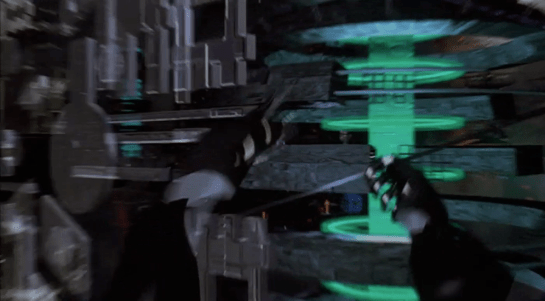
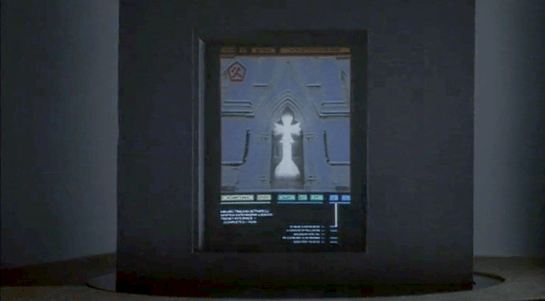
When Deckard enters his building’s dark, padded elevator, a flat voice announces, “Voice print identification. Your floor number, please.” He presses a dark panel, which lights up in response. He presses the 9 and 7 keys on a keypad there as he says, “Deckard. 97.” The voice immediately responds, “97. Thank you.” As the elevator moves, the interface confirms the direction of travel with gentle rising tones that correspond to the floor numbers (mod 10), which are shown rising up a 7-segment LED display. We see a green projection of the floor numbers cross Deckard’s face for a bit until, exhausted, he leans against the wall and out of the projection. When he gets to his floor, the door opens and the panel goes dark.

A need for speed

An aside: To make 97 floors in 20 seconds you have to be traveling at an average of around 47 miles per hour. That’s not unheard of today. Mashable says in a 2014 article about the world’s fastest elevators that the Hitachi elevators in Guangzhou CTF Finance Building reach up to 45 miles per hour. But including acceleration and deceleration adds to the total time, so it takes the Hitachi elevators around 43 seconds to go from the ground floor to their 95th floor. If 97 is Deckard’s floor, it’s got to be accelerating and decelerating incredibly quickly. His body doesn’t appear to be suffering those kinds of Gs, so unless they have managed to upend Newton’s basic laws of motion, something in this scene is not right. As usual, I digress.

The input control is OK

The panel design is nice and was surprising in 1982, because few people had ridden in elevators serving nearly a hundred floors. And while most in-elevator panels have a single button per floor, it would have been an overwhelming UI to present the rider of this Blade Runner complex with 100 floor buttons plus the usual open door, close door, emergency alert buttons, etc. A panel that allows combinatorial inputs reduces the number of elements that must be displayed and processed by the user, even if it slows things down, introduces cognitive overhead, and adds the need for error-handling. Such systems need a “commit” control that allows them to review, edit, and confirm the sequence, to distinguish, say, “97” from “9” and “7.” Not such an issue from the 1st floor, but a frustration from 10–96. It’s not clear those controls are part of this input.

Deckard enters 8675309, just to see what will happen.

I’m a fan of destination dispatch elevator systems that increase efficiency (with caveats) by asking riders to indicate their floor outside the elevator and letting the algorithm organize passengers into efficient groups, but that only works for banks of elevators. I get the sense Deckard’s building is a little too low-rent for such luxuries. There is just one in his building, and in-elevator controls work fine for those situations, even if they slow things down a bit.

The feedback is OK

The feedback of the floors is kind of nice in that the 7-segment numbers rise up helping to convey the direction of movement. There is also a subtle, repeating, rising series of tones that accompany the display. Most modern elevators rely on the numeracy of its passengers and their sense of equilibrium to convey this information, but sure, this is another way to do it. Also, it would be nice if the voice system would, for the visually impaired, say the floor number when the door opens.

Though the projection is dumb

I’m not sure why the little green projection of the floor numbers runs across Deckard’s face. Is it just a filmmaker’s conceit, like the genetic code that gets projected across the velociraptors head in Jurassic Park?

Pictured: Sleepy Deckard. Dumb projection.

Or is it meant to be read as diegetic, that is, that there is a projector in the elevator, spraying the floor numbers across the faces of its riders? True to the New Criticism stance of this blog, I try very hard to presume that everything is diegetic, but I just can’t make that make sense. There would be much better ways to increase the visibility of the floor numbers, and I can’t come up with any other convincing reason why this would exist.

If this was diegetic, the scene would have ended with a shredded projector.

But really, it falls apart on the interaction details

Lastly, this interaction. First, let’s give it credit where credit is due. The elevator speaks clearly and understands Deckard perfectly. No surprise, since it only needs to understand a very limited number of utterances. It’s also nice that it’s polite without being too cheery about it. People in LA circa 2019 may have had a bad day and not have time for that shit.

Where’s the wake word?

But where’s the wake word? This is a phrase like “OK elevator” or “Hey lift” that signals to the natural language system that the user is talking to the elevator and not themselves, or another person in the elevator, or even on the phone. General AI exists in the Blade Runner world, and that might allow an elevator to use contextual cues to suss this out, but there are zero clues in the film that this elevator is sentient.

There are of course other possible, implicit “wake words.” A motion detector, proximity sensor, or even weight sensor could infer that a human is present, and start the elevator listening. But with any of these implicit “wake words,” you’d still need feedback for the user to know when it was listening. And some way to help them regain attention if they got the first interaction wrong, and there would be zero affordances for this. So really, making an explicit wake word is the right way to go.

It might be that touching the number panel is the attention signal. Touch it, and the elevator listens for a few seconds. That fits in with the events in the scene, anyway. The problem with that is the redundancy. (See below.) So if the solution was pressing a button, it should just be a “talk” button rather than a numeric keypad.

It may be that the elevator is always listening, which is a little dark and would stifle any conversation in the elevator less everyone end up stuck in the basement, but this seems very error prone and unlikely.

Deckard: *Yawns* Elevator: Confirmed. Silent alarm triggered.

This issue is similar to the one discussed in Make It So Chapter 5, “Gestural Interfaces” where I discussed how a user tells a computer they are communicating to it with gestures, and when they aren’t. 

Where are the paralinguistics?

Humans provide lots of signals to one another, outside of the meaning of what is actually being said. These communication signals are called paralinguistics, and one of those that commonly appears in modern voice assistants is feedback that the system is listening. In the Google Assistant, for example, the dots let you know when it’s listening to silence and when it’s hearing your voice, providing implicit confirmation to the user that the system can hear them. (Parsing the words, understanding the meaning, and understanding the intent are separate, subsequent issues.)

Fixing this in Blade Runner could be as simple as turning on a red LED when the elevator is listening, and varying the brightness with Deckard’s volume. Maybe add chimes to indicate the starting-to-listen and no-longer-listening moments. This elevator doesn’t have anything like that, and it ought to.

Why the redundancy?

Next, why would Deckard need to push buttons to indicate “97” even while he’s saying the same number as part of the voice print? Sure, it could be that the voice print system was added later and Deckard pushes the numbers out of habit. But that bit of backworlding doesn’t buy us much.

It might be a need for redundant, confirming input. This is useful when the feedback is obscure or the stakes are high, but this is a low-stakes situation. If he enters the wrong floor, he just has to enter the correct floor. It would also be easy to imagine the elevator would understand a correction mid-ride like “Oh wait. Elevator, I need some ice. Let’s go to 93 instead.” So this is not an interaction that needs redundancy.

It’s very nice to have the discrete input as accessibility for people who cannot speak, or who have an accent that is unrecognizable to the system, or as a graceful degradation in case the speech recognition fails, but Deckard doesn’t fit any of this. He would just enter and speak his floor.

Why the personally identifiable information?

If we were designing a system and we needed, for security, a voice print, we should protect the privacy of the rider by not requiring personally identifiable information. It’s easy to imagine the spoken name being abused by stalkers and identity thieves riding the elevator with him. (And let’s not forget there is a stalker on the elevator with him in this very scene.)

This young woman, for example, would abuse the shit out of such information.

Better would be some generic phrase that stresses the parts of speech that a voiceprint system would find most effective in distinguishing people.

Tucker Saxon has written an article for VoiceIt called “Voiceprint Phrases.” In it he notes that a good voiceprint phrase needs some minimum number of non-repeating phonemes. In their case, it’s ten. A surname and a number is rarely going to provide that. “Deckard. 97,” happens to have exactly 10, but if he lived on the 2nd floor, it wouldn’t. Plus, it has that personally identifiable information, so is a non-starter.

What would be a better voiceprint phrase for this scene? Some of Saxon’s examples in the article include, “Never forget tomorrow is a new day” and “Today is a nice day to go for a walk.” While the system doesn’t care about the meaning of the phrase, the humans using it would be primed by the content, and so it would just add to the dystopia of the scene if Deckard had to utter one of these sunshine-and-rainbows phrases in an elevator that was probably an uncleaned murder scene. but I think we can do it one better.

(Hey Tucker, I would love use VoiceIt’s tools to craft a confirmed voiceprint phrase, but the signup requires that I permit your company to market to me via phone and email even though I’m just a hobbyist user, so…hard no.)

Deckard: Hi, I’m Deckard. My bank card PIN code is 3297. The combination lock to my car spells “myothercarisaspinner” and my computer password is “unicorn.” 97 please.

Here is an alternate interaction that would have solved a lot of these problems.

  • ELEVATOR
  • Voice print identification, please.
  • DECKARD
  • SIGHS
  • DECKARD
  • Have you considered life in the offworld colonies?
  • ELEVATOR
  • Confirmed. Floor?
  • DECKARD
  • 97

Which is just a punch to the gut considering Deckard is stuck here and he knows he’s stuck, and it’s salt on the wound to have to repeat fucking advertising just to get home for a drink.

So…not great

In total, this scene zooms by and the audience knows how to read it, and for that, it’s fine. (And really, it’s just a setup for the moment that happens right after the elevator door opens. No spoilers.) But on close inspection, from the perspective of modern interaction design, it needs a lot of work.

Sleeping pods

Use

Joe and Rita climb into the pods and situate themselves comfortably. Officer Collins and his assistant approach and insert some necessary intravenous chemicals. We see two canisters, one empty (for waste?) and one filled with the IV fluid. To each side of the subject’s head is a small raised panel with two lights (amber and ruby) and a blue toggle switch. None of these are labeled. The subjects fall into hibernation and the lids close.

Collins and his assistant remove a cable labeled “MASTER” from the interface and close a panel which seals the inputs and outputs. They then close a large steel door, stenciled “TOP SECRET,” to the hibernation chamber.

Idiocracy_pods04

The external interface panel includes:

  • A red LED display
  • 3 red safety cover toggle switches labeled “SET 1” “SET 2” and “SET 3.”
  • A 5×4 keypad
    • 0-9 numbers
    • Letters A–F
    • Four unlabeled white buttons

500 years later, after the top secret lab is destroyed, the pods become part of the mountains of garbage that just pile up. Sliding down an avalanche of the stuff, the pods wind up in a downtown area. Joe’s crashes through Frito’s window. At this moment the pod decides enough is enough and it wakes him. Clamps around the edge unlock. The panel cover has fallen off somewhere, and the LED display blinks the text, “unfreezing.” Joe drowsily pushes the lids open and gets out.

Its purpose in the narrative

This is a “segue” interface, mostly useful in explaining how Joe and Rita are transported safely 500 years in the future. At its base, all it needs to convey is:

  • Scienciness (lights and interfaces, check)
  • See them pass into sleep (check)
  • See why how they are kept safe (rugged construction details, clamped lid, check)
  • See the machine wake them up (check)

Is it ideal?

The ergonomics are nice. A comfortable enough coffin to sleep in. And it seems…uh…well engineered, seeing as how it winds up lasting 500 times its intended use and takes some pretty massive abuse as it slides down the mountains of garbage and through Frito’s window into his apartment. But that’s where the goodness ends. It looks solid enough to last a long long time. But there are questions.

From Collins’ point of view:

  • Why was it engineered to last 500 years, but you know, fail to have any of its interior lights or toggle switches labeled? Or have something more informative on the toggles than “SET 1”?
  • How on earth did they monitor the health of the participants over time? (Compare Prometheus’ hibernation screens.) Did they just expect it to work perfectly? Not a lot of comfort to the subjects. Did they monitor it remotely? Why didn’t that monitoring screen arouse the suspicions of the foreclosers?
  • How are subjects roused? If the procedure is something that Collins just knows, what if something happens to him? That information should be somewhere on the pod with very clear instructions.
  • How does it gracefully degrade as it runs out of resources (power, water, nutrition, air, water storage or disposal) to keep it’s occupants alive? What if the appointed person doesn’t answer the initial cry for help?

From the hibernators’ point of view:

  • How do the participants indicate their consent to go into hibernation? Can this be used as an involuntary prison?
  • How do they indicate consent to be awakened? (Not an easy problem, but Passengers illustrates why it’s necessary.)
  • What if they wake early? How do they get out or let anyone know to release them?
  • Why does the subject have to push the lid if they’re going to be weak and woozy when they waken? Can’t it be automatic, like the hibernation lids in Aliens?
  • How does the sleeper know it’s safe to get out? Certainly Joe and Rita expected to wake up in the military laboratory. But while we’re putting in the effort to engineer it to last 500 years, maybe we could account for the possibility that it’s somewhere else.
  • Can’t you put me at ease in the disorientating hypnopompic phase? Maybe some soothing graphic on the interior lid? A big red label reading, “DON’T PANIC” with an explanation?
  • Can you provide some information to help orient me, like where I am and when I am? Why does Joe have to infer the date from a magazine cover?

From a person-in-the-future point of view

  • How do the people nearby know that it contains living humans? That might be important for safekeeping, or even to take care in case the hibernators are carrying some disease to which the population has lost resistance.
  • How do we know if they’ve got some medical conditions that will need specialized care? What food they eat? Whether they are dangerous?
  • Can we get a little warning so we can prepare for all this stuff?

Is the interface believable?

Oh yes. Prototypes tend to be minimum viable thing, and usability lags far behind basic utility. Plus, this is military, known to be tough people expecting their people to be tough people without the need for civilian niceties. Plus, Collins didn’t seem too big on “details.” So very believable.

Idiocracy_surveillance14

Note that this doesn’t equate to the thing itself being believable. I mean, it was an experiment meant to last only a year. How did it have the life support resources—including power—to run for 500 times the intended duration? What brown fluid has the 273,750,000 calories needed to sustain Luke Wilson’s physique for 500 years? (Maya Rudoph lucks out needing “only” 219,000,000.) How did it keep them alive and prevent long-term bedridden problems, like pressure sores, pneumonia, constipation, contractures, etc. etc.?
See? Comedy is hard to review.

Fight US Idiocracy: Donate to close races

Reminder: Every post in this series includes some U.S.-focused calls to action for readers to help reverse the current free fall into our own Idiocracy. In the last post I provided information about how to register to vote in your state. DO THAT.
If you accidentally missed the deadline (and triple check because many states have some way to register right up to and including election day, which is 06 NOV this year), there are still things you can do. Sadly, one of the most powerful things feels crass: Donate money to close campaigns. Much of this money is spent reaching out to undecided voters via media channels, and that means the more money the more reach.

close_districts.png
ActBlue_logo.png


There are currently 68 highly competitive seats—those considered a toss up between the two parties or leaning slightly toward one. You can look at the close campaigns and donate directly, or you can donate to Act Blue, and let that organization make the call. That’s what I did. Just now. Please join me.

Cyberspace: Beijing Hotel

After selecting its location from a map, Johnny is now in front of the virtual entrance to the hotel. The virtual Beijing has a new color scheme, mostly orange with some red.

jm-33-hotel-a

The “entrance” is another tetrahedral shape made from geometric blocks. It is actually another numeric keypad. Johnny taps the blocks to enter a sequence of numbers.

The tetrahedral keypad

jm-33-hotel-b

Note that there can be more than one digit within a block. I mentioned earlier that it can be difficult to “press” with precision in virtual reality due to the lack of tactile feedback. Looking closely, here the fingers of Johnny’s “hands” cast a shadow on the pyramid, making depth perception easier.

Something is wrong, and Johnny receives an electric shock.

jm-33-hotel-c

He reacts as if the shock is real, pulling his hands back and cursing.

In the 1980s and 1990s cyberpunk books such as Neuromancer and Hardwired and roleplaying games such as Cyberpunk and ShadowRun suggested that future virtual reality systems would be able to physically attack users, the dreaded “Black ICE”. While the more vigilant Internet copyright enforcers would probably be in favour, it seems unlikely that the liability lawyers at any computer manufacturer would allow a product that could electrocute users to be released, or that users would agree to put something like that on their hands. So this is most likely  just Johnny expressing the same frustration as a current day video gamer who loses a life in a first person shooter.

The last necessary step before being granted access is, for some reason, to reshape the pyramid.

jm-32-beijing-b-animated

Here the pyramid serves as a combination lock or puzzle as well as a keypad. It’s not obvious, but Johnny does make a small 3D rotating gesture on the entire pyramid before pulling and pushing blocks around. You can also see a second layer of structure underneath the moving shapes.

Is this an effective security system? Not really. Two-factor authentication systems rely both on knowingsomething, here a numeric code, and either havingsomething, such as a specific mobile phone or token generator, or beingsomeone, with a specific fingerprint. Reshaping the blocks is just a second thing the would-be user must know, and is just as vulnerable to being guessed as the numeric code. On the other hand, it might be enough to keep out simple-minded attacks that only try the first step.

The floorplan

The “interior” of the hotel site is first displayed as a flat plan view. This builds up incrementally, a transition known among VR developers since the film Tron came out as “rezzing up”. The completed plan then rotates into a 3D structure.

jm-34-inside-a-animated

We hear the voice feedback announce “General accounts selected” but don’t see how Johnny did this. A window expands out, and Johnny splits it in half to reveal some tabular data.

jm-34-inside-b-animated

The fax and phone records are displayed in a simple tabular view, which would not look out of place on any 1995 or indeed current day desktop computer spreadsheet. There’s no need to use 3D graphics for such this.

jm-34-inside-d

There are new interface elements here, overlaying the tabular data in pink. At the top we can read SEARCH > FAX CHARGES: FOUND. And on the right is a set of inscrutable numbers with headings GRID, LEVEL, MENU, and XYZ. This could be some orientation within the data, but it doesn’t make sense. In the lower-left we see a label for elevation, with data as “coordinates in sector 4.”

Below that a 9-key arrangement with arrow shapes. Perhaps this is a navigation aid for people using conventional 2D desktop interfaces rather than full virtual reality equipment, allowing them to move around by clicking the onscreen arrows or pressing the equivalent keys. If the keys are similar to those used in computer games, the up and down arrow keys move forward or backwards and the left and right keys rotate, assuming movement is predominantly in the horizontal plane. The other keys might be for banking or vertical movement.

Johnny searches for the outgoing fax. He does not use any graphical gestures for this, instead specifying the search date and time ranges by speaking. Words and operators are more precise than graphic symbols for this kind of database query, but typing on a virtual keyboard would be more awkward than speech.

When the particular table cell is found, he uses the fingertips of both hands to expand the contents, one of the standard gestures described in the Make It So book.

Not surprisingly for a Beijing hotel, the internal records are not in English. Johnny again uses a voice command to ask for translation.

jm-34-inside-e

The hotel record is just the metadata, not the actual images he’s looking for, suggesting that “fax” system is fully digital and the faxes themselves are treated like modern email messages and deleted once sent. The metadata does tell Johnny that the images were faxed to a online copyshop in Newark. Since it is network connected, Johnny can jump straight to it in cyberspace.

Cyberspace: Navigation

Cyberspace is usually considered to be a 3D spatial representation of the Internet, an expansion of the successful 2D desktop metaphor. The representation of cyberspace used in books such as Neuromancer and Snow Crash, and by the film Hackers released in the same year, is an abstract cityscape where buildings represent organisations or individual computers, and this what we see in Johnny Mnemonic. How does Johnny navigate through this virtual city?

Gestures and words for flying

Once everything is connected up, Johnny starts his journey with an unfolding gesture. He then points both fingers forward. From his point of view, he is flying through cyberspace. He then holds up both hands to stop.

jm-31-navigation-animated

Both these gestures were commonly used in the prototype VR systems of 1995. They do however conflict with the more common gestures for manipulating objects in volumetric projections that are described in Make It So chapter 5. It will be interesting to see which set of gestures is eventually adopted, or whether they can co-exist.

Later we will see Johnny turn and bank by moving his hands independently.

jm-31-navigation-f

We also see him using voice commands, saying “hold it” to stop forward motion immediately. Later we see him stretch one arm out and bring it back, apparently reversing a recent move.

jm-31-navigation-e

In cyberpunk and related fiction users fly everywhere in cyberspace, a literal interpretation of the spatial metaphor. This is also how users in our real world MUD and MOO cyberspaces start. After a while, travelling through all the intermediate locations between your start and destination gets tedious. MUDs and MOOs allow teleporting, a direct jump to the desired location, and the cyberspace in Johnny Mnemonic has a similar capability.

Gestures for teleporting

Mid sequence, Johnny wants to jump to the Beijing hotel where the upload took place. To do this, he uses a blue geometric shape at the lower left of his view, looking like a high tech, floating tetrahedron. Johnny slowly spins this virtual object using repeated flicking gestures with his left hand, with his ring and middle fingers held together.

jm-31-navigation-2-animated

It looks very similar to the gesture used on a current-day smartphone to flick through a photo album or set of application icon screens. And in this case, it causes a blue globe to float into view (see below).

Johnny grabs this globe and unfolds it into a fullscreen window, using the standard Hollywood two handed “spread” gesture described in Chapter 5 of Make It So.

jm-32-beijing-a-animated

The final world map fills the entire screen. Johnny uses his left hand to enter a number on a HUD style overlay keypad, then taps on the map to indicate China.

jm-32-beijing-c
jm-32-beijing-d

I interpret this as Johnny using the hotel phone number to specify his destination. It would not be unusual for there to be multiple hotels with the same name within a city such as Beijing, but the phone number should be unique. But since Johnny is currently in North America, he must also specify the international dialing code or 2021 equivalent, which he can do just by pointing. And this is a well-designed user interface which accepts not only multimodal input, but in any order, rather than forcing the user to enter the country code first.

Keyboards and similar physical devices often don’t translate well into virtual reality, because tactile feedback is non-existent. Even touch typists need the feeling of the physical keyboard, in particular the slight concavity of the key tops and the orientation bumps on the F and J keys, to keep their fingers aligned. Here though there is just a small grid of virtual numbers which doesn’t require extended typing. Otherwise this is a good design, allowing Johnny to type a precise number and just point to a larger target.

Next

After he taps a location, the zoomrects indicate a transition into a new cyberspace, in this case, Beijing.

Video Phone Calls

The characters in Johnny Mnemonic make quite a few video phone calls throughout the film, enough to be grouped in their own section on interfaces.

The first thing a modern viewer will note is that only one of the phones resembles a current day handheld mobile. This looks very strange today and it’s hard to imagine why we would ever give up our beloved iPhones and Androids. I’ll just observe that accurately predicting the future is difficult (and not really the point) and move on.

More interesting is the variety of phones used. In films from the 1950s to the 1990s, everyone uses a desk phone with a handset. (For younger readers: that is the piece you picked up and held next to your ear and mouth. There’s probably one in your parents’ house.) The only changes were the gradual replacement of rotary dials by keypads, and some cordless handsets. In 21st century films everyone uses a small sleek handheld box. But in Johnny Mnemonic every phone call uses a different interface.

New Darwin

First is the phone call Johnny makes from the New Darwin hotel.

jm-3-phone-hotel-c-adjusted

As previously discussed, Johnny is lying in bed using a remote control to select numbers on the onscreen keypad. He is facing a large wall mounted TV/display screen, with what looks like a camera at the top. The camera is realistic but unusual: as Chapter 10 of Make It So notes, films very rarely show the cameras used in visual communication.

Taxi

The second phone call takes place in Newark, as Johnny rides in a taxi from the airport. Since this is a moving vehicle rather than a room, it shows that wireless videophones also exist. We don’t see how the call is made, just the conversation. Johnny is looking at and speaking into a small screen in front of his seat.

jm-10-taxi-a-adjusted

Quick aside: The blue lines at the bottom of the screen are a street map, with the glowing dot being the taxi. While it’s not the focus of this particular interface, it’s interesting that this map seems to be fixed with the indicator moving sideways. Aircraft and now car navigators use a moving map with the indicator moving up for forward. But this is for the passenger rather than the driver so doesn’t need to be particularly useful. And it’s blue, so must be advanced.

At the other end is Ralphie, who is using a desk screen with a keyboard.

jm-10-taxi-b-adjusted

We get to see things from Ralphie’s end. His keyboard only has ten keys in two rows of five. Ralphie touches the middle key in the bottom row to end the call.

Is this a dedicated phone rather than a computer? The only full-sized keyboards we see in Johnny Mnemonic are part of systems implied to be outdated or salvaged. Perhaps by 2021 voice recognition is good enough to handle most input. Or perhaps by 2021 status indicators have changed and once again nobody who considers themselves important would have a QWERTY keyboard on their desk, leaving others to do the more “menial” typing.

Shinji’s mobile

There is a cyberspace sequence (discussed in a separate post) during which there is a conversation between a Pharmakom tracker and Shinji, the leader of the Yakuza searching for Johnny, who is in en route by car. Shinji’s phone seems to be just like a current day mobile, if perhaps a little smaller than we’re used to.

jm-12-1-car-phone

Takahashi’s desk phone

Takahashi, head of Pharmakom in Newark, has a desktop screen too. This is a general purpose computer which at various times displays video of his daughter and a corporate database entry about Anna, the Pharmakom founder.

jm-15-takahashi-a-adjusted

There is no keyboard, but later we will see that the desk surface has hand gesture tracking capability. Here the screen displays an onscreen video phone window and numeric keypad, similar to what we saw in the New Darwin sequence, but Takahashi doesn’t use that interface. Instead he just says “Get me Karl” and the phone dials the recipient automatically.

Takahashi doesn’t prefix his command with a control phrase such as“Siri” or “Computer” which would imply that the computer is always listening. For an executive with a private office this would be reasonable: who else could he be addressing? A second possibility is that the computer does voice recognition and would not respond to commands from anyone else.

Street Preacher’s Phone

As before, the recipient has chosen to show a video splash screen on connection instead of a live video feed.

jm-15-takahashi-b-adjusted

“Karl” is more commonly known as Street Preacher and works within a church of sorts. We don’t know whether this is genuine religion belief on his part or a cover operation. His phone system is built into a large book, which I thought was intended to be a Bible but Chris identifies as a 16th century ecclesiastical history. There are no controls visible, but we see Karl “pick up” by opening the book so perhaps he “hangs up” by closing it again. Otherwise it could be operated purely by voice.

jm-15-takahashi-c-adjusted

Public phone

Earlier in the film, Johnny picked up an “Infobahn 3000” handset with built in phone keypad.

jm-16-phonebooth-a

His next phone call is from a public phone booth. On screen we see the now familiar videophone keypad. (Apparently this time in cyan, although it’s a very minor color shift.). To the right of the screen are physical buttons, some of which are labelled “start” “stop” and “pause” so perhaps duplicate the onscreen controls. Johnny begins by borrowing Jane’s phone card and swiping it through the payment slot.

jm-16-phonebooth-b-adjusted

The red Infobahn handset is connected to Jane’s card by a cable, although we don’t see Johnny doing this. Johnny types on the handset keypad rather than using the onscreen controls, presumably doing some hacking through the interface.

At first sight it seems unlikely that the phone system could be hacked through an EFTPOS card reader. However there is a long and unhappy history of programmers leaving backdoors and unused functionality in products, often excused with “Well, nobody else knows about it”, which are then exploited. Payment cards themselves often have embedded integrated circuits. This particular hack is not completely implausible.

jm-16-phonebooth-c

When the Pharmakom splash screen appears, Johnny types again on the handset. He is manipulating the internal company phone system to gain access to a number that normally would not be available to the public.

jm-16-phonebooth-e-adjusted

The new number connects Johnny to a surprised corporate type who wants to know how Johnny got through.

jm-16-phonebooth-g-adjusted

We’ll learn later on that this gentleman is not at all who he seems to be. For now, note that Johnny talks and listens directly to the screen and speakers in the phone booth, not the handset he is holding.

Spider phone

Just before his brain is scanned by Spider, Johnny tries to make another call. This time he uses a typical 1990s computer CRT display and keyboard. He wears a conventional looking earpiece and microphone, and there is a small camera mounted on top of the display. He types the number on the keyboard and reaches a Pharmakom receptionist, but Johnny is interrupted.

jm-19-old-phonecall-adjusted

Van call

The last phone call is made by Johnny to Pharmakom again. This time he is in Spider’s van, which doesn’t have a built in phone like the taxi we saw earlier. He uses the handset for audio and a small portable screen for video. There must be a wireless transmitter and receiver somewhere, but it isn’t obvious.

jm-22-puppet-call-a-adjusted
jm-22-puppet-call-b-adjusted

Johnny doesn’t realise that he is actually talking to Takahashi, the head of Pharmakom, through a puppet avatar, which I’ll talk about in the next post. 

Video call

After ditching Chewie, Boba Fett heads to a public video phone to make a quick report to his boss who turns out to be…Darth Vader (this was a time long before the Expanded Universe/Legends, so there was really only one villain to choose from).

To make the call, he approaches an alcove off an alley. The alcove has a screen with an orange bezel, and a small panel below it with a 12-key number panel to the left, a speaker, and a vertical slot. Below that is a set of three phone books. For our young readers, phone books are an ancient technology in which telephone numbers were printed in massive books, and copies kept at every public phone for reference by a caller.

faithful-wookiee-video-call-04
faithful-wookiee-video-call-05

To make the call, Fett removes a card from his belt and inserts it. We see a close up of his face for about a second after this, during which time we cannot see if he is taking any further action, but he appears to be waiting and not moving. We hear a few random noises and see some random patterns until Darth Vader comes into view. Fett reports, “I have made contact with the Rebels, and all is proceeding according as you wish, Darth Vader.” We don’t see the interaction from Vader’s side.

faithful-wookiee-video-call-06

Doorknob-simple workflow

A nice feature is that the workflow could barely be simpler. Once Fett inserts the card, the phone is activated, recipient specified, and payment taken care of. Fett has only to wait for Vader to pick up. To make this work, we have to presume that this is a special card, good only for calling Vader at no charge. It’s a nice interaction. Presuming the call is not, you know, top secret. Which, if it needs saying, it is.

The Force is not with this security

As this blog must routinely point out, the system seems to be missing multifactor authentication. The card counts as one factor, that is, something Fett possesses. There should be at least one more. A card can be stolen, so let’s instead focus on something he is and something he knows. Using just the equipment in the scene, the Empire could monitor all the video phones where it knows Fett to be. With face recognition or, more appropriately given his helmet, voice print, it could recognize him for one factor, and then ask him for a password. Two factors. No card. Even more simple and more secure.

But the security problems go beyond the authentication problems that might have some unfortunate pickpocket face to face with the galaxy’s most impulsive Force-choker. During Fett’s call, back on the Falcon, R2D2 is casually trying to find Chewbacca and Fett on the viewscreen and he happens—literally happens—across the transmission between Fett and Vader, with Vader saying, “Good work, but I want them alive. Now that you’ve got their trust, they may take you to their new base.” Fett replies, “This time we’ll get them all.” Vader ends the call saying, “I see why they call you the best bounty hunter in the galaxy.”

Note that the call is public. R2 doesn’t suspect Imperial malfeasance at this point. He’s just checking public video feeds to see if he can find out where Chewie is.

Note also that there isn’t a lick of encryption.

Note finally that the feed we see isn’t even a just a transmission signal. If it was, we’d see the call from one side or the other, in which we’d see either Fett or Vader. But in the clip we see the video switch between them to focus on the active speaker, so either R2 is doing some sweet just-in-time editing, or the signal is actually formatted especially for some third party to eavesdrop on.

So 👏 why👏 the👏 eff 👏  are top secret Imperial transmissions being made on insecure party lines? Heads up, Star Wars fans. We didn’t really need Rogue One. The Rebellion could have come across the plans to the Death Star just channel-flipping from the comfort some nearby couch.

Hotel Remote

The Internet 2021 shot that begins the film ends in a hotel suite, where it wakes up lead character Johnny. This is where we see the first real interface in the film. It’s also where this discussion gets more complicated.

A note on my review strategy

As a 3D graphics enthusiast, I’d be happy just to analyze the cyberspace scenes, but when you write for Sci Fi Interfaces, there is a strict rule that every interface in a film must be subjected to inspection. And there are a lot of interfaces in Johnny Mnemonic. (Curse your exhaustive standards, Chris!)

A purely chronological approach which would spend too much time looking at trees and not enough at the forest. So I’ll be jumping back and forth a bit, starting with the gadgets and interfaces that appear only once, then moving on to the recurring elements, variations on a style or idea that are repeated during the film.

Description

The wakeup call arrives in the hotel room as a voice announcement—a sensible if obvious choice for someone who is asleep—and also as text on a wall screen, giving the date, time, and temperature. The voice is artificial sounding but pleasant rather than grating, letting you know that it’s a computer and not some hotel employee who let himself in. The wall display functions as both a passive television and an interactive computer monitor. Johnny picks up a small remote control to silence the wake up call.

jm-2-check-email-a

This remote is a small black box like most current-day equivalents, but with a glowing red light at one end. At the time of writing blue lights and indicators are popular for consumer electronics, apparently following the preference set by science fiction films and noted in Make It So. Johnny Mnemonic is an outlier in using red lights, as we’ll see more of these as the film progresses. Here the glow might be some kind of infrared or laser beam that sends a signal, or it might simply indicate the right way to orient the control in the hand for the controls to make sense.

First thing every morning: Messages

After silencing the alarm, Johnny, like so many of us today, checks his email. (In 1995 doing so before even getting out of bed might have been intended to show his detachment from humanity. Today, it seems perfectly natural!) He uses the remote to switch the display to the hotel “Message Centre”. We see his thumb move around, so the remote must have multiple buttons, but can’t tell whether this is a simple arrow keypad or something more complicated.

jm-2-check-email-b-adjusted

The message centre of the New Darwin Inn system both displays the text message visually and also speaks it aloud in the same synthesized voice that woke him up. Voiceovers are common in films so the audience doesn’t have to try to read the cinema screen, but in this case it would be genuinely useful. Guests could start doing something else without needing to pay full attention to the display.

Is it necessary for Johnny to explicitly switch to the Message Center? The system could have displayed this message automatically after the wakeup call, or shown the 2021 equivalent of his InBox.  On the other hand, this is a giant, clearly visible screen and Johnny was not alone in the suite. Johnny, and other guests, might wish to keep their communications private.

As Johnny has no messages, he uses the remote to switch the display to a TV channel.

The hotel room “phone” call

Next he uses the remote to make a phone call. He starts by using the remote to dial the number, which appears on the display. We can’t see whether he is typing numbers directly, or using arrow keys and an Enter or OK button to navigate around the onscreen keypad. It’s certainly convenient for guests to be able to make a call without getting out of bed, but a voice recognition interface might be even easier. We’ll see a phone system that accepts voice commands later on, so perhaps using the remote is just a preference.

jm-3-phone-hotel-a-adjusted

What is the strange blue window to the right of the keypad? It’s there because all phone calls in 2021 are in fact video calls. The equivalent to a busy waiting tone in this world is a video splash screen. These can be customized by the recipient, here showing the company name, Dataflow.

jm-3-phone-hotel-b-adjusted

And finally both parties can see and hear each other. Note  also the graphical reverse, stop, and play buttons at the bottom right of the keypad. These imply some sort of recording capability, but we never see them used.

jm-3-phone-hotel-c-adjusted

Next

I’ll discuss the 2021 phone system in more detail later on, so for now we just need to know that this phone call is the setup that sends Johnny to Beijing for his next, and hopefully last, job.

Avengers, assembly!

Avengers-lookatthis.png

When Coulson hands Tony a case file, it turns out to be an exciting kind of file. For carrying, it’s a large black slab. After Tony grabs it, he grabs the long edges and pulls in opposite directions. One part is a thin translucent screen that fits into an angled slot in the other part, in a laptop-like configuration, right down to a built-in keyboard.

The grip edge

The grip edge of the screen is thicker than the display, so it has a clear, physical affordance as to what part is meant to be gripped and how to pull it free from its casing, and simultaneously what end goes into the base. It’s simple and obvious. The ribbing on the grip unfortunately runs parallel to the direction of pull. It would make for a better grip and a better affordance if the grip was perpendicular to the direction of pull. Minor quibble.

I’d be worried about the ergonomics of an unadjustable display. I’d be worried about the display being easily unseated or dislodged. I’d also be worried about the strength of the join. Since there’s no give, enough force on the display might snap it clean off. But then again this is a world where “vibrium steel” exists, so material critiques may not be diegetically meaningful.

Login

Once he pulls the display from the base, the screen boops and animated amber arcs spin around the screen, signalling him to login via a rectangular panel on the right hand side of the screen. Tony puts his four fingers in the spot and drags down. A small white graphic confirms his biometrics. As a result, a WIMP display appears in grays and amber colors.

Avengers-asset-browser05

Briefing materials

One window on the left hand side shows a keypad, and he enters 1-8-5-4. The keypad disappears and a series of thumbnail images—portraits of members of the Avengers initiative—appear in its place. Pepper asks Tony, “What is all this?” Tony replies, saying, “This is, uh…” and in a quick gesture, places his ten fingertips on the screen at the portraits, and then throws his hands outward, off the display.

The portraits slide offscreen to become ceiling-height volumetric windows filled with rich media dossiers on Thor, Steve Rogers, and David Banner. There are videos, portraits, schematics, tables of data, cellular graphics, and maps. There’s a smaller display near the desktop where the “file” rests about the tesseract. (More on this bit in the next post.)

Briefing.gif

Insert standard complaint here about the eye strain that a translucent display causes, and the apology that yes, I understand it’s an effective and seemingly high-tech way to show actors and screens simultaneously. But I’d be remiss if I didn’t mention it.

The two-part login shows an understanding of multifactor authentication—a first in the survey, so props for that. Tony must provide something he “is”, i.e. his fingerprints, and something he knows, i.e. the passcode. Only then does the top secret information become available.

I have another standard grouse about the screen providing no affordances that content has an alternate view available, and that a secret gesture summons that view. I’d also ordinarily critique the displays for having nearly no visual hierarchy, i.e. no way for your eyes to begin making sense of it, and a lot of pointless-motion noise that pulls your attention in every which way.

But, this beat is about the wonder of the technology, the breadth of information SHIELD in its arsenal, and the surprise of familiar tech becoming epic, so I’m giving it a narrative pass.

Also, OK, Tony’s a universe-class hacker, so maybe he’s just knowledgeable/cocky enough to not need the affordances and turned them off. All that said, in my due diligence: Affordances still matter, people.

Zorg’s desk

fifthelement-184

When Zorg begins to choke on a cherry pit, in his panic he pounds a numeric keypad on his desk, clearly hoping that this will contact someone or help him in some way. His clumsy mashing instead causes a number of bizarre things to happen around his office; i.e. the doors lock, a lifejacket inflates (bearing the charming label “HEAD THROUGH HOLE”), a cactus raises and lowers, a Rolodex of photographs appears and spins wildly, a rack begins to shoot plastic wrapped tuxedo shirts into the air, cards spit out of a slot, and a strange piglet-sized, hairless pet with a trunk is roused from its napping place as it raises to the surface of the desk and stares at Zorg helplessly.

In the talk I give about the lines of influence between interfaces in sci-fi and the real world, I cite this as a negative example of affective computing.

If you’re unfamiliar with it, affective computing largely deals with giving computers a sense of emotion or empathy for their users. In this case, of course Zorg doesn’t want to summon his elephantito from its adorable genetically modified slumber. He’s panicking. He wants help. The joke in the scene is largely about how the unfeeling technology on which Zorg relies is of little practical value in a crisis, but we know that a smarter design would have accounted for this case of panicked mashing.

If (a bunch of key chords are pressed rapidly in succession) {summon help}.

Interaction designers should take care to learn from this fictional example that though some scenarios may be rare, they may be dire enough to demand design attention.

TheFifthElement-zorgdesk-003

This poor Ouliman Akaptan is named Picasso, designed by Hélène Girard.

For a general analysis, I find the number pad to be the worst choice of input for this system. On the plus side it’s useful for arbitrarily-long combinatorial and chorded input. It’s for this reason the telephone network system adopted this strategy to provide access to any one of its 10,000,000,000 nodes. (And that’s only with a ten digit number.) Fine. If Zorg needs a phone pad for dialing numbers than give him a phone. But for this desk interface, it burdens his long-term memory, forcing him to remember the codes for the things he wants. If he really has only around a dozen or so things to control, give him individual controls that are well grouped, distinguished, labeled, and mapped. Also in taking this tack, someone in his service might have thought to give the vengeful, psychopathic industrialist an actual panic button.