Drone Programmer

A close-up of a hand wearing a glove holding a futuristic device with a screen displaying a holographic globe and various data interfaces.

One notable hybrid interface device, with both physical and digital aspects, is the Drone Programmer. It is used to encode key tasks or functions into the drone. Note that it is seen only briefly—so we’re going off very little information. It facilitates a crucial low-level reprogramming of Drone 172.

This device is a handheld item, grasped on the left, approximately 3 times as wide as it is tall. Several physical buttons are present, but are unused in the film: aside from grasping, all interaction is done through use of a small touchscreen with enough sensitivity to capture fingertip taps on very small elements.

Jack uses the Programmer while the drone is disabled. When he pulls the cord out of the drone, the drone restarts and immediately begins to try and move/understand its surroundings.

A person stands facing a large, futuristic robotic head with multiple cameras and sensors, while two armed figures are positioned nearby in a dimly lit environment.
When Drone 172 is released from the Programmer cable, it is in a docile and inert state…
A person standing in front of a large, futuristic robotic machine with glowing lights and mechanical arms, set in a dimly lit environment.
…but it quickly becomes aware, its failsafes shut down and its onboard programming taking over.

From this we understand that drones are controlled via internal software; this is the only time we see them programmed or their behavior otherwise influenced by a human. This reprogramming requires an external device wired into the drone in direct physical proximity, which suggests an otherwise high level of autonomy for each drone.

(Narrative implications) Following Orders

The Drone Programmer, and the way it interacts with Drone 172, suggests useful information about the Drones’ default states—namely, that their default state is autonomous, aggressive, and proactive, depending upon their orders and programming.

Drone 172 does not attack at this stage, and we have seen through Jack’s eyes on the screen that this is due to an overriding primary objective, implanted directly into the Drone’s firmware / low level programming: Rendezvous with the Tet.

Low Level Controller: Handle With Care

A gloved hand holding a futuristic device with a digital screen displaying various readings and graphs.

Its suggestion of a provisional or failsafe role is reinforced by warning text above the display, (legible at high resolution,) reflective of its power: “Electric Hazard Do Not Touch Terminals on Both Lines at Same Time: Lead Ends May Be Energized…

Between this and the sparks ignited when the cable is detached from the Drone, one gets the sense of a device somewhere between a terminal and a jumper cable. Potent, hazardous, direct.

A close-up image of a hand holding a wire while interacting with the interior of a mechanical object.
A close-up of a male astronaut in a futuristic suit, focused on a mechanical device above him, set in a dimly lit environment with sparks and steam.

Jack is clearly at ease with the Programmer and its usage from repair sessions at home and in the field. This ease suggests either that his training (or memory replacement) is thorough, or that such low level work is needed frequently enough to be quite familiar.

The latter explanation, along with the Programmer’s nature as a physical device requiring direct proximity, would reinforce the interpretation that Tet places a remarkable amount of trust in instances of the human Maintenance team, and that the equipment in question is nearly symbiotic with the Team(s) in its need for frequent recovery.

Thus through this one seemingly incidental device, and its low level role in the chain of command, we can deduce that the combination of Drones and Team(s) is much more effective than either could be individually. Jack was reprogrammed by his time spent in curious wandering, crossed with the opportunity presented by the book quotation mentioned as a trigger. In the case of Jack, the book and its couplet is the low-level reprogramming device, shocking in its directness.

Dialogue within the film reinforces the analogy directly: We learn during this sequence that the first invasion phase entailed many instances of a short-lived (non-learning) Jack as soldier. We also learn that phase two is this symbiotic maintenance arrangement between human and machine. When it is suggested that Drone 172 is the weapon, Jack corrects that it is he himself—its user and maintainer—who is the weapon. Without his role as user and maintainer, the machine would ultimately be a neutralized mechanical husk.

Lessons:

  1. Low level interfaces suggest fundamental programming and activity.
    (NOTE: Compare to interfaces such as the Nostromo Self Destruct pulls in Alien, etc.)
  2. Use of low level interfaces suggests familiarity and/or “grace under pressure”, as well as systemic trust in the user.
  3. Low level interfaces suggest a deep symbiosis between the user and the machine, to the point of interdependence.
    (NOTE: Compare to failsafe systems and manual overrides in aeronautics and (a few realistic moments in) space films such as Sunshine. In an alternate universe, I have the time to cover/analyse Sunshine to uncover this very dynamic…)
  4. Bonus Lesson (Oblivion-centric): By analogy, in highly technological or post-apocalyptic settings, books are, for humans, a low level interface, forcing the user to slow down and absorb sometimes startling, unexpected, or course-changing information.

The Drone

A spherical robot with the number 166 in a dark, smoky environment, hovering above burning debris.

Each drone is a semi-autonomous flying robot armed with large cannons, heavy armor, and a wide array of sensor systems. When in flight mode, the weapon arms retract. The arms extend when the drone senses a threat.

A figure stands amidst debris, lifting a large spherical object that emits bright beams of light in a dark environment.

Each drone is identical in make and temperament, distinguishable only by large white numbers on its “face”. The armored shell is about a meter in diameter (just smaller than Jack). Internal power is supplied by a small battery-like device that contains enough energy to start a nuclear explosion inside of a sky-scraper-sized hydrogen distiller. It is not obvious whether the weapons are energy or projectile-based.

The HUD

The Drone Interface is a HUD that shows the drone’s vision and secondary information about its decision making process. The HUD appears on all video from the Drone’s primary camera. Labels appear in legible human English.

Video feeds from the drone can be in one of several modes that vary according to what kind of searching the drone is doing. We never see the drone use more than one mode at once. These modes include visual spectrum, thermal imaging, and a special ‘tracking’ mode used to follow Jack’s bio signature.

Occasionally, we also see the Drone’s primary objective on the HUD. These include an overlay on the main view that says “TERMINATE” or “CLEAR”.

A digital overlay displaying targeting data and identifiers, with a focus on the word 'TERMINATE', set against an orange background.

In English, the HUD displays what look to be GPS (or similar) coordinates at the top, the Drone’s number (i.e. 185), and the letters A1-XX. The second ‘X’ is greyed out, and this area remains constant between Drones regardless of what mode they are in or what their current mission is.

Additional information covers the left and right sides of the Drone’s vision. All information on the HUD changes in real time, and most appears to be status information about the drone itself or its connection to the Home Station and the Tet.

Physical Feedback

For nearby techs (or enemies), the Drones have a simple voice (tonal) language to describe queries, anger, and acknowledgement of commands. This is similar to R2-D2 from Star Wars, or to pets, like dogs and cats.

A futuristic robotic sphere with the number 166 displayed on its front, equipped with mechanical arms and a single red eye, set against a dimly lit background.

If people or Maintenance Techs are close enough to see details on the drone, the drones’ iris dilates when the drone enters an aggressive mode, then contracts when the drone determines that there is no further threat.

Post-Mission Review

As an overlay on the video feed, this looks like an attempt to more fully immerse the maintenance team in the (artificial) story that the Tet is trying to perpetuate. We never see Vika watch directly through a drone’s eye, but she accesses similar information very easily from the Tet and the Bubbleship.

The most useful situation for this kind of HUD overlay is a post-mission review of a Drone’s activity. Post-mission, the HUD would allow the team to understand how the Drone was making decisions. Given that the Drones appear to be low-level Artificial Intelligence, this would be useful for getting into the Drone’s mind. Jack knows that the drones are temperamental from his encounter at the downed NASA ship, and he would want to make sure that he understands them.

Given how quickly the drone makes decisions, there would not be enough time for Vika to notice that a Drone had made a decision (based on its HUD), then countermand that order. The drone appears to have just enough reaction time for Jack to announce himself before being eliminated.

Futuristic user interface displaying data analysis and terrain information, with orange tones and digital readouts.

If the numbers at the top do conform to the Drone’s current position on the ground, it is surprising that it doesn’t also show the altitude of the drone. The Drone’s position in 3d space would be far more useful to a team trying to understand what the Drone was up to after a mission. It is likely that this is an attempt to keep information from the maintenance team to correspond better to Vika’s 2d command console, and the Tet likely knows exactly where each drone is.

If the maintenance team is infrequently accessing the Drone HUD, more labeling of information on the active status of the Drones would make the data more useful on quick viewing. Right now, the maintenance team needs to constantly remember what each area means, and what each icon represents. The different data formats are good clues, but more labeling would make everything instantly clear and allow the team to focus on the situation instead of deciphering the interface.

At the same time, the wealth of information related to the Drone’s operational status means that a review session using freeze-frames could allow a Team to deduce any functional reasons for an unexpected or catastrophic action on the Drone’s part. Thus the suggestion is reinforced that this HUD is meant for post-operation analysis and not in-the-moment error correction.

There is a potential clue (or Tet hand-tip) for the Team here: Even a catastrophic failure that resulted in the termination of Jack is acceptable enough for Tet not to emphasize in-the-moment error correction as an option for the Team. Tet knows it has plenty of Maintenance Team members in queue. The Maintenance Team does not.

Deceptive, Effectively

The Drone HUD provides useful information to the Maintenance Team for post-mission review. This HUD also works well as a way to make the maintenance team think it has control and understanding over the drone. This deception effectively keeps critical information firmly in the hands of the Tet.

For the Maintenance Team, this deception doesn’t affect their job. What does affect their job is the lack of labels on the data. Better labeling and a more efficient use of space around the edges would make the maintenance team’s life much easier without releasing any extra information from the Tet’s hands.

Perhaps the abundance of information on the display is meant to suggest to the Maintenance Team that other humans will deal with or are dealing with that overabundance in some other setting. If so, these would be impressive lengths for Tet to go to in its serial deception of each instance of the team.

It is worth noting that Oblivion marks one of relatively few cases where an internally-facing HUD with human-readable data can be rationalized as part of the story, rather than simply material for the viewing audience.

Lessons:

  1. Clearly label Information
  2. Speak in a language your users understand
  3. Don’t use up space with unnecessary information

Scifiinterfaces.com presents the 20th anniversary of Ghost in the Shell at the New Parkway

GitS-heatvision-01

UPDATE (21 MAR): Owing to some licensing complications, the event can not be held publicly. But we’re nerds. That doesn’t need to stop us.

Let’s celebrate the 20th anniversary of this awesome, hand-drawn anime title that features some amazingly foresightful wearable tech. The show will be at the New Parkway cinema in Oakland, California on Thursday March 26th at 7PM. As usual there will be an awesome preshow with an analysis of one of the interfaces, a mobile-phone trivia contest to win GitS t-shirts, a possible 30-finger race (if we get enough people and I can make the apparatus), and your ticket includes you in a raffle for one of the year-long Creative Cloud subscriptions (a $600 value) provided from my in-kind sponsor Adobe. Join Major Motoko Kusanagi in her mind expanding search for the Puppet Master, and please spread the word to your friends and mid-1990s anime fans!

Contact!

image04

Jack lands in a ruined stadium to do some repairs on a fallen drone. After he’s done, the drone takes a while to reboot, so while he waits, Jack’s mind drifts to the stadium and the memories he has of it.

Present information as it might be shared

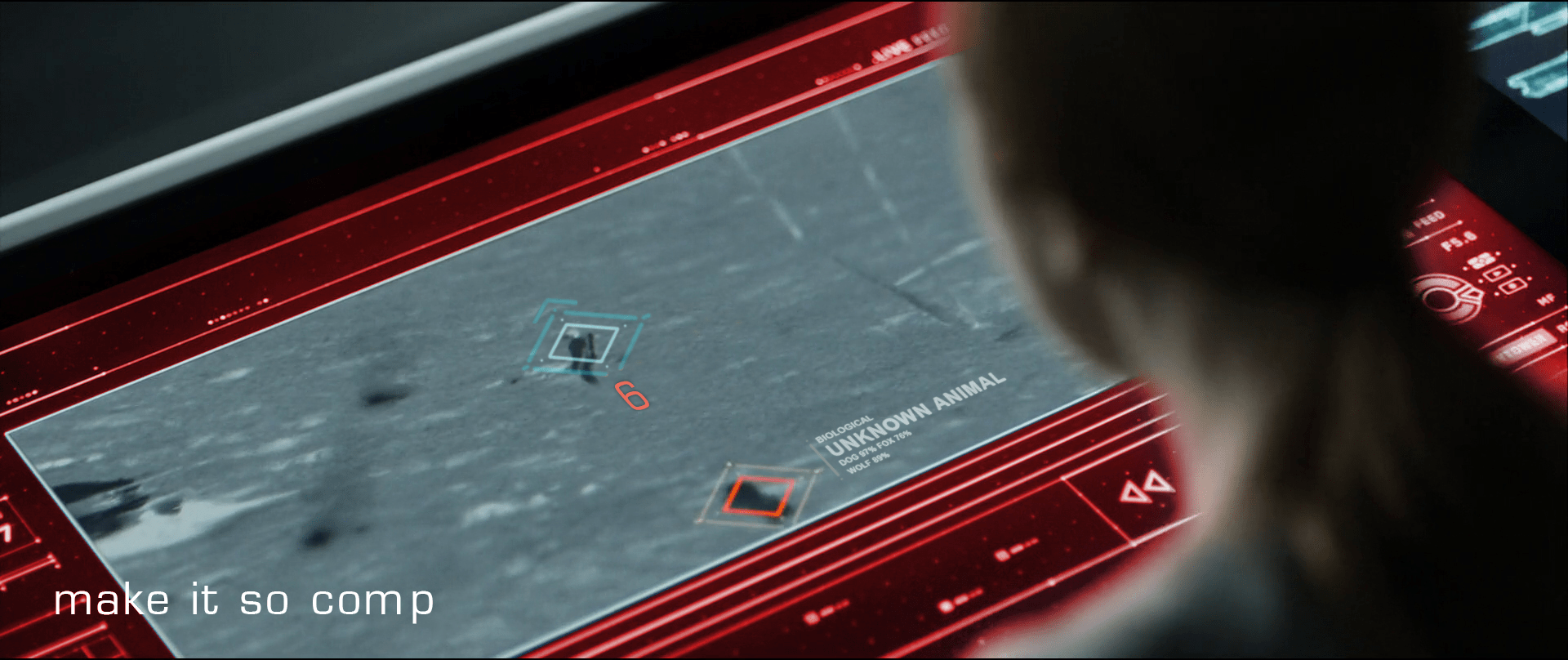
Vika was in comms with Jack when she notices the alarm signal from the desktop interface. Her screen displays an all-caps red overlay reading ALERT, and a diamond overlaying the unidentified object careening toward him. She yells, “Contact! Left contact!” at Jack.

image02

As Jack hears Vika’s warning, he turns to look drawing his pistol reflexively as he crouches. While the weapon is loading he notices that the cause of the warning was just a small, not-so-hostile dog.

Although Vika yells about something coming from the left side, by looking at the screen you can kind of tell that it’s more to his back—his 6 or 7 o’ clock—than left. We’re seeing it with time to spare here, and the satellite image is very low-res, so we can cut her some slack. But given all the sensors at its command, the interface would ideally which way Jack is facing and which way the threat approaches, so she can convey correct and useful information quickly.

“Contact, at your 6, Jack!”

That’s much more precise and actionable for Jack.

image00

Don’t cover information

It might be useful to put the ALERT overlay somewhere other than on top of Jack, since it might obscure some useful information. Perhaps the “chrome” of the interface could turn red? Not as instantly readable for the audience, but if we’re designing for Vika…
Provide specifics

Another issue is that neither the satellite image nor the interface help Vika to identify what ends up being just a dog. Even when Jack manages to stay cool through the little scare jump, adding at least some information about the object would go a long way to make Vika and the situation less tense.

Jack’s encounter with the TET gives clear evidence that the TET has sophisticated computer vision, so the interface could help Vika a bit by “guessing” what any questionable object might be. It doesn’t need to be exact (and it probably couldn’t be with that kind of video feed) but the computer could give its educated guess just by analyzing the context, shape, and motion compared against things in the database. So instead of telling there is an 87% chance of being a dog or a 76% chance of being a fox, the interface could just predict unknown animal (see below).

recomp

Share off-screen information

Fast viewers saw the unknown object before the warning. During a split of a second while the object is entering the screen, it remains blue. So the computer does keep track of any movement, even if it’s not a threat. In that case the issue is that the computer seems to be tracking movement far beyond the visible area of the screen but it doesn’t let Vika know something’s coming from off-screen. The display doesn’t need to zoom out to reach the contact—that could distract Vika from following Jack—but at least it could show some kind of signal pointing at the incoming contact.

What of multiple contacts?

I’m cautious to talk about what ifs, since most of it is just guesswork—but bear with me. On the sequence the interface keeps track of just one contact, but how it would behave if there were more than one? If the computer does track of contacts beyond the camera display Vika is watching, then just marking them is not enough. If Vika needs to inform Jack on the number of contacts she’s getting on the screen, then you need some sort of overview. Pointing at the direction of the contact is useful, but it does mean you have to sweep all the screen to know how many of them are. But that can be easily fixed by adding a list of all the current contacts.

Show trending

Pausing the film a bit and looking closely, it seems that the only difference between all-is-fine and contact! with the dog is about a meter long. And what is more, by the time the interface triggers the warning the dog is really close to Jack. If that was feral dog and it was to attack him, the warning to Jack would come very late.

In such mission-critical monitoring, it’s not enough to show changes of state. Change the state subtly to indicate as things are trending—as in, this dog is likely to continue its intercept course and getting closer.

We got this

So to wrap up, the interface does a well enough job, but it could certainly benefit from some design changes. The issues are ones that any designer might have to face when working with a monitoring interface, so worth summarizing.

  • Share all the information that is at hand
  • Give the user the information in the form they might pass it along
  • Assign an easy-to-distinguish hierarchy: information, suspicion, warning
  • Provide best-guesses as to the nature of problems with as much specificity as you can
  • Provide unobtrusive but clear signals about the mode
  • Anticipate and show trending dangers

Entrevista Maximiliano Pena

maximiliano

Hi there. Tell us a bit about yourself. What’s your name, where are you from, how do you spend your time?

Hi! I´m Maximiliano Pena and right now I live in La Plata, Argentina. I graduated in Multimedia Design not so long ago, and I usually spent my time doing some freelance work as a web designer. Besides that I like to practice drawing, learning new stuff—currently I’m teaching myself Portuguese—and I like to work on some DIY electronic projects now and then too.

I’ve always thought that I ended up into interaction design thanks to my flying lessons, it always surprised me how the controls on the plane somehow were always available, always at reach but never getting in the way of the task you were doing.

What are some of your favorite sci-fi interfaces (Other than in Oblivion)? (And, of course, why?)

GOTG

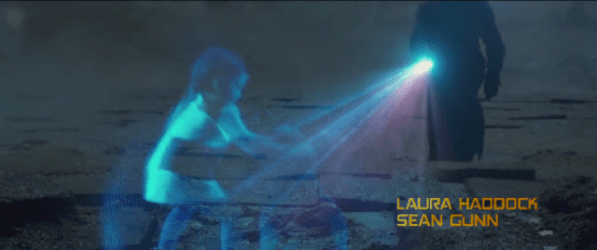
In Guardians of the Galaxy I was amazed by the holographic projector that Peter uses at the start of the movie. As he was walking through that ruined planet, he pointed the device at one specific spot and it showed him a whole city and its inhabitants. Somehow the device was able to play holographic video recordings from a way distant past. But not only that, it could also track and place those recordings exactly where they took place, of all places on an entire planet.

image00

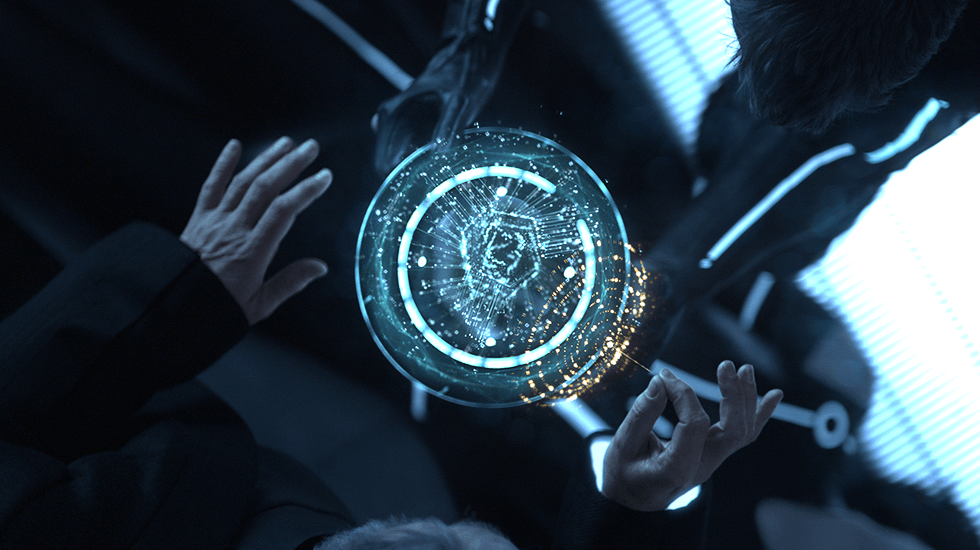
Tron: Legacy has a lot going for it but the one that really caught my eye was the hologram of Quorra´s DNA. While on board the solar sailer—which is awesome too—Flynn was trying to find the damaged code inside Quorra. The way the hologram looked and behaved really gave an organic feel to it, as Flynn was interacting with something more than a mere program. It got me thinking about affordances beyond shape and around interactions too.

Why did you decide to participate in the group review of Oblivion for your first scifiinterfaces review?

I’m a frequent reader and I had the idea of writing something for a while now. I looked into the Contribute! page on the blog a couple of times, but college kept me busy back then. So later when I saw the nerdsourcing post I jumped right in. I loved the idea of discussing opinions around interaction design with other people around the world, and to have something that I could show to other people at the end of that. And from the four movies listed there Oblivion was my favourite, so there was my vote.

What was your biggest surprise when doing the review?

It took me a while to realize that some interfaces were meant not for one but for many different users and scenarios too. Sometimes these interfaces acted as a contact point between users, some other times the same interface or device had to fit different purposes. So I found myself writing something that just made sense for one user, and later in the review I would realize those same design changes would make another user´s goals much more difficult to achieve. In a way I was saying that the interface was flawed, when actually it was just making a tradeoff.

What else are you working on? (Alternately: What other awesomeness should we know about you?

Something that I’m working on is an improved version of a gesture-driven desktop lamp that I made as my thesis project last year. I’m moving away from the mechanical parts—as those were somewhat cumbersome—and making it work based entirely on electronic components. If that does well enough, maybe I could be doing some marketable product.

Other than that I’m thinking about translating some of the reviews I made here into Spanish, just to spread la palabra. 🙂

5 Sci-fi U.S. Presidents not using interfaces (and 1 that is)

No…human…could have plotted these red dots.

It was my intention to simply show you some images of fictional United States Presidents using interfaces in science fiction movies for Presidents’ Day. But alas. They don’t.

I’m not going to claim this is exhaustive, but I looked at five Presidents:

  1. President Merkin Muffley from Dr. Strangelove or: How I Learned to Stop Worrying and Love the Bomb (1964)
  2. President Beck from Deep Impact (1998)
  3. President James Dale from Mars Attacks! (1996)
  4. President Thomas J. Whitmore from Independence Day (1996)
  5. President McKenna from X2 (2003)

Over these movies, Presidents can be seen reading displays and teleprompters,…

President Beck explains meteors to the public.
President Beck explains dire asteroids to the public.
President X prepares to read some bad news for mutants.
President McKenna prepares to read some dire news for mutants.

…speaking into public address systems,…

President Dale uses a microphone while Professor Kessler manages the interface.
President Dale delivers dire news about Martians.

…and standing around military displays,…

…but not really using any computer interfaces. The closest we come to a real interface is when President Whitmore pulls a Star Trek and declares himself part of the away team to pilot a fighter at a city-destroying alien spaceship swarming with deadly, deadly defense fighters, even though he risks dispiriting the entire nation with his possible battlefield death. But, hey, he is an angry man in need of revenge.

It’s worth noting that here he’s not using a presidential interface but a military one.

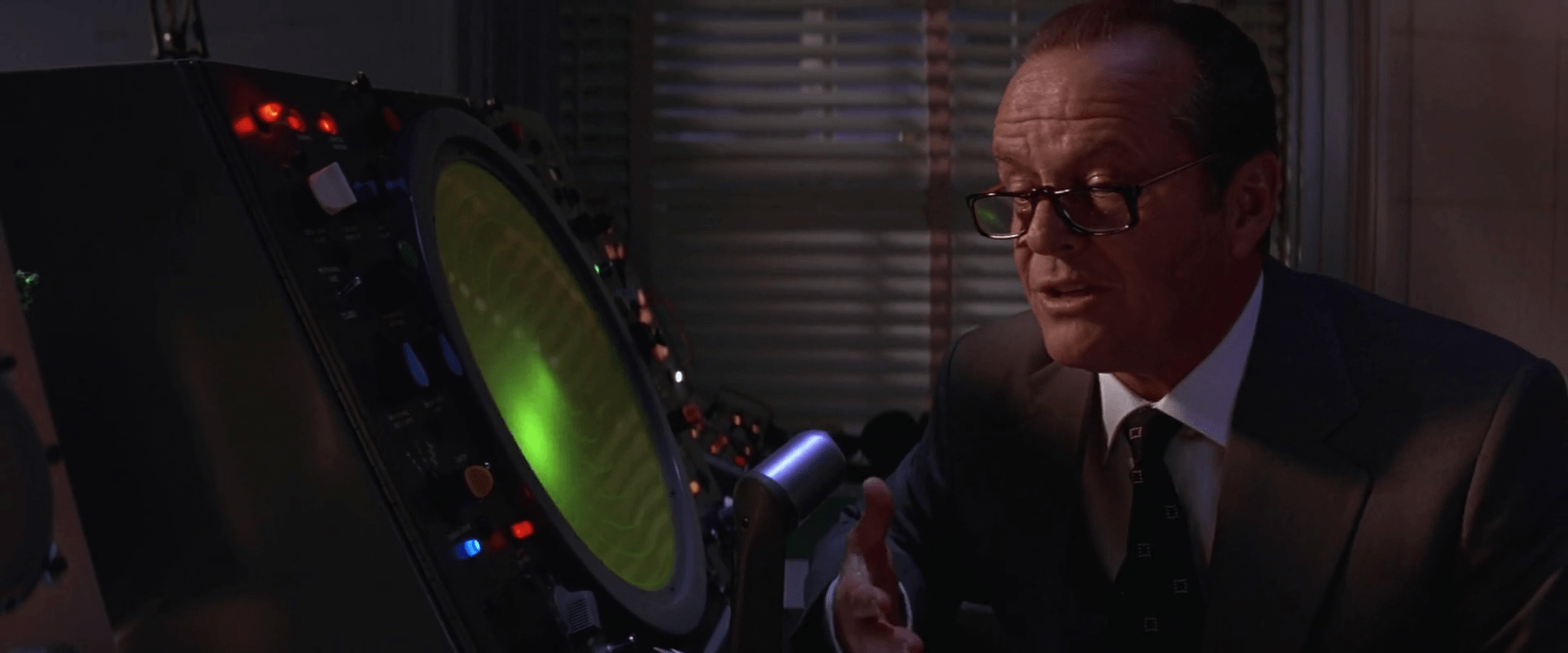
Given my definition of interfaces, i.e. all parts of a thing that enable its use, we can accept that paper and pen are the most common means by which presidents typically control the state of the system they’re using, which is the U.S. government. Fine. But the primary focus of this blog is human-computer interaction. Maybe someone else can take up the service and graphic design issues in another blog.

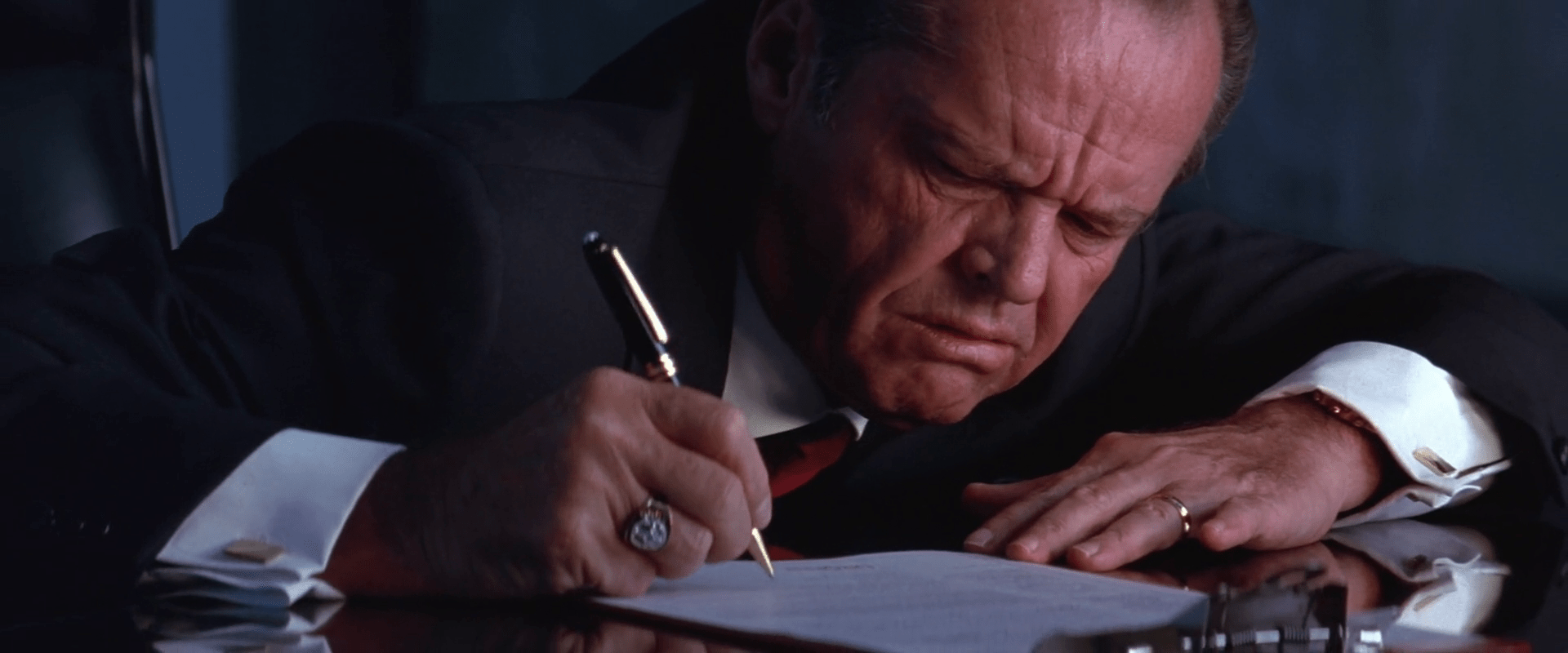
President TAFT worriedly signs the orders to launch nukes.
President Dale worriedly signs the orders to launch nukes.

So if sci-fi Presidents don’t use interfaces, it tells us a bit about the nature of the Presidency. At least as far as Hollywood is concerned, it is a role of consideration and decision-making. He or she is not a do-er, and so putting his or her hands on an interface would not befit the position.

But more importantly, it also tells us something about the relationship of status to computers. When you’re at the top, computers are not as easy to use as people. The boss has people to do that kind of thing on his or her behalf. The rest of us schlubs get stuck figuring out where the hell they hid the Airdrop button this time. And I suspect until we get a computer that is as comfortable to use as a person, but more useful in other ways, this will continue to be the case. Keep an eye out for films that showcase a President in the time of strong artificial intelligence and perfect voice recognition.

People in positions of power ensure that their world is as easy to use as possible, and this miniature Presidents’ Day survey reminds us that, still, humans are the most comfortable interface for other humans.


13 OCT 2019 Update: While reviewing Colossus: The Forbin Project, I noted that the President actually does terminate his call with the Russian Chairman—to date the only time in the survey I’ve ever seen a president use an interface.

“…And thank you for yours, Mr. Chairman.”

Bike interfaces

There is one display on the bike to discuss, some audio features, and a whole lot of things missing.

image00

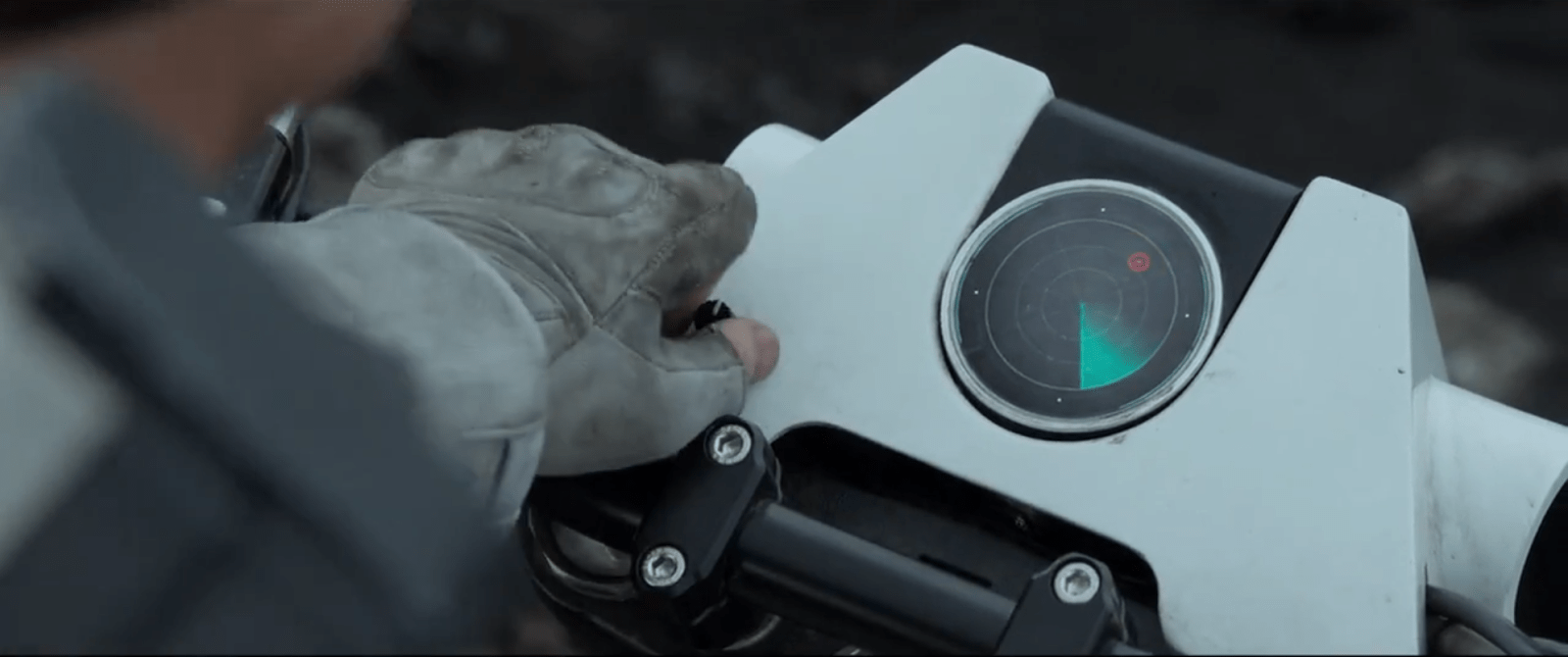
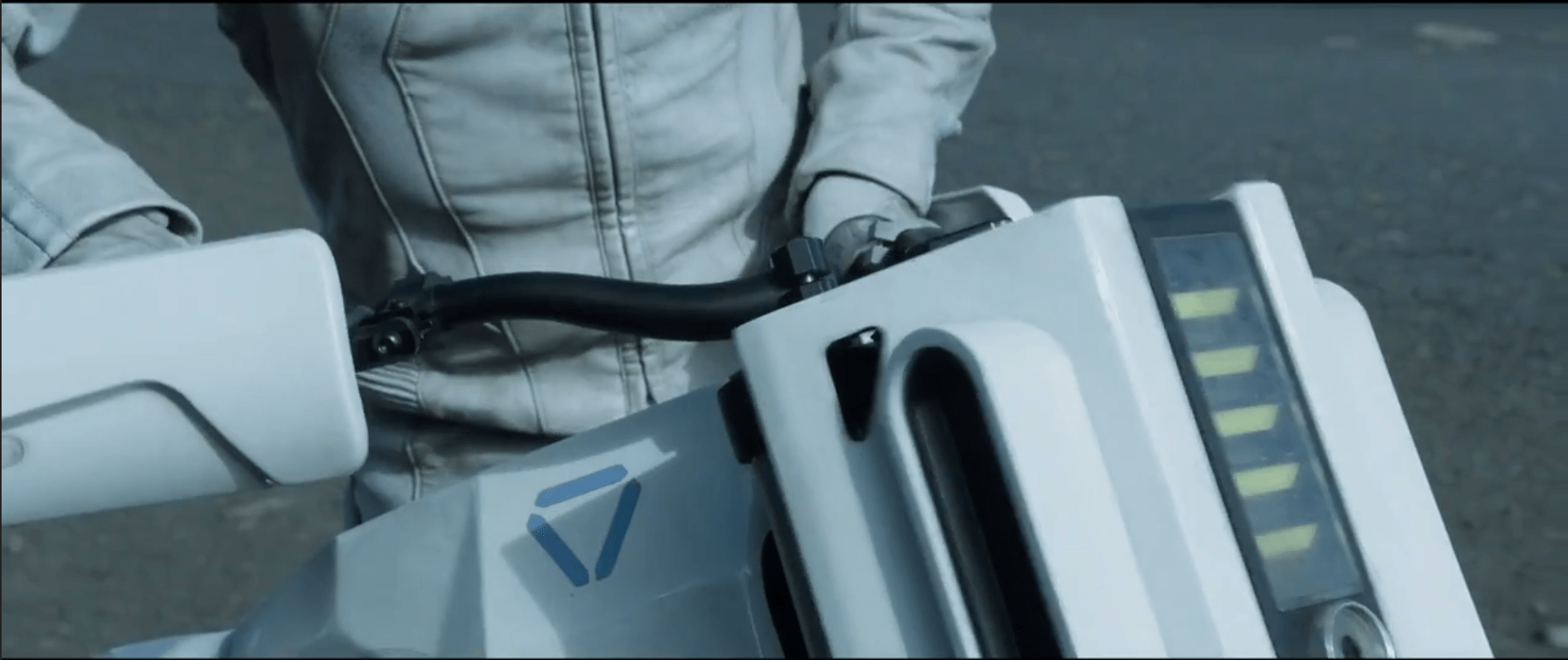
The bike display is a small screen near the front of the handlebars that displays a limited set of information to Jack as he’s riding.  It is seen used as a radar system.  The display is circular, with main content in the middle, a turquoise sweep, and a turquoise ring just inside the bezel. We never see Jack touch the screen, but we do see him work a small, unlabeled knob at the bottom left of the bike’s plates.  It is not obvious what this knob does, but Jack does fiddle with it.

While riding, the bike beeps loud enough for Jack to be able to listen to and understand changes in the screen’s status.  At slower speed and at a stop, the beeping is quieter, as if the bike adjusted the sound level to shout over the wind-noise at speed.  On screen, pulsing red dots representing targets.  After he stops, Jack removes his goggles to look at the screen, but we see him occasionally glance down at the screen while riding with goggles on.  It appears like the radar is legible in either case.

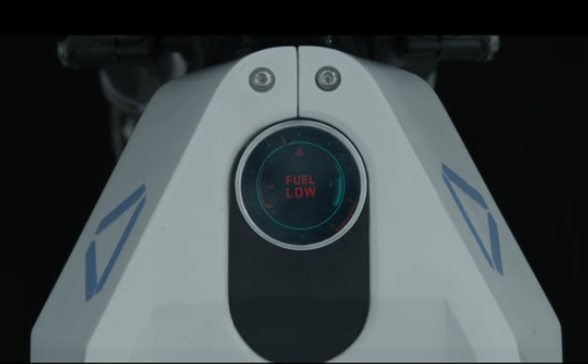
After most of the bike-related events in Oblivion, Jack gets the bike back when it has been ridden.  At one point we see an alternate display that shows large letters that says “Fuel Low”.  At that point the turquoise ring has only a sliver of thickness left.

There are several things that riders of modern motorcycles would expect to be included in a dashboard display, such as a speedometer and temperature gauge. But, we see neither an indication of speed nor some sense of whether the engine is getting too hot.  Similarly, we see no indication of running lights. Where are these things? How are they not needed?

image01

Basically useable…

Yes, the bike’s display shows very basic information that Jack needs for short range exploration and riding.  Jack is able to tell by the loud beeps which direction he should be going, and whether he’s on the right track.  These tones appear to change based on distance to target (hot/cold), with the screen acting as the directional finder.  He only needs to glance down at the display to confirm what the audio feedback is telling him and get a map view of the terrain.

…But is it enough?

This bike would not be road legal today, as it has only the most basic information Jack needs to go exploring: Where to head, and how much fuel he has left. There’s a lot missing.

The most obvious missing piece is the distance to go.  The beacon shows up on orbital scans, so Vika should have an approximate location and distance to go off of.  Jack would then know how long it would take to get there, and whether he had enough fuel for the trip.

He’s also missing a good terrain view in front of him.  On a bike, he isn’t able to traverse just anywhere.  A map and terrain display would let him plan out a route that the bike could handle, instead of guessing and hoping he doesn’t run into a sheer cliff.

Given that Jack is exploring far away from civilization, medical help, the Bubbleship, or even some kind of storage area for first aid or food would be useful.  A bike like this should also have some sort of safety gear.  Jack appears to dislike things like helmets or bulky armor, so the bike should have some indication of built-in safety systems like a deployable, wrap-around airbag.

Given the presence of Scavs, the bike should also have some kind of anti-theft mechanism on it. A lock that only allows Jack to operate the bike, or automatic locking of the wheels would make it difficult for the Scavs to steal it and use the TET technology inside.  Instead, we see that the bike is stolen after Jack descends into the cave, leaving Jack stranded.

To improve the wayfinding, the TET, Vika, or Jack could plot a general course that is relatively safe, fuel efficient, and on the way to the target for the bike.  The bike could then use Jack’s already-present communications system to guide Jack along the route using purely auditory feedback and artificial surround sound (or real surround sound if the earbud is advanced enough).

Why Waste Jack?

Jack is probably expensive in time and material to create, and giving him some protection would save the TET resources.  Even if the TET didn’t care about its crews, it should care about valuable technology that can be used against it.

Aside from the safety factor, which is probably due to the TET’s underlying lack of care about individual Jacks, Jack’s bike is able to navigate him where he needs to go and get him back.  The bike’s radar works even at full speed to point Jack in the right direction thanks to noise-adjusted audio feedback.  Only the addition of some simple anti-theft devices would make the bike more effective for both Jack and the TET.

The bike is not a good example for real-world bikes of the future, but does help set Oblivion in a world where the “employer” doesn’t care about the “employee” beyond their basic ability to get the job done.

Jack’s Bike

image03

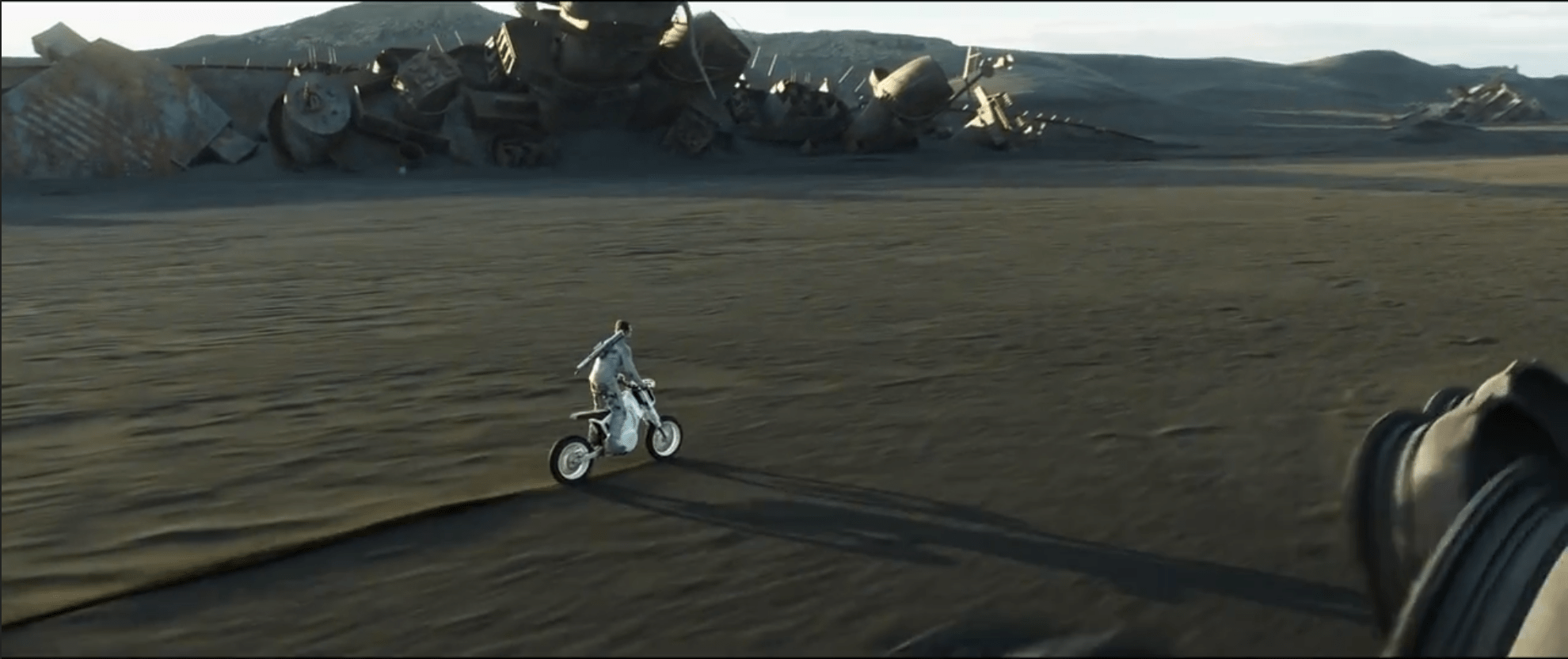
Jack’s Bike is a compact, moto-cross-like motorcycle. It’s stored folded up in a rear cargo area of the Bubbleship when not in use. To get it ready to ride Jack:

  1. Unlocks the cargo pod from a button on his wrist
  2. Pulls it out of the Bubbleship
  3. Unfolds its components (which lock automatically into place)
  4. Rides off.

When Jack mounts the bike it automatically powers on and is ready to ride.

image01

The bike is heavy, as shown by Jack’s straining to lift it out as well as the heavy sound it makes when he drops it on the ground. It is very solid, and no parts shift even when dropped from lifting height.

Purpose?

image02

There is no obvious reason for Jack to use a bike instead of the Bubbleship. The bike does contain a small radar system, but such functionality could be easily integrated into the Bubbleship. Otherwise the Bubbleship is faster, more comfortable, has longer range, ignores the problems presented by difficult terrain, and has a better connection to the rest of Jack’s support network. So there’s no obvious functional advantage.

It makes more sense that this bike is a release for Jack’s exploratory personality. We see several times that Jack goes and does something brash or dangerous, simply to do something different and make his day more interesting. It’s part of who he is and how he engages with the world.

If so, then Jack simply likes taking the bike out for a ride. He is happy when he takes it out of the Bubbleship, and he does several unnecessary jumps on the bike just for fun. Even though the Bubbleship could have found the signal quicker and easier than the Bike, the bike was a more entertaining way to spend the day. We also see that, when things get serious, Jack quickly calls for Drone backup and is happy to see the Bubbleship waiting for him at the surface.

Let’s presume the TET saw these behaviors (or lost several early Jacks to boredom when this option wasn’t available), and created the bike to make him more happy and effective.

Delight Your Users

image00

So here’s an interesting lesson: The most efficient tool for the job might not always be the most effective. A user’s experiential needs are just as important as their need to get the job done, and considering those needs may lead to a design that is satisfyingly fun.

That can be hard for designers who are focused on improving efficiency, and can be even more difficult for product teams. But if you can figure it out, it’s worth it.

After all, you don’t want to have to keep replacing your Jacks.

A Deadly Pattern

The Drones’ primary task is to patrol the surface for threats, then eliminate those threats. The drones are always on guard, responding swiftly and violently against anything they do perceive as a threat.

An explosion in a dimly lit library with debris scattered around and a hovering robotic device amidst the chaos.

During his day-to-day maintenance, Jack often encounters active drones. Initially, the drones always regard him as a threat, and offer him a brief window of time speak his name and tech number (for example, “Jack, Tech 49”) to authenticate. The drone then compares this speech against some database, shown on their HUD as a zoomed-in image of Jack’s mouth and a vocal frequency.

vlcsnap-2015-02-03-22h07m47s249

Occasionally, we see that Jack’s identification doesn’t immediately work. In those cases, he’s given a second chance by the drone to confirm his identity.

A man with a glowing headband appears concerned, reaching out with his hand, in a dimly lit environment.

Although never shown, it is almost certain that failing to properly identify himself would get Jack immediately killed. We never see any backup mechanism, and when Jack’s response doesn’t immediately work, we see him get very worried. He knows what happens when the drone detects a threat.

Zero Error Tolerance

This pattern is deadly because it offers very little tolerance for error. The Drone does show some desire to give Jack a second chance on his vocal pattern, but it is unclear how many total chances he gets.

On a website, if I enter my password wrong too many times it will lock me out. With this system, the wrong password too many times will get Jack killed.

There are many situations where Jack may not be able to immediately respond:

  • Falling off his bike and knocking himself out
  • Focus on repairing a drone, when a second drone swoops in to check the situation out
  • Severe shock after breaking a limb
  • etc…

As we see in the crashed shuttle scene, the Drones have no hesitation in killing unconscious targets. This means that Jack has a strong chance of being killed by his Drone protector in some of the situations where he needs help the most.

A futuristic robotic sphere with the number 166 displayed on its surface, emitting flames and smoke from its underside.

A more effective method could be a passive recognition system. We already know that the drone can remotely detect Jack’s biosignature, and that the Tet has full access to the Drone’s HUD feed.

The Drone then could be automatically set to not attack Jack unless the Tet gives a very specific override. Or, alternatively, the Drone could be hard-wired to never attack Jack at all (though this would complicate the movie’s plot). In any situation where it looks like the Drone might attack anyways, the remote software Vika uses could act as a secondary switch, providing a backup confirmation message.

That said, we must acknowledge that this system excels at is keeping Jack nervous and afraid of active drones.  While they help him, he knows that they can turn on him at any moment.  This serves the TET by keeping Jack cowed, obedient, and always looking over his shoulder.

Ethical Ramifications

The Drones are built as autonomous sentries, able to protect extraordinarily expensive infrastructure against attack. They need to be able to eliminate that threat, quickly and efficiently. Current militaries are facing the exact same issues. Even though they have pledged (for now) to not build autonomous kill systems, modern military planners may find value in having a robot perform a drudging, dangerous task like patrolling remote infrastructure.

The question asked best in Oblivion is “What should constitute a threat?

A desolate landscape with wreckage and flames, suggesting a recent disaster or battle scene.

Drones fire mercilessly on unarmed civilians and armed enemy militia, but do not attack armed friendly soldiers (Jack). This already implies some level of advanced threat analysis, even if we abhor the choices the Drone makes.

The Future

Military Planners will need to answer the same question: How does the algorithm determine a threat? With human labor becoming more and more expensive both monetarily and emotionally, the push for autonomous drone systems will become even stronger for future conflicts.

There is still enough time to research and test potential concepts before we have to make a decision on autonomous drones.

Interaction Design Lessons:

  1. Don’t threaten civilians and non-combatants.
  2. Give clear feedback of limits and consequences if a deadly pattern is about to be activated.
  3. Give users a second chance.

Introducing Heath Rezabek

MLIS—Librarian and Futurist.

rezabek-heath-01-tall-halfsize

Hi there. Tell us a bit about yourself. What’s your name, where are you from, how do you spend your time?

I’m Heath Rezabek. I live in Austin, Texas, and have been an enthusiast of user interface design for many years. By career and calling I’m a librarian, and am a library services and technology grant manager by day. I have long been interested in how information is portrayed, symbolized, and accessed. I’m also writer of experimental speculative fiction, and have an interest in how the future is seen by creators and audiences. Interfaces play a key role in my fiction series, as well, from holographic to virtual world driven to all-out surrealist.

Screen Shot 2015-01-22 at 22.47.52

What are some of your favorite sci-fi interfaces (Other than in Oblivion)? (And, of course, why.)

In the realm of sci-fi interfaces, I’m quite drawn to the interplay between computer-based systems and the more physical failsafes often used to counterbalance or circumvent them. Two favorite examples would be the range of interfaces found in 2001: A Space Odyssey (from vocal interface to highly abstracted displays to physical systems such as HAL’s memory chamber), and the blend of failsafe systems in Danny Boyle’s Sunshine. Another favorite interface is that of the infamous Self Destruct levers in Ridley Scott’s Alien. Gmunk’s interfaces in TRON Legacy, particularly the ISO DNA editing orb interface, is another key inspiration. Again: Information as alive, as primal, as root-level mission-critical source-code.

2001: A Space Odyssey

HR01

Sunshine

02_sunshine_Blu-ray

Alien

HR04

Tron Legacy

HR05

Why did you decide to participate in the group review of Oblivion for your first scifiinterfaces review?

I decided to participate in the group review of Oblivion partly for a behind-the-scenes look at how Chris Noessel / scifiinterfaces approached such a project, and partly to get myself to take a deep look at interfaces I might otherwise only have considered from a distance. I’m an admirer of gmunk’s design work, on TRON Legacy as well as here, and that was another draw.

What was your biggest surprise when doing the review?

I don’t know whether this bit of analysis will make the final cut in the review, but my biggest surprise came as a mental leap while evaluating the direct drone linking and maintenance system used by Jack before deploying the hacked drone. In the end, I arrived at the idea that in tech-heavy stories, low-level physical interfaces (such as the thick, external cable which not only carried data from the reprogramming unit to the drone but also sparked, livewire-like, when detached) might often be symbolic signifiers of particularly root-level or fundamental information, commands, and (in the end) plot points. As important as a fictional interface is the way in which it is (or isn’t) eventually circumvented, (also built into the interface as a whole system) and what that moment means for the story.

In the case of Oblivion, I ended up drawing a connection between this brute, physically hazardous (sparking data cable!) reprogramming method and the sudden, stunning, reorienting effect that finding the crumbling book of poetry had on Jack. It’s no surprise to me that this particular moment had such an impact, given my interest in the role of physical-level and failsafe systems in overall fictional interfaces elsewhere. I’ll have to rewatch 2001 and Sunshine with this thought in mind.

What else are you working on? (Alternately: What other awesomeness should we know about you?)

I’m the Director of Strategic Initiatives at Icarus Interstellar, a research group focused on developing our prospects for eventual interstellar travel.  (Yes, actual eventual interstellar travel.)

I’m Deputy Lead of Project Astrolabe (also via Icarus Interstellar), a project to research long-term models of civilization.  My main research focus is very long term archival of the biological, scientific, and cultural record as a mitigation of risk to civilization’s capabilities over the long term.  I’ve Interned with the Long Now Foundation on their Manual for Civilization, and am advising Lunar Mission One on their Public Archive.

I’m also a lead for a project called the FarMaker Design Corps (also via Icarus Interstellar), which at a basic level is a biannual concept art contest with brackets for starship visualizations as well as (if all goes well) interface design. Chris Noessel is one of our Judges, and joins an amazing team of Advisors:
  • Mike Okuda (Star Trek)
  • Mark Rademaker (freelance ship concept designer)
  • Stephan Martiniere (Guardians of the Galaxy)
  • Steve Burg (Prometheus & Nolan’s Interstellar)
  • Oliver Scholl (Edge of Tomorrow)
  • Doug Drexler (Star Trek & Battlestar Galactica)
  • Thomas Marrone (UI for Star Trek Online)
  • Chuck Beaver (story, game, and UI director for the Dead Space series, formerly at EA)

We’ve started with an art contest to help find and encourage artists envisioning an interstellar future. Of course, with an advisory team like that, I most definitely look forward to seeing what the future holds.