Staff of the Living Tribunal

This staff appears to be made of wood and is approximately a meter long when in its normal form. When activated by Mordo it has several powers. With a strong pull on both ends, the staff expands into a jointed energy nunchaku. It can also extend to an even greater length like a bullwhip. When it impacts a solid object such as a floor, it seems to release a crack of loud energy. Too bad we only ever see it in demo mode.

How might this work as technology?

The staff is composed of concentric rings within rings of material similar to a collapsing travel cup. This allows the device to expand and contract in length. The handle would likely contain the artificial intelligence and a power source that activates when Mordo gives it a gestural command, or if we’re thinking far future, a mental one. There might also be an additional control for energy discharge.

In the movie, sadly, Mordo does not use the Staff to its best effect, especially when Kaecilius returns to the New York sanctum. Mordo could easily disrupt the spell being cast by the disciples using the staff like a whip, but instead he leaps off the balcony to physically attack them. Dude, you’re the franchise’s next Big Bad? But let’s put down the character’s missteps to look at the interface.

Mode switching and inline meta-signals

Any time you design a thing with modes, you have to design the state changes between those modes. Let’s look at how Mordo moves between staff, nunchaku, and whip in this short demonstration scene.

To go from staff to nunchaku, Mordo pulls it apart. It’s now in a dangerous state, so is there any authentication or safety switch here? It could be there, but all passive via contact sensors, which would be the best so it could be activated in a hurry. The film doesn’t give us any clue, really, so that’s an open question.

How does it know to go from nunchaku to whip? It sure would be crappy to bet on a disabling thwack against your opponent only to find it lazily draping over a shoulder instead. (Pere Perez might have advanced ideas, given his ideas on light saber tactics.) Again, this state change could be passive, detecting in real time the subtle gestural differences in a distal snap, which a bullwhip would need, and lateral force, which sets the nunchaku spinning, and adjust between the two accordingly. Gestural and predictive technologies are not particularly cinegenic, so let’s give it the benefit of the doubt and say that’s what’s happening.

A last mode is After Mordo cracks it against the ground, it retracts back to Staff form. This is the hardest one to buy. Certainly it’s a most dramatic ending for Mordo’s demonstration. But does it snap back automatically after it strikes a surface? Automation is not always the answer. Deliberate control would mean Mordo doesn’t have to waste time undoing unwanted automatic actions.

Critical systems must be extremely confident in their interpretations before automation is the right choice.

It might be that this particular gesture is a retraction signal, but how the Staff distinguishes this from a mid-combat strike is tricky. It would have to have sophisticated situational awareness to know the difference, and it doesn’t display this. Better backworlding would point at some subtle gestural signal from Mordo. A double-tightening of his grip, maybe. Or even a double-slight-release of his grip, since that’s something he’s quite unlikely to do in combat.

This is a broad pattern for designers to remember. Inline control signals should be simple-to-provide, but unlikely to occur in literal use. Imagine if the Winter Soldier’s Trigger Phrase wasn’t “Longing, rusted, 17, daybreak, furnace, 9, benign, homecoming, 1, freight car” but instead was the word “the.” He’d be berserking every few seconds. Unworkable. So, if you were designing the Staff’s retraction command gesture, you’d have to pick something he could remember and perform easily, and that would be difficult to accidentally provide.

If Mordo has the staff in the next film, I hope the control modes are clearer and of course well-designed.

Door Bomb and Safety Catches

Johnny leaves the airport by taxi, ending up in a disreputable part of town. During his ride we see another video phone call with a different interface, and the first brief appearance of some high tech binoculars. I’ll return to these later, for the moment skipping ahead to the last of the relatively simple and single-use physical gadgets.

Johnny finds the people he is supposed to meet in a deserted building but, as events are not proceeding as planned, he attaches another black box with glowing red status light to the outside of the door as he enters. Although it looks like the motion detector we saw earlier, this is a bomb.

jm-12-doorbomb-a-adjusted

This is indeed a very bad neighbourhood of Newark. Inside are the same Yakuza from Beijing, who plan to remove Johnny’s head. There is a brief fight, which ends when Johnny uses his watch to detonate the bomb. It isn’t clear whether he pushes or rotates some control, but it is a single quick action.

jm-12-doorbomb-b-adjusted

This demonstrates an interesting difference between interface design for the physical world and for software systems. Inside a computer, actions are just flipping bits in storage and thus easy to undo. Even supposedly destructive actions such as erasing files can often be reversed. In the real world, the effects of, for example, explosions tend to be much more permanent.

We generally don’t want destructive actions to be too easy to perform, from guns and other things that go boom to formatting computer disks.

A widely used solution in the real world is the safety catch, as with guns, or arming switch, seen in countless thriller films with nuclear weapons. Another example are the two-hand safety switches used in high voltage electrical distribution panels. Activation of these requires two individual actions, separated in time and at least a short distance in space. Some systems, both real and in film, go even further and have covers on the arming switches, so even just preparing for activation requires two separate physical actions.

While the bomb is on his belt, Johnny doesn’t have to worry about accidentally pressing the “explode” button on his watch because the bomb is not active. Only after he has armed it and placed on the door can the watch activate the bomb, so he can take his time and verify whether or not it is necessary before doing so. And when it is active, he can do so very quickly even though he is in the middle of a fight.

But safety catches and arming switches introduce modes to an interaction, which have a bad reputation in interface design. Had the watch-bomb designers followed most conventional GUI design guidelines, there would be no arming switch on the bomb. Instead the watch would have popped up a “Do you really want to explode the bomb (Y/N)?” dialog, possibly with a short delay to ensure Johnny thought about his decision before answering. He would have been decapitated.

Compare to LoTek

Later on in the film we see an example of a poorly designed system without a safety catch. The LoTeks in their bridge home have a defensive “bug dropper”, so called because it drops ancient Volkswagens from a great height.

jm-12-bugdropper-animated

The bug dropper can be activated by pushing just a single handle. Because there is no safety switch, a guard accidentally drops a flaming VW Beetle onto the lead characters, nearly killing them.

Conclusion

From the description above it would seem that safety catches are the obvious solution. But of course it’s more complicated than that. Consider what would have happened if Johnny had met friends instead of enemies and settled down for a conversation. Thirty minutes later they’ve agreed on another meeting, and Johnny taps his watch to bring up the reminders app. Oops!

Should the bomb have disarmed itself after a given time period? If it did, how would Johnny be notified of this?

Most of us do not design interfaces for lethal hardware and life or death situations. There are however an increasing number of drones and other physical devices which are now remotely controlled from phone or tablet apps rather than dedicated hardware controllers as in the past. The “Internet of Things” will bring even more real world actions under computer interface control. In the future, we will most likely see more of these safety catches and arming switches in computer interfaces, and we need to figure out how to use them properly.

Hotel Remote

The Internet 2021 shot that begins the film ends in a hotel suite, where it wakes up lead character Johnny. This is where we see the first real interface in the film. It’s also where this discussion gets more complicated.

A note on my review strategy

As a 3D graphics enthusiast, I’d be happy just to analyze the cyberspace scenes, but when you write for Sci Fi Interfaces, there is a strict rule that every interface in a film must be subjected to inspection. And there are a lot of interfaces in Johnny Mnemonic. (Curse your exhaustive standards, Chris!)

A purely chronological approach which would spend too much time looking at trees and not enough at the forest. So I’ll be jumping back and forth a bit, starting with the gadgets and interfaces that appear only once, then moving on to the recurring elements, variations on a style or idea that are repeated during the film.

Description

The wakeup call arrives in the hotel room as a voice announcement—a sensible if obvious choice for someone who is asleep—and also as text on a wall screen, giving the date, time, and temperature. The voice is artificial sounding but pleasant rather than grating, letting you know that it’s a computer and not some hotel employee who let himself in. The wall display functions as both a passive television and an interactive computer monitor. Johnny picks up a small remote control to silence the wake up call.

jm-2-check-email-a

This remote is a small black box like most current-day equivalents, but with a glowing red light at one end. At the time of writing blue lights and indicators are popular for consumer electronics, apparently following the preference set by science fiction films and noted in Make It So. Johnny Mnemonic is an outlier in using red lights, as we’ll see more of these as the film progresses. Here the glow might be some kind of infrared or laser beam that sends a signal, or it might simply indicate the right way to orient the control in the hand for the controls to make sense.

First thing every morning: Messages

After silencing the alarm, Johnny, like so many of us today, checks his email. (In 1995 doing so before even getting out of bed might have been intended to show his detachment from humanity. Today, it seems perfectly natural!) He uses the remote to switch the display to the hotel “Message Centre”. We see his thumb move around, so the remote must have multiple buttons, but can’t tell whether this is a simple arrow keypad or something more complicated.

jm-2-check-email-b-adjusted

The message centre of the New Darwin Inn system both displays the text message visually and also speaks it aloud in the same synthesized voice that woke him up. Voiceovers are common in films so the audience doesn’t have to try to read the cinema screen, but in this case it would be genuinely useful. Guests could start doing something else without needing to pay full attention to the display.

Is it necessary for Johnny to explicitly switch to the Message Center? The system could have displayed this message automatically after the wakeup call, or shown the 2021 equivalent of his InBox.  On the other hand, this is a giant, clearly visible screen and Johnny was not alone in the suite. Johnny, and other guests, might wish to keep their communications private.

As Johnny has no messages, he uses the remote to switch the display to a TV channel.

The hotel room “phone” call

Next he uses the remote to make a phone call. He starts by using the remote to dial the number, which appears on the display. We can’t see whether he is typing numbers directly, or using arrow keys and an Enter or OK button to navigate around the onscreen keypad. It’s certainly convenient for guests to be able to make a call without getting out of bed, but a voice recognition interface might be even easier. We’ll see a phone system that accepts voice commands later on, so perhaps using the remote is just a preference.

jm-3-phone-hotel-a-adjusted

What is the strange blue window to the right of the keypad? It’s there because all phone calls in 2021 are in fact video calls. The equivalent to a busy waiting tone in this world is a video splash screen. These can be customized by the recipient, here showing the company name, Dataflow.

jm-3-phone-hotel-b-adjusted

And finally both parties can see and hear each other. Note  also the graphical reverse, stop, and play buttons at the bottom right of the keypad. These imply some sort of recording capability, but we never see them used.

jm-3-phone-hotel-c-adjusted

Next

I’ll discuss the 2021 phone system in more detail later on, so for now we just need to know that this phone call is the setup that sends Johnny to Beijing for his next, and hopefully last, job.

Homing Beacon

image04

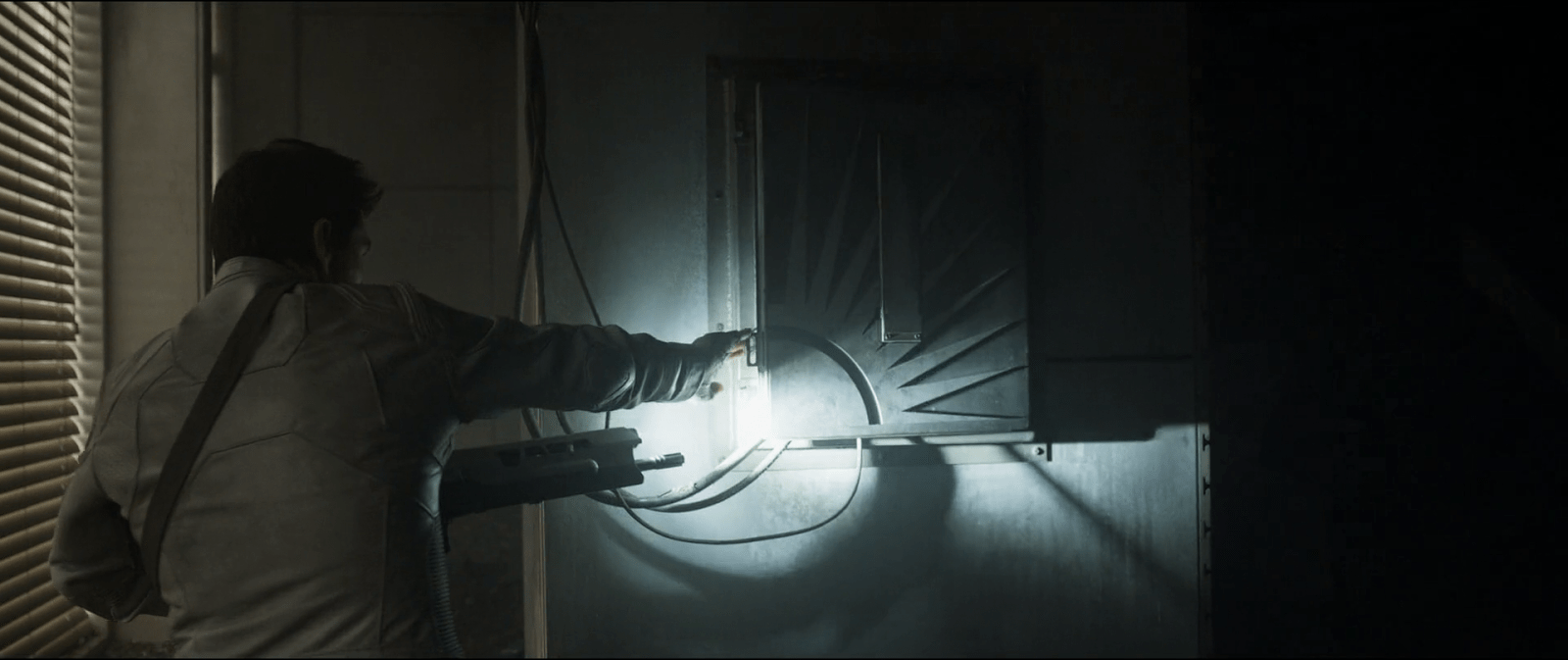
After following a beacon signal, Jack makes his way through an abandoned building, tracking the source. At one point he stops by a box on the wall, as he sees a couple of cables coming out from the inside of it, and cautiously opens it.

The repeater

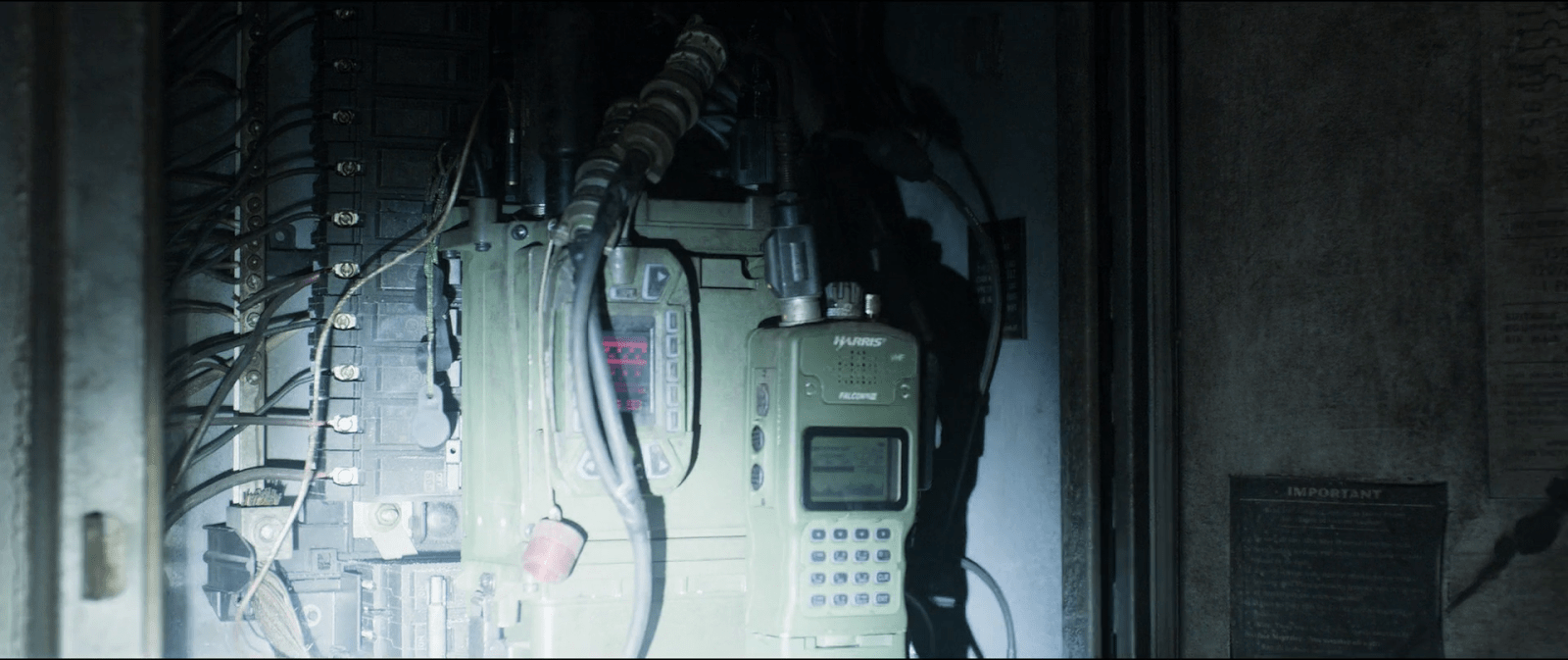
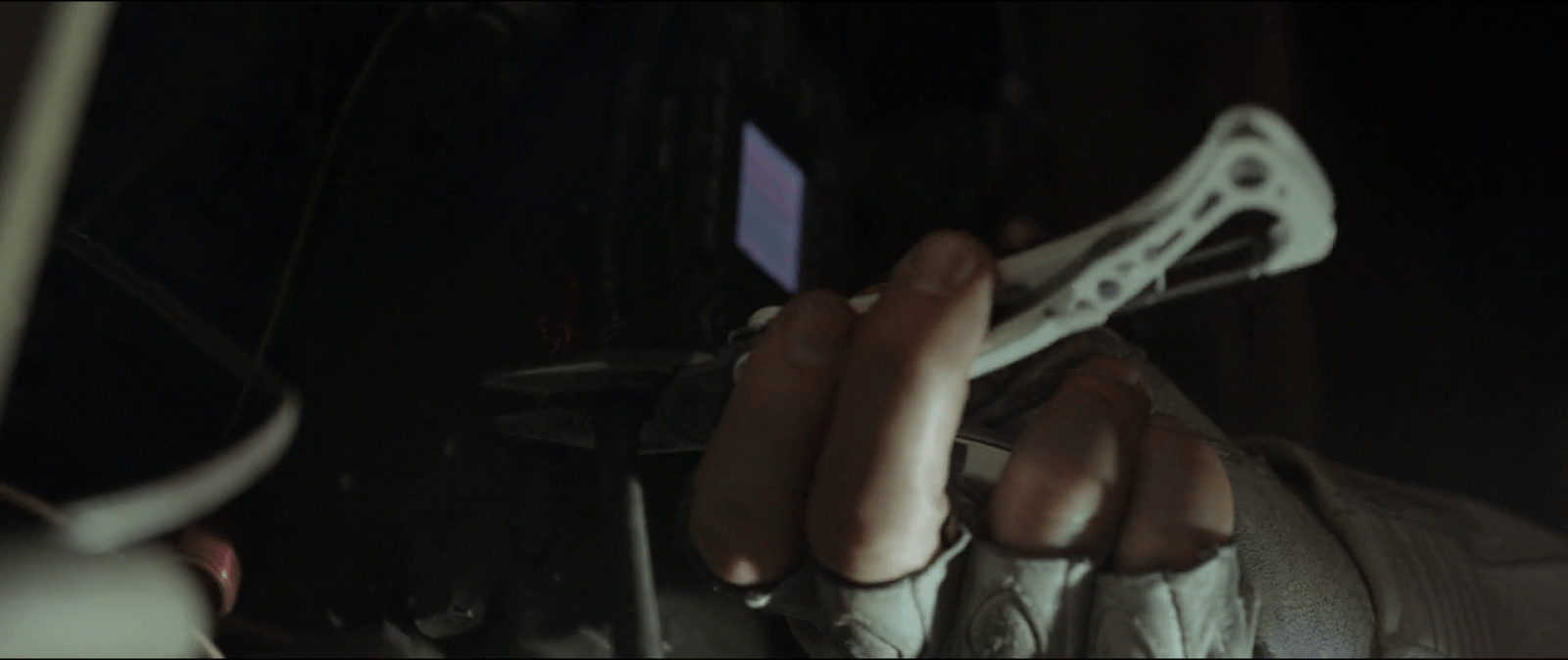
I can’t talk much about interactions on this one given that he does not do much with it. But I guess readers might be interested to know about the actual prop used in the movie, so after zooming in on a screen capture and a bit of help from Google I found the actual radio.

image05
When Jack opens the box he finds the repeater device inside. He realizes that it’s connected to the building structure, using it as an antenna, and over their audio connection asks Vika to decrypt the signal.

The desktop interface

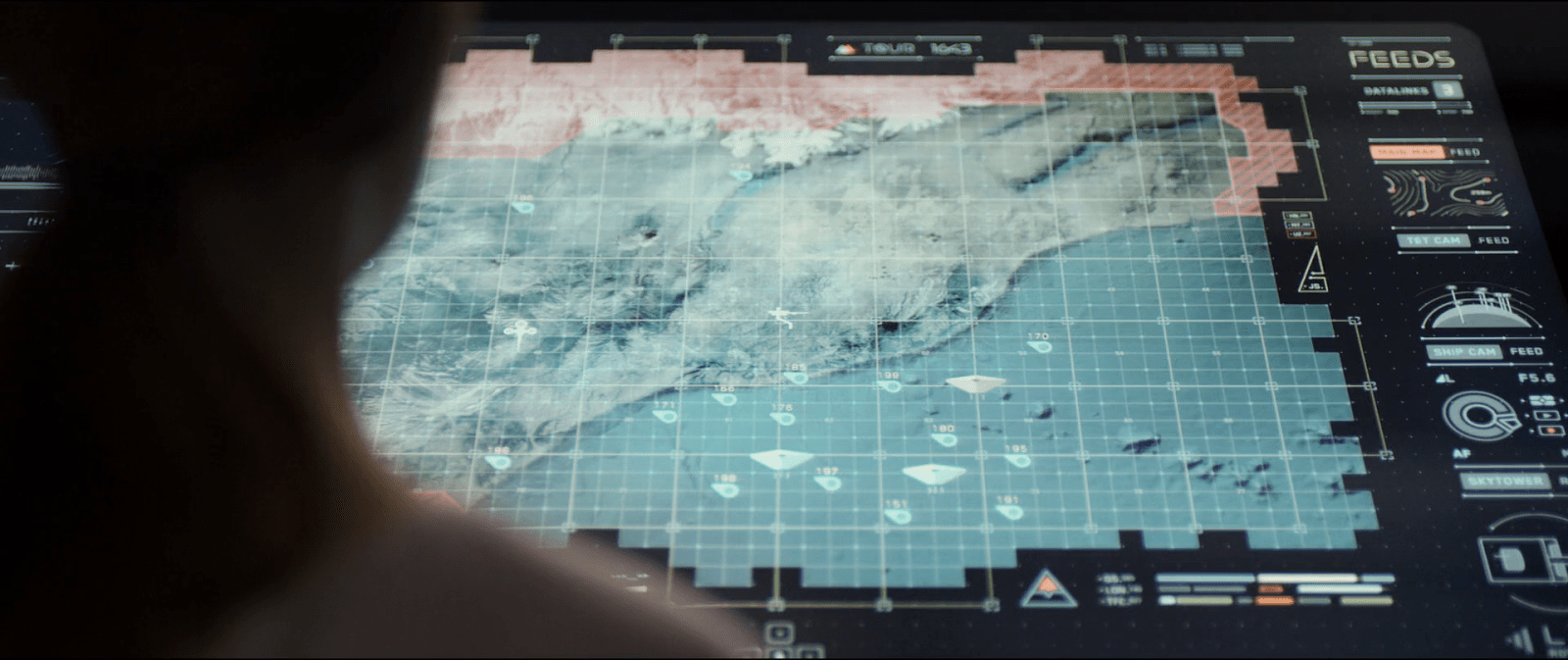
Although this sequence centers around the transmission from the repeater, most of the interactions take place on Vika’s desktop interface. A modal window on the display shows her two slightly different waveforms that overlap one another. But it’s not clear at all why the display shows two signals instead of just one, let aside what the second signal means.

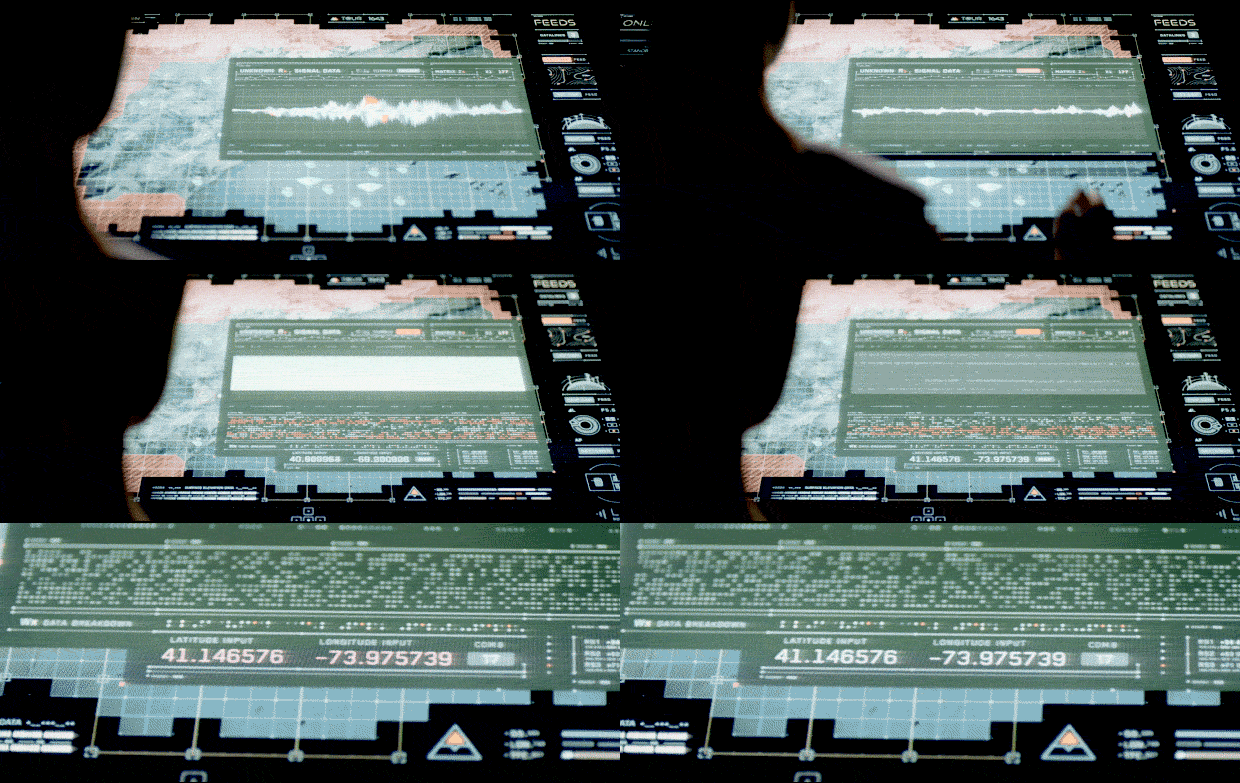
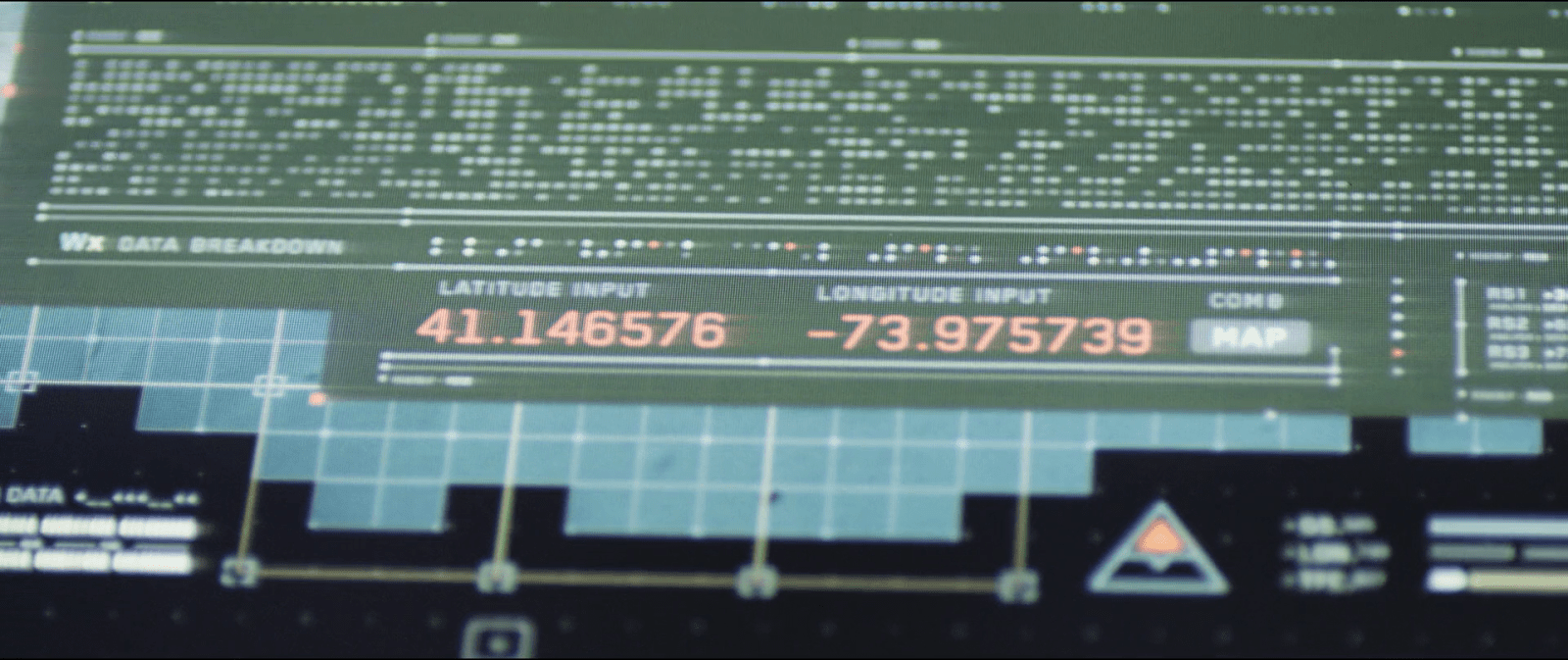
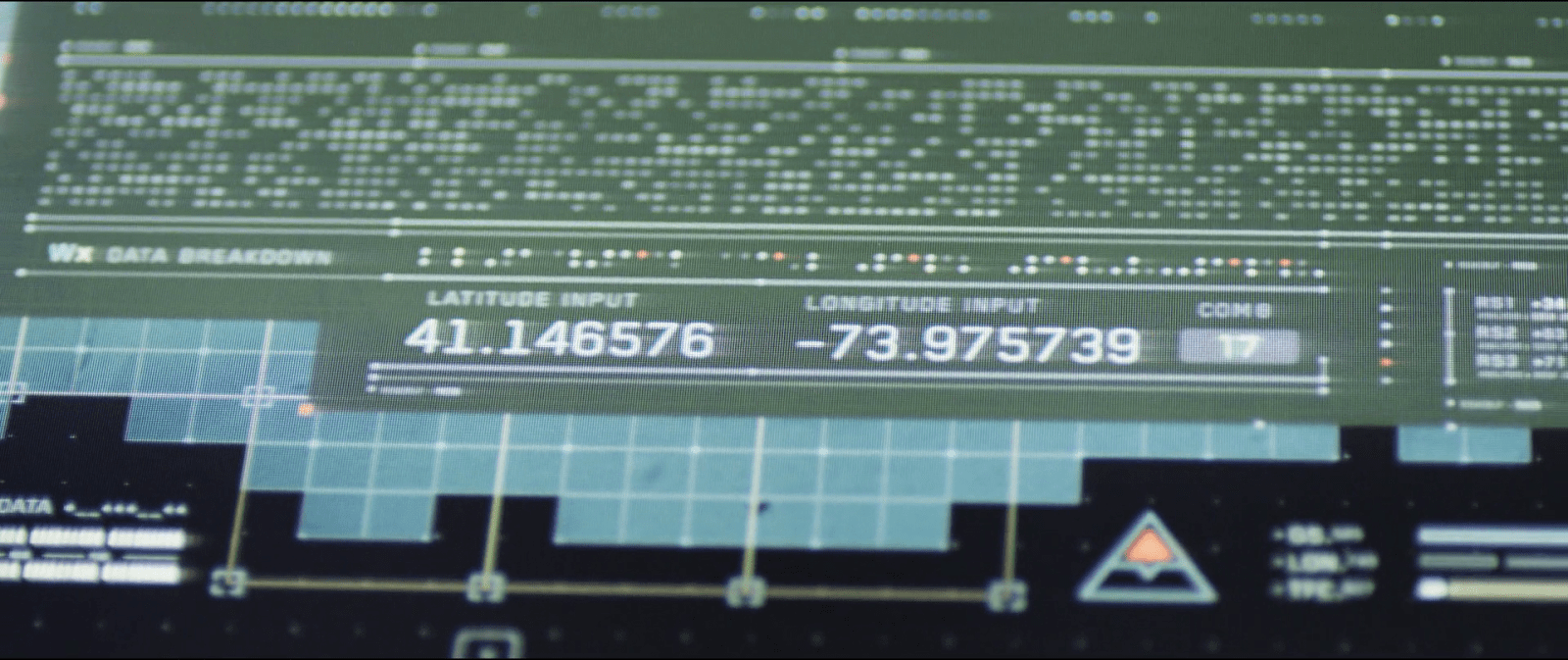
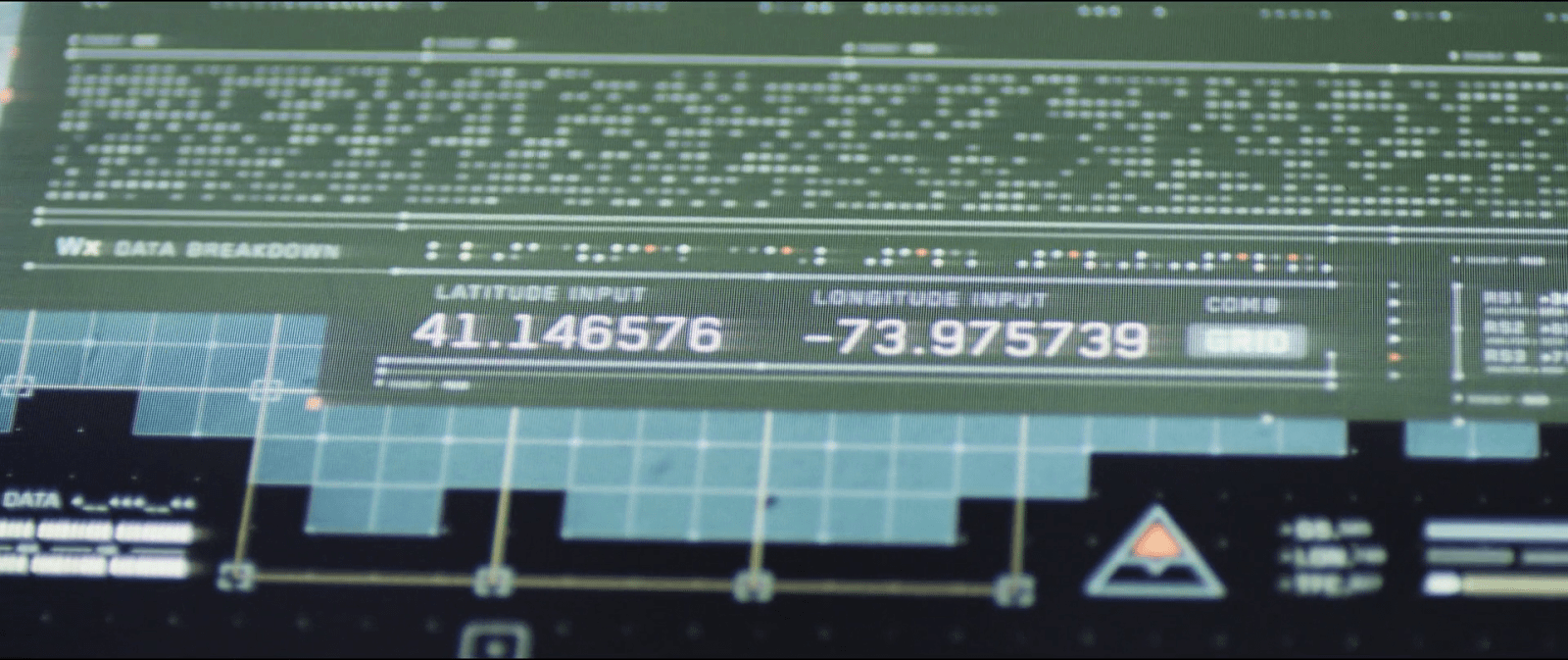
After Jack identifies it as a repeater and asks her to decrypt the signal, Vika touches a DECODE button on her screen. With a flourish of orange and white, the display changes to reveal a new panel of information, providing a LATITUDE INPUT and LONGITUDE INPUT, which eventually resolve to 41.146576 -73.975739. (Which, for the curious, resolves to Stelfer Trading Company in Fairfield, Connecticut here on Earth. Hi, M. Stelfer!) Vika says, “It’s a set of coordinates. Grid 17. It’s a goddamn homing beacon.”

DECODE_15FPS
At the control tower Vika was already tracking the signal through her desktop interface. As she hears Jack’s request, she presses the decrypt button at the top of the signal window to start the process.

When you look at the display, the decrypt button is already there for her to press. So either the computer already knows there is an encryption going on, or the user can press the decrypt button at any time, regardless of whether the signal is encrypted or not. In both cases, it’s bad interaction design.

An issue of agentive tech

If the computer already knows that the signal is encrypted, why doesn’t it tell her that? It should automatically handle the decryption, alert her that it was decrypted, and show the lat/long results on the screen. If it’s wrong, she can dismiss it. But let’s not rely on her consultation of a stoic guru just to find out. (It doesn’t even make sense from the TET’s perspective.) In this way you simplify the interface—as you no longer need a “decrypt” button—and help Vika and Jack with their goals more effectively.

Needs more states

From the sequence you can tell that the decrypt button has only two states , OFF and ON. To improve the interface, we’d want to have a few more states, indicating CONFIDENCE, PROCESSING, and of course if it’s wrong, the opportunity to DISMISS. Each of these would need specific designing for microinteractions, but these two states aren’t enough.

What if those weren’t coordinates?

When Vika presses the decrypt button we can see it expands the bottom part of the window, adding some encryption-related info. And way at the very bottom the interface there are a couple of labels that read LONGITUDE INPUT and LATITUDE INPUT. Not the best name though since it’s easy to mistake these for the coordinates of the signal source rather than the message itself. The numbers there start to change as the computer seems to be decoding the signal from the repeater, and making the correction on the data on real time.

But the strange bit are those same coordinate inputs. It seems as if the computer already knows—before it finishes decrypting—that the signal is transmitting a set of longitude and latitude coordinates. I mean, what if the encrypted data wasn’t coordinates at all…say, an entry code to some scav station? It’s possible that there is some metadata in the signal that conveys this information, but if that was immediately available, again, the system should have told them.

Finally, there is no feedback whatsoever about the time needed to complete the decryption. It doesn’t do much harm here as it’s pretty fast, but I’m guessing that more complex transmissions might pass the threshold of attention it would become an issue.

What is out there?

This is the first thing Jacks asks once he knows about the encrypted coordinates. And the interface designers thought about that one too, and place a small button next to the coordinate labels. That button leads to another window with the map display but not only that, if you look closely you can see that the button label also changes. While at first it reads MAP, after a few seconds the labels changes to GRID followed later by the number 17. And it keeps looping between those last two.

image03
image07
image01

The changing labels are a way to add more info on the same screen real estate. If Vika happens to know the surroundings of sector 17 she could have told Jack there was nothing there without even looking at the map. In the next sequence we see Vika scrolling around the map view—hopefully it opened right at those coordinates, but even if she’s scrolling around to see if there’s anything of interest there, I’ll note that the location does not have a drop pin to let her re-orient.

Losing the signal

Just as Jack is cutting one of the wires from the repeater to shut down the transmission we get a view of the desktop interface again. The modal window that Vika was using to track and decode the signal suddenly closes. This is a nice use of affordances, as the animation itself shows Vika that the signal was interrupted from the source. A more common trope is a big “no signal” label, so this is nice to see.

image06
After Vika finishes the decryption of the coordinates from the signal, Jacks takes his pliers to cut the wires going from the repeater to the building structure to shut down the transmission.
image02
Jacks decides to shut down the transmission from the repeater. As he does so, the desktop closes the window that Vika was using to track the signal, emphasizing the action with a short sound warning.

The only issue I can see is that in some cases Vika would end up opening the modal window again immediately if she was in the middle of work. The computer should stores the signal in memory and switch automatically from LIVE FEED to CACHE so she could continue.

Mostly useable

So the desktop interface definitely has its issues, but at the same time some few well considered details. The main challenge is its withholding the encryption from Vika. It shouldn’t. On the other hand, the interfaces have some clever information design, such as the space-saving labels and the animation which embodies the facts about the signal.

Contact!

image04

Jack lands in a ruined stadium to do some repairs on a fallen drone. After he’s done, the drone takes a while to reboot, so while he waits, Jack’s mind drifts to the stadium and the memories he has of it.

Present information as it might be shared

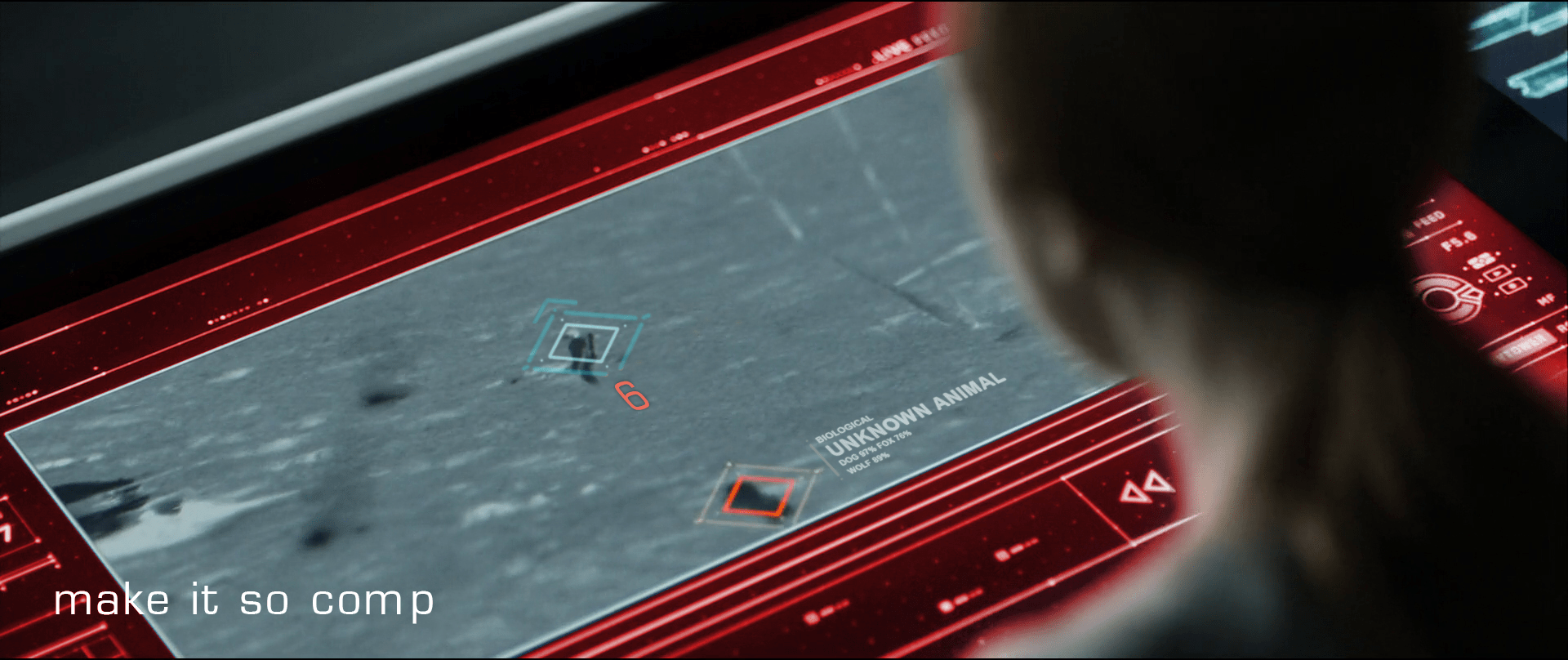
Vika was in comms with Jack when she notices the alarm signal from the desktop interface. Her screen displays an all-caps red overlay reading ALERT, and a diamond overlaying the unidentified object careening toward him. She yells, “Contact! Left contact!” at Jack.

image02

As Jack hears Vika’s warning, he turns to look drawing his pistol reflexively as he crouches. While the weapon is loading he notices that the cause of the warning was just a small, not-so-hostile dog.

Although Vika yells about something coming from the left side, by looking at the screen you can kind of tell that it’s more to his back—his 6 or 7 o’ clock—than left. We’re seeing it with time to spare here, and the satellite image is very low-res, so we can cut her some slack. But given all the sensors at its command, the interface would ideally which way Jack is facing and which way the threat approaches, so she can convey correct and useful information quickly.

“Contact, at your 6, Jack!”

That’s much more precise and actionable for Jack.

image00

Don’t cover information

It might be useful to put the ALERT overlay somewhere other than on top of Jack, since it might obscure some useful information. Perhaps the “chrome” of the interface could turn red? Not as instantly readable for the audience, but if we’re designing for Vika…

Provide specifics

Another issue is that neither the satellite image nor the interface help Vika to identify what ends up being just a dog. Even when Jack manages to stay cool through the little scare jump, adding at least some information about the object would go a long way to make Vika and the situation less tense.

Jack’s encounter with the TET gives clear evidence that the TET has sophisticated computer vision, so the interface could help Vika a bit by “guessing” what any questionable object might be. It doesn’t need to be exact (and it probably couldn’t be with that kind of video feed) but the computer could give its educated guess just by analyzing the context, shape, and motion compared against things in the database. So instead of telling there is an 87% chance of being a dog or a 76% chance of being a fox, the interface could just predict unknown animal (see below).

recomp

Share off-screen information

Fast viewers saw the unknown object before the warning. During a split of a second while the object is entering the screen, it remains blue. So the computer does keep track of any movement, even if it’s not a threat. In that case the issue is that the computer seems to be tracking movement far beyond the visible area of the screen but it doesn’t let Vika know something’s coming from off-screen. The display doesn’t need to zoom out to reach the contact—that could distract Vika from following Jack—but at least it could show some kind of signal pointing at the incoming contact.

What of multiple contacts?

I’m cautious to talk about what ifs, since most of it is just guesswork—but bear with me. On the sequence the interface keeps track of just one contact, but how it would behave if there were more than one? If the computer does track of contacts beyond the camera display Vika is watching, then just marking them is not enough. If Vika needs to inform Jack on the number of contacts she’s getting on the screen, then you need some sort of overview. Pointing at the direction of the contact is useful, but it does mean you have to sweep all the screen to know how many of them are. But that can be easily fixed by adding a list of all the current contacts.

Show trending

Pausing the film a bit and looking closely, it seems that the only difference between all-is-fine and contact! with the dog is about a meter long. And what is more, by the time the interface triggers the warning the dog is really close to Jack. If that was feral dog and it was to attack him, the warning to Jack would come very late.

In such mission-critical monitoring, it’s not enough to show changes of state. Change the state subtly to indicate as things are trending—as in, this dog is likely to continue its intercept course and getting closer.

We got this

So to wrap up, the interface does a well enough job, but it could certainly benefit from some design changes. The issues are ones that any designer might have to face when working with a monitoring interface, so worth summarizing.

  • Share all the information that is at hand
  • Give the user the information in the form they might pass it along
  • Assign an easy-to-distinguish hierarchy: information, suspicion, warning
  • Provide best-guesses as to the nature of problems with as much specificity as you can
  • Provide unobtrusive but clear signals about the mode
  • Anticipate and show trending dangers

Eve’s Gun

EvesGun02

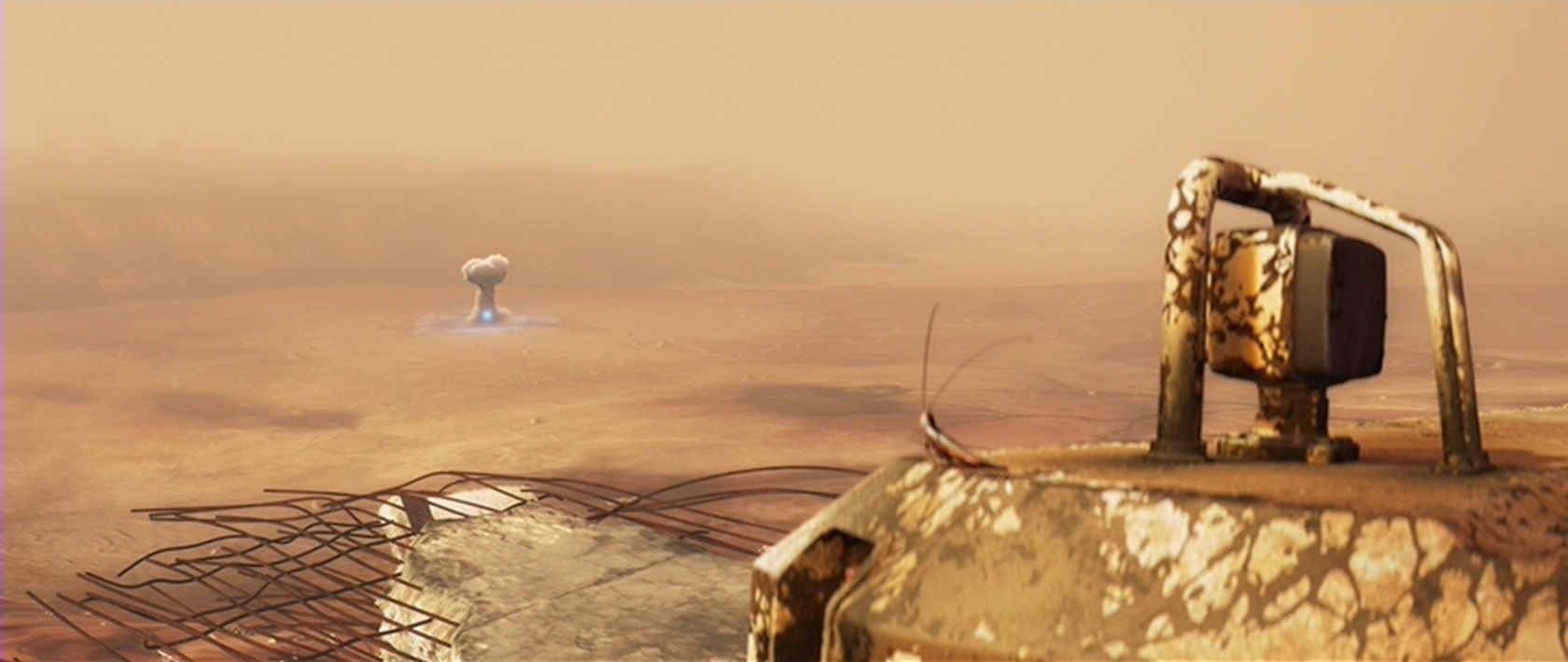
For personal security during her expeditions on Earth, Eve is equipped with a powerful energy weapon in her right arm. Her gun has a variable power setting, and is shown firing blasts between “Melt that small rock” and “Mushroom Cloud visible from several miles away”

EvesGun03_520

After each shot, the weapon is shown charging up before it is ready to fire again. This status is displayed by three small yellow lights on the exterior, as well as a low-audible charging whine. Smaller blasts appear to use less energy than large blasts, since the recharge cycle is shorter or longer depending on the damage caused.

EvesGun01

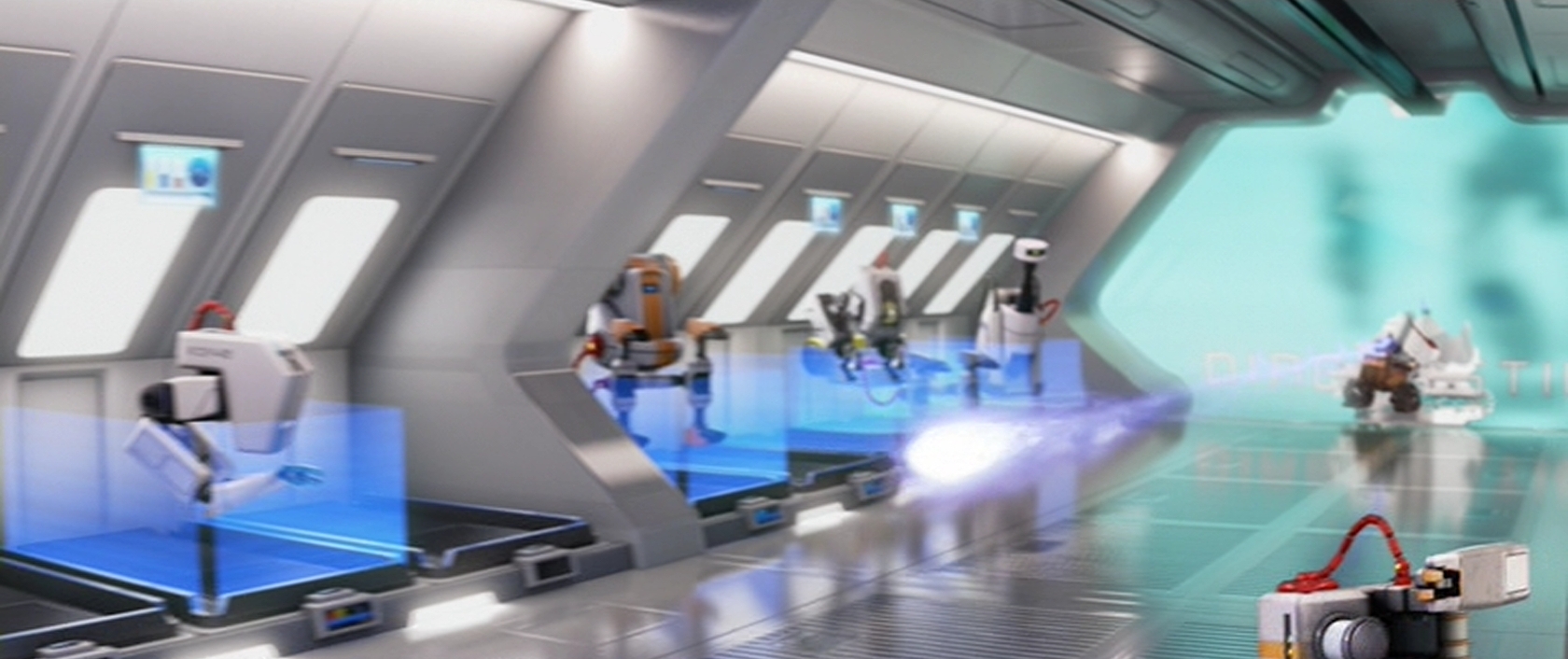
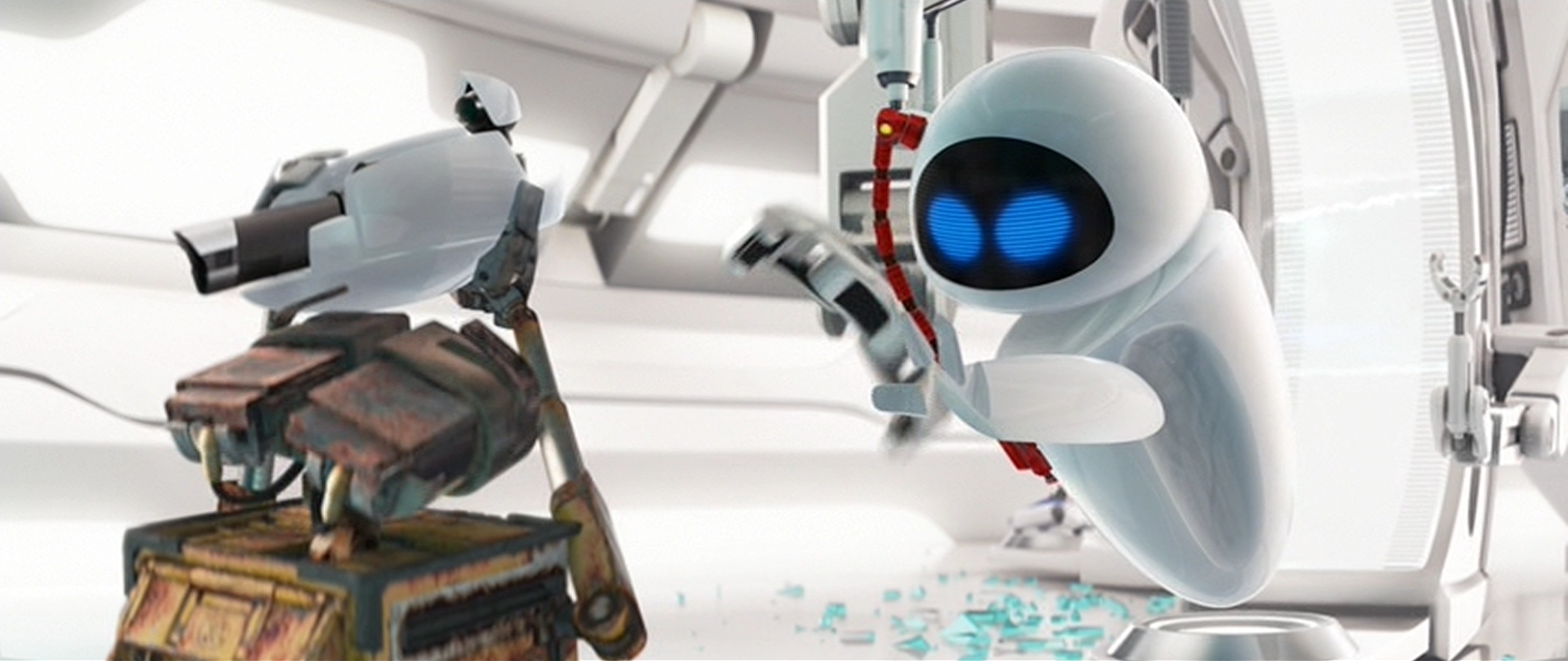
On the Axiom, Eve’s weapon is removed during her service check-up and tested separately from her other systems. It is shown recharging without firing, implying an internal safety or energy shunt in case the weapon needs to be discharged without firing.

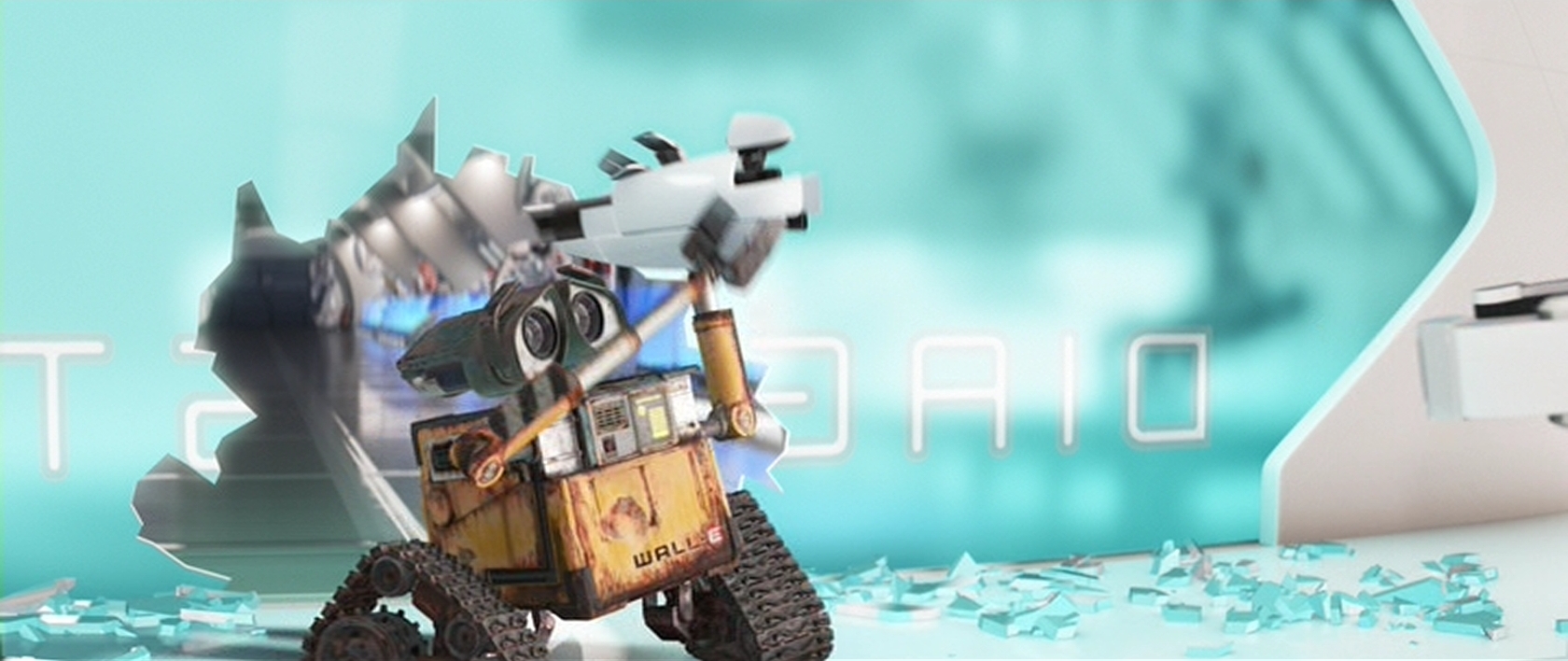
While detached, Wall-E manages to grab the gun away from the maintenance equipment. Through an unseen switch, Wall-E then accidentally fires the charged weapon. This shot destroys the systems keeping the broken robots in the Axiom’s repair ward secured and restrained.

Awesome but Irresponsible

I am assuming here that BNL has a serious need for a weapon of Eve’s strength. Good reasons for this are:

  • They have no idea what possible threats may still lurk on Earth (a possible radioactive wasteland), or
  • They are worried about looters, or
  • They are protecting their investment in Eve from any residual civilization that may see a giant dropship (See the ARV) as a threat.

In any of those cases, Eve would have to defend herself until more Eve units or the ARV could arrive as backup.

Given that the need exists, the weapon should protect Eve and the Axiom. It fails to do this because of its flawed activation (firing when it wasn’t intended). The accidental firing scheme is an anti-pattern that shouldn’t be allowed into the design.

EvesGun05

The only lucky part about Wall-E’s mistake is that he doesn’t manage to completely destroy the entire repair ward. Eve’s gun is shown having the power to do just that, but Wall-E fires the weapon on a lower power setting than full blast. Whatever the reason for the accidental shot, Wall-E should never have been able to fire the weapon in that situation.

First, Wall-E was holding the gun awkwardly. It was designed to be attached at Eve’s shoulder and float via a technology we haven’t invented yet. From other screens shown, there were no physical buttons or connection points. This means that the button Wall-E hits to fire the gun is either pressure sensitive or location sensitive. Either way, Wall-E was handling the weapon unsafely, and it should not have fired.

EvesGun00

Second, the gun is nowhere near (relatively speaking) Eve when Wall-E fires. She had no control over it, shown by her very cautious approach and “wait a minute” gestures to Wall-E. Since it was not connected to her or the Axiom, the weapon should not be active.

EvesGun04

Third, they were in the “repair ward”, which implies that the ship knows that anything inside that area may be broken and do something wildly unpredictable. We see broken styling machines going haywire, tennis ball servers firing non-stop, and an umbrella that opens involuntarily. Any robot that could be dangerous to the Axiom was locked in a space where they couldn’t do harm. Everything was safely locked down except Eve’s gun. The repair ward was too sensitive an area to allow the weapon to be active.

In short:

  1. Unsafe handling
  2. Unauthorized user
  3. Extremely sensitive area

Any one of those three should have kept Eve’s gun from firing.

Automatic Safeties

Eve’s gun should have been locked down the moment she arrived on the Axiom through the gun’s location aware internal safeties, and exterior signals broadcast by the Axiom. Barring that, the gun should have locked itself down and discharged safely the moment it was disconnected from either Eve or the maintenance equipment.

A Possible Backup?

There is a rationale for having a free-form weapon like this: as a backup system for human crew accompanying an Eve probe during an expedition. In a situation where the Eve pod was damaged, or when humans had to take control, the gun would be detachable and wielded by a senior officer.

Still, given that it can create mushroom clouds, it feels grossly irresponsible.

In a “fallback” mode, a simple digital totem (such as biometrics or an RFID chip) could tie the human wielder to the weapon, and make sure that the gun was used only by authorized personnel. (Notably Wall-E is not an authorized wielder.) By tying the safety trigger to the person using the weapon, or to a specific action like the physical safeties on today’s firearms, the gun would prevent someone who is untrained in its operation from using it.

If something this powerful is required for exploration and protection, it should protect its user in all reasonable situations. While we can expect Eve to understand the danger and capabilities of her weapon, we cannot assume the same of anyone else who might come into contact with it. Physical safeties, removal of easy to press external buttons, and proper handling would protect everyone involved in the Axiom exploration team.