Rocky Horror: The OSHA Report

AI-generated image: Brad and Janet drive in the rain while the OSHA inspector takes notes in the back seat.

U.S. Department of Labor

Occupational Safety and Health Administration

Denton Area Office

Route 2181, Denton, Texas

Inspection Number:
1975-RHPS-0001
Inspection Date(s):
One night in November, rain
Issuance Date:
06 Oct 2026

Citation and Notification of Penalty

To:Frank-N-Furter, d/b/a RKO Radio Pictures
The Castle (no street address; follow the light over at the Frankenstein place)
Denton, Texas
Inspection Site:Laboratory, upper floor. Access via elevator.
Employees observed:Riff Raff (handyman); Magenta (domestic); Columbia (groupie; classification disputed); Rocky (newly created; employment status pending)
Compliance Officer:Redacted Redacted, CSHO
Weather:Rain.

This Citation and Notification of Penalty describes violations of the Occupational Safety and Health Act of 1970 observed at the site above. The employer must post this Citation, or a copy of it, in a prominent place at or near the location of the violation(s) cited, where it can be readily seen by all affected employees, whether the location has lifted off the ground and fled the planet or not.

The employer, Frank-N-Furter, may contest this Citation within fifteen working days of receipt. Contests must be submitted in writing. See Section 5.

1. Scope

I was retained to inspect a control panel. I understand that others have already reviewed the individual instruments on it, and I have read those notes. I am not going to repeat them, partly because it would be redundant and partly because I have run out of ways to write “the switch goes the wrong way.”.

This report treats the panel as a system: one workstation, operated by four different people, for at least five different purposes, from a room that is also a stage, a dinner theatre, and, I think, a crime scene. The question is not whether any given lever is a good lever. The question is whether a person standing in front of this wall, under pressure, can tell what is happening and do something sensible about it.

The answer to these questions is no, and the reasons are below.

2. Citation

Citation 1 Item 1 Type of Violation: Serious OSH Act §5(a)(1): General Duty Clause

The employer has failed to furnish a place of employment free from recognized hazards, in that the laboratory control panel, taken as a whole, provides its operators with no reliable means of determining the current state of the equipment, no consistent means of being warned when that state becomes dangerous, and no indication of what the equipment will do next. Each of the individual instruments could be redesigned to the satisfaction of the prior reviewers and this citation would still stand.

Findings supporting this citation follow, organized the way I was trained to organize them and not the way the employer organized his wall.

Date By Which Violation Must be Abated: 30 days 

3. Findings

3.1 Perception and reading

Nobody can read this panel from where they use it. The panel is operated by an employee standing at arm’s length, but it is commanded by the employer from across the laboratory, typically from beside the vat, typically while…shouting and pointing? From that distance, nothing on the wall is legible: not the stencils, not the needle, not the scope traces. The employer is issuing instructions to an instrument he cannot see, and receiving confirmation by watching whether his employee’s arm moves. The arm is the display. This is not a reading distance for which anything on the panel was sized.

The panel has no “normal.” A good panel can be check‑read: a glance tells you whether everything is where it should be. This panel has one quantitative instrument, two qualitative ones, and no way to tell at a glance whether the system is idle, armed, running, or faulted. Every housing is the same red whether the unit inside is on or off. The only difference between a panel that is doing nothing and a panel that is about to petrify someone is the angle of one handle among several identical handles.

The environment fights the displays. The panel is mounted on a wall of illuminated glass brick, which means the brightest thing in the operator’s field of view is the background, and the instruments are silhouetted against it. The few internally lit elements (oscilloscope, one green flashing lightning thingy, some triangular buttons) are competing with a backlit wall and intermittent steam. State is encoded in lever position, a dim gauge, green light, or in nothing. There is no redundant coding by shape, position, or text for anything that changes.

3.2 Information hierarchy

Everything has the same visual weight. A closed‑circuit television, a power‑input control, and a device that turns people to stone are presented as similar red boxes of identical size with similar stencils, arranged in no particular order. The hierarchy of consequence—the thing that tells a stressed operator which of these to look at first —has not been designed. It has been powder‑coated and danced around.

Spatial memory has been sabotaged. Two controls that undo each other are in different rooms. The controls used together in the laboratory are spread from the ceiling (fluid cylinders, in a chandelier?) to the floor (a handwheel) to the wall (everything else), with a cross‑room walk in between. The layout does not reflect the order in which anything is used, and there is no evidence it was ever stable—the employer moves between panel, vat, platform, and elevator with the confidence of a man who has never had to find a control in the dark.

The motion budget is spent on steam. The largest, most eye‑catching moving element in the laboratory is vapour escaping from pipes near the reactor control, which carries less than no information at all—it obscures the interface. The scope traces in the oscilloscope move continuously whether or not anything is happening. The one moving element that does carry information—the needle—is the smallest and dimmest. Attention througout is being drawn to the wrong things.

3.3 Alerting philosophy

There isn’t one. I looked for a warning tier, a caution tier, and an advisory tier. I found a green lightning bolt that flashes for roughly for a fleeting moment when the most dangerous device on the wall fires. Green. For the weapon. The only escalating signal in the room—the hum that rises with the power of the electromagnet—tracks power, not hazard, and it is heard by everyone in the castle and directed at no one.

Nothing latches. If the operator looks away during the flash, the panel retains no record that the Medusa (note, that is its name, as confirmed by the wall stencil) was ever actuated. There is no “fired” indicator, no count, no armed/safe state. The panel cannot tell you what it did ten seconds ago, which means it cannot tell a new operator anything about the situation they have just walked into.

The nuisance rate, the amount of distracting noise compared to signal, is…and I’ve never had to write this…100%. The oscilloscopes wave whenever they are on and mean nothing in particular. The steam vents whenever the reactor is stepped up and is treated as normal. Employees have been trained, by the equipment itself, to ignore every visible signal the equipment produces. When a genuine fault occurs it will present as exactly the kind of light and vapour everyone has learned to disregard.

Every signal is ambiguous. Not one indication on this panel says what is wrong, where, or what to do about it. The closest thing to a fault annunciator in the building is the monitor going to static, which is the least important device in the room and the only one that admits when it has failed.

3.4 System state and modes

The mode annunciator is a person. The panel supports at least five distinct operating modes—monitoring, vivification, magnetic retrieval, freezing, petrification—and no element of the panel indicates which is active, whether they are mutually exclusive, or what happens if two are engaged at once. As it is, mode transitions are announced by the employer shouting the name of the next mode across the room. When the employer is not shouting, the current mode is unknowable. When the employer is singing and dancing, it is worse.

There is no “I have the controls.” Over the course of the inspection, four different people operated this panel: two employees, the employer, and a houseguest with no training and, at that point, no shoes, no protective gear, and no, uh, clothes. At no time was there any indication of who was in control, any handoff protocol, or any lockout to prevent one operator’s action from stacking on another’s. Aviation solved this with three words and a rule about who says them. This laboratory seems to believe they “solved it” with an nod.

Trust is uncalibrated in both directions. The panel displays nothing about what the equipment perceives or intends: not what the magnet is about to pull, not who the Medusa will resolve to, not what the reactor is even doing. As a result, operators have no basis for confidence, yet use the equipment with total confidence anyway, I guess because…it has always worked? This is the trust profile of someone who has never seen a failure, which points to a lack of training that is unfortunately not part of the scope of this document.

3.5 Controls

Prior reviewers have covered mapping and switch selection in detail and I refer the employer to their notes. Two system‑level findings remain.

Negative transfer is designed in. The panel borrows from at least four control lineages — theatrical lighting, automotive shifters, telegraphy, and the slot machine—and every one of them brings habits that are wrong for its neighbor. An operator who has driven a car will treat the guided channel as a gear shift, a mode selector. An operator who has run a lighting board will treat the knife switches as a persistent state, when one of them is momentary. One of those control attitudes will be wrong at least half the time. Conventions were not chosen so much as randomly distributed.

No operator has been qualified. The panel is used by anyone who happens to stand nearby. The houseguest operated the monitor on first contact without instruction. Nothing on the panel distinguishes controls an untrained person may touch from controls that literally petrify people. The envelope runs from floor to cupola, the operators range from a man on his knees to a man in platform heels on a ramp, and no one has asked whether any of them can reach or see the things they are expected to reach and see.

3.6 Failure and degradation

A dead panel and a live panel look the same. With the scopes off, the wall is a set of red boxes with handles. There is no power‑on indication for the panel as a whole, no indication that any individual unit has lost supply, and no way to distinguish “off” from “failed”.

Every switch displays commanded state, not actual state. A handle in the down position tells the operator the circuit should be closed. It does not tell them that it is. A welded contact, a broken linkage, or a burnt‑out unit will leave the handle exactly where it was and the operator none the wiser. There is one feedback loop on the wall that closes on the effect rather than the input. It is a dial associated with the Reactor Power Input, and that is wholly unlabeled. More on this below. 

Load and limit are invisible. The entire panel appears to draw from a single reactor whose only readout is a needle on an unscaled dial with no red zone, no maximum, and no indication of what is drawing from it. The employer stepped it up “three points.” Three points toward what? He did not answer when I asked. He just sort of glared intensely.

The effect lags the action. The magnet reaches full power and then does nothing until a fourth, separate, unmarked action is taken. Delay between control and effect is how operators learn to overshoot, and overshooting is how you wind up with  a wheelchair through a wall and the full force of the Americans with Disabilities Act shutting down your laboratory.

3.7 Regulatory and evaluation

No mandated indications are present. There is no high‑voltage marking, no energized‑equipment marking, no emergency stop, and no means of de‑energizing the panel from the operator’s position. I am not aware of a standard symbol for petrification, and I would settle for a standard symbol for anything here.

Nothing has ever been tested. The panel was, as far as I can determine, built to be looked at, and the only evaluation it has received is an audience. I found no evidence of occlusion testing, of any attempt to measure what an operator can read in a single glance, or of a single rehearsed failure scenario. The one unplanned failure I observed—the specimen leaving the vat under its own power—was handled entirely without reference to the panel, which is the most honest review of the panel anyone has yet produced.

4. Abatement

The employer is directed to abate within 30 days. Component‑level fixes recommended by prior reviewers are endorsed and incorporated by reference. In addition, at the system level:

  1. Establish a hierarchy. Decide which three things an operator must be able to read from anywhere in the room, and make them the largest, brightest, and most stable things on the wall. Everything else gets smaller.
  2. Give the panel a normal state. One indication, visible across the lab, that says the system is idle and safe. If it is not lit, nobody touches anything.
  3. Design an alerting scheme. Three tiers, each with its own colour, sound, and fixed location. Red for danger. Green for safe. Note: Petrifying a guest is not green. Warnings latch until acknowledged.
  4. Annunciate the mode. One display that states which of the five modes is active and refuses to let a second one engage without an explicit transition. The employer may continue to shout, but the panel must no longer depend on it.
  5. Close the feedback loop. Every actuated state gets a confirming indication driven by the effect, not the handle.
  6. Assign control. One operator at a time, indicated on the panel, with a handoff step. Untrained persons are locked out.
  7. Silence the nuisances. The scopes display only when they mean something. The steam gets a label or a pipe or, I don’t know, repaired? 
  8. I don’t know…Test it? Occlusion trials at operating distance for each operator, and at least one rehearsed failure that is neither a musical number nor a murder.

The inspector will return in 30 days to verify abatement, should the house return to this planet.

5. Inspector’s Closing Statement

I am aware that this equipment and its operators are…theatrical…and that its inscrutability may be the point. If I understood the lyrical explanations correctly, the aim is a    display of expertise to visiting conventioneers, a guild moat around the practice. I have inspected many workplaces built to impress the owner’s guests. What they have in common is that the owner is the only person who knows how they work, and the owner is never the one standing at the panel when it goes wrong.

The individual instruments on this wall are poorly chosen. But you could replace every one of them with a textbook control and this panel would still have no hierarchy, no normal, no warning, no mode, no feedback, and no one qualified to run it. Those are not properties of switches. They are properties of the system, and the system was never designed. It was assembled, painted red, and lit from behind.      

Penalties are itemized on the attached schedule. The employer may contest this citation within fifteen working days. He may not, it must be said, contest it through song.

Redacted Redacted
Compliance Safety and Health Officer
OSHA Region V

Attachment A: Penalty schedule (7 pp.)

Attachment B: Prior component reviews, incorporated by reference (4 docs.)

Attachment C: Proposed panel relayout, one sheet, coffee‑stained (1 p.)

Citation and Notification of Penalty Page 1 of 1 OSHA-2 (Rev. 9/93)
AI-generated image: The OSHA inspector takes notes as Riff blasts Rocky with pink laser beams.

Colossus Computer Center

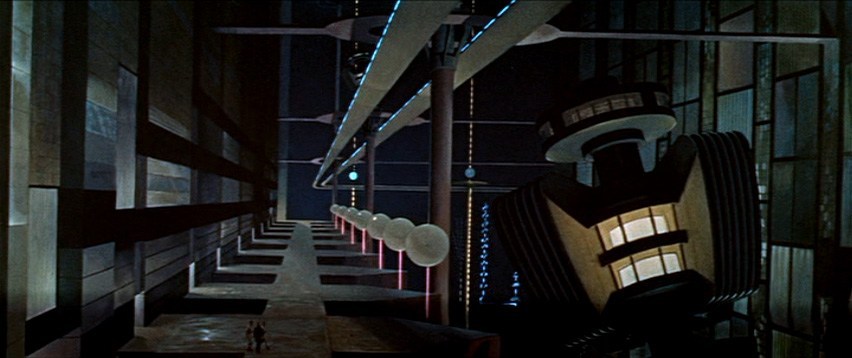
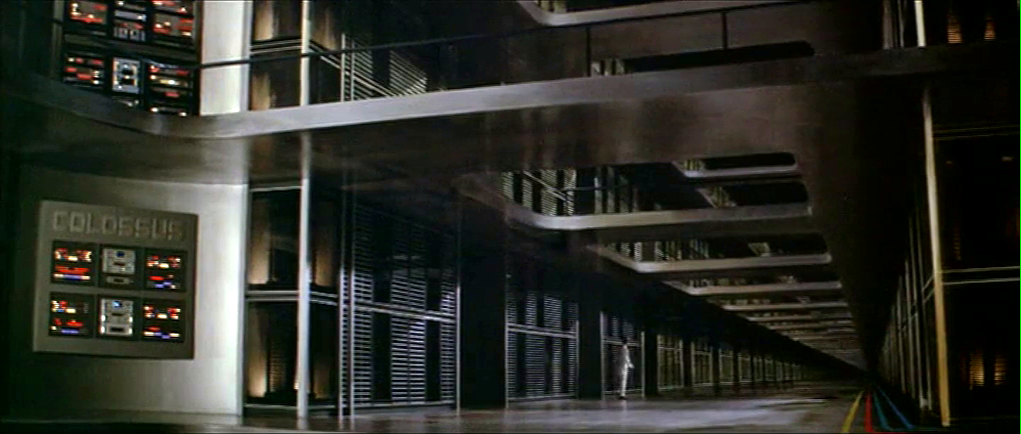
As Colossus: The Forbin Project opens, we are treated to an establishing montage of 1970’s circuit boards (with resistors), whirring doodads, punched tape, ticking Nixie tube numerals, beeping lights, and jerking control data tapes. Then a human hand breaks into frame, and twiddles a few buttons as an oscilloscope draws lines creepily like an ECG cardiac cycle. This hand belongs to Charles Forbin, who walks alone in this massive underground compound, making sure final preparations are in order. The matte paintings make this space seem vast, inviting comparisons to the Krell technopolis from Forbidden Planet.

Forbidden Planet (1956)
Colossus: The Forbin Project (1976)

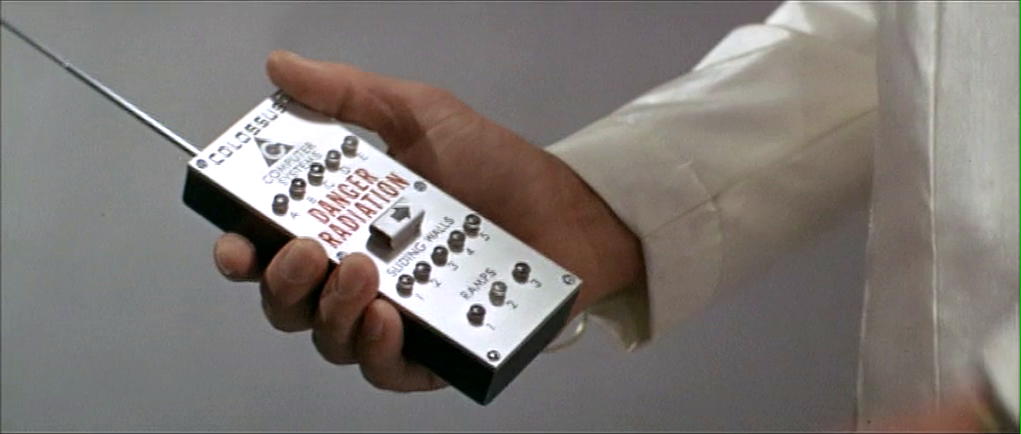
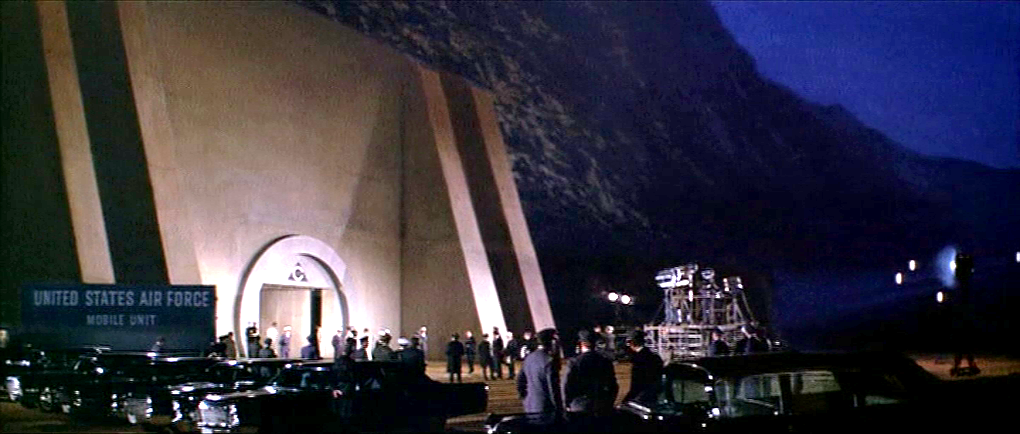
Forbin pulls out a remote control and presses something on its surface to illuminate rows and rows of lights. He walks across a drawbridge over a moat. Once on the far side, he uses the remote control to close the massive door, withdraw the bridge and seal the compound.

The remote control is about the size of a smartphone, with a long antenna extending out the top. Etched type across the top reads “COLOSSUS COMPUTER SYSTEMS.” A row of buttons is labeled A–E. Large red capital letters warn DANGER RADIATION above a safety cover. The cover has an arrow pointing right. Another row of five buttons is labeled SLIDING WALLS and numbered 1–5. A final row of three buttons is labeled RAMPS and numbered 1–3.

Forbin flips open the safety cover. He presses the red button underneath, and a blood-red light floods the bottom of the moat and turns blue-white hot, while a theremin-y whistle tells you this is no place a person should go. Forbin flips the cover back into place and walks out the sealed compound to the reporters and colleagues who await him. 

I can’t help but ask one non-tech narrative question: Why is Forbin turning lights on when he is about to abandon the compound? It might be that the illumination is a side-effect of the power systems, but it looks like he’s turning on the lights just before leaving and locking the house. Does he want to fool people into thinking there’s someone home? Maybe it should be going from fully-lit to an eerie, red low-light kinda vibe.

The Remote Control

The layout is really messy. Some rows are crowded and others have way too much space. (Honestly, it looks like the director demanded there be moar buttins make tecc! and forced the prop designer to add the A–E.) The crowding makes it tough to immediately know what labels go with what controls. Are A–E the radiation bits, and the safety cover control sliding walls? Bounding boxes or white space or some alternate layout would make the connections clear.

You might be tempted to put all of the controls in strict chronological order, but the gamma shielding is the most dangerous thing, and having it in the center helps prevent accidental activation, so it belongs there. And otherwise, it is in chronological order.

The labeling is inconsistent. Sure, maybe A–E the five computer systems that comprise Colossus. Sliding walls and ramps are well labeled, but there’s no indication about what it is that causes the dangerous radiation. It should say something like “Gamma shielding: DANGER RADIATION.” It’s tiny, but I also think the little arrow is a bad graphic for showing which way the safety cover flips open. Existing designs show that the industrial design can signal this same information with easier-to-understand affordances. And since this gamma radiation is an immediate threat to life and health, how about foregoing the red lettering in favor of symbols that are more immediately recognizable by non-English speakers and illiterate people. The IAEA hadn’t invented its new sign yet, but the visual concepts were certainly around at the time, so let’s build on that. Also, why doesn’t the door to the compound come with the same radiation warning? Or any warning?

The buttons are a crap choice of control as well. They don’t show what the status of the remotely controlled thing is. So if Charles accidentally presses a button, and, say, raises a sliding wall that’s out of sight, how would he know? Labeled rocker switches help signal the state and would be a better choice.

But really, why would these things be controlled remotely? It be more secure to have two-handed momentary buttons on the walls, which would mean that a person would be there to visually verify that the wall was slid or the ramp retracted or whatever it is national security needed them to be.

There’s also the narrative question about why this remote control doesn’t come up later in the film when Unity is getting out of control. Couldn’t they have used this to open the fortification and go unplug the thing?

So all told, not a great bit of design, for either interaction or narrative, with lots of improvement for both.

Locking yourselves out and throwing away the key

At first glance, it seems weird that there should be interfaces in a compound that is meant to be uninhabited for most of its use. But this is the first launch of a new system, and these interfaces may be there in anticipation of the possibility that they would have to return inside after a failure.  We can apologize these into believability.

But that doesn’t excuse the larger strategic question. Yes, we need defense systems to be secure. But that doesn’t mean sealing the processing and power systems for an untested AI away from all human access. The Control Problem is hard enough without humans actively limiting their own options. Which raises a narrative question: Why wasn’t there a segment of the film where the military is besieging this compound? Did Unity point a nuke at its own crunchy center? If not, siege! If so, well, maybe you can trick it into bombing itself. But I digress.

“And here is where we really screw our ability to recover from a mistake.”

Whether Unity should have had its plug pulled is the big philosophical question this movie does not want to ask, but I’ll save that for the big wrap up at the end.

Trivium Bracelet

The control token in Las Luchadras is a bracelet that slaps on and instantly renders its wearer an automaton, subject to the remote control.

Here’s something to note about this speculative technology. Orlak could have sold this, just this, to law enforcement around the world and made himself a very rich and powerful person. But the movie makes clear he is a mad engineer, not a mad businessperson, so we have to move on.

From Orlak’s point of view, getting the bracelet on its victim should be very easy. Fortunately, it does just that. Orlak can slap it on in a flick. But it’s also trivially easy for a bystander to remove, which seems like…a design oversight. It should work more like a handcuff, that requires a key to remove. It can’t look like a handcuff, of course, since Orlak wants it to go unnoticed. But in addition to the security, the handcuff function would enable the device to fit wrists of many sizes. As it is, it appears to be tailor-made to an individual.

As the diagram illustrates, not all wrists are made the same, and it would not help Orlak to have to carry around a sizing set when he hasn’t had time to secretly get the victim’s measurements.

Lastly, the audience might have benefited from seeing some visual connection between the bracelet and the remote, like a shared material that had an unusual color or glow, but Orlak would not want this connection since it could help someone identify him as the controller.

Cyberspace: Bulletin Board

Johnny finds he needs a favor from a friend in cyberspace. We see Johnny type something on his virtual keyboard, then selects from a pull down menu.

JM-35-copyshop-Z-animated

A quick break in the action: In this shot we are looking at the real world, not the virtual, and I want to mention how clear and well-defined all the physical actions by actor Keanu Reeves are. I very much doubt that the headset he is wearing actually worked, so he is doing this without being able to see anything.

Will regular users of virtual reality systems be this precise with their gestures? Datagloves have always been expensive and rare, making studies difficult. But several systems offer submillimeter gestural tracking nowadays: version 2 of Microsoft Kinect, Google’s Soli, and Leap Motion are a few, and much cheaper and less fragile than a dataglove. Using any of these for regular desktop application tasks rather than games would be an interesting experiment.

Back in the film, Johnny flies through cyberspace until he finds the bulletin board of his friend. It is an unfriendly glowing shape that Johnny tries to expand or unfold without success.

JM-36-bboard-A-animated

After some more virtual typing, the bulletin board reveals itself as a cube that spins and expands. It doesn’t fill the entire screen, but does reveal the face of Strike, the owner of the bulletin board. His face is stylized as if by a real time image processing filter of the type built into most static image editors today. Strike tells Johnny to go away.

JM-36-bboard-B-animated

Johnny doesn’t give up and the conversation continues. The cube now expands to fill the screen, with Johnny looking into the cube and Strike’s face on the back wall.

JM-36-bboard-C

Johnny raises his hands and makes a threatening gesture, saying that he could crash Strike’s entire system. In cyberspace, his fingertips now have blades.

JM-36-bboard-D-animated

The face retreats in cyberspace, becoming smaller and further away. I’d like to think that Strike leaned back, and that has been mapped into a cyberspace equivalent move. The real world gesture carries its meaning to cyberspace.

A short while ago the Yakuza leader Shinji ordered the tracker to “initiate the virus.” It is at this point that we see the effect, with the cube carrying the image of Strike melting away under a bright light.

JM-36-bboard-E

While visual representations of cyber attacks are common in books and now TV and films, real world computer designers complain that no system under attack would waste processing power on rendering special effects. This is true for the defenders, but the attackers might want to show their power with a flashy display. Or perhaps these visual effects are generated by Johnny’s own cyberspace system, the 2021 equivalent of today’s warning message that a web site certificate cannot be verified. It’s certainly more attention-grabbing than a small padlock icon disappearing from one corner of your browser window.

At this point the Yakuza arrive in reality, and Jane takes the headset off and drags Johnny out of the shop.

Door Bomb and Safety Catches

Johnny leaves the airport by taxi, ending up in a disreputable part of town. During his ride we see another video phone call with a different interface, and the first brief appearance of some high tech binoculars. I’ll return to these later, for the moment skipping ahead to the last of the relatively simple and single-use physical gadgets.

Johnny finds the people he is supposed to meet in a deserted building but, as events are not proceeding as planned, he attaches another black box with glowing red status light to the outside of the door as he enters. Although it looks like the motion detector we saw earlier, this is a bomb.

jm-12-doorbomb-a-adjusted

This is indeed a very bad neighbourhood of Newark. Inside are the same Yakuza from Beijing, who plan to remove Johnny’s head. There is a brief fight, which ends when Johnny uses his watch to detonate the bomb. It isn’t clear whether he pushes or rotates some control, but it is a single quick action.

jm-12-doorbomb-b-adjusted

This demonstrates an interesting difference between interface design for the physical world and for software systems. Inside a computer, actions are just flipping bits in storage and thus easy to undo. Even supposedly destructive actions such as erasing files can often be reversed. In the real world, the effects of, for example, explosions tend to be much more permanent.

We generally don’t want destructive actions to be too easy to perform, from guns and other things that go boom to formatting computer disks.

A widely used solution in the real world is the safety catch, as with guns, or arming switch, seen in countless thriller films with nuclear weapons. Another example are the two-hand safety switches used in high voltage electrical distribution panels. Activation of these requires two individual actions, separated in time and at least a short distance in space. Some systems, both real and in film, go even further and have covers on the arming switches, so even just preparing for activation requires two separate physical actions.

While the bomb is on his belt, Johnny doesn’t have to worry about accidentally pressing the “explode” button on his watch because the bomb is not active. Only after he has armed it and placed on the door can the watch activate the bomb, so he can take his time and verify whether or not it is necessary before doing so. And when it is active, he can do so very quickly even though he is in the middle of a fight.

But safety catches and arming switches introduce modes to an interaction, which have a bad reputation in interface design. Had the watch-bomb designers followed most conventional GUI design guidelines, there would be no arming switch on the bomb. Instead the watch would have popped up a “Do you really want to explode the bomb (Y/N)?” dialog, possibly with a short delay to ensure Johnny thought about his decision before answering. He would have been decapitated.

Compare to LoTek

Later on in the film we see an example of a poorly designed system without a safety catch. The LoTeks in their bridge home have a defensive “bug dropper”, so called because it drops ancient Volkswagens from a great height.

jm-12-bugdropper-animated

The bug dropper can be activated by pushing just a single handle. Because there is no safety switch, a guard accidentally drops a flaming VW Beetle onto the lead characters, nearly killing them.

Conclusion

From the description above it would seem that safety catches are the obvious solution. But of course it’s more complicated than that. Consider what would have happened if Johnny had met friends instead of enemies and settled down for a conversation. Thirty minutes later they’ve agreed on another meeting, and Johnny taps his watch to bring up the reminders app. Oops!

Should the bomb have disarmed itself after a given time period? If it did, how would Johnny be notified of this?

Most of us do not design interfaces for lethal hardware and life or death situations. There are however an increasing number of drones and other physical devices which are now remotely controlled from phone or tablet apps rather than dedicated hardware controllers as in the past. The “Internet of Things” will bring even more real world actions under computer interface control. In the future, we will most likely see more of these safety catches and arming switches in computer interfaces, and we need to figure out how to use them properly.

Bulkhead Doors

image09

At every major intersection, and at the entrance to each room, the Battlestar Galactica has very large pressure doors.  These doors each have a handle and a large wheel on each side.  During regular operation crewmembers open the door with the handle and close it firmly, but do not spin the wheel.  Occasionally, we see crew using the wheel as a leverage point to close the door.


Sealing it off

We never directly see a crewmember spin the wheel on the door after it closes.  While Chief Tyrol is acting as head of damage control, he orders all bulkheads in a section of the ship sealed off.  This order is beyond the typical door closing that we witness day-to-day.

image14

This implies that the door has three modes: Open, Closed, and Sealed.

image08

Crewmembers could use the door most of their day in an open or closed mode, where an easy pull of the handle unlatches the door and allows them to enter or leave quickly.  In an emergency, a closed door could be sealed by spinning the valve wheel on one side of the door.


Danger?

As with other parts of the Galactica, the doors are completely manual, and cannot be activated remotely. (Because Cylon hacking made them go network-less.) Someone has to run up to the door in an emergency and seal it off.

One worry is that, because there is a valve wheel on both sides, an untrained crewmember might panic and try to unseal the door by turning it in the wrong direction.  This would endanger the entire crew.

image13  image10

The other worry is that the valve spins along a single axis (we see no evidence either way during the show), requiring the crew to know which side of the door they were on to seal it against a vacuum.  “Righty Tighty, Lefty Loosey” would fail in this instance, and might cause hesitation or accidental unsealing in an actual emergency.

Ideally, the doors would have wheels that spun identically on either side, so that a clockwise spin always sealed the door, and a counter-clockwise spin always unsealed it.

image15

Current water-tight doors have two sides, the ‘important’ side and the ‘unimportant’ side.  The important side faces towards the ‘center’ of the vessel, or the core of the larger block of the ship, and can be sealed off quickly from that side with a wheel and heavy ‘dogs’.

Weathertight doors have a handle-latch on both sides that is connected (much like a doorknob), and can seal/unseal the door from either side.

If there is a technical limitation to that mechanism (unlikely, but possible), then a large and obvious graphic on the door (a clockwise or counterclockwise arrow) could serve to remind the crew which direction of turn sealed the door.  In this case, sealing the door is the primary action to call out because it is the action done under a panic situation, and the action most easily forgotten in the heat of the moment.

Otherwise, the doors could be a danger to the crew: the crew on the ‘safe’ side could seal the door against depressurization, but crew on the ‘unsafe’ side might try to unseal it to save themselves in a panic.

Air pressure might keep the door properly closed in this instance, but it is still a risk.


Effective?

image12

We see during the damage control incident that the doors are quickly closed and sealed by the crew, even in an emergency, making the rest of the ship airtight.  This either shows that the doors are effective at their job, or the crew is very well trained for such a situation.

Like the rest of the Galactica, the technology relies on people to work.  A couple hints or minor tweaks to that technology could make the crew’s lives much easier without putting them at danger from the Cylons or the empty void of space.

Viper Launch Control

image02

The Galactica’s fighter launch catapults are each controlled by a ‘shooter’ in an armored viewing pane.  There is one ‘shooter’ for every two catapults.  To launch a Viper, he has a board with a series of large twist-handles, a status display, and a single button.  We can also see several communication devices:

  • Ear-mounted mic and speaker
  • Board mounted mic
  • Phone system in the background

These could relate to one of several lines of communication each:

  • The Viper pilot
  • Any crew inside the launch pod
  • Crew just outside the launch pod
  • CIC (for strategic status updates)
  • Other launch controllers at other stations
  • Engineering teams
  • ‘On call’ rooms for replacement operators

image05

Each row on the launch display appears to conform to some value coming off of the Viper or the Galactica’s magnetic catapults.  The ‘shooter’ calls off Starbuck’s launch three times due to some value he sees on his status board (fluctuating engine power right before launch).

We do not see any other data inputs.  Something like a series of cameras on a closed circuit could show him an exterior view of the entire Viper, providing additional information to the sensors.

When Starbuck is ready to launch on the fourth try, the ‘shooter’ twists the central knob and, at the same time and with the same hand, pushes down a green button.  The moment the ‘shooter’ hits the button, Starbuck’s Viper is launched into space.

image04

There are other twist knobs across the entire board, but these do not appear to conform directly to the act of launching the Viper, and they do not act like the central knob.  They appear instead to be switches, where turning them from one position to another locks them in place.

There is no obvious explanation for the number of twist knobs, but each one might conform to an electrical channel to the catapult, or some part of the earlier launch sequence.

Manual Everything

Nothing in the launch control interprets anything for the ‘shooter’.  He is given information, then expected to interpret it himself.  From what we see, this information is basic enough to not cause a problem and allow him to quickly make a decision.

Without networking the launch system together so that it can poll its own information and make its own decisions, there is little that can improve the status indicators. (And networking is made impossible in this show because of Cylon hackers.) The board is easily visible from the shooter chair, each row conforms directly to information coming in from the Viper, and the relate directly to the task at hand.

The most dangerous task the shooter does is actually decide to launch the Viper into space.  If either the Galactica or the Viper isn’t ready for that action, it could cause major damage to the Viper and the launch systems.

A two-step control for this is the best method, and the system now requires two distinct motions (a twist-and-hold, then a separate and distinct *click*).  This is effective at confirming that the shooter actually wants to send the Viper into space.

To improve this control, the twist and button could be moved far enough apart (reference, under “Two-Hand Controls” ) that it requires two hands to operate the control.  That way, there is no doubt that the shooter intends to activate the catapult.

If the controls are separated like that, it would take some amount of effort to make sure the two controls are visually connected across the board, either through color, or size, or layout.  Right now, that would be complicated by the similarity in the final twist control, and the other handles that do different jobs.

Changing these controls to large switches or differently shaped handles would make the catapult controls less confusing to use.


Damage Control

image04

After the Galactica takes a nuclear missile hit to its port launch bay, part of the CIC goes into Damage Control mode.  Chief Tyrol and another officer take up a position next to a large board with a top-down schematic of the Galactica.  The board has various lights in major sections of the ship representing various air-tight modules in the ship.  

image03

After the nuclear hit, the port launch bay is venting to space, bulkheads are collapsing in due to the damage, and there are uncontrolled fires.  In those blocks, the lights blink red.

image05

Colonel Tigh orders the red sections sealed off and vented to space.  When Tigh turns his special damage control key in the “Master Vent” control, the lights disappear until the areas are sealed off again.  When the fires go out and the master vents are closed, the lights return to a green state.

On the board then, the lights have three states:

  • Green: air-tight, healthy
  • Blinking Red: Fire
  • Off: Intentional Venting

There does not appear to be any indications of the following states:

  • Damage Control Teams in the area
  • Open to space/not air-tight

We also do not see how sections are chosen to be vented.

Why it works

The most effective pieces here are the red lights and the “vent” key.  Chief Tyrol has a phone to talk to local officers managing the direct crisis, and can keep a basic overview of the problems on the ship (with fire being the most dangerous) with the light board.  The “vent” key is likewise straightforward, and has a very clear “I’m about to do something dangerous” interaction.

What is confusing are the following items:

  • How does Chief Tyrol determine which phone/which officer he’s calling?
  • Who is the highest ranking officer in the area?
  • How does the crew determine which sections they’re going to vent?
  • How do they view more complex statuses besides “this section is on fire”?

As with other systems on the Galactica, the board could be improved with the use of more integrated systems like automatic sensors, display screens to cycle through local cameras, and tracking systems for damage control crew.  Also as with other systems on the Galactica, these were deliberate omissions to prevent the Cylons from being able to control the Galactica.

One benefit of the simplified system is that it keeps Chief Tyrol thinking of the high-level problem instead of trying to micromanage his local damage control teams.  With proper training, local teams with effective leadership and independent initiative are more effective than a large micro-managed organization.  Chief Tyrol can focus on the goals he needs his teams to accomplish:

  • Putting out fires
  • Evacuating local crew
  • Protecting the ship from secondary explosions

…and allow his local teams to focus on the tactics of each major goal.

What it’s missing

A glaring omission here is the lack of further statuses.  In the middle of a crisis, Chief Tyrol could easily lose track of individual teams on his ship.  He knows the crews that are in the Port Hangar Bay, but we never hear about the other damage control teams and where they are.  Small reminders or other status indicators would keep the Chief from needing to remember everything that was happening across the ship.  Even a box of easily-grabbed sticky notes or a grease-pen board would help here and be very low-tech.

Possible indicators include:

  • Secondary lights in each section when a damage control crew was in the area
  • A third color indicator (less optimal, but would take up less space on the board)
  • A secondary board with local reports of damage crew location and progress
  • Radiation alarms
  • Extreme temperatures
  • Low oxygen states
  • High oxygen states (higher fire risk)
  • Structural damage

It is also possible that Colonel Tigh would have taken the local crews into consideration when making his decision if he could have seen where they were for himself on the board, instead of simply hearing Chief Tyrol’s protests about their existence. Reducing feedback loops can make decision making less error prone and faster, but can admittedly introduce single points of failure.

Colonel Tigh and Chief Tyrol are able to get control of the situation with the tools at hand, but minor upgrades could have lessened the stress of the situation and allowed both of them to think clearer before jumping to decisions.  Better systems would have given them all the information they needed, but the Galactica’s purpose limited them for the benefit of the entire ship.

FTL – Engine Analysis

Desktop_2014_06_20_17_25_34_414

The FTL Jump process on the Galactica has several safeguards, all appropriate for a ship of that size and an action of that danger (late in the series, we see that an inappropriate jump can cause major damage to nearby objects).  Only senior officers can start the process, multiple teams all sign off on the calculations, and dedicated computers are used for potentially damaging computations.

Even the actual ‘jump’ requires a two stage process with an extremely secure key and button combination.  It is doubtful that Lt. Gaeta’s key could be used on any other ship aside from the Galactica.

The process is so effective, and the crew is so well trained at it, that even after two decades of never actually using the FTL system, the Galactica is able to make a pinpoint jump under extreme duress (the beginning of human extinction).

Difficult Confirmation

image02

The one apparent failure in this system is the confirmation process after the FTL jump.  Lt. Gaeta has to run all the way across the CIC and personally check a small screen with less than obvious information.

Of the many problems with the nav’s confirmation screen, three stand out:

  • It is a 2d representation of 3d space, without any clear references to how information has been compacted
  • There are no ‘local zero’ showing the system’s plane or relative inclination of orbits
  • No labels on data

Even the most basic orbital navigation system has a bit more information about Apogee, Perigee, relative orbit, and a gimbal reading. Compare to this chart from the Kerbal Space Program:

image03

(from http://blog.asgaard.co.uk/t/gaming and Kerbal Space Program)

The Galactica would need at least this much information to effectively confirm their location.  For Lt. Gaeta, this isn’t a problem because of his extensive training and knowledge of the Galactica.  

But the Galactica is a warship and would be expected to experience casualties during combat.  Other navigation officers and crew may not be as experienced or have the same training as Lt. Gaeta.  In a situation where he is incapacitated and it falls to a less experienced member of the crew, an effective visual display of location and vector is vital.

Simplicity isn’t always perfect

This is an example of where a bit more information in the right places can make an interface more legible and understandable.  Some information here looks useless, but may be necessary for the Galactica’s navigation crew.  With the extra information, this display could become useful for crew other than Lt. Gaeta.

FTL – Activation

The Battlestar Galactica has at least two Faster-than-Light engines (which might be easier to think of as teleportation engines), activated during a complex sequence. The sequence involves:

  1. An explicit, direct command from Commander Adama
  2. Complex calculations on dedicated computers
  3. Double-checking by a large portion of the CIC staff
  4. and finally, a dedicated key and button to initiate the actual jump

Making an FTL jump is not a standard procedure for the Galactica, and it is implied that it has been decades since the ship carried out an actual jump.  This is because of the danger in landing off-course, the difficulty in the calculations, and wear on what is likely a very expensive component.  We see that many civilian ships do not have FTL capability.

image09

The FTL engine allows the Galactica to instantly travel between one point in the star system, and another point in the star system.  Dense books of pre-made calculations are kept in the Galactica’s CIC to enter into the ship’s FTL computers.

Multiple teams each begin separate calculations, using the Galactica’s FTL computers as giant calculators for their hand-written/typed equations.  The teams then cross-check their answers against each other, using a senior officer (in this case, Lt. Gaeta) as the final confirmation.

image06

Once all teams agree on an FTL jump coordinate, the information is plugged into a separate system to “spool up” the FTL drive.

Lt. Gaeta then pulls out a special key that fits into a dedicated slot in the FTL system in the CIC.  The key has two cylindrical pins that each glow a distinct blue, and are each different lengths.  The handle of the key has a matching shape on the console as well, so that the key can only fit in one way.

Once the key is inserted, Lt. Gaeta turns the key and announces that the FTL drive is active.  Commander Adama then gives the order to jump, and Lt. Gaeta pushes a separate button (which has until now been inactive) that jumps the Galactica to the coordinates entered.

After the Galactica finishes its FTL Jump, Commander Adama asks for confirmation that they have arrived successfully at their destination.  Lt. Gaeta runs across the CIC to a navigation console and checks the screen there for the ship’s location.  From the information on that screen, Lt. Gaeta confirms that the Galactica has re-entered real space at exactly the place they were intended to be. (Or might report an error, but we never see this.)

The entire CIC lets out a breath of relief and begins clapping in celebration.  Lt. Gaeta congratulates his navigation team for their work, and the CIC slowly resumes their task of running the ship.  The CIC crew is clearly unnerved by the jump, and everyone is thankful when they arrive safely at their destination.

The Current Position Screen

image05

image07

image08

This is the screen that Lt. Gaeta uses to confirm that they have successfully landed at their current target: geosynchronous orbit above their target body of mass.  He does not visibly use any of the controls on the console.  The screen autonomously zooms in on the ‘X’ marker, then displays a large, red, blinking triangle with “BSG 75” written above it (The Battlestar Galactica’s registry code).  The red ‘X’ is written inside a large sphere, which appears to be the object the Galactica was attempting to jump to.

All of the lines on this graph describe arcs, and appear to be orbital paths.  The Galactica is marked as being directly on one of these arcs.  Dotted arcs connect many other objects on the screen to each other.  These have no clear purpose or legend.

At the bottom center of the screen are the words “Waypoint Time”, “Waypoint Distance”, and “T.O.T.”  Above those words is a small label: “Synthetic Gravity Field 74.56”.  To the left of those words is an area of data that has been boxed off with the label “Optic Nav System Control.”

More text to the top left lists out information in a table format, but is unreadable to the viewer due to the resolution of the screens in the CIC.  The two rows of data beside the labels do not have column headers or unit indicators.