Brain Upload

Once Johnny has installed his motion detector on the door, the brain upload can begin.

3. Building it

Johnny starts by opening his briefcase and removing various components, which he connects together into the complete upload system. Some of the parts are disguised, and the whole sequence is similar to an assassin in a thriller film assembling a gun out of harmless looking pieces.

jm-6-uploader-kit-a

It looks strange today to see a computer system with so many external devices connected by cables. We’ve become accustomed to one piece computing devices with integrated functionality, and keyboards, mice, cameras, printers, and headphones that connect wirelessly.

Cables and other connections are not always considered as interfaces, but “all parts of a thing which enable its use” is the definition according to Chris. In the early to mid 1990s most computer user were well aware of the potential for confusion and frustration in such interfaces. A personal computer could have connections to monitor, keyboard, mouse, modem, CD drive, and joystick – and every single device would use a different type of cable. USB, while not perfect, is one of the greatest ever improvements in user interfaces.

Why not go wireless? Wireless devices remove the need for a physical connection, but this means that anyone, not just you, could potentially connect. So instead of worrying about whether we have the right kind of cable, we now worry about the right kind of Bluetooth pairing and WiFi encryption password scheme. Mobile wireless devices also need their own batteries, which have to be charged. So wireless may seem visually cleaner, but comes with its own set of problems.

As of early 2016 we have two new standards, Lightning and USB-C, that are orientation-independent (only fifty years after audio cables), high bandwidth, and able to transmit power to peripherals as well. Perhaps by 2021 cables will have made a comeback as the usual way to connect devices.

2. Explaining it

Johnny explains the process to the scientists. He needs them to begin the upload by pushing a button, helpfully labelled “start”, on the gadget that resembles an optical disk drive. There’s a big red button as well, which is not explained but would make an excellent “cancel” button.

jm-6-uploader-kit-b

It would be simpler if Johnny just did this himself. But we will shortly discover that the upload process is apparently very painful. If Johnny had his hands near the system, he might involuntarily push another button or disturb a cable. So for them, having a single, easily differentiated button to press minimizes their chance of messing it up.

1. Making codes

He also sticks a small black disk on the hotel room’s silver remote control. The small disk is evidently is a wireless controller or camera of some kind. The scientists must watch the upload progress counter, and as it approaches the end, use this modified remote to grab three frames from the TV display, which will become the “access code” for the data. (More on this below.)

jm-6-uploader-kit-x

None of the buttons on this remote have markings or labels, but neither Johnny nor the scientist who will be using it are bothered. Perhaps this hotel chain tries to please every possible guest by not favouring any particular language? But even in that case, I’d expect there to be some kind of symbols on the buttons and a multilingual manual to explain the meaning of each. Maybe Johnny spends so much time in hotel suites that he has memorised the button layout?

Short of a mind reading remote that can translate any button press into “what the user intended”, I have to admit this is a terrible interface.

(There is a label on the black disk, but I have no idea what it means or even which script that is. Anyone?)

0. Go go go

Johnny plugs in his implant, puts on a headset with more cables, and bites down on a mouthguard. He’s ready.

jm-6-uploader-kit-d

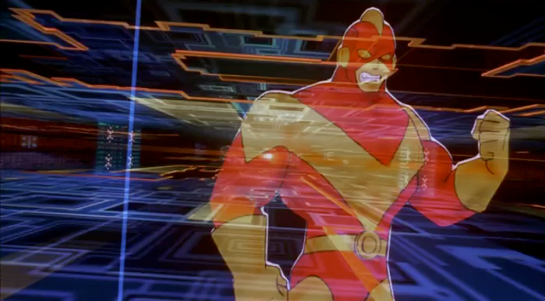
The scientist pushes the start button and the upload begins. Johnny sees the data stream in his headset as a flood of graphics and text.

jm-7-uploading-a

Why does he need the headset when there is a direct cable connection to the implant? The movie doesn’t make it explicit. It could be related to the images used as the access code. (More on this below.) Perhaps the images need to be processed by the recipient’s own optic nerve system for more reliable storage?

Still, in the spirit of apologetics we should try to find a better explanation than “an opportunity for 1995 cutting edge computer generated graphics.” Perhaps it is a very flashy progress indicator? Older computer systems had blinking lights on disk drives to indicate activity, copied on some of today’s USB sticks. Current-day file upload or download GUIs have progress bars. As processing and graphics capabilities increase, it will be possible for software to display thumbnails or previews of the actual data being transferred without slowing down.

Unfortunately there is an argument against this, which is that the obvious upload progress indicator is a numeric display counting gigabytes down to zero, and it makes a fast chirping sound as a sonic indicator as well. The counter shows the data flowing at gigabytes per second, the entire upload lasting about a minute. There’s also the problem that it’s not Johnny who is interested in knowing whether the upload is scientific data rather than, say, a video collection; but the scientists, and they can’t see it.

jm-7-uploading-b

As the counter drops below one hundred, the scientist points the remote with black disk at the TV display, currently showing a cartoon, and presses the middle button. The image from the TV appears overlaid on the data stream to Johnny. This is a little odd, because Johnny assured the scientists that he wouldn’t know what the access codes were himself. Maybe these brief flashes are not enough time for him to remember these particular images among the gigabytes of visual content. But the way they’re shown to us, I’ll bet you can remember them when they come up again later in the plot.
jm-7-uploading-d

Two more images are grabbed before the counter stops. When the upload finishes, the three images are printed out. (In the original film this is shown upside down, so I have rotated the image.)

jm-7-uploading-f-rotated

Tagged

So what are the images for? The script isn’t clear. I suggest that the images are being used as the equivalents of very large random numbers for whatever cryptography scheme protects the data against unauthorised access. Some current day systems use the timing of key presses and mouse movements as a source of randomness because humans simply can’t move their fingers with microsecond precision. Here, the human element makes it impossible to predict exactly which frame is chosen.

Humans also find images much easier to recognise than hundred digit numbers. Anyone who has seen the printout will be able to say whether a particular image is part of the access code or not with a high degree of confidence. In computer systems today, Secure Shell, or ssh, is a widely used encrypted terminal program for secure access to servers. Recent versions of ssh have a ‘randomart’ capability which shows a small ASCII icon generated from the current cryptographic key to everyone who logs on. If this ASCII icon appears different, this alerts everyone that the server key has been changed.

There’s one potential usability problem with the whole “pick three random images” mechanism. The last frame was grabbed when the counter was very close to zero. What would have happened if he had been too slow and missed altogether? Wouldn’t it be more reliable to have the upload system automatically grab the images rather than rely on a human? Chris suggests that maybe it secretly did grab three images that could have used without human input, but privileged the human input since it was more reliably random.

Quick aside: You may be asking, if images would be so wonderful, why aren’t we using them in this way already? It’s because our current security systems need not just very large random numbers, but very large random numbers with particular mathematical properties such as being prime. But let’s cut Johnny Mnemonic some slack,  saying that by 2021 we may have new algorithms.

OK, back to the plot.

-1. Sharing the codes

The access codes are to be faxed from Beijing to Newark, although this gets interrupted by the Yakuza intruders. This is yet another device with unmarked buttons.

jm-7-uploading-g

This device makes the same beeps and screeches as a 1990s analog fax machine. Since we’ll later learn that all the fax messages and phone calls are stored digitally in cyberspace, this must be a skeuomorphism, the old familiar audio tones now serving just as progress indicators.

As with other audio output, the tones allow the user to know that the transmission is proceeding and when it ends without having to pay full attention to the device. On the other hand, there is potential for confusion here as the digital upload is (presumably) much faster. Most current day computer systems could upload three photos, even in high resolution, well before the sequence of tones would complete. Users would most likely wait longer than actually necessary before moving on to their next task.

-2. Washing up

During the upload Johnny clenches his fists and bites his mouthguard. When the upload finishes, he retreats to the bathroom in considerable pain. At one point blood flows from his nose, and he swipes his hand over the tap to wash it down the drain. The bathroom announces that the water temperature is 17 degrees. We’ll come back to this later.

jm-8-bathroom-tap

As Make It So emphasises in the chapter on brain interfaces, there is nothing in our current knowledge to suggest that writing or reading memories to or from a human brain would be painful. On the other hand, we know that information in the brain isthe shape of the neurons in the brain. Who knows what side effects will happen as those neurons are disconnected and reconnected as they need to be? We don’t know, so can’t really say whether it would hurt or not.

-3. Escaping the Yakuza

As mentioned in a prior post, while he is in the bathroom, the motion detector Johnny installed on the hotel door isn’t very effective and the Yakuza break in, kill everyone else, and acquire the second of the three access code images. Johnny escapes with the first image and flies to Newark, North America. 

Viper Launch Control

image02

The Galactica’s fighter launch catapults are each controlled by a ‘shooter’ in an armored viewing pane.  There is one ‘shooter’ for every two catapults.  To launch a Viper, he has a board with a series of large twist-handles, a status display, and a single button.  We can also see several communication devices:

  • Ear-mounted mic and speaker
  • Board mounted mic
  • Phone system in the background

These could relate to one of several lines of communication each:

  • The Viper pilot
  • Any crew inside the launch pod
  • Crew just outside the launch pod
  • CIC (for strategic status updates)
  • Other launch controllers at other stations
  • Engineering teams
  • ‘On call’ rooms for replacement operators

image05

Each row on the launch display appears to conform to some value coming off of the Viper or the Galactica’s magnetic catapults.  The ‘shooter’ calls off Starbuck’s launch three times due to some value he sees on his status board (fluctuating engine power right before launch).

We do not see any other data inputs.  Something like a series of cameras on a closed circuit could show him an exterior view of the entire Viper, providing additional information to the sensors.

When Starbuck is ready to launch on the fourth try, the ‘shooter’ twists the central knob and, at the same time and with the same hand, pushes down a green button.  The moment the ‘shooter’ hits the button, Starbuck’s Viper is launched into space.

image04

There are other twist knobs across the entire board, but these do not appear to conform directly to the act of launching the Viper, and they do not act like the central knob.  They appear instead to be switches, where turning them from one position to another locks them in place.

There is no obvious explanation for the number of twist knobs, but each one might conform to an electrical channel to the catapult, or some part of the earlier launch sequence.

Manual Everything

Nothing in the launch control interprets anything for the ‘shooter’.  He is given information, then expected to interpret it himself.  From what we see, this information is basic enough to not cause a problem and allow him to quickly make a decision.

Without networking the launch system together so that it can poll its own information and make its own decisions, there is little that can improve the status indicators. (And networking is made impossible in this show because of Cylon hackers.) The board is easily visible from the shooter chair, each row conforms directly to information coming in from the Viper, and the relate directly to the task at hand.

The most dangerous task the shooter does is actually decide to launch the Viper into space.  If either the Galactica or the Viper isn’t ready for that action, it could cause major damage to the Viper and the launch systems.

A two-step control for this is the best method, and the system now requires two distinct motions (a twist-and-hold, then a separate and distinct *click*).  This is effective at confirming that the shooter actually wants to send the Viper into space.

To improve this control, the twist and button could be moved far enough apart (reference, under “Two-Hand Controls” ) that it requires two hands to operate the control.  That way, there is no doubt that the shooter intends to activate the catapult.

If the controls are separated like that, it would take some amount of effort to make sure the two controls are visually connected across the board, either through color, or size, or layout.  Right now, that would be complicated by the similarity in the final twist control, and the other handles that do different jobs.

Changing these controls to large switches or differently shaped handles would make the catapult controls less confusing to use.


Rebel videoscope

Talking to Luke

Hidden behind a bookshelf console is the family’s other comm device. When they first use it in the show, Malla and Itchy have a quick discussion and approach the console and slide two panels aside.

SWHS-rebelcomms-02

The device is small and rectangular, like an oscilloscope, sitting on a shelf about eye level. It has a small, palm sized color cathode ray tube on the left. On the right is an LED display strip and an array of red buttons over an array of yellow buttons. Along the bottom are two dials.

SWHS-rebelcomms-03

Without any other interaction, the screen goes from static to a direct connection to a hangar where Luke Skywalker is working with R2-D2 to repair some mechanical part. He simply looks up to the camera, sees Malla and Itchy, and starts talking. He does nothing to accept the call or end it. Neither do they.

We also see the conversation from Luke’s perspective as well. It’s even more oscillioscopey, with lots of dials, switches, and sliders to either side.

SWHS-rebelcomms-06

So this all might be intriguing (and right in line with agentive design) but before we start to investigate, we need to look at another instance of its use. Just like the Imperial-issie Media Console, this functions differently later in the same show.

Talking to Leia

SWHS-rebelcomms-08

After Itchy’s SFW living room masturbation chair sequence, the camera cuts to Leia and C-3PO in an unspecified office somewhere. The droid works at a console for a moment and finally turns a dial. In the Wookie household, a loud dee-DEEP dee-DEEP sounds until Malla rushes to the console, and slides the panels aside. C-3PO sees Malla’s face, and turns to Leia saying, “Ah. I have made the connection. You may speak now if you wish.

SWHS-rebelcomms-10

They do, and when the conversation is over, the feed just shuts off, with neither party doing anything to make it happen.

So. Yeaaaaah.

Activation

How is it turned on? One possibility is an architectural switch activated by sliding the panels. It would be a good design decision, as it is an action that needs to be undertaken anyway to use it. But that doesn’t explain Luke’s use.

Connection

How does Malla’s device know to call Luke once it’s on? It could be that it’s a fixed connection, like an intercom, that only calls that one other device. But it’s a Rebel garage. That doesn’t make sense. Why would Malla need to only call there? And of course they receive a call from Leia, who isn’t in that same garage, so it’s not exactly fixed.

Security

The device contains incriminating evidence, i.e. the direct connection to the Rebel base, and so it needs some sort of security. Why is that not in evidence?

Secret agent?

One technological concept that would answer a lot of these questions is that of agentive technology, i.e. artificial narrow intelligence that does things on behalf of its users.

It could explain how the device turns on and (some of) the security: the camera has hairy face recognition and persistently watches for authorized users, turning on when it sees one of them. Conceptually that would be far beyond common sci-fi tropes of the time, but in keeping with the New Criticism stance of the blog, should be considered.

It could explain how it knew to call Luke: It understands Shyriiwook and listened to the conversation that Itchy and Malla had before they opened the panel, knew they wanted to call Luke, and found him in the garage.

It could explain how it turns off: It’s smart enough to understand the linguistic, social, and physical cues that the conversation has ended.

The world of Star Wars even has this technology in evidence. The droids all exhibit artificial general intelligence, and it is only a failure of imagination that this intelligence should not be incorporated into important devices, or spaceships, or architecture.

This would also explain why c-3PO is managing the interface on his end but nobody else has to bother: An AI does not need another AI, just an API.

It would even explain why the damned thing rings. Take a moment to appreciate that. This is an illegal device on the Empire-controlled Kazook. We know this because it’s deliberately hidden, and our protagonists really work to avoid the Empire’s finding it. Yet when an unexpected call comes in, it shrilly announces the fact of itself to everyone within screeching range. The only way this is not the most moronic feature possible of an illegal object is if it can scan the surroundings and verify that it’s OK to ring. Because otherwise, it would be the most stupid feature of a stupidly stupid technology made in haste for a stupid show slopped together in haste and without any respect for a logical or consistent diegesis.

Whew.

Thank The Maker for apologetics.

Fed Communication Service

StarshipTroopers-FedComm000

When they are in basic training, Carmen and Johnny exchange video messages to stay in touch. Videos are recorded locally to small discs and sent to the other through the Fed post. Carmen has her own computer station in her berth for playing Johnny’’s messages. Johnny uses the single player available on the wall in the barracks. Things are different in the roughnecks than on the Rodger Young.

StarshipTroopers-FedComm003

To play her message, he inserts the small compact disk she sent him into a vertical holder, closes the hinged cover, and presses the rightmost of five similar metal buttons below the screen to play it. After the (sad breakup) message is done, the player displays an “END OF MESSAGE” screen that includes the message ID. Three lights sit in the lower left hand part of the interface. An amber light glows in the lower right near text reading, “P3.” There is a large dial on the left (a frustum of a cone, to be all geometric about it) with some debossed shapes on it that is likely a dial, but we never see these controls in use. In fact, there’s not a lot of interaction there at all for us to evaluate.

StarshipTroopers-FedComm005

Usually you’d expect a dial to operate volume (useful in the noisy narracks), with controls for play, pause, and some controls for either fast forward / reverse, or non-linear access of chapters in the message. The number of controls certainly could accommodate either of those structures, even if it was an old two-button model of play and stop rather than the more modern toggle. Certainly these could use better affordance, as they do not convey their behavior at this distance. Even at Rico’s distance, it’s faster for him to be able to see than to read the controls.

We could also ask what good the message ID is since it’s on screen and not very human-readable or human-memorable, but it does help remind Rico that his messages are being monitored by the fascism that is the Federation. So that’s a helpful reminder, if not useful data.

StarshipTroopers-FedComm001

For the larger interaction, most of the complexities in sending a message—initiating a recording, editing, encoding, specifying a recipient, and sending it—are bypassed offscreen by the physical medium, so it’s not worth speculating on how well this is from a larger standpoint. Of course we could ding them for not thinking that video could be sent faster and cheaper digitally via interstellar transmission than a fragile little disc, but that’s a question for which we just don’t have enough information. (And in which the filmmakers would have had a little trouble explaining how it wasn’t an instant video call.)

Compartment 21

After the Communications Tower is knocked off, Barcalow, looking out the viewport, somehow knows exactly where the damage to the ship has occured. This is a little like Captain Edward Smith looking out over the bow of the RMS Titanic and smelling which compartment was ripped open by the iceburg, but we must accept the givens of the scene. Barcalow turns to Ibanez and tells her to “Close compartment 21!” She turns to her left, reaches out, and presses a green maintained-contact button labeled ENABLE. This button is right next to a similar-but-black button also labeled ENABLE. As she presses the button, a nearby green LED flashes for a total of 4 frames, or 0.16 second.

StarshipTroopers-Compartment21-04

She looks up at some unseen interface, and, pleased with what she sees there, begins to relax, the crisis passed.

StarshipTroopers-Compartment21-06

A weary analysis

Let’s presume he is looking at some useful but out-of-character-for-this-bridge display, and that it does help him identify that yes, out of all the compartments that might have been the one they heard damaged, it is the 21st that needs closing.

  1. Why does he have the information but she have the control? Time is wasted (and air—not to mention lives, people—is lost) in the time it takes him to instruct and her to react.
  2. How did she find the right button when it’s labeled exactly the same way as adjacent button? Did she have to memorize the positions of all of them? Or the color? (How many compartments and therefore colors would that mean she would need to memorize?) Wouldn’t a label reading, say, “21” have been more useful in this regard?
  3. What good does an LED do to flash so quickly? Certainly, she would want to know that the instruction was received, but it’s a very fast signal. It’s easy to miss. Shouldn’t it have stayed on to indicate not the moment of contact, but the state?
  4. Why was this a maintained-contact button? Those look very similar when pressed or depressed. A toggle switch would display its state immediately, and would permit flipping a lot of them quickly, in case a lot of compartments need sealing.
  5. Why is there some second place she must look to verify the results of her action, that is a completely separate place from Barcalow (remember he looks forward, she looks up). Sure, maybe redundancy. Sure, maybe he’s looking at data and she’s looking at video feeds, but wouldn’t it be better if they were looking at the same thing?

StarshipTroopers-Compartment21-07

I know it’s a very quick interaction. And props to the scriptwriters for thinking about leaking air in space. But this entire interaction needs rethinking.

Otto’s Manual Control

WallE-Otto02

WallE-Otto06

When it refused to give up authority, the Captain wrested control of the Axiom from the artificial intelligence autopilot, Otto. Otto’s body is the helm wheel of the ship and fights back against the Captain. Otto wants to fulfil BNL’s orders to keep the ship in space. As they fight, the Captain dislodges a cover panel for Otto’s off-switch. When the captain sees the switch, he immediately realizes that he can regain control of the ship by deactivating Otto. After fighting his way to the switch and flipping it, Otto deactivates and reverts to a manual control interface for the ship.

The panel of buttons showing Otto’s current status next to the on/off switch deactivates half its lights when the Captain switches over to manual. The dimmed icons are indicating which systems are now offline. Effortlessly, the captain then returns the ship to its proper flight path with a quick turn of the controls.

One interesting note is the similarity between Otto’s stalk control keypad, and the keypad on the Eve Pod. Both have the circular button in the middle, with blue buttons in a semi-radial pattern around it. Given the Eve Pod’s interface, this should also be a series of start-up buttons or option commands. The main difference here is that they are all lit, where the Eve Pod’s buttons were dim until hit. Since every other interface on the Axiom glows when in use, it looks like all of Otto’s commands and autopilot options are active when the Captain deactivates him.

A hint of practicality…

The panel is in a place that is accessible and would be easily located by service crew or trained operators. Given that the Axiom is a spaceship, the systems on board are probably heavily regulated and redundant. However, the panel isn’t easily visible thanks to specific decisions by BNL. This system makes sense for a company that doesn’t think people need or want to deal with this kind of thing on their own.

Once the panel is open, the operator has a clear view of which systems are on, and which are off. The major downside to this keypad (like the Eve Pod) is that the coding of the information is obscure. These cryptic buttons would only be understandable for a highly trained operator/programmer/setup technician for the system. Given the current state of the Axiom, unless the crew were to check the autopilot manual, it is likely that no one on board the ship knows what those buttons mean anymore.

WallE-Otto03

Thankfully, the most important button is in clear English. We know English is important to BNL because it is the language of the ship and the language seen being taught to the new children on board. Anyone who had an issue with the autopilot system and could locate the button, would know which button press would turn Otto off (as we then see the Captain immediately do).

Considering that Buy-N-Large’s mission is to create robots to fill humans’ every need, saving them from every tedious or unenjoyable job (garbage collecting, long-distance transportation, complex integrated systems, sports), it was both interesting and reassuring to see that there are manual over-rides on their mission-critical equipment.

…But hidden

The opposite situation could get a little tricky though. If the ship was in manual mode, with the door closed, and no qualified or trained personnel on the bridge, it would be incredibly difficult for them to figure out how to physically turn the ship back to auto-pilot. A hidden emergency control is useless in an emergency.

Hopefully, considering the heavy use of voice recognition on the ship, there is a way for the ship to recognize an emergency situation and quickly take control. We know this is possible because we see the ship completely take over and run through a Code Green procedure to analyze whether Eve had actually returned a plant from Earth. In that instance, the ship only required a short, confused grunt from the Captain to initiate a very complex procedure.

Security isn’t an issue here because we already know that the Axiom screens visitors to the bridge (the Gatekeeper). By tracking who is entering the bridge using the Axiom’s current systems, the ship would know who is and isn’t allowed to activate certain commands. The Gatekeeper would either already have this information coded in, or be able to activate it when he allowed people into the bridge.

For very critical emergencies, a system that could recognize a spoken ‘off’ command from senior staff or trained technicians on the Axiom would be ideal.

Anti-interaction as Standard Operating Procedure

WallE-Otto05

The hidden door, and the obscure hard-wired off button continue the mission of Buy-N-Large: to encourage citizens to give up control for comfort, and make it difficult to undo that decision. Seeing as how the citizens are more than happy to give up that control at first, it looks like profitable assumption for Buy-N-Large, at least in the short term. In the long term we can take comfort that the human spirit–aided by an adorable little robot–will prevail.

So for BNL’s goals, this interface is fairly well designed. But for the real world, you would want some sort of graceful degradation that would enable qualified people to easily take control in an emergency. Even the most highly trained technicians appreciate clearly labeled controls and overrides so that they can deal directly with the problem at hand rather than fighting with the interface.

The Lifeboat Controls

WallE-Lifeboat05

After Wall-E and Eve return to the Axiom, Otto steals the Earth plant and has his security bot place it on a lifeboat for removal from the ship. Wall-E follows the plant onboard the pod, and is launched from the Axiom when the security bot remotely activates the pod. The Pod has an autopilot function (labeled an auto-lock, and not obviously sentient), and a Self-Destruct function, both of which the security bot activates at launch. Wall-E first tries to turn the auto-pilot off by pushing the large red button on the control panel. This doesn’t work.

WallE-Lifeboat04

Wall-E then desperately tries to turn off the auto-destruct by randomly pushing buttons on the pod’s control panel. He quickly gives up as the destruct continues counting down and he makes no progress on turning it off. In desperation, Wall-E grabs a fire extinguisher and pulls the emergency exit handle on the main door of the pod to escape.

The Auto-Destruct

There are two phases of display on the controls for the Auto-Destruct system: off and countdown. In its off mode, the area of the display dedicated to the destruct countdown is plain and blue, with no label or number. The large physical button in the center is unlit and hidden, flush with the console. There is no indication of which sequence of keypresses activates the auto-destruct.

When it’s on, the area turns bright red, with a pulsing countdown in large numbers, a large ‘Auto-Destruct’ label on the left. The giant red pushbutton in the center is elevated above the console, surrounded by hazard striping, and lit from within.

WallE-Lifeboat08

The odd part is that when the button in the center gets pushed down, nothing happens. This is the first thing Wall-E does to turn the system off, and it’s has every affordance for being a button to stop the auto-destruct panel in which it sits. It’s possible that this center button is really just a pop-up alert light to add immediacy to the audible and other visual cues of impending destruction.

If so, the pod’s controls are seriously inadequate.

Wall-E wants to shut the system off, and the button is the most obvious choice for that action. Self-destruction is an irreversible process. If accidentally activated, it is something that needs to be immediately shut off. It is also something that would cause panicked decision making in the escape pod’s users.


The blinking button in the center of the control area is the best and most obvious target to “SHUT IT OFF NOW!”

Of course this is just part of the fish-out-of-water humor of the scene, but is there a real reason it’s not responding like it obviously should? One possibility is that the pod is running an authority scan of all the occupants (much like the Gatekeeper for the bridge or what I suggested for Eve’s gun), and is deciding that Wall-E isn’t cleared to use that control. If so, that kind of biometric scanning should be disabled for a control like the Anti-Auto-Destruct. None of the other controls (up to and including the airlock door exit) are disabled in the same way, which causes serious cognitive dissonance for Wall-E.

The Axiom is able to defend itself from anyone interested in taking advantage of this system through the use of weapons like Eve’s gun and the Security robots’ force fields.

Anything that causes such a serious effect should have an undo or an off switch. The duration of the countdown gives Wall-E plenty of time to react, but the pod should accept that panicked response as a request to turn the destruct off, especially as a fail-safe in case its biometric scan isn’t functioning properly, and there might be lives in the balance.

The Other Controls

No Labels.

WallE-Lifeboat07

Seriously?

This escape pod is meant to be used in an emergency, and so the automatic systems should degrade as gracefully as possible.

While beautiful, extremely well grouped by apparent function, and incredibly responsive to touch inputs, labels would have made the control panel usable for even a moderately skilled crewmember in the pilot seat. Labels would also provide reinforcement of a crew member’s training in a panic-driven situation.

Buy-N-Large: Beautifully Designed Dystopia

WallE-Lifeboat03

A design should empower the people using it, and provide reinforcement to expert training in a situation where memory can be strained because of panic. The escape-pod has many benefits: clear seating positions, several emergency launch controls, and an effective auto-pilot. Adding extra backups to provide context for a panicked human pilot would add to the pod’s safety and help crew and passengers understand their options in an emergency.

WallE-Lifeboat02

The Dropship

WallEDropShip-08

The Axiom Return Vehicle’s (ARV’s) first job is to drop off Eve and activate her for her mission on Earth. The ARV acts as the transport from the Axiom, landing on the surface of Earth to drop off Eve pods, then returning after an allotted time to retrieve the pods and return them to the Axiom.

The ARV drops Eve at the landing site by Wall-E’s home, then pushes a series of buttons on her front chest. The buttons light up as they’re pushed, showing up blue just after the arm clicks them. At the end of the button sequence, Eve wakes up and immediately begins scanning the ground directly in front of her. She then continues scanning the environment, leaving the ARV to drop off more Eve Pods elsewhere.

If It Ain’t Broke…

There’s an oddity in ARV’s use of such a crude input device to activate Eve. On first appearance, it seems like it’s a system that is able to provide a backup interface for a human user, allowing Eve to be activated by a person on the ground in the event of an AI failure, or a human-led research mission. But this seems awkward in use because Eve’s front contains no indication of what the buttons each do, or what sequence is required.

A human user of the system would be required to memorize the proper sequence as a physical set of relationships. Without more visual cues, it would be incredibly easy for the person in that situation to push the wrong button to start with, then continue pushing wrong buttons without realizing it (unless they remembered what sound the first button was supposed to make, but then they have one /more/ piece of information to memorize. It just spirals out of control from there).

What was originally for people is now best used by robots.

WallEDropShip-03

So if it’s not for humans, what’s going on? Looking at it, the minimal interface has strong hints of originally being designed for legacy support: large physical buttons, coded interface, and tilted upward for a person standing above it. BNL shows a strong desire to design out people, but leave interactions (see The Gatekeeper). This style of button interface looks like a legacy control kept by BNL because by the time people weren’t needed in the system anymore, the automated technology had already been adapted for the same situation.

Large hints to this come from the labels. Each label is an abstract symbol, with the keys grouped into two major areas (the radial selector on the top, and the line of large squares on the bottom). For highly trained technicians meant to interact only rarely with an Eve pod, these cryptic labels would either be memorized or referenced in a maintenance manual. For BNL, the problem would only appear after both the technicians and the manual are gone.

It’s an interface that sticks around because it’s more expensive to completely redo a piece of technology than simply iterate it.

Despite the information hurdles, the physical parts of this interface look usable. By angling the panel they make it easier to see the keypad from a standing position, and the keys are large enough to easily press without accidentally landing on the wrong one. The feedback is also excellent, with a physical depression, a tactile click, and a backlight that trails slightly to show the last key hit for confirmation.

If I were redesigning this I would bring in the ability for a basic- or intermediate-skill technician to use this keypad quickly. An immediate win would be labeling the keys on the panel with their functions, or at least their position in the correct activation sequence. Small hints would make a big difference for a technician’s memory.

WallEDropShip-04

To improve it even more, I would bring in the holographic technology BNL has shown elsewhere. With an overlay hologram, the pod itself could display real-time assistance, of the right sequence of keypresses for whatever function the technician needed.

This small keypad continues to build on the movie’s themes of systems that evolve: Wall-E is still controllable and serviceable by a human, but Eve from the very start has probably never even seen a human being. BNL has automated science to make it easier on their customers.

The Aesculaptor Mark III

LogansRun177

The device with which the cosmetic surgery is conducted is delightfully called the Aesculaptor Mark III. Doc brags that it is “the latest. It’s completely self-contained.

In it, the patient lies flat in a recess on a rounded table, the tilt and orientation of which is computer controlled. Above the table is a metallic sphere with six spidery articulated arms. Some of these house laser scalpels and some of these house healing sprays. The whole mechanism is contained in a cylinder of glass.

To control the system, Doc has a panel made up of unlabeled buttons and dials, a single blue monitor, and another panel displaying a random five-digit number and two levers. One is labeled “ANODYNE” and the other is labeled “KINESIS.”

LogansRun167

When Doc receives a mysterious call (on what may be the earliest wireless telephone in mainstream science fiction,) he receives instructions to murder Logan. To do so he turns off the healing by moving the ANODYNE lever into the lower position.

LogansRun172

So. Yeah. Also just terrible. I mean there’s the plot question. I ordinarily don’t drop into questions of plot, but come on. If Doc wanted to eliminate Logan, wouldn’t he increase the anodyne, so Logan wouldn’t know he was being killed until it was too late? If you wanted to torture him, wouldn’t you put him under a paralytic first, and only then turn off the anodyne? Turning on the KINESIS (moving lasers?) and turning off the anodyne just seem counter to his actual goals. Unless you want to fantheory this so that Doc’s instruction was “make him escape.”

But yes, back to the interface. There’s almost nowhere to start. Undifferentiated controls? Unlabeled controls? No visual hierarchy? Only the device itself and an oscilloscope to monitor the system and the patient’s trending state? Un-safeguarded knife switches for the primary controls? And note that the fail state is in the direction of gravity. If that knife switch gets loose, oops, you’re screwed.

Image of the Therac-25 from http://fauxdurbeyfield.wordpress.com/2011/11/03/therac-25-because-there-isnt-enough-radiation-in-this-world/
Image from http://fauxdurbeyfield.wordpress.com/2011/11/03/therac-25-because-there-isnt-enough-radiation-in-this-world/

Logan’s Run took place long before the lessons of the Therac-25, with its tragic interface and programming problems that resulted in the deaths of several cancer patients, but even audiences in 1976 would not believe that any medical device would have such an easy means of disabling the only aspect of it that keeps it from becoming an abattoir.

NucleoLab Display

FifthE-nucleolab-002

The scientist Mactilburgh reconstructs Leeloo from a bit of her remains in his “nucleolab.” We see a few interfaces here.

FifthE-nucleolab-003

We never see Mactilburgh interact with the controls on this display: Potentiometers, dials with circular LED readout rings, glowing toggle buttons, and unlit buttons labeled “OFF” and “ESC.” There’s not much to grasp onto for analysis. These are just “sciencey” set of physical controls. The display is a bit of similar scienciness, meant to vaguely convey that Leeloo is a higher-order being, but beyond that, incomprehensible. Interestingly, the Mondoshawan DNA shows not just a more detailed graphic, but adds color to convey an additional level of complexity.

FifthE-nucleolab-004

An odd bit: In the lower right hand corner of the screen you can see the words “FAMILIAL HYPERCHOL TEROLEMIA.” Looking up this term reveals the genetic condition Familial Hypercholesterolemia. It’s only missing the “ES.” What’s this label doing here? This could be the area on the DNA chain where the markers appear for this predisposition to high cholesterol, but wouldn’t you expect that to take up 5000 times less room on a DNA strand of a perfect being, not the same percentage? Also it kind of takes the winds out of the sails of Mactilburgh’s breathless claim that she’s perfect. Anyway it’s a warning lesson for sci-fi interface designers: Watch where you pull your sciencey words from. If it’s a real thing, ask whether the meaning runs counter to your purposes or not.