Report Card: Johnny Mnemonic

There are no more interfaces within the film to analyse. But before moving on to the grades, some final (and brief – I promise) discussion about cyberpunk and virtual reality.

Read all Johnny Mnemonic reviews in chronological order.

Cyberpunk Love

As stated at the beginning, Johnny Mnemonic is a cyberpunk film, with the screenplay written by noted cyberpunk author William Gibson, loosely based on one of his short stories of the same name. Why would user interface designers care? Because the cyberpunk authors were the first to write extensively about personal computing technologies, world wide networks, 2D/3D GUIs, and AI. Cyberspace, both the idea and the word itself, comes from cyberpunk fiction. Just as Star Trek inspired NASA engineers and astronauts, the cyberspace depicted by the authors inspired virtual reality programmers and designers. In the first virtual reality wave of the mid to late 1990s, it seemed that everybody working in the field had read Neuromancer.

If you’ve never read any cyberpunk and are now curious, Neuromancer by William Gibson is still the classic work. For a visual interpretation, the most cyberpunk of all films, in style and tone rather than plot, is Blade Runner. Cyberpunk founder Bruce Sterling, who wrote the foreword for “Make It So”, often writes about design; and sometimes cyberpunk author Neal Stephenson has also written interesting and thought provoking non-fiction about computers and user experience. It’s beyond the scope of this post to outline all their ideas for you, but if you are interested start with:

Bruce Sterling on Tumblr

In the Beginning was the Command Line

VR Love

Johnny Mnemonic also includes scenes set in virtual reality, a trend that began with Tron (although that particular film did not use the term). These virtual reality scenes with their colorful graphics  were most likely included to make computer systems less boring and more comprehensible to a general audience. However, these films from Tron onwards have never been successful. (If you work around computer people you’ll hear otherwise from plenty of fans, but computer geeks are not a representative sample.)

In the more recent Iron Man films, Tony Stark in his workshop uses a gestural interface, voice commands, and large volumetric projections. This could easily have been depicted as a VR system, but wasn’t. Could there be a usability problem when virtual reality interfaces are used in film?

The most common reason given for not using VR is that such sequences remind the audience that they’re watching an artificial experience, thus breaking suspension of disbelief. Evidence for this is the one financially successful VR film, The Matrix, which very carefully made its virtual reality identical to the real world. The lesson is that in film, just like most fields, user interfaces should not draw too much attention to themselves.

Sci: B (3 of 4) How believable are the interfaces?

Johnny Mnemonic is a near-future film that takes itself seriously, comparable in intention if not result to Blade Runner. The title also identified it as a cyberpunk film, implying a background setting and technology for the tiny proportion of the audience who’d actually read anything by William Gibson. For those who hadn’t, the film opened with a lengthy crawl, typeset in dense caps/small caps text with red and white color shifting, which probably didn’t help.

JM-37-report-montage-A

The everyday electronics in Johnny Mnemonic include the hotel wall screen and remote, the image grabber, the fax machine. They’re all believable (we’ll pass judgement on those unmarked buttons later!)  within the world depicted. The more specialised interfaces such as the motion detector, door bomb, and binoculars likewise fit the design aesthetic and style of technology used.

The airport security scanner without human staff present wasn’t very believable even in the more relaxed era of 1995, but for how it is used rather than what it does. As a scanner and projector it’s fine.

The most important interfaces in the film are the phone system, brain technology, and cyberspace.

Of these the phone system is almost always awesome, with visible cameras and familiar controls. The photorealistic puppet avatar used by Takahashi is a little beyond today’s capabilities, but not greatly so. And it’s nicely foreshadowed by the stylized image filter that Strike uses in the bulletin board conversation. Johnny hacking a phone booth with a swipe card is the one glaring exception to believability, but even here the only effect is that Johnny can talk to someone he otherwise would have trouble reaching. I would have been happier if he’d flipped up a panel to reveal a diagnostic port to hack, but it’s not a major problem.

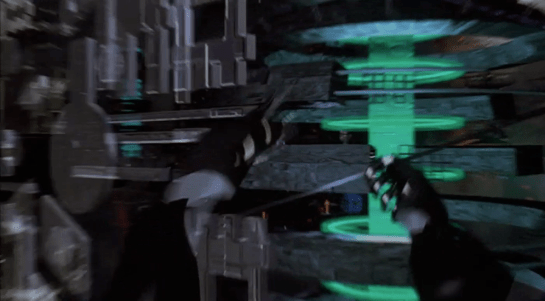
The cyberspace sequence was awesome in 1995 and holds up well today. The datagloves look dated to someone like me who follows virtual reality technology, but I doubt they bother anyone else. The Johnny Mnemonic cyberspace has a lot of “flashy graphics” but these don’t seem to interfere with getting work done. At the time of writing Swiss Modern minimalism is the preferred style for user interfaces, but more playful and colorful graphics have been used in the past and no doubt will be again in the future.

Lastly we have the brain technology, which starts well. The MemDoubler and Johnny’s uploading kit both look like consumer electronic devices designed for a single function. Spider and the hospital have bigger and clunkier medical gear, but this fits with their need for scavenged and multifunction technology.

Johnny Mnemonic fails when we meet Jones the cyborg dolphin and the neural interface that Johnny uses to “hack his own brain.” Now, I found these believable when I saw the original release, and when I re-watched it on DVD, but that’s because I had read all the books. It’s only when I started writing this report card that I noticed there is absolutely no indication that such interfaces are even possible before this point in the film. Contrast this with Blade Runner, which as well as replicants was careful to show us an artificial owl, a forensic analyst who could identify an artificial snake scale, and a workshop where artificial eyes were designed. If neither the evil megacorporation nor the consumer electronics industry can build a neural interface in the world of Johnny Mnemonic, it’s hard to believe the LoTeks could get their hands on one.

For believability Johnny Mnemonic is mostly awesome, but let down by the neural interfaces. I’m therefore giving it a B.

Fi: D (1 of 4) How well do the interfaces inform the narrative of the story?

The interfaces in Johnny Mnemonic have varied roles within the story.

JM-37-report-montage-B

I’ll start with those that support the story by working as advertised. The video phone system, from the first hotel room call on, has the narrative function of allowing characters to communicate expressively with voice and facial expressions rather than, say, email. The phones works flawlessly without getting in the way.

The early brain technology devices also support the story. The MemDoubler explains what it does and its operation is clear. The data upload kit clearly shows the original data disk and the start, progress, and end of the upload process. The image grabber and fax machine, like the video phones, work without distracting the characters or audience.

The door bomb allows Johnny to escape from heavily armed thugs, using brains and technology rather than brute force. It fits well with his character.

The cyberspace search sequence serves two purposes. It shows Johnny being clever and figuring out where to go next, and it shows the audience that this is really a cyberpunk film with advanced computer technology. The interface performs both functions beautifully. Meanwhile the Pharmakom tracker who is also in cyberspace is performing the equivalent of “tracing the phone call” in a current day action film. His standing interface visually distinguishes him from Johnny.

However, the bulletin board conversation in cyberspace is not so good. Strike doesn’t have any useful information to give Johnny, and then he gets wiped out by a virus attack for no apparent reason as the Yakuza have already located where Johnny and Jane are.

The airport security scanner and the LoTek binoculars have the narrative function of telling us something about the characters being viewed rather than providing information to be acted on. The airport scanner and the first use of the LoTek binoculars remind us that Johnny has an implant which is important to the plot. These help the audience since said implant is otherwise invisible and rarely causes him any difficulty. The second use of the LoTek binoculars is to tell us that Street Preacher is dangerous, which we can already figure out from the trail of bodies he leaves behind him.

The motion detector is the first of the interfaces which support the narrative by not working. If it had given the alarm, the access codes might have been saved and the scientists might escape or defend themselves. The scene is structured so that only Johnny gets away because he is in the bathroom, but it could just as easily have played out with the same results if the motion detector had been missing altogether.

The brain scanners at Spider’s place and then the hospital don’t work either. The intent is presumably to emphasise how difficult it is to retrieve “the data” and increase the tension as Johnny’s time runs out. The problem is that both scanners are very obviously cobbled together from ancient junk. Instead of impressing us with how fiendishly difficult it is to crack the encryption, these instead suggest that Johnny would be much better off getting help from someone else.

And lastly, the LoTek bug dropper again functions by being a terrible interface. Nearly killing the lead characters gives Johnny an excuse for an epic rant, and a reason for tension in the subsequent debate between Johnny and the LoTeks over the download. However, again I have to wonder why Johnny didn’t immediately head back into town. These people are meant to be the only hope against the evil corporate overlords? Seriously?

Overall, the interfaces in Johnny Mnemonic are a mixed bag when it comes to the narrative, from awesome to awful. I’m giving it a D.

Interfaces: A (4 of 4) How well do the interfaces equip the characters to achieve their goals?

While the interfaces in Johnny Mnemonic aren’t always good for story telling, they are mostly good models for real world design. I’ll go from worst to best for an upbeat ending.

JM-37-report-montage-C

Worst

The undisputed worst interface in the film is the LoTek bug dropper. Don’t do this.

The LoTek brain scanner and decryption hardware is clunky and difficult to use. So difficult in fact that it appears only Jones the cyborg dolphin can operate it successfully. Not at all ideal for a movement devoted to making information free and available to all. But as cryptography is not my field, I’m willing to accept that perhaps there is no better interface. (If the codebreaking division of the NSA is notorious for marine odours leaking into the air conditioning and suspiciously high levels of tuna consumption, please let us know via the comments.)

The motion detector has a simple interface, but the too quiet audio alarm makes it dangerously ineffective. Easily improved, but only if someone survives and is able to post a review. The watch triggered bomb is a useful starting point for thinking about controllers for real world devices.

Numerous electronic gadgets in Johnny Mnemonic have grids of unmarked buttons, which is horrible design for consumer electronics. Fortunately they are only briefly used and not important to the plot. That said, the image grabber used as part of the upload process, with labels added, would be great for writing SciFiInterfaces reviews.

The two different brain scanners used by Spider are difficult to judge, since they’re apparently designed for specialists rather than consumers. But like the MemDoubler and uploader we saw earlier, Spider can quickly perform a diagnostic and interpret the results.

The airport security scanner appears better suited to being used by actual human beings rather than by itself. The scanner is impressive, but suppose it did detect that Johnny was carrying an illegal weapon or device? If Johnny keeps walking, there’s no evidence that it could actually stop him.

The MemDoubler is a neat piece of electronics that does one job easily and efficiently. It’s a bit chatty for something that is possibly illegal and probably meant for covert use, but it was Johnny who decided that a hotel lift was the appropriate place to use it.

The New Darwin hotel room wall screen and remote are not intrusive, simple to use, and don’t require the guest to be fully attentive. Later the Beijing hotel wall screen is equally easy to use, and the bathroom shows off context awareness.

The data uploader, once assembled, has better labels than the consumer electronics. The controls are simple and allow a novice user to carry out the upload and access code generation without problems.

The LoTek binoculars are an excellent design for a group that needs to keep an eye on who is wandering around the neighbourhood.

The various video phones, from wall screen to portable, all Just Work. The various characters use them so effortlessly that it’s easy to overlook that this is in fact awesome.

Best

And finally the cyberspace interface was and remains my favourite, and an excellent model for any real world designers. (OK, the second layer of security that requires reshaping a pyramid could use a little work, but even that is not a bad interface.)

There are enough good designs here to outweigh the few disasters, so my rating is A.

Final Grade: B- (8 of 12)

Related lessons from the book

  • Zoomrects in the LoTek binoculars and the continuous perspective streaming of imagery during the data upload are both examples of using motion to create meaning (page 64)
  • Bright colors are used during the data upload and download, even for the presentation of scientific research and data, because Sci-Fi glows (page 40)
  • The data uploader gives off a regular chirping sound in addition to a numeric counter, conveying ambient system state with ambient sound (page 112)
  • The LoTek binoculars, and to a lesser extent the Yakuza binoculars too, place a visual signal in the user’s path (page 210) by directly overlaying text onto the image rather than having a separate display
  • Although the film does not use this excessively, the airport scanner and the brain scanner screens are mostly blue (page 42)
  • Surprisingly, the phone system mostly relies on numbers rather than names, even though the goal is to contact a person, not use an interface (page 207). Only Takahashi contacts someone by name
  • Takahashi is an example in the book of an interface that can handle emotional inputs (page 214), and we can add Johnny’s threatening gesture and Strike’s “retreat” during the bulletin board conversation
  • Takahashi is also an example of letting users alter their appearance (page 221), and we can add Jones the dolphin with a custom avatar  in cyberspace
  • In the cyberspace of Johnny Mnemonic various areas and individual buildings have their own visual style, because the visual design is a fundamental part of the interface (page 31) and creative combinations of even common stylistic choices create a unique appearance (page 73)
  • Navigation within the three-dimensional cyberspace simulates physically flying to make use of users’ spatial memory (page 62), but allows “teleporting” directly to a desired location because being useful is more important than looking impressive (page 264)
  • The cyberspace interface for the hotel and copyshop both use gesture for simple, physical manipulations and use language for abstractions (page 104)

New lesson

Not everything in virtual reality needs to be three-dimensional

The cyberspace sequence shows windows, usually in full screen mode, with two dimensional spreadsheet interfaces for tabular data. There’s no need to represent these in 3D. This rule is a combination of build on what users already know (page 19) and don’t get caught up in the new for its own sake (page 25).

IMDB: https://www.imdb.com/title/tt0206634/

Cyberspace Summary

In the five minute sequence about cyberspace, we’ve seen a variety of interface elements and actions. The single most impressive quality of the Johnny Mnemonic cyberspace is, to me, just how flexible and multi-modal it is.

JM-38-cyberspace-montage

Cyberspace was envisioned as a 3D spatial metaphor. Here we’ve seen that with specialized hardware, you can fly with hand gestures or voice commands. Or if you’re in a hurry, you can teleport directly. Destinations can be specified precisely with numbers or graphically by pointing. Other actions can be expressed by pointing and other gestures, or by typing in text or numbers, or by speaking.

The primary output channel is obviously visual, but voice feedback is used to indicate successful actions rather than cluttering up the screen. The visual style at the top level of interaction is three dimensional, but internal systems use more conventional 2D interfaces when 3D would be confusing or excessive. Most “applications” run in what is currently called full screen mode, but there is some evidence that the user could have multiple systems appearing side by side in a kind of three-dimensional window manager.

It’s been two decades since Johnny Mnemonic was released, but the film version of cyberspace still looks like an interface that would be both fun and effective. (OK, replace the datagloves with modern motion capture cameras.) That’s quite a lot of staying power, and it’s still worth seeing the film for these five minutes alone.

***

(And now, finally, after writing far more words than I’d originally intended, there are no more interfaces left to analyze in the film. Roll credits in the Report Card, coming up next.)

Cyberspace: Bulletin Board

Johnny finds he needs a favor from a friend in cyberspace. We see Johnny type something on his virtual keyboard, then selects from a pull down menu.

JM-35-copyshop-Z-animated

A quick break in the action: In this shot we are looking at the real world, not the virtual, and I want to mention how clear and well-defined all the physical actions by actor Keanu Reeves are. I very much doubt that the headset he is wearing actually worked, so he is doing this without being able to see anything.

Will regular users of virtual reality systems be this precise with their gestures? Datagloves have always been expensive and rare, making studies difficult. But several systems offer submillimeter gestural tracking nowadays: version 2 of Microsoft Kinect, Google’s Soli, and Leap Motion are a few, and much cheaper and less fragile than a dataglove. Using any of these for regular desktop application tasks rather than games would be an interesting experiment.

Back in the film, Johnny flies through cyberspace until he finds the bulletin board of his friend. It is an unfriendly glowing shape that Johnny tries to expand or unfold without success.

JM-36-bboard-A-animated

After some more virtual typing, the bulletin board reveals itself as a cube that spins and expands. It doesn’t fill the entire screen, but does reveal the face of Strike, the owner of the bulletin board. His face is stylized as if by a real time image processing filter of the type built into most static image editors today. Strike tells Johnny to go away.

JM-36-bboard-B-animated

Johnny doesn’t give up and the conversation continues. The cube now expands to fill the screen, with Johnny looking into the cube and Strike’s face on the back wall.

JM-36-bboard-C

Johnny raises his hands and makes a threatening gesture, saying that he could crash Strike’s entire system. In cyberspace, his fingertips now have blades.

JM-36-bboard-D-animated

The face retreats in cyberspace, becoming smaller and further away. I’d like to think that Strike leaned back, and that has been mapped into a cyberspace equivalent move. The real world gesture carries its meaning to cyberspace.

A short while ago the Yakuza leader Shinji ordered the tracker to “initiate the virus.” It is at this point that we see the effect, with the cube carrying the image of Strike melting away under a bright light.

JM-36-bboard-E

While visual representations of cyber attacks are common in books and now TV and films, real world computer designers complain that no system under attack would waste processing power on rendering special effects. This is true for the defenders, but the attackers might want to show their power with a flashy display. Or perhaps these visual effects are generated by Johnny’s own cyberspace system, the 2021 equivalent of today’s warning message that a web site certificate cannot be verified. It’s certainly more attention-grabbing than a small padlock icon disappearing from one corner of your browser window.

At this point the Yakuza arrive in reality, and Jane takes the headset off and drags Johnny out of the shop.

Cyberspace: Newark Copyshop

The transition from Beijing to the Newark copyshop is more involved. After he travels around a bit, he realizes he needs to be looking back in Newark. He “rewinds” using a pull gesture and sees the copyshop’s pyramid. First there is a predominantly blue window that unfolds as if it were paper.

jm-35-copyshop-a-animated

And then the copyshop initial window expands. Like the Beijing hotel, this is a floor plan view, but unlike the hotel it stays two dimensional. It appears that cyberspace works like the current world wide web, with individual servers for each location that can choose what appearance to present to visitors.

Johnny again selects data records, but not with a voice command. The first transition is a window that not only expands but spins as it does so, and makes a strange jump at the end from the centre to the upper left.

jm-35-copyshop-c-animated

Once again Johnny uses the two-handed expansion gesture to see the table view of the records.

jm-35-copyshop-d

Johnny searches again, but either because there are so few records or because they’re in English, he doesn’t use voice commands. Instead he just runs his fingers over the cells, which highlight as he does so. Again this would be familiar to a current day spreadsheet user.

jm-35-copyshop-e

The contents of the cell are, once more, not useful. Johnny dismisses the copyshop with a sweeping arm  gesture which slides the “window” off the right of the screen.

jm-35-copyshop-f-animated

Aside: At normal viewing speed, it looks like the window disappears and, as would be the case in a 1995 or current day desktop system, reveals the previously-displayed windows underneath. Stepping through frame by frame shows that actually it reveals an identical copy of  the sliding content! Graphics programmers have always tried hard to avoid such visual glitches, but sometimes they slip into production code anyway.

Next

At this point in the plot, Johnny hasn’t found the images he so desperately needs. He thinks for a moment, and decides to contact the owner of a local bulletin board. Unknown to him, he has also been located by the Pharmakom tracker. Shinji and the Yakuza are on the way, and Shinji orders “initiate the virus.” 

Cyberspace: Beijing Hotel

After selecting its location from a map, Johnny is now in front of the virtual entrance to the hotel. The virtual Beijing has a new color scheme, mostly orange with some red.

jm-33-hotel-a

The “entrance” is another tetrahedral shape made from geometric blocks. It is actually another numeric keypad. Johnny taps the blocks to enter a sequence of numbers.

The tetrahedral keypad

jm-33-hotel-b

Note that there can be more than one digit within a block. I mentioned earlier that it can be difficult to “press” with precision in virtual reality due to the lack of tactile feedback. Looking closely, here the fingers of Johnny’s “hands” cast a shadow on the pyramid, making depth perception easier.

Something is wrong, and Johnny receives an electric shock.

jm-33-hotel-c

He reacts as if the shock is real, pulling his hands back and cursing.

In the 1980s and 1990s cyberpunk books such as Neuromancer and Hardwired and roleplaying games such as Cyberpunk and ShadowRun suggested that future virtual reality systems would be able to physically attack users, the dreaded “Black ICE”. While the more vigilant Internet copyright enforcers would probably be in favour, it seems unlikely that the liability lawyers at any computer manufacturer would allow a product that could electrocute users to be released, or that users would agree to put something like that on their hands. So this is most likely  just Johnny expressing the same frustration as a current day video gamer who loses a life in a first person shooter.

The last necessary step before being granted access is, for some reason, to reshape the pyramid.

jm-32-beijing-b-animated

Here the pyramid serves as a combination lock or puzzle as well as a keypad. It’s not obvious, but Johnny does make a small 3D rotating gesture on the entire pyramid before pulling and pushing blocks around. You can also see a second layer of structure underneath the moving shapes.

Is this an effective security system? Not really. Two-factor authentication systems rely both on knowingsomething, here a numeric code, and either havingsomething, such as a specific mobile phone or token generator, or beingsomeone, with a specific fingerprint. Reshaping the blocks is just a second thing the would-be user must know, and is just as vulnerable to being guessed as the numeric code. On the other hand, it might be enough to keep out simple-minded attacks that only try the first step.

The floorplan

The “interior” of the hotel site is first displayed as a flat plan view. This builds up incrementally, a transition known among VR developers since the film Tron came out as “rezzing up”. The completed plan then rotates into a 3D structure.

jm-34-inside-a-animated

We hear the voice feedback announce “General accounts selected” but don’t see how Johnny did this. A window expands out, and Johnny splits it in half to reveal some tabular data.

jm-34-inside-b-animated

The fax and phone records are displayed in a simple tabular view, which would not look out of place on any 1995 or indeed current day desktop computer spreadsheet. There’s no need to use 3D graphics for such this.

jm-34-inside-d

There are new interface elements here, overlaying the tabular data in pink. At the top we can read SEARCH > FAX CHARGES: FOUND. And on the right is a set of inscrutable numbers with headings GRID, LEVEL, MENU, and XYZ. This could be some orientation within the data, but it doesn’t make sense. In the lower-left we see a label for elevation, with data as “coordinates in sector 4.”

Below that a 9-key arrangement with arrow shapes. Perhaps this is a navigation aid for people using conventional 2D desktop interfaces rather than full virtual reality equipment, allowing them to move around by clicking the onscreen arrows or pressing the equivalent keys. If the keys are similar to those used in computer games, the up and down arrow keys move forward or backwards and the left and right keys rotate, assuming movement is predominantly in the horizontal plane. The other keys might be for banking or vertical movement.

Johnny searches for the outgoing fax. He does not use any graphical gestures for this, instead specifying the search date and time ranges by speaking. Words and operators are more precise than graphic symbols for this kind of database query, but typing on a virtual keyboard would be more awkward than speech.

When the particular table cell is found, he uses the fingertips of both hands to expand the contents, one of the standard gestures described in the Make It So book.

Not surprisingly for a Beijing hotel, the internal records are not in English. Johnny again uses a voice command to ask for translation.

jm-34-inside-e

The hotel record is just the metadata, not the actual images he’s looking for, suggesting that “fax” system is fully digital and the faxes themselves are treated like modern email messages and deleted once sent. The metadata does tell Johnny that the images were faxed to a online copyshop in Newark. Since it is network connected, Johnny can jump straight to it in cyberspace.

Cyberspace: Navigation

Cyberspace is usually considered to be a 3D spatial representation of the Internet, an expansion of the successful 2D desktop metaphor. The representation of cyberspace used in books such as Neuromancer and Snow Crash, and by the film Hackers released in the same year, is an abstract cityscape where buildings represent organisations or individual computers, and this what we see in Johnny Mnemonic. How does Johnny navigate through this virtual city?

Gestures and words for flying

Once everything is connected up, Johnny starts his journey with an unfolding gesture. He then points both fingers forward. From his point of view, he is flying through cyberspace. He then holds up both hands to stop.

jm-31-navigation-animated

Both these gestures were commonly used in the prototype VR systems of 1995. They do however conflict with the more common gestures for manipulating objects in volumetric projections that are described in Make It So chapter 5. It will be interesting to see which set of gestures is eventually adopted, or whether they can co-exist.

Later we will see Johnny turn and bank by moving his hands independently.

jm-31-navigation-f

We also see him using voice commands, saying “hold it” to stop forward motion immediately. Later we see him stretch one arm out and bring it back, apparently reversing a recent move.

jm-31-navigation-e

In cyberpunk and related fiction users fly everywhere in cyberspace, a literal interpretation of the spatial metaphor. This is also how users in our real world MUD and MOO cyberspaces start. After a while, travelling through all the intermediate locations between your start and destination gets tedious. MUDs and MOOs allow teleporting, a direct jump to the desired location, and the cyberspace in Johnny Mnemonic has a similar capability.

Gestures for teleporting

Mid sequence, Johnny wants to jump to the Beijing hotel where the upload took place. To do this, he uses a blue geometric shape at the lower left of his view, looking like a high tech, floating tetrahedron. Johnny slowly spins this virtual object using repeated flicking gestures with his left hand, with his ring and middle fingers held together.

jm-31-navigation-2-animated

It looks very similar to the gesture used on a current-day smartphone to flick through a photo album or set of application icon screens. And in this case, it causes a blue globe to float into view (see below).

Johnny grabs this globe and unfolds it into a fullscreen window, using the standard Hollywood two handed “spread” gesture described in Chapter 5 of Make It So.

jm-32-beijing-a-animated

The final world map fills the entire screen. Johnny uses his left hand to enter a number on a HUD style overlay keypad, then taps on the map to indicate China.

jm-32-beijing-c
jm-32-beijing-d

I interpret this as Johnny using the hotel phone number to specify his destination. It would not be unusual for there to be multiple hotels with the same name within a city such as Beijing, but the phone number should be unique. But since Johnny is currently in North America, he must also specify the international dialing code or 2021 equivalent, which he can do just by pointing. And this is a well-designed user interface which accepts not only multimodal input, but in any order, rather than forcing the user to enter the country code first.

Keyboards and similar physical devices often don’t translate well into virtual reality, because tactile feedback is non-existent. Even touch typists need the feeling of the physical keyboard, in particular the slight concavity of the key tops and the orientation bumps on the F and J keys, to keep their fingers aligned. Here though there is just a small grid of virtual numbers which doesn’t require extended typing. Otherwise this is a good design, allowing Johnny to type a precise number and just point to a larger target.

Next

After he taps a location, the zoomrects indicate a transition into a new cyberspace, in this case, Beijing.

Phone System Analysis

Note to readers: The author and editor of this series of posts would like to be Matrix-style cool, competent, stylishly-dressed world-changers with superhuman abilities. In reality we are much closer to the protagonists of Johnny Mnemonic: always frantically improvising to stay one step ahead of disaster with a mix of clunky technology. (And we don’t even have a cybernetic dolphin helping out.) So, um, yeah. This post is out of order. Sorry. Please pretend you haven’t read Cyberspace: the Hardware yet. OK. On to an analysis of the phone system.

jm-22-1-phone-montage

The video phones in Johnny Mnemonic all seem easy to use and reliable, but this is generally true of all phones in film and TV, video or otherwise. The audience want to see the characters communicate, not struggle with technology – unless difficulty or failure is necessary for the plot!

Rather than look at individual devices, I think it is more interesting to consider the video phone system as a whole. In Johnny Mnemonic the user experience of the phone system is more a software service than a hardware device.

In the film, phones range in size from the giant wall-mount screens to Shinji’s tiny handheld device, and from fixed locations to moving vehicles or handheld. Any computing and display device, wired or wireless, can act as a phone. The system has followed the same evolution as the web-based applications such as Facebook and GMail we use today that are available anywhere there is a web browser. The Internet makes ubiquitous software services possible.

The alternative path, which with the benefit of hindsight we can see is what happened with our current day phones, is personal devices. Instead of expecting computing devices running software to be available everywhere, we have one hardware device with our software on it that we carry everywhere instead. (Obviously this is over-simplifying a bit: the mobile phone system does require cell towers and/or base stations!) It’s an interesting choice for designers.

The two are not necessarily mutually exclusive. Within the film we see Takahashi using a hand tracker, a specialised piece of hardware built into his desk, to control a puppet avatar, a real time photorealistic avatar. Nobody else seems to have such capability, nor does Johnny consider the possibility that the person he is talking to might not be real. This gives Takahashi an advantage over others – but only while he makes all phone calls from his desk.

Why does the phone system still exist?

Current day phones, including the few remaining public phone booths, are all dedicated devices. Even though our mobile phones have become portable computers, the phone capability is still restricted to a manufacturer-installed application. In Johnny Mnemonic the phone system is more like the Ethernet jacks in a hotel room or convention centre, allowing users to connect their own devices. Since every call appears to be digital and is recorded in cyberspace, why have a phone network with numbers instead of, say, email addresses?

While the phone system in Johnny Mnemonic is very flexible in how numbers can be dialed and what can be used as video and audio sources, we only see it used for video phone calls, nothing else. Convergence of the phone system and Internet is often predicted but hasn’t happened because the one advantage that phone networks have is low latency and guaranteed resource allocation. Current day phone calls don’t have the occasional stuttering or delays that occasionally affect Skype sessions. (Your non-Internet phone call may be cut off entirely, but it won’t slow down.) In 2021, the phone system may be entirely digital and with video added, but still carrying traffic on separate, dedicated links to ensure quality.

At the time of writing WebRTC, a collection of standards for Web Real-Time Communication including audio and video, is starting to appear in prototype form in widely available browser software. Perhaps by 2021 the future phone system of Johnny Mnemonic will seem much more realistic.

Cyberspace: the hardware

And finally we come to the often-promised cyberspace search sequence, my favourite interface in the film. It starts at 36:30 and continues, with brief interruptions to the outside world, to 41:00. I’ll admit there are good reasons not to watch the entire film, but if you are interested in interface design, this will be five minutes well spent. Included here are the relevant clips, lightly edited to focus on the user interfaces.

Click to see video of The cyberspace search.

Click to see Board conversation, with Pharmakom tracker and virus

First, what hardware is required?

Johnny and Jane have broken into a neighbourhood computer shop, which in 2021 will have virtual reality gear just as today even the smallest retailer has computer mice. Johnny clears miscellaneous parts off a table and then sits down, donning a headset and datagloves.

jm-30-hardware-a

Headset

Headsets haven’t really changed much since 1995 when this film was made. Barring some breakthrough in neural interfaces, they remain the best way to block off the real world and immerse a user into the virtual world of the computer. It’s mildly confusing to a current day audience to hear Johnny ask for “eyephones”, which in 1995 was the name of a particular VR headset rather than the popular “iPhone” of today.

Throughout this cyberspace sequence the virtual reality system Johnny uses gives vocal feedback, usually just confirming what has happened or repeating information visible in cyberspace. Johnny will also use voice commands himself. Jane seemingly can’t hear this feedback, as she has no idea what is happening other than what Johnny tells her. No earbuds or headphones are visible, but nearly all headsets then and now incorporate audio output as well as visual display so presumably sound is the function of the silver bulges at the back of the headset.

Dataglove

Datagloves are less common today. These track the position and orientation of the hands as they move, in this particular case to the bending of individual fingers. In 1995 this was done with magnetic or ultrasonic trackers on each hand and various fibre optic or potentiometer bend sensors on the finger joints, all built into a rather bulky glove. Today this can be done passively by a video camera, for example the Microsoft Kinect or Leap Motion Controller. With these technologies it’s not even necessary to paint dots on the fingers, which unlike faces have convenient gaps in between the points of interest.

Johnny mostly keeps his arms horizontal just above the table surface, but we will occasionally see him reach up. As chapter 5 of Make It So points out, trying to operate a vertical touch screen or gesture interface for any length of time is exhausting, and the same would be true if the VR system required him to frequently lift his hands and arms above the conventional keyboard height.

System status

There is also a system status display on the table.

jm-30-hardware-b

Various indicators light up as Johnny gets ready. It would be helpful if this were mirrored to the headset, so Johnny could at least see which components are working or not without removing it.

My first impression was that the grid on the table might be some kind of optical tracking aid. Then I remembered that this is a worktable, and protective table mats with a grid pattern printed on them are sold in craft and hardware shops. Not everything in the future needs to be advanced technology.

Voice feedback

As Johnny performs his various actions in cyberspace, another synthesized voice gives him constant feedback, most often telling him which actions and objects have been selected. I suggest this is for new users, who may be confused about exactly what they can and cannot do in virtual reality. (Of course, it is also very useful for telling us the audience what is happening.) Johnny himself is not a new VR users, but since this is a system assembled straight out of the box he gets the default setting. Over time a voice constantly telling you what you’ve done probably becomes irritating, which is why earlier systems were not so chatty.

The tracker

We see a second person in cyberspace during this sequence, although only briefly. This is the Pharmakom tracker, who is trying to locate Johnny and Jane for the Yakuza.

jm-30-hardware-c

He too wears a headset and gloves, but also has a one piece earphone and microphone. He uses this not for voice commands, but for a phone connection to Shinji, the Yakuza leader in a car.

He is standing in front of a lectern type display.

jm-30-hardware-d

This shows a street map, with the red cross hairs presumably the location being examined. Current day VR systems often mirror what the headset is showing to a more conventional display as this is very useful in testing and debugging. Note also the rows of unmarked buttons on either side. I’ll discuss these and similar buttons below.

Having him stand is an interesting choice. The advantage of standing in VR is that it allows the participant to bend and turn more freely, using body motion as an input as well as hands and head. The disadvantages are that this is more tiring, and that with the headset blocking the real world, it’s very easy to bump into things. The first commercial VR game, “Dactyl Nightmare” by W Industries, had a waist-high padded fence around the player to stop them falling over or walking too far and breaking the cables.

jm-14-vr1000

VR1000 restored by Simon Marston

Here the tracker is risking a painful bruised knee. Perhaps he is a standing desk enthusiast who believes the other health benefits make it worthwhile.

The Curious Unmarked Buttons…

A recurring hardware interface in Johnny Mnemonic is the grid of unmarked buttons. There were two in the upload hotel suite, the image grabber, and the fax machine. And here the lectern display used by the tracker has more of the same.

I can’t recall any others like this, with one exception: the Pixar animated short “Lifted”, which has a vast array of unmarked identical switches. But that was a deliberate caricature, making fun of terribly designed and confusing interfaces.

Research tells us that labelled buttons and keys are the best for learning and use, from computers and phones to their software equivalents on modern touchscreen phones. Even the buttons on consumer remote controls are marked, however cryptic the symbols may be. The only unmarked buttons in current day regular use are those used around the edges of displays for ATMs and in aircraft cockpits. Here the meaning of these “soft buttons” will be shown by the text or graphic displayed nearby.

jm-14-unmarked
Image by the author

But this isn’t possible for the unmarked buttons in Johnny Mnemonic, which either don’t have screens or don’t have buttons next to the screen.

…Are a platform for virtual buttons

Perhaps the buttons on the lectern are unmarked because they’re intended for use in cyberspace. If the computer system generating the virtual reality is aware of the lectern’s location in relation to the user, it could generate labels within the virtual reality that the user would perceive as exactly where the physical buttons are. The buttons would then provide actual tactile feedback for location and when pressed. 

Talking to a Puppet

As mentioned, Johnny in the last phone conversation in the van is not talking to the person he thinks he is. The film reveals Takahashi at his desk, using his hand as if he were a sock puppeteer—but there is no puppet. His desk is emitting a grid of green light to track the movement of his hand and arm.

jm-22-puppet-call-c

The Make It So chapter on gestural interfaces suggests Takahashi is using his hand to control the mouth movements of the avatar. I’d clarify this a bit. Lip synching by human animators is difficult even when not done in real time, and while it might be possible to control the upper lip with four fingers, one thumb is not enough to provide realistic motion of the lower lip.

Instead I suggest that the same computer modifying his voice is also providing the fine mouth movements, using the same camera that must be present for the video phone calls. So what are the hand motions for? They provide cues as to how fast or slow Takahashi wants his puppet to speak, further disguising his own speech patterns. And the arm position could provide different body language for the avatar as a whole, to ensure for example that the puppet avatar does not react with surprise or anger even if Takahashi himself expresses those emotions.

We saw this avatar in a phone call once before, when Johnny dialed into an internal phone number from the phone booth. But we’ve also seen the video image of Takahashi himself when he called Street Preacher. Perhaps the avatar is an option for incoming calls, just as today we can assign custom ringtones to individual callers on our mobiles. For outgoing calls, an important person such as Takahashi would be more likely to use his true face to impress the callee.

Video phones have been predicted in science fiction fiction and film for a very long time now, but have never achieved wide scale usage. Human communication is richer and more expressive when we can see each other, so why are we resistant? One reason is that in the real world we don’t have makeup artists following us around to ensure we look our best at all times. Donald Norman suggested in chapter 8 of his book Things That Make Us Smart that real time video enhancement would solve this problem, but then if we’re all going to be presenting false avatars to each other, why bother?

A Cringing Computer

After the call ends, Anna, a personality uploaded into a mainframe, appears on the screen. Takahashi is annoyed by this and makes a sweeping arm gesture to get rid of her, detected by the green light grid. The computer screen actually sinks into the desk in response.

jm-22-puppet-call-animated

This is discussed in chapter 10 of the book as an interface handling emotional input. I’d like to add that this is also an emotional output, the computer seeming to hide itself from an angry user. Given how often current day users express the wish to beat their computers with heavy blunt objects, perhaps that is exactly what it is doing.

Computers in film and TV often have annoying personalities, which is surprising for (presumably) commercial products. Another cringing computer, emphasised by being named “Slave”, made regular appearances in season 4 of Blake’s 7. Would users feel more comfortable if their computer systems gave the appearance of being afraid every time they had to report an error? It’s worth considering.

Video Phone Calls

The characters in Johnny Mnemonic make quite a few video phone calls throughout the film, enough to be grouped in their own section on interfaces.

The first thing a modern viewer will note is that only one of the phones resembles a current day handheld mobile. This looks very strange today and it’s hard to imagine why we would ever give up our beloved iPhones and Androids. I’ll just observe that accurately predicting the future is difficult (and not really the point) and move on.

More interesting is the variety of phones used. In films from the 1950s to the 1990s, everyone uses a desk phone with a handset. (For younger readers: that is the piece you picked up and held next to your ear and mouth. There’s probably one in your parents’ house.) The only changes were the gradual replacement of rotary dials by keypads, and some cordless handsets. In 21st century films everyone uses a small sleek handheld box. But in Johnny Mnemonic every phone call uses a different interface.

New Darwin

First is the phone call Johnny makes from the New Darwin hotel.

jm-3-phone-hotel-c-adjusted

As previously discussed, Johnny is lying in bed using a remote control to select numbers on the onscreen keypad. He is facing a large wall mounted TV/display screen, with what looks like a camera at the top. The camera is realistic but unusual: as Chapter 10 of Make It So notes, films very rarely show the cameras used in visual communication.

Taxi

The second phone call takes place in Newark, as Johnny rides in a taxi from the airport. Since this is a moving vehicle rather than a room, it shows that wireless videophones also exist. We don’t see how the call is made, just the conversation. Johnny is looking at and speaking into a small screen in front of his seat.

jm-10-taxi-a-adjusted

Quick aside: The blue lines at the bottom of the screen are a street map, with the glowing dot being the taxi. While it’s not the focus of this particular interface, it’s interesting that this map seems to be fixed with the indicator moving sideways. Aircraft and now car navigators use a moving map with the indicator moving up for forward. But this is for the passenger rather than the driver so doesn’t need to be particularly useful. And it’s blue, so must be advanced.

At the other end is Ralphie, who is using a desk screen with a keyboard.

jm-10-taxi-b-adjusted

We get to see things from Ralphie’s end. His keyboard only has ten keys in two rows of five. Ralphie touches the middle key in the bottom row to end the call.

Is this a dedicated phone rather than a computer? The only full-sized keyboards we see in Johnny Mnemonic are part of systems implied to be outdated or salvaged. Perhaps by 2021 voice recognition is good enough to handle most input. Or perhaps by 2021 status indicators have changed and once again nobody who considers themselves important would have a QWERTY keyboard on their desk, leaving others to do the more “menial” typing.

Shinji’s mobile

There is a cyberspace sequence (discussed in a separate post) during which there is a conversation between a Pharmakom tracker and Shinji, the leader of the Yakuza searching for Johnny, who is in en route by car. Shinji’s phone seems to be just like a current day mobile, if perhaps a little smaller than we’re used to.

jm-12-1-car-phone

Takahashi’s desk phone

Takahashi, head of Pharmakom in Newark, has a desktop screen too. This is a general purpose computer which at various times displays video of his daughter and a corporate database entry about Anna, the Pharmakom founder.

jm-15-takahashi-a-adjusted

There is no keyboard, but later we will see that the desk surface has hand gesture tracking capability. Here the screen displays an onscreen video phone window and numeric keypad, similar to what we saw in the New Darwin sequence, but Takahashi doesn’t use that interface. Instead he just says “Get me Karl” and the phone dials the recipient automatically.

Takahashi doesn’t prefix his command with a control phrase such as“Siri” or “Computer” which would imply that the computer is always listening. For an executive with a private office this would be reasonable: who else could he be addressing? A second possibility is that the computer does voice recognition and would not respond to commands from anyone else.

Street Preacher’s Phone

As before, the recipient has chosen to show a video splash screen on connection instead of a live video feed.

jm-15-takahashi-b-adjusted

“Karl” is more commonly known as Street Preacher and works within a church of sorts. We don’t know whether this is genuine religion belief on his part or a cover operation. His phone system is built into a large book, which I thought was intended to be a Bible but Chris identifies as a 16th century ecclesiastical history. There are no controls visible, but we see Karl “pick up” by opening the book so perhaps he “hangs up” by closing it again. Otherwise it could be operated purely by voice.

jm-15-takahashi-c-adjusted

Public phone

Earlier in the film, Johnny picked up an “Infobahn 3000” handset with built in phone keypad.

jm-16-phonebooth-a

His next phone call is from a public phone booth. On screen we see the now familiar videophone keypad. (Apparently this time in cyan, although it’s a very minor color shift.). To the right of the screen are physical buttons, some of which are labelled “start” “stop” and “pause” so perhaps duplicate the onscreen controls. Johnny begins by borrowing Jane’s phone card and swiping it through the payment slot.

jm-16-phonebooth-b-adjusted

The red Infobahn handset is connected to Jane’s card by a cable, although we don’t see Johnny doing this. Johnny types on the handset keypad rather than using the onscreen controls, presumably doing some hacking through the interface.

At first sight it seems unlikely that the phone system could be hacked through an EFTPOS card reader. However there is a long and unhappy history of programmers leaving backdoors and unused functionality in products, often excused with “Well, nobody else knows about it”, which are then exploited. Payment cards themselves often have embedded integrated circuits. This particular hack is not completely implausible.

jm-16-phonebooth-c

When the Pharmakom splash screen appears, Johnny types again on the handset. He is manipulating the internal company phone system to gain access to a number that normally would not be available to the public.

jm-16-phonebooth-e-adjusted

The new number connects Johnny to a surprised corporate type who wants to know how Johnny got through.

jm-16-phonebooth-g-adjusted

We’ll learn later on that this gentleman is not at all who he seems to be. For now, note that Johnny talks and listens directly to the screen and speakers in the phone booth, not the handset he is holding.

Spider phone

Just before his brain is scanned by Spider, Johnny tries to make another call. This time he uses a typical 1990s computer CRT display and keyboard. He wears a conventional looking earpiece and microphone, and there is a small camera mounted on top of the display. He types the number on the keyboard and reaches a Pharmakom receptionist, but Johnny is interrupted.

jm-19-old-phonecall-adjusted

Van call

The last phone call is made by Johnny to Pharmakom again. This time he is in Spider’s van, which doesn’t have a built in phone like the taxi we saw earlier. He uses the handset for audio and a small portable screen for video. There must be a wireless transmitter and receiver somewhere, but it isn’t obvious.

jm-22-puppet-call-a-adjusted
jm-22-puppet-call-b-adjusted

Johnny doesn’t realise that he is actually talking to Takahashi, the head of Pharmakom, through a puppet avatar, which I’ll talk about in the next post.