Cyberspace: the hardware

And finally we come to the often-promised cyberspace search sequence, my favourite interface in the film. It starts at 36:30 and continues, with brief interruptions to the outside world, to 41:00. I’ll admit there are good reasons not to watch the entire film, but if you are interested in interface design, this will be five minutes well spent. Included here are the relevant clips, lightly edited to focus on the user interfaces.

Click to see video of The cyberspace search.

Click to see Board conversation, with Pharmakom tracker and virus

First, what hardware is required?

Johnny and Jane have broken into a neighbourhood computer shop, which in 2021 will have virtual reality gear just as today even the smallest retailer has computer mice. Johnny clears miscellaneous parts off a table and then sits down, donning a headset and datagloves.

jm-30-hardware-a

Headset

Headsets haven’t really changed much since 1995 when this film was made. Barring some breakthrough in neural interfaces, they remain the best way to block off the real world and immerse a user into the virtual world of the computer. It’s mildly confusing to a current day audience to hear Johnny ask for “eyephones”, which in 1995 was the name of a particular VR headset rather than the popular “iPhone” of today.

Throughout this cyberspace sequence the virtual reality system Johnny uses gives vocal feedback, usually just confirming what has happened or repeating information visible in cyberspace. Johnny will also use voice commands himself. Jane seemingly can’t hear this feedback, as she has no idea what is happening other than what Johnny tells her. No earbuds or headphones are visible, but nearly all headsets then and now incorporate audio output as well as visual display so presumably sound is the function of the silver bulges at the back of the headset.

Dataglove

Datagloves are less common today. These track the position and orientation of the hands as they move, in this particular case to the bending of individual fingers. In 1995 this was done with magnetic or ultrasonic trackers on each hand and various fibre optic or potentiometer bend sensors on the finger joints, all built into a rather bulky glove. Today this can be done passively by a video camera, for example the Microsoft Kinect or Leap Motion Controller. With these technologies it’s not even necessary to paint dots on the fingers, which unlike faces have convenient gaps in between the points of interest.

Johnny mostly keeps his arms horizontal just above the table surface, but we will occasionally see him reach up. As chapter 5 of Make It So points out, trying to operate a vertical touch screen or gesture interface for any length of time is exhausting, and the same would be true if the VR system required him to frequently lift his hands and arms above the conventional keyboard height.

System status

There is also a system status display on the table.

jm-30-hardware-b

Various indicators light up as Johnny gets ready. It would be helpful if this were mirrored to the headset, so Johnny could at least see which components are working or not without removing it.

My first impression was that the grid on the table might be some kind of optical tracking aid. Then I remembered that this is a worktable, and protective table mats with a grid pattern printed on them are sold in craft and hardware shops. Not everything in the future needs to be advanced technology.

Voice feedback

As Johnny performs his various actions in cyberspace, another synthesized voice gives him constant feedback, most often telling him which actions and objects have been selected. I suggest this is for new users, who may be confused about exactly what they can and cannot do in virtual reality. (Of course, it is also very useful for telling us the audience what is happening.) Johnny himself is not a new VR users, but since this is a system assembled straight out of the box he gets the default setting. Over time a voice constantly telling you what you’ve done probably becomes irritating, which is why earlier systems were not so chatty.

The tracker

We see a second person in cyberspace during this sequence, although only briefly. This is the Pharmakom tracker, who is trying to locate Johnny and Jane for the Yakuza.

jm-30-hardware-c

He too wears a headset and gloves, but also has a one piece earphone and microphone. He uses this not for voice commands, but for a phone connection to Shinji, the Yakuza leader in a car.

He is standing in front of a lectern type display.

jm-30-hardware-d

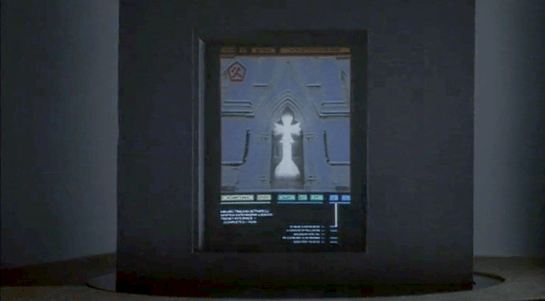
This shows a street map, with the red cross hairs presumably the location being examined. Current day VR systems often mirror what the headset is showing to a more conventional display as this is very useful in testing and debugging. Note also the rows of unmarked buttons on either side. I’ll discuss these and similar buttons below.

Having him stand is an interesting choice. The advantage of standing in VR is that it allows the participant to bend and turn more freely, using body motion as an input as well as hands and head. The disadvantages are that this is more tiring, and that with the headset blocking the real world, it’s very easy to bump into things. The first commercial VR game, “Dactyl Nightmare” by W Industries, had a waist-high padded fence around the player to stop them falling over or walking too far and breaking the cables.

jm-14-vr1000

VR1000 restored by Simon Marston

Here the tracker is risking a painful bruised knee. Perhaps he is a standing desk enthusiast who believes the other health benefits make it worthwhile.

The Curious Unmarked Buttons…

A recurring hardware interface in Johnny Mnemonic is the grid of unmarked buttons. There were two in the upload hotel suite, the image grabber, and the fax machine. And here the lectern display used by the tracker has more of the same.

I can’t recall any others like this, with one exception: the Pixar animated short “Lifted”, which has a vast array of unmarked identical switches. But that was a deliberate caricature, making fun of terribly designed and confusing interfaces.

Research tells us that labelled buttons and keys are the best for learning and use, from computers and phones to their software equivalents on modern touchscreen phones. Even the buttons on consumer remote controls are marked, however cryptic the symbols may be. The only unmarked buttons in current day regular use are those used around the edges of displays for ATMs and in aircraft cockpits. Here the meaning of these “soft buttons” will be shown by the text or graphic displayed nearby.

jm-14-unmarked
Image by the author

But this isn’t possible for the unmarked buttons in Johnny Mnemonic, which either don’t have screens or don’t have buttons next to the screen.

…Are a platform for virtual buttons

Perhaps the buttons on the lectern are unmarked because they’re intended for use in cyberspace. If the computer system generating the virtual reality is aware of the lectern’s location in relation to the user, it could generate labels within the virtual reality that the user would perceive as exactly where the physical buttons are. The buttons would then provide actual tactile feedback for location and when pressed. 

Video Phone Calls

The characters in Johnny Mnemonic make quite a few video phone calls throughout the film, enough to be grouped in their own section on interfaces.

The first thing a modern viewer will note is that only one of the phones resembles a current day handheld mobile. This looks very strange today and it’s hard to imagine why we would ever give up our beloved iPhones and Androids. I’ll just observe that accurately predicting the future is difficult (and not really the point) and move on.

More interesting is the variety of phones used. In films from the 1950s to the 1990s, everyone uses a desk phone with a handset. (For younger readers: that is the piece you picked up and held next to your ear and mouth. There’s probably one in your parents’ house.) The only changes were the gradual replacement of rotary dials by keypads, and some cordless handsets. In 21st century films everyone uses a small sleek handheld box. But in Johnny Mnemonic every phone call uses a different interface.

New Darwin

First is the phone call Johnny makes from the New Darwin hotel.

jm-3-phone-hotel-c-adjusted

As previously discussed, Johnny is lying in bed using a remote control to select numbers on the onscreen keypad. He is facing a large wall mounted TV/display screen, with what looks like a camera at the top. The camera is realistic but unusual: as Chapter 10 of Make It So notes, films very rarely show the cameras used in visual communication.

Taxi

The second phone call takes place in Newark, as Johnny rides in a taxi from the airport. Since this is a moving vehicle rather than a room, it shows that wireless videophones also exist. We don’t see how the call is made, just the conversation. Johnny is looking at and speaking into a small screen in front of his seat.

jm-10-taxi-a-adjusted

Quick aside: The blue lines at the bottom of the screen are a street map, with the glowing dot being the taxi. While it’s not the focus of this particular interface, it’s interesting that this map seems to be fixed with the indicator moving sideways. Aircraft and now car navigators use a moving map with the indicator moving up for forward. But this is for the passenger rather than the driver so doesn’t need to be particularly useful. And it’s blue, so must be advanced.

At the other end is Ralphie, who is using a desk screen with a keyboard.

jm-10-taxi-b-adjusted

We get to see things from Ralphie’s end. His keyboard only has ten keys in two rows of five. Ralphie touches the middle key in the bottom row to end the call.

Is this a dedicated phone rather than a computer? The only full-sized keyboards we see in Johnny Mnemonic are part of systems implied to be outdated or salvaged. Perhaps by 2021 voice recognition is good enough to handle most input. Or perhaps by 2021 status indicators have changed and once again nobody who considers themselves important would have a QWERTY keyboard on their desk, leaving others to do the more “menial” typing.

Shinji’s mobile

There is a cyberspace sequence (discussed in a separate post) during which there is a conversation between a Pharmakom tracker and Shinji, the leader of the Yakuza searching for Johnny, who is in en route by car. Shinji’s phone seems to be just like a current day mobile, if perhaps a little smaller than we’re used to.

jm-12-1-car-phone

Takahashi’s desk phone

Takahashi, head of Pharmakom in Newark, has a desktop screen too. This is a general purpose computer which at various times displays video of his daughter and a corporate database entry about Anna, the Pharmakom founder.

jm-15-takahashi-a-adjusted

There is no keyboard, but later we will see that the desk surface has hand gesture tracking capability. Here the screen displays an onscreen video phone window and numeric keypad, similar to what we saw in the New Darwin sequence, but Takahashi doesn’t use that interface. Instead he just says “Get me Karl” and the phone dials the recipient automatically.

Takahashi doesn’t prefix his command with a control phrase such as“Siri” or “Computer” which would imply that the computer is always listening. For an executive with a private office this would be reasonable: who else could he be addressing? A second possibility is that the computer does voice recognition and would not respond to commands from anyone else.

Street Preacher’s Phone

As before, the recipient has chosen to show a video splash screen on connection instead of a live video feed.

jm-15-takahashi-b-adjusted

“Karl” is more commonly known as Street Preacher and works within a church of sorts. We don’t know whether this is genuine religion belief on his part or a cover operation. His phone system is built into a large book, which I thought was intended to be a Bible but Chris identifies as a 16th century ecclesiastical history. There are no controls visible, but we see Karl “pick up” by opening the book so perhaps he “hangs up” by closing it again. Otherwise it could be operated purely by voice.

jm-15-takahashi-c-adjusted

Public phone

Earlier in the film, Johnny picked up an “Infobahn 3000” handset with built in phone keypad.

jm-16-phonebooth-a

His next phone call is from a public phone booth. On screen we see the now familiar videophone keypad. (Apparently this time in cyan, although it’s a very minor color shift.). To the right of the screen are physical buttons, some of which are labelled “start” “stop” and “pause” so perhaps duplicate the onscreen controls. Johnny begins by borrowing Jane’s phone card and swiping it through the payment slot.

jm-16-phonebooth-b-adjusted

The red Infobahn handset is connected to Jane’s card by a cable, although we don’t see Johnny doing this. Johnny types on the handset keypad rather than using the onscreen controls, presumably doing some hacking through the interface.

At first sight it seems unlikely that the phone system could be hacked through an EFTPOS card reader. However there is a long and unhappy history of programmers leaving backdoors and unused functionality in products, often excused with “Well, nobody else knows about it”, which are then exploited. Payment cards themselves often have embedded integrated circuits. This particular hack is not completely implausible.

jm-16-phonebooth-c

When the Pharmakom splash screen appears, Johnny types again on the handset. He is manipulating the internal company phone system to gain access to a number that normally would not be available to the public.

jm-16-phonebooth-e-adjusted

The new number connects Johnny to a surprised corporate type who wants to know how Johnny got through.

jm-16-phonebooth-g-adjusted

We’ll learn later on that this gentleman is not at all who he seems to be. For now, note that Johnny talks and listens directly to the screen and speakers in the phone booth, not the handset he is holding.

Spider phone

Just before his brain is scanned by Spider, Johnny tries to make another call. This time he uses a typical 1990s computer CRT display and keyboard. He wears a conventional looking earpiece and microphone, and there is a small camera mounted on top of the display. He types the number on the keyboard and reaches a Pharmakom receptionist, but Johnny is interrupted.

jm-19-old-phonecall-adjusted

Van call

The last phone call is made by Johnny to Pharmakom again. This time he is in Spider’s van, which doesn’t have a built in phone like the taxi we saw earlier. He uses the handset for audio and a small portable screen for video. There must be a wireless transmitter and receiver somewhere, but it isn’t obvious.

jm-22-puppet-call-a-adjusted
jm-22-puppet-call-b-adjusted

Johnny doesn’t realise that he is actually talking to Takahashi, the head of Pharmakom, through a puppet avatar, which I’ll talk about in the next post. 

Her: interface components (2/8)

Depending on how you slice things, the OS1 interface consists of five components and three (and a half) capabilities.

Her-earpiece

1. An Earpiece

The earpiece is small and wireless, just large enough to fit snugly in the ear and provide an easy handle for pulling out again. It has two modes. When the earpiece is in Theodore’s ear, it’s in private mode, hearable only by him. When the earpiece is out, the speaker is as loud as a human speaking at room volume. It can produce both voice and other sounds, offering a few beeps and boops to signal needing attention and changes in the mode.

Her-cameo

2. Cameo phone

I think I have to make up a name for this device, and “cameo phone” seems to fit. This small, hand-sized, bi-fold device has one camera on the outside an one on the inside of the recto, and a display screen on the inside of the verso. It folds along its long edge, unlike the old clamshell phones. The has smartphone capabilities. It wirelessly communicates with the internet. Theodore occasionally slides his finger left to right across the wood, so it has some touch-gesture sensitivity. A stripe around the outside-edge of the cameo can glow red to act as a visual signal to get its user’s attention. This is quite useful when the cameo is folded up and sitting on a nightstand, for instance.

Theodore uses Samantha almost exclusively through the earpiece and cameo phone, and it is this that makes OS1 a wearable system.

3. A beauty-mark camera

Only present for the surrogate sex scene, this small wireless (are we at the point when we can stop specifying that?) camera affixes to the skin and has the appearance of a beauty mark.

4. (Unseen) microphones

Whether in the cameo phone, the desktop screen, or ubiquitously throughout the environment, OS1 can hear Theodore speak wherever he is over the course of the film.

5. Desktop screen

Theodore only uses a large monitor for OS1 on his desktop a few times. It is simply another access point as far as OS1 is concerned. Really, there’s nothing remarkable about this screen. It is notable that there’s no keyboard. All input is provided by either voice, camera, or a touch gesture on the cameo.

Her-install01

If those are components to the interface, they provide the medium for her 3.5 capabilities.

Her capabilities

1. Voice interface

Users can speak to OS1 in fully-natural language, as if speaking to another person. OS1 speaks back with fully-human spoken articulation. Theodore’s older OS had a voice interface, but because of its lack of artificial intelligence driving it, the interactions were limited to constrained commands like, “Read email.”

2. Computer vision

Samantha can process what she sees through the camera lens of the cameo perfectly. She recognizes distinct objects, people, and gestures at the physical and pragmatic level. I don’t think we ever see things from Samatha’s perspective, but we do have a few quick close ups of the camera lens.

3. Artificial Intelligence

The most salient aspect of the interface is that OS1 is a fully realized “Strong” artificial intelligence.

It would like me to try and get to some painfully-crafted definition of what counts as either an artificial intelligence or sentience, but in this case we don’t really need a tight definition to help suss out whether or not Samantha is one. That’s the central conceit of the film, and the evidence is just overwhelming.

  • She has a human command of language.
  • She’s fully versed in the nuances of human emotion (and Theodore has a glut of them to engage).
  • She has emotions and can fairly be described as emotional. She has a sexual drive.
  • She has existential crises and a rich theory of mind. At one point she dreamily asks Theodore “What’s it like to be alive in that room right now?” as if she was a philosophical teen idly chatting with her boyfriend over the phone.
  • She commits lies of omission in hiding uncomfortable truths.
  • She changes over time. She solves problems. She learns. She creates.
  • She has a sense of humor. When Theodore tells her early on to “read email” in the weird toComputerese (my name for that 1970s dialect of English spoken only between humans and machines) grammar he had been using with his old operating system, Samantha jokingly adopts a robotic voice and replies, “OK. I will read the email for Theodore Twombly” and gets a good laugh out of him before he apologizes.

Pedants will have some fun discussing whether this is apt but I’m moving forward with it as a given. She’s sentient.

3.5 An “operating system”

This item only counts as half a thing because Theodore uses it as an operating system maaaybe twice in the film. Really, this categorization is a MacGuffin to explain why he gets it in the first place, but it has little to no other bearing on the film.

scarlettjoclippy

What’s missing?

Notably missing in OS1 is a face or any other visual anthropomorphic aspect. There’s no Samantha-faced Clippy. Notice that she’s very carefully disembodied. Jonze does not spend screen time close up on her camera lens, like Kubrick did with HAL’s unblinking eye. Had he done so, it would have given us the impression that she’s somewhere behind that eye. But she’s not. Even in the prop design, he makes sure the camera lens itself looks unremarkable, neutral, and unexpressive, and never gets a lingering focus.

Her “organs,” like the cameo and earpiece, don’t even connect together physically at all. Speaking as she does through the earpiece means she doesn’t exist as a voice from some speaker mounted to the wall. She exists across various displays and devices, in some psychological ether between them. For us, she’s a voiceover existing everywhere at once. For Theodore, she’s just a delightful voice in his head. An angel—or possibly a ghost—borne unto him.

This disembodiment (both the design and the cinematic treatment) frees Theodore and the audience from the negative associations of many other sci-fi intelligences, robots, and unfortunate experiments in commercial artificial intelligence that got trapped in the muck of the uncanny valley. One of the main reasons designers have to be careful about invoking the anthropomorphic sense in users is because it will raise expectations of human capabilities that modern technology just can’t match. But OS1 can match and exceed those expectations, since it’s an AI in a work of fiction, so Jonze is free of that constraint.

And having no visual to accompany a human-like voice allows users to imagine our own “perfect” embodiment to the voice. Relying on the imagination to provide the visuals makes the emotional engagement greater, as it does with our crushes on radio personalities, or the unseen monster in a horror movie. Movies can never create as fulfilling an image for an individual audience member as their imagination can. Theodore could picture whatever he wanted to–even if he wanted to–to accompany Samantha’s computer-generated voice. Unfortunately for the audience, Jonze cast Scarlett Johansen, a popular actress whose image we are instantly able to recall upon hearing her husky, sultry voice, so the imagined-perfection is more difficult for us.

This is just the components and capabilities. Tomorrow we’ll look at some of the key interactions with OS1.

Security and Control’s control

The mission is world-critical, so like a cockpit, the two who are ultimately in control are kept secure. The control room is accessible (to mere humans, anyway) only through a vault door with an armed guard. Hadley and Sitterson must present IDs to the guard before he grants them access.

Sitterson and Hadley pass security.

Truman, the guard, takes and swipes their cards through a groove in a hand-held device. We are not shown what is on the tiny screen, but we do hear the device’s quick chirps to confirm the positive identity. That sound means that Truman’s eyes aren’t tied to the screen. He can listen for confirmation and monitor the people in front of him for any sign of nervousness or subterfuge.

Hadley boots up the control room screens.

The room itself tells a rich story through its interfaces alone. The wooden panels at the back access Bronze Age technology with its wooden-handled gears, glass bowls, and mechanical devices that smash vials of blood. The massive panel at which they sit is full of Space Age pushbuttons, rheostats, and levers. On the walls behind them are banks of CRT screens. These are augmented with Digital Age, massive, flat panel displays and touch panel screens within easy reach on the console. This is a system that has grown and evolved for eons, with layers of technology that add up to a tangled but functional means of surveillance and control.

The interfaces hint at the great age of the operation.

Utter surveillance

In order for Control to do their job, they have to keep tabs on the victims at all times, even long before the event: Are the sacrifices conforming to archetype? Do they have a reason to head to the cabin?

The nest empties.

To these ends, there are field agents in the world reporting back by earpiece, and everything about the cabin is wired for video and audio: The rooms, the surrounding woods, even the nearby lake.

Once the ritual sacrifice begins, they have to keep an even tighter surveillance: Are they behaving according to trope? Do they realize the dark truth? Is the Virgin suffering but safe? A lot of the technology seen in the control room is dedicated to this core function of monitoring.

The stage managers monitor the victims.

There are huge screens at the front of the room. There are manual controls for these screens on the big panel. There is an array of CRTs on the far right.

The small digital screens can display anything, but a mode we often see is a split in quarters, showing four cameras in the area of the stage. For example, all the cameras fixed on the rooms are on one screen. This provides a very useful peripheral signal in Sitterson and Hadley’s visual field. As they monitor the scenario, motion will catch their eyes. If that motion is not on a monitor they expect it to be, they can check what’s happening quickly by turning their head and fixating. This helps keep them tightly attuned to what’s happening in the different areas on “stage.”

For internal security, the entire complex is also wired for video, including the holding cages for the nightmare monsters.

Sitterson looks for the escapees amongst the cubes.

The control room watches the bloody chaos spread.

One screen that kind of confuses us appears to be biometrics of the victims. Are the victims implanted with devices for measuring such things, or are sophisticated non-invasive environmental sensors involved? Regardless of the mechanisms, if Control has access to vital signs, how are they mistaken about Marty’s death? We only get a short glance at the screen, so maybe it’s not vital signs, but simple, static biometrics like height, and weight, even though the radiograph diagram suggests more.

Sitterson tries to avoid talking to Mordecai.

Communications

Sitterson and Hadley are managing a huge production. It involves departments as broad ranging as chemistry, maintenance, and demolitions. To coordinate and troubleshoot during the ritual, two other communications options are available beyond the monitors; land phone lines and direct-connection, push-to-talk microphones.

Hadley receives some bad news.

Military communication

All telecommunications in the film are based on either a public address or a two-way radio metaphor.

Commander Adams addresses the crew.

To address the crew from inside the ship, Commander Adams grabs the microphone from its holder on the wall. Its long handle makes it easy to grab. By speaking into the lit, transparent circle mounted to one end, his voice is automatically broadcast across the ship.

Commander Adams lets Chief Quinn know he’s in command of the ship.

Quinn listens for incoming signals.

The two-way radio on his belt is routed through the communications officer back at the ship. To use it, he unclips the small cylindrical microphone from its clip, flips a small switch at the base of the box, and pulls the microphone on its tether close to his mouth to speak. When the device is active, a small array of lights on the box illuminates.

Confirming their safety by camera, Chief Quinn gets an eyeful of Alta.

The microphone also has a video camera within it. When Chief Quinn asks Commander Adams to “activate the viewer,” he does so by turning the device such that its small end faces outwards, at which time it acts as a camera, sending a video signal back to the ship, to be viewed on the “view plate.”

The Viewplate is used frequently to see outside the ship.

Altair IV looms within view.

The Viewplate is a large video screen with rounded edges that is mounted to a wall off the bridge. To the left of it three analog gauges are arranged in a column, above two lights and a stack of sliders. These are not used during the film.

Commander Adams engages the Viewplate to look for Altair IV.

The Viewplate is controlled by a wall mounted panel with a very curious placement. When Commander Adams rushes to adjust it, he steps to the panel and adjusts a few horizontal sliders, while craning around a cowling station to see if his tweaks are having the desired effect. When he’’s fairly sure it’’s correct, he has to step away from the panel to get a better view and make sure. There is no excuse for this poor placement.