The Thanatorium: Usher Panel

The thanatorium is a speculative device for assisted suicide in Soylent Green. Suicide and death are not easy topics and I will do my best to address them seriously. Let me first take a moment to direct anyone who is considering or dealing with suicide to please stop reading this and talk to someone about it. I am unqualified to address—and this blog is not the place to work through—such issues.

There are four experiences to look at in the interface and service design of the Thanatorium: The patient, their beneficiaries, the usher to the beneficiaries, and the attendants to the patient. This post is about the interface for the usher. This Thanatorium personnel is there as a stage manager of sorts, both to help the patient and the beneficiaries go where they need to go, ensure the beneficiaries do not do what they must not, and run the tech aspects of the ceremony.

The usher, left, ushing.

Note that—as I backworlded in the last post—these notes presume that the reason the beneficiaries are separated from the patients are to prevent them from trying to stop the event, and to minimize distractions during the cinerama display for gross biochemical reasons. Also recall that we’re having to go with a best-guess as to what the usual experience is, since we only see Thorn’s tardy thuggery in the film.

The usher’s tasks

Based on what we see in the film, the usher has a lot to do for each event…

  • Receive the patient’s preferences (music category, color, whatever other questions intake asked before we join that scene) from the intake personnel 
  • Escort the patient to the “theater” and the beneficiaries to the observation room
  • Set the color of the light and the music to the patient’s preferences
  • Close the portal for the hemlock drinking
  • Open the portal for last farewells
  • Close the portal for the cinerama display
  • Start the cinerama display
  • Get help if the patient gets up or otherwise interrupts the ceremony
  • Wait for when the patient dies
  • Open the portal to view the body’s being shuttled away
  • Ensure the beneficiaries behave, answer any questions
  • Escort the beneficiaries back to the lobby
A screen shot from the movie showing the existing usher panel.

The interface barely touches on any of this

With all that in mind, we can see that this interface is woefully ill-equipped for any of his tasks. In the prior post I argue that the features for speaking to the patient—the speaker, the audio jack, and the SPEAKING PERMITTED indicator—should be separated from the usher’s stage manager functions. So we’re only going to pay attention in this post to the row of backlit rocker toggles labeled PORTAL, EFFECTS, CHAMBER 2, AUDIO, VISUAL, CHAMBER 1 and a little bit of the authorization key that looks like a square metal button in the screen cap above. And note I’m going to make suggestions that are appropriate to the early 1970s rather than use either modern real-world or speculative interface technologies.


First, that authorization key is pretty cool

The fact that it’s a featureless, long metal cuboid is so simple it feels sci-fi. Even the fact that its slot is unlabeled is good—it would help prevent a malicious or grief-panicked user from figuring out how to take control. You could even go one step further and have a hidden magnetic switch, so there’s not even a slot to clue in users. Production designer note, though, this means that the panel needs to be wood (or something non-magnetic) rather than a ferromagnetic metal. Aluminum, maybe, since it’s paramagnetic, but you also don’t want anything that can scratch or wear easily and give away the position of the secret spot.

A side view of a magnetic cabinet lock. When the magnet gets close to the right spot on the cabinet door, it pulls the latching mechanism open, allowing the door to be opened.
This is a cabinet lock, but the same principle would apply.

But, the buttons don’t match the scene

The PORTAL button never changes state, though we see the portal open and close in the scene. AUDIO is dim though we hear the audio. Maybe dim equals on? No, because VISUAL is lit. There’s some gymnastics we could do to apologize for this, but Imma give up and just say it’s just a moviemaking error.

And they are poorly clustered

Why is CHAMBER 2 before CHAMBER 1? Why are the three AV buttons split up by CHAMBER 2? A more reasonable chunking of these would be PORTAL on its own, CHAMBER 1 & CHAMBER 2 together, and the remaining A/V buttons together. These groups should be separated to make them easier to identify and help avoid accidental activation (though the stakes here are pretty low.)

One square by itself labeled PORTAL. Two squares side-by-side labeled CHAMBER 1 and CHAMBER 2. And three squares together labeled AUDIO, VISUAL, and EFFECTS.
If we were just dealing with these 6 buttons, this might be a reasonable clustering. But, read on…

The PORTAL button is the wrong type and orientation

Look close at the screen shot and you’ll see that each button consists of three parts. A white, back-lit square which bears the label, and two black pushbuttons that act like rocker switches. That is, press the upper one in, and the lower one pops out. Press that popped-out lower one in, and the upper one pops out again. When the lower button is pressed in, the button is “on,” which you can tell because those are the only ones with the upper button popped out and the back light illuminated.

Rocker switches are good for things with two mutually exclusive states, like ON and OFF. The PORTAL button is the only one for which this makes unambiguous sense, with its two states being OPEN and CLOSED. But, we have to note that it is poorly mapped. The button has a vertical orientation, but the portal closes from right to left. It means the usher has to memorize which toggle state is open and which one is closed. It would more usable to have an inferrable affordance. Cheapest would be to turn the button sideways so it maps more clearly, but an even tighter mapping would be a slider mounted sideways with OPEN and CLOSED labels. I don’t think the backlit status indicator is necessary here because there’s already a giant signal of the state of the portal, and that’s the adjacent portal.

An image of a slider switch.

What do EFFECTS and CHAMBER even do?

What does the EFFECTS button do? I mean, if AUDIO and VISUAL have their own controls, what’s left? Lasers? A smoke machine? Happiness pheromones? (I’m getting The Cabin in the Woods vibes here.) Whatever it is, if there are multiple, they should have individual controls, in case the patient wants one but not the other, or if there’s any variability that needs controlling.

Also what do CHAMBER 1 and CHAMBER 2 do? It’s very poor labeling. What chambers do they refer to? Maybe the observation room is chamber 1 and the theater is chamber 2? If so, different names could save the usher’s having to memorize them. Also, what do these switches control? Lights? Door locks? We would need to know to really make design recommendations for these.

The AV controls are incomplete

Which takes us to AUDIO, and VISUAL. Each of these is missing something.

Sure, they might need ON/OFF controls as we see here. But how about a volume control to accommodate the hard-of-hearing and the sound-sensitive? How about a brightness control for the video? These could have an OFF state and replace the toggle switches.

We know from the movie itself that the service has offered Sol his choice of music genre. Where is the genre selector? This is a non-trivial problem since the number of genres is on the order of 1000. They probably don’t offer all of them, but at intake they do ask Sol his preference as an open-ended question, so it implies a huge selection. Radio band selectors would have made sense to audiences in the 1970s, and signal a huge number of options, but risk being “out of tune” and imply that it’s broadcast. So either have a small number of options with a 15° rotary switch (and rewrite the intake scene so Sol selects from a menu) or three 10-digit rotary switches with a “commit” momentary button, and have a small reference booklet hanging there.

I also want to believe that the theme of the video can be selected. Sol has chosen “nature” but you could imagine patients requesting for their end-of-life ceremony something else like “family,” “celestial,” “food” (given the diegesis, this should be first) or even “religious” (with a different one for each of the world’s twelve major religions). So it would make sense to have a video theme selector as well, say, on the order of 20 options. That could be a 15° rotary switch. Labeling gets tough, but it could just be numbers with an index label to the side.

An image showing the components of such a video selector, including the label.

I’m going to presume that they never need scrubbing controls (REWIND or FAST FORWARD) for the AV. The cinerama plays through once and stops. Sudden rewinding or fast forwarding would be jarring for the patient and ruin the immersion. Have a play button that remains depressed while the cinerama is ongoing. But if the patient passes more quickly than expected, a RESET button would make sense. So would a clock or a countdown timer, since Sol had confirmed at intake that it would be at least 20 minutes, and to let the usher know how much time they have left to get those neurotransmitter numbers up up up.

Some controls are straight up missing

How does an usher set the lights according to the patient’s preferences? They ask at intake, and we see Sol’s face washed with a soothing amber color once the attendants leave, so there should be a color selector. Three RGB slide potentiometers would provide perfect control, but I doubt anyone would quibble that the green they’d asked for was #009440 and not #96b300, so you could go with a selector. The XKCD color survey results show that there are on the order of about 30 colors, so something similar to the video-theme selector above would work, with a brightness potentiometer to the side.

XKCD color graph showing the outlines with crowdsourced regions and labels. But please check out the full post as linked in the image caption. It’s so much more awesome than just this.
I will always be in awe of this undertaking and visualization, Randall Monroe.

These controls ought to be there

The patient experience is a bit of a show, so to signal its beginning and end, there should be lighting controls for the usher to dim and raise the lights, like in a theater. So let’s add those.

Also, the usher has a minor medical task to accomplish: Monitoring the health of the patient to know when they’ve passed. The three metrics for clinical death are a cessation of all three of…

  1. breath
  2. blood flow
  3. brain activity

…so there should be indicators for each of these. As discussed in the medical chapter of the book, this is ideally a display of values over time, but in the resource-poor and elecromechanical world of Soylent Green, it might have to be a collection of gauges, with an indicator bulb near the zero for when activity has stopped. A final, larger indicator bulb should light when all three gauges are still. To really underscore the morbidness of this interface, all those indicators should be green.

A comp showing the three clinical death gauges and incdicators, as described.

If you buy my backworlding, i.e. that part of the point of preventing interruptions is to maximize the dopamine and serotonin being released into the patient’s body, there should also be status indicators showing the level of these neurotransmitters in the patient’s bloodstream. They can be the same style of gauges, but I’d add a hand drawn arrow to some point along the chapter ring that reads “quota.” Those indicators should be larger than the clinical death indicators to match their importance to Soylent’s purposes.

Lastly, thinking of Thorn’s attack, the usher should have a panic button to summon help if the patient or the beneficiaries are getting violent (especially once they discover they’re locked in.) This should be hidden under the panel so it can be depressed secretly.

Where should this panel go?

As described in the beneficiaries post we’re going to leave the communication interface just below the portal, where they are now for those fleeting moments when they can wish the patient goodbye.

A screen shot of the movie showing Thorn at the portal addressing the usher, angrily, as usual.

And there’s no need to put the usher’s controls under the nose of the beneficiaries. (In fact with the medical monitoring it would be kind of cruel.) So let the usher have a lectern beside the door, in a dim pool of light, and mount the controls to the reading top. (Also give them a stool to rest on, have we learned nothing?) Turn the lectern such that the interface is not visible to beneficiaries in the room. This lets the usher remain respectfully out of the center of attention, but in a place where they can keep an eye on both the patient when the portal is open, and the beneficiaries throughout.

An image of a lectern
Looks cheap? Perfect.

In total, the lectern panel would look something like this…

The “READY” indicators are explained in the attendant’s post.

…and the scene could go something like this…

  • Interior. Thanatorium observation room.
  • The Usher escorts Thorn into the room. Thorn rushes to the portal. The usher steps behind a lectern near the door.
  • Usher
  • It’s truly a shame you missed the overture.
  • The Usher slides a switch on the lectern panel, and the portal closes.
  • Thorn
  • I want to see him.
  • Usher, looking down at his interface
  • That is prohibited during the ceremony.
  • Worm’s eye view. Thorn takes a few steps toward him and knocks the lectern to the ground. It falls with its interface in the foreground. In the background, we see Thorn slam the usher against the wall.
  • Thorn
  • Well I can assure you, open that damned thing right now, or I swear to God you’ll die before he does!
  • Usher
  • OK, OK!
  • The usher falls to his hands and knees and we see him slide the switch to open the portal. Thorn steps back to it, and the usher gets on his feet to right the lectern
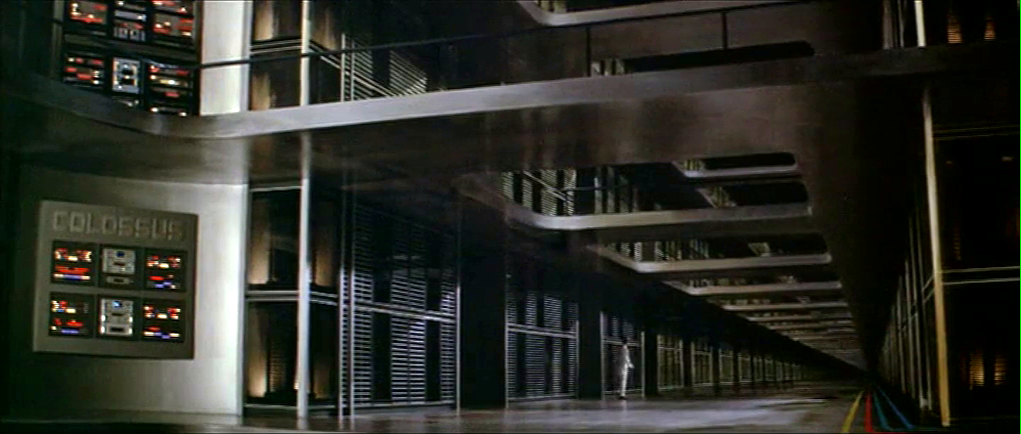
Colossus Computer Center

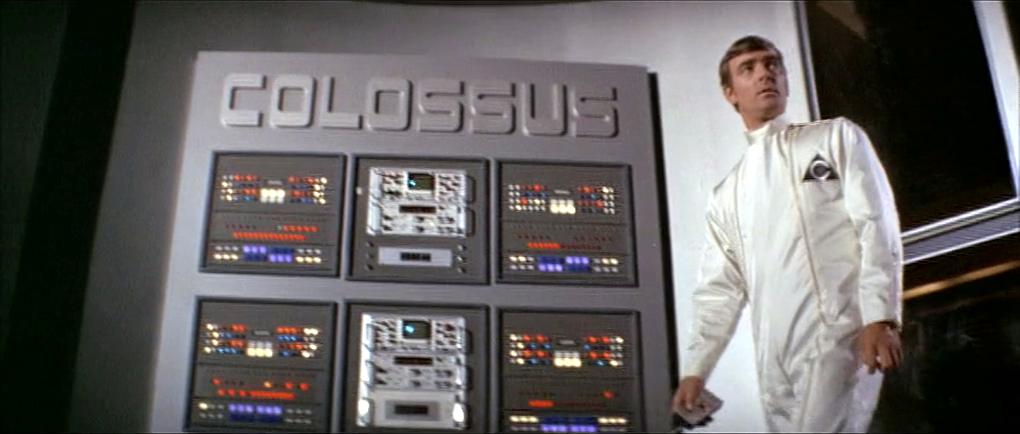
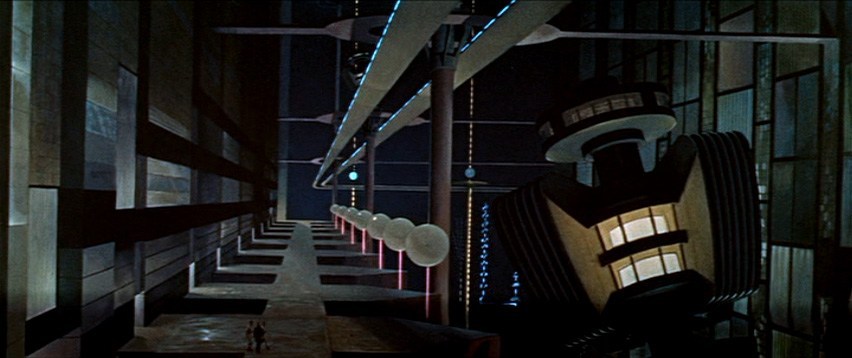
As Colossus: The Forbin Project opens, we are treated to an establishing montage of 1970’s circuit boards (with resistors), whirring doodads, punched tape, ticking Nixie tube numerals, beeping lights, and jerking control data tapes. Then a human hand breaks into frame, and twiddles a few buttons as an oscilloscope draws lines creepily like an ECG cardiac cycle. This hand belongs to Charles Forbin, who walks alone in this massive underground compound, making sure final preparations are in order. The matte paintings make this space seem vast, inviting comparisons to the Krell technopolis from Forbidden Planet.

Forbidden Planet (1956)
Colossus: The Forbin Project (1976)

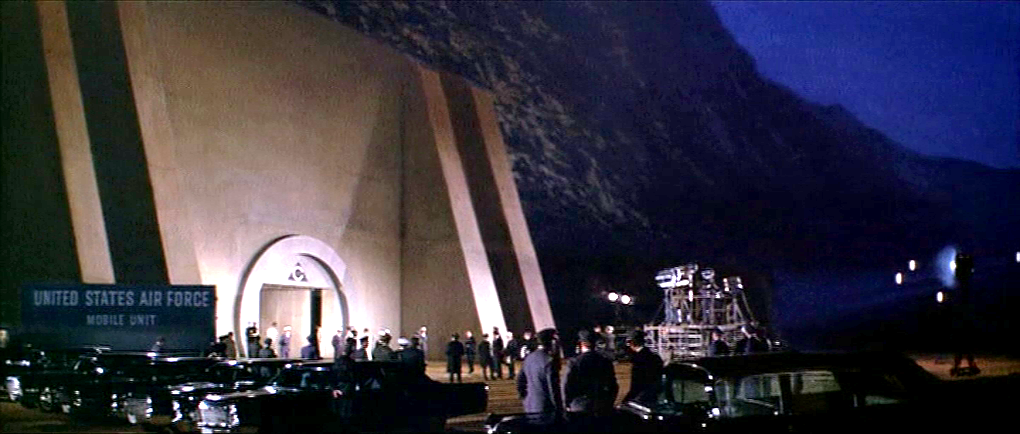
Forbin pulls out a remote control and presses something on its surface to illuminate rows and rows of lights. He walks across a drawbridge over a moat. Once on the far side, he uses the remote control to close the massive door, withdraw the bridge and seal the compound.

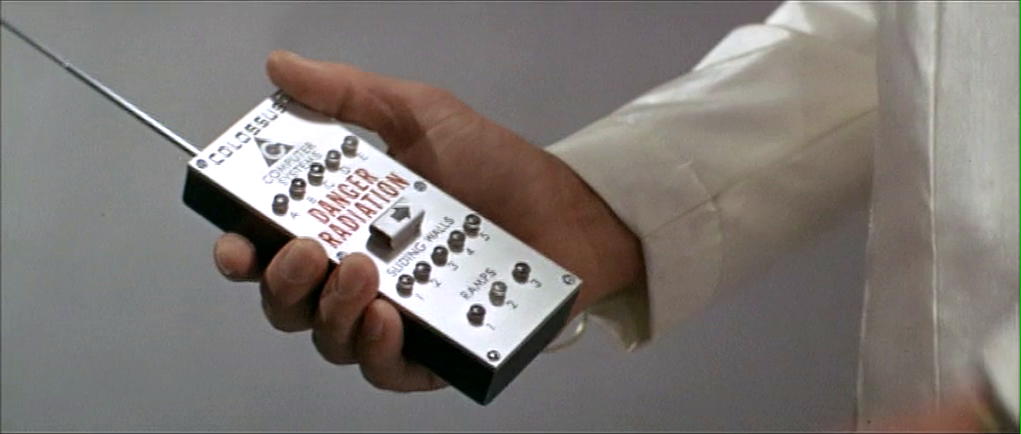
The remote control is about the size of a smartphone, with a long antenna extending out the top. Etched type across the top reads “COLOSSUS COMPUTER SYSTEMS.” A row of buttons is labeled A–E. Large red capital letters warn DANGER RADIATION above a safety cover. The cover has an arrow pointing right. Another row of five buttons is labeled SLIDING WALLS and numbered 1–5. A final row of three buttons is labeled RAMPS and numbered 1–3.

Forbin flips open the safety cover. He presses the red button underneath, and a blood-red light floods the bottom of the moat and turns blue-white hot, while a theremin-y whistle tells you this is no place a person should go. Forbin flips the cover back into place and walks out the sealed compound to the reporters and colleagues who await him. 

I can’t help but ask one non-tech narrative question: Why is Forbin turning lights on when he is about to abandon the compound? It might be that the illumination is a side-effect of the power systems, but it looks like he’s turning on the lights just before leaving and locking the house. Does he want to fool people into thinking there’s someone home? Maybe it should be going from fully-lit to an eerie, red low-light kinda vibe.

The Remote Control

The layout is really messy. Some rows are crowded and others have way too much space. (Honestly, it looks like the director demanded there be moar buttins make tecc! and forced the prop designer to add the A–E.) The crowding makes it tough to immediately know what labels go with what controls. Are A–E the radiation bits, and the safety cover control sliding walls? Bounding boxes or white space or some alternate layout would make the connections clear.

You might be tempted to put all of the controls in strict chronological order, but the gamma shielding is the most dangerous thing, and having it in the center helps prevent accidental activation, so it belongs there. And otherwise, it is in chronological order.

The labeling is inconsistent. Sure, maybe A–E the five computer systems that comprise Colossus. Sliding walls and ramps are well labeled, but there’s no indication about what it is that causes the dangerous radiation. It should say something like “Gamma shielding: DANGER RADIATION.” It’s tiny, but I also think the little arrow is a bad graphic for showing which way the safety cover flips open. Existing designs show that the industrial design can signal this same information with easier-to-understand affordances. And since this gamma radiation is an immediate threat to life and health, how about foregoing the red lettering in favor of symbols that are more immediately recognizable by non-English speakers and illiterate people. The IAEA hadn’t invented its new sign yet, but the visual concepts were certainly around at the time, so let’s build on that. Also, why doesn’t the door to the compound come with the same radiation warning? Or any warning?

The buttons are a crap choice of control as well. They don’t show what the status of the remotely controlled thing is. So if Charles accidentally presses a button, and, say, raises a sliding wall that’s out of sight, how would he know? Labeled rocker switches help signal the state and would be a better choice.

But really, why would these things be controlled remotely? It be more secure to have two-handed momentary buttons on the walls, which would mean that a person would be there to visually verify that the wall was slid or the ramp retracted or whatever it is national security needed them to be.

There’s also the narrative question about why this remote control doesn’t come up later in the film when Unity is getting out of control. Couldn’t they have used this to open the fortification and go unplug the thing?

So all told, not a great bit of design, for either interaction or narrative, with lots of improvement for both.

Locking yourselves out and throwing away the key

At first glance, it seems weird that there should be interfaces in a compound that is meant to be uninhabited for most of its use. But this is the first launch of a new system, and these interfaces may be there in anticipation of the possibility that they would have to return inside after a failure.  We can apologize these into believability.

But that doesn’t excuse the larger strategic question. Yes, we need defense systems to be secure. But that doesn’t mean sealing the processing and power systems for an untested AI away from all human access. The Control Problem is hard enough without humans actively limiting their own options. Which raises a narrative question: Why wasn’t there a segment of the film where the military is besieging this compound? Did Unity point a nuke at its own crunchy center? If not, siege! If so, well, maybe you can trick it into bombing itself. But I digress.

“And here is where we really screw our ability to recover from a mistake.”

Whether Unity should have had its plug pulled is the big philosophical question this movie does not want to ask, but I’ll save that for the big wrap up at the end.

R. S. Revenge Comms

Note: In honor of the season, Rogue One opening this week, and the reviews of Battlestar Galactica: The Mini-Series behind us, I’m reopening the Star Wars Holiday Special reviews, starting with the show-within-a-show, The Faithful Wookie. Refresh yourself of the plot if it’s been a while.

Faithful-Wookiee-02

On board the R.S. Revenge, the purple-skinned communications officer announces he’s picked up something. (Genders are a goofy thing to ascribe to alien physiology, but the voice actor speaks in a masculine register, so I’m going with it.)

faithful-wookiee-01-surrounds

He attends a monitor, below which are several dials and controls in a panel. On the right of the monitor screen there are five physical controls.

  • A stay-state toggle switch
  • A stay-state rocker switch
  • Three dials

The lower two dials have rings under them on the panel that accentuate their color.

Map View

The screen is a dark purple overhead map of the impossibly dense asteroid field in which the Revenge sits. A light purple grid divides the space into 48 squares. This screen has text all over it, but written in a constructed orthography unmentioned in the Wookieepedia. In the upper center and upper right are unchanging labels. Some triangular label sits in the lower-left. In the lower right corner, text appears and disappears too fast for (human) reading. The middle right side of the screen is labeled in large characters, but they also change too rapidly to make much sense of it.

revengescreen

Luke, looking over the shoulder of the comms officer at the same monitor, exclaims, “It’s the Millennium Falcon!”

faithful-wookiee-12
Seriously, Luke, how can you tell this?

Watching the glowing dot and crosshairs blink and change position several times, the comms officer says, “They’re coming out of light speed. I can’t make contact.” An off-screen voice tells him to “Try a lower channel.” Something causes the channel to change (the comms officer’s hands do not touch anything that we can see), and then the monitor shows a video feed from the Falcon.

Video Feed

The video feed has an overlay to the upper left hand side, consisting of lines of text which appear from top to bottom in a palimpsest formation, even though the copy is left-aligned. At the top is a label with changing characters, looking something like a time stamp.

Faithful-Wookiee-03

Analysis of the Map View

Since we can’t read the video overlay in the video feed, and it doesn’t interfere with the image, there’s not much to say about it. Instead I’ll focus on the map view.

Hand-drawn Inconsistency

In the side angle shot, which we see first, we see the dial colors go from top to bottom, as beige, red, yellow. In the facing shot of this interface, which immediately follows the side shot, the dials go beige, yellow, red. The red and yellow are transposed. Itʼs of course possible that the dials have a variable hue, and changed at exactly the same time the camera switches. But then we have to explain where his hand went, and why we don’t see any of the other elements changing color, and so on…

This illustrates one of the problems with reviewing hand-drawn animation (and why scifiinterfaces generally frowns upon it.) It takes a hand-drawing animator extra work to keep things consistent from screen to screen. She must have a reference when drawing the interface from any new angle, and this extra work is on top of all the other things she has to manage like color and timing. Fewer people will notice transposed dial colors than, say, the comms officer turning orange instead of purple, so the interface is low on that priority stack.

Contrast that with live-action and computer-animated interfaces. In these modes of working, it takes extra work to change interfaces from shot to shot, so you run into consistency problems much less frequently.

I’ve written about this before in the abstract, but it’s nice to have a simple and easily shown example in the blog to point to.

2Dness

Another problem with the interface is that it is 2-D, but space is 3-D.

When picking a projection to display, we have to keep in mind that it is more immediate to understand an impending collision when presented as 2-D information: Constant bearing, decreasing range = Trouble. So, perhaps the view has automatically aligned itself to be perpendicular to the Falcon’s approach, which makes it easier to monitor the decreasing distance.

If so, he would need to see that automatically-aligned status reflected somewhere in the interface, and have access to controls that let him change the view and snap back to this Most Useful View. Admittedly, this is a lot of apologetics to apply, when really, it’s most likely the old trope 2-D Space.

Attention and memory

Faithful-Wookiee-01

There are some nicely designed attention cues. The crosshairs, glowing dot, and motion graphics makes it so that—even though we can’t read the language—we can tell what’s of interest on the screen. One dot moving towards another, stationary dot. We’re set up for the Falcon’s buzzing the base.

That’s probably the best thing that can be said for it.

The text is terrible, changing too fast for a human reader. (Yes, yes, put down that emerging comment. Purple-face isnʼt human, but we must evaluate interfaces considering what is useful to us, and right now that means us humans.) The text changes so much faster than the blinking, in fact, that it’s pulling attention away from it. Narratively, the rapid-fire text helps convey a sense of urgency, but it greatly costs readability. It’s not a good model for real world design.

The blinking crosshair might most accurately reflect the actual position of the detected object within the radar sweep. But it could help the officer more. As with medical signals, data points are not as interesting as information trends. As it is, it relies on his memory to piece together the information, which means he has to constantly monitor the screen to make sense. If instead the view featured an evaporating trail of data points, not only could he look away without missing too much information, but he would also notice that the speed and direction are slightly erratic, which would prove quite interesting to anyone trying to ascertain the status of the ship. One glance shows things are not as they should be. The Falcon is clearly careening.

tracking_assistance
Actual points from the animation.

Mysterious Control

When we first see the comms officer, he has his unmoving hand on one of the dials. But when we see the map switch to the video feed, none of the controls we can see are touched. This raises a possibility and a question.

The possibility is that there is control by some other mechanism. My best guess is that it is voice control, since the Rebel General says “try a lower channel” just before it switches. Maybe he was not speaking to the comms officer, but to the machine itself. And given C3PO, they clearly have the technology to recognize and act on natural language, though it’s usually associated with a full general artificial intelligence. A Rebel Siri (33 years before it came out in Apple’s iOS) makes sense from an apologetics sense.

If so, there are some aspects of the UI missing to signal to an operator that the machine is listening, and hearing, and understanding what is being said, as well as whether the speaker is authorized to control. After all, the comms officer is wearing the headset, but it was the red-bearded general who issued the command. I imagine it’s not OK for anyone on the bridge to just shout out controls.

faithful-wookiee-13
Just General Burnside, here.

The question then, is if the channel is controlled by voice, what are the physical controls for? They’re lacking labels of any kind. Perhaps they’re there as a backup, should voice control fail. Perhaps they are vestigial, left over from before voice control was installed. Maybe only the general has a voice override and the comms officer must use the physical controls. Any of these would be fine backworlding explanations, but my favorite idea is that the dials are for controlling nuanced variables in very fluid ways with instant feedback.

It’s easier to twiddle a dial to change the frequency of a radio to find a low-power signal than to keep saying “back…forward…no, back just a bit.” That would help explain what the comms officer was doing with his hands on the dials when he got something but not when the general voice-controls the channel.

In general

The interface shows some sophistication in styling and visual hierarchy, and if we give it lots of benefit of the doubt, might even be handling some presentation variables for the user in sophisticated ways. But the distractions of the rapid-fire text, the lack of trend lines, the lack of labels for the physical controls, and the missing affordances for projection control and voice control feedback make it a poor model for any real world design. 

Time circuits (which interface the Flux Capacitor)

BttF_137

Time traveling in the DeLorean is accomplished in three steps. In the first, he traveler turns on the “time circuits” using a rocking switch in the central console. Its use is detailed in the original Back to the Future, as below.

BttF_135

In the second, the traveler sets the target month, day, year, hour, and minute using a telephone keypad mounted vertically on the dashboard to the left, and pressing a button below stoplight-colored LEDs on the left, and then with an extra white status indicator below that before some kind of commit button at the bottom.

In the third, you get the DeLorean up to 88 miles per hour and flood the flux capacitor with 1.21 gigawatts of power.

Seems simple.

It’s not…

Rocker switch?

Note that the rocker switch angles down to a nearly 45 degree angle in the on position. One of the worst thing that could happen is for that thing to get accidentally turned off at the wrong time, I imagine. (Back to the Future 4: Lost in Somewhen?) The 45 degree angle makes an accidental activation unlikely, but the T-shaped handle means it could catch on a sleeve or bag handle or something. There are more secure safety switches, but I also wonder if it would be smarter to use the Fake Off mode that most electronics run in today, where they’re never really off, but look off, just waiting for user interaction to spring to life. With a Mr. Fusion on board, I presume powering it isn’t that much of a problem.

Good disambiguation

Note that the pad only has numbers. But Doc uses the military and European standard date format

[day of month] [month] [year]

which might confuse another user, i.e. Marty, entering the stupid USA standard

[month] [day of month] [year]

Though preventing errors is preferable, at least Doc helps Marty recognize errors by displaying the month in 3-character text format, which would help Marty realize if he’d accidentally put in 10 September instead of 09 October.

Bad disambiguation

Note that doc is traveling to 4:29 in the afternoon, and the display has a tiny LED A.M./P.M. indicator. Better is the less ambiguous military time. Sure, audiences might have been confused, but using a 24-hour clock would have been less ambiguous for diegetic users, you could eliminate the AM/PM indicator, and Doc could use the existing number pad for entry without having to either add an “AM” and “PM” button (missing from the console), or doing some annoying “press 1 for AM or 2 for PM nowIVR thing.

While we’re on time disambiguation, what, uh, time zone is this? Did doc only ever plan to fly in and around Hill Valley? It might have been keyed to the Prime Meridian, or to Pacific Time, but if so it would have been very useful to have it marked as such. If not, it should display the current time zone and provide a means to change it. Somehow. With that number pad. (Or more controls.)

Bad input constraint and recovery

It’s wholly possible to enter a day-of-month or month of “99,” which is nonsensical given the Gregorian calendar that we use today. How does the system handle this? A mod function? There’s no clue, but the unconstrained inputs would allow it.

Farther travel?

As the Long Now Foundation reminds us, a four-digit date is really short-sighted. So Doc didn’t want to travel to 10,000 C.E. and see if Zager & Evans were right? And what if he wanted to go meet Amenhotep? How does he specify 1526 B.C.E.? It seems unduly constrained.

Misleading mapping

I don’t know what those LEDs to the left of the input panel do, but I can tell they’re poorly mapped. The colors go, from top to bottom: red, yellow, and green, like a stoplight. Then there’s the extra white LED below that maps to nothing. But the LED colors on the display go from top to bottom red for destination, green for present, yellow for last time departed. Better mapping would have these two agree, or distinct color schemes.

Missing controls

In 1985 dialing a telephone number worked much like the dial-a-date seen here. Punch a sequence of numbers and the system runs with the input. But instant-input systems need a way to correct errors; either the ability to review and correct the input, or to abort the input altogether and start over.

Phone users from back then will recall it was entirely possible to mistype a digit and dial a wrong number. You’d be connected to a stranger who had no idea who this “Marty” you wanted was. This is more serious in the DeLorean than on a phone, as it drops the user into circumstances potentially much more dire, from which there might be no recovery. What would happen if they had accidentally wound up in 21 October 1015? Wholly different story. Is Biff distantly related to Cnut the Great?

Doc might be able to review the input on the display before getting up to speed, but there’s no obvious control for aborting input so far and starting over. (What if he has skipped a digit instead of mistyping one?) A simple delete button would help him correct mistyped digits. Even if he mistyped the first one and only realized it at the end, it wouldn’t be too burdensome to press delete the handful of times.

Rich preview

How does the system confirm for Doc that he’s entered the right date he intended to? On one level, sure, the 7-segment LED output is clear and unambiguous. It’s a nice discrete number. But of course 7-segment 1989 isn’t that easy to distinguish from 1898 when you’re distracted. Better would be to give a preview of the meaning of the choices entered (but not yet enacted) by the user. If there was a video screen in the car, then maybe it could show scenes from old Westerns with the label “Headed to 1898: The Old West.” You could even do it with the cars’ speakers and an audio soundscape if a screen wouldn’t work for space or distraction reasons.

Security

As noted in the overview, Biff(2015) gets into the car to make off for 1955 early in the film. I can’t quite figure out how he was able to figure out turning on the time circuit and that the 88MPH was a target speed, but he did. (Seriously, looking for fan theories here.) Of course Doc might have designed everything to be perfectly understandable for Marty, but that’s no excuse to avoid authenticating the user, since Doc is so panicked about the consequences of the time travel that he’s doing all the times. [sic]

BttF-biff-carjack

Course-correction

The stage managers’ main raison d’être is to course-correct if and when victims begin to deviate from the path required of the ritual.

This begins with the Prep team, long before the victims enter the stage. For example, Jules’ hair dye and Marty’s laced pot. These corrections become more necessary and intense once the victims go on stage.

Making sure there are sexy times

The ritual requires that a sexy young couple have sexy times on stage before they suffer and die. “The mood” can be ruined by many things, but control has mechanisms to cope with most of them. We see three in the movie.

Temperature

The temperature can’t be too hot or too cold, but this isn’t something that can be set and forgot. What counts as the right temperature is a subjective call for the people involved and their circumstances, such as being drunk, or amount and type of clothes worn. Fortunately, the video-audio panopticon lets the stage managers know when a victim speaks about this directly, and do something about it. The moment Jules complains, for instance, Sitterson is able to reach over to a touch-screen display and tap the temperature a few degrees warmer.

Sitterson heats things up.

The gauge is an interesting study. It implies a range possible between 48 and 92 degrees Fahrenheit, each of which is uncomfortable enough to encourage different behaviors in the victims, without the temperature itself being life-threatening.

Moreover, we see that it’s a “blind” control. Before Sitterson taps it, he is only shown the current temperature as a blue rectangle that fills up four bars and that it is exactly 64 degrees. But if he knew he wanted it to be 76 degrees, what, other than experience or training, tells him where he should touch to get to that desired new temperature? Though the gauge provides immediate feedback, it still places a burden on his long-term memory. And for novice users, such unlabeled controls require a trial-and-error method that isn’t ideal. Even the slim area of white coloring at the top, which helpfully indicates temperatures warmer than cooler, appears too late to be useful.

Better would be to have the color alongside or under the gauge with smaller numbers indicated along its length such that Sitterson could identify and target the right temperature on the first try.

Libido

The next thing that can risk the mood is a lack of a victim’s amorous feelings. Should someone not be “feeling it,” Control can pipe sex pheromones to areas on stage. We see Hadley doing this by operating a throttle lever on the electronic-era control panel. After Hadley raises this lever, we see small plumes of mist erupt from the mossy forest floor that Jules and Curt are walking across.

Hadley introduces pheromones to the forest air.

This control, too, is questionable. Let’s first presume it’s not a direct control, like a light switch, but more of a set-point control, like a thermostat. Similar to the temperature gauge above, this control misses some vital information for Hadley to know where to set the lever to have the desired amount of pheromone in the air, like a parts-per-million labeling along the side. Perhaps this readout occurs on a 7-segment readout nearby or a digital reading on some other screen, but we don’t see it.

There is also no indication about how Hadley has specified the location for the pheromone release. It’s unlikely that he’s releasing this everywhere on stage, lest this become a different sort of ritual altogether. There must be some way for him to indicate where, but we don’t see it in use. Perhaps it is one of the lit square buttons to his right.

An interesting question is why the temperature gauge and pheromone controls, which are similar set-point systems, use not just different mechanisms, but mechanisms from different eras. Certainly such differentiation would help the stage managers’ avoid mistaking one for the other, and inadvertently turn a cold room into an orgy, so perhaps it is a deliberate attempt to avoid this kind of mistake.

Lights

The final variable that stands in the way of Jules’ receptiveness (the authors here must acknowledge their own discomfort in having to write about this mechanistic rape in our standard detached and observational tone) is the level of light. After she complains that it is too dark, Hadley turns a simple potentiometer and the “moonlight” on a soft bed of moss behind them grows brighter.

Control responds to Jules’ objection to the darkness.

This, too, is a different control than the others; though it controls what is essentially a floating-point variable. But since it is more of a direct control than the other two, its design as a hard-stop dial makes sense, and keeps it nicely differentiated from the others.

Marty’s Subliminal Messages

Over the course of the movie, several times we hear subliminal messages spoken to directly control Marty. We never see the inputs used by Control, but they do, at least on one occasion, actually influence him, and is one of the ways the victims are nudged into place.

Marty breaks the fourth wall

In addition to Dana & Curt’s almost not getting it on, another control-room panic moment comes when Marty accidentally breaks a lamp and finds one of the tiny spy cameras embedded throughout the cabin. Knowing that this level of awareness or suspicion could seriously jeopardize the scenario, Hadley bolts to a microphone where he says, “Chem department, I need 500 ccs of Thorazine pumped into room 3!”

Marty finds a spy camera

Hadley speaks a command to the Chem department

Careful observers will note while watching the scene that a menu appears on a screen behind him as he’s stating this. The menu lists the following four drugs.

  • Cortisol (a stress hormone)
  • Pheromones (a category of hormonal social signals, most likely sex pheromones)
  • Thorazine (interestingly, an antipsychotic known to cause drowsiness and agitation)
  • Rhohyptase (aka Rhohypnol, the date rape drug)

Given that content, the timing of the menu is curious. It appears, overlaid on the victim monitoring screen, the moment that Hadley says “500.” (Before he can even specify “Thorazine.”) How does it appear so quickly? Either there’s a team in the Chem department also monitoring the scene, and who had already been building a best-guess menu for what Hadley might want in the situation and they just happened to push it to Hadley’s screen at that moment; Or there’s an algorithmic voice- and goal-awareness system that can respond quickly to the phrase “500 ccs” and provide the top four most likely options. That last one is unlikely, since…

  • We don’t see evidence of it anywhere else in the movie
  • Hadley addresses the Chem department explicitly
  • We’d expect him to have his eyes on the display, ready to make a selection on its touch surface, if this was something that happened routinely

But, if we were designing the system today with integrated voice recognition capabilities, it’s what we’d do.

Curt suggests they stick together

After the attack begins on the cabin itself, Curt wisely tells the others, “Look, we’ve got to lock this place down…We’ll go room by room, barricade every window and every door. We’ve got to play it safe. No matter what happens, we have to stay together.” Turns out this is a little too wise for Hadley’s tastes. Sitterson presses two yellow, back-lit buttons on his control panel to open vents in the hallway, that emit a mist. As Curt passes by the vents and inhales, he pauses, turns to the others and says, “This isn’t right…This isn’t right, we should split up. We can cover more ground that way.”

Sitterson knocks some sense out of Curt.

This two-button control seems to indicate drug (single dose) and location, which is sensible. But if you are asking users to select from different variables, it’s a better idea to differentiate them by clustering and color, to avoid mistakes and enable faster targeting.

Locking the doors

Once the victims are in their rooms, Hadley acknowledges it’s time to, “Lock ‘em in.” Sitterson flips a safety cover and presses a back-lit rocker switch, which emits a short beep and bolts the doors to all the victims’ rooms at the same time.

Sitterson bolts the victims’ doors.

Marty in particular notices the loud “clunk” as the bolts slide into place. He tests the door and is confounded when he finds it is, in fact, locked tight. Control’s earlier concern about tipping their hand seems to matter less and less, since this is a pretty obvious manipulation.

The edge of the world

Bolted doors pale in comparison to the moment when Curt, Dana, and Holden violently encounter the limits of the stage. After the demolition team seals the tunnel to prevent escape that way, Curt tries to jump the ravine to the other side so he can fetch help. Unfortunately for him, the ravine is actually an electrified display screen, showing a trompe-l’œil illusion of the far side. By trying to jump the ravine, Curt unwittingly commits suicide by slamming into it.

Curt slams into the edges of the “world” of the cabin.

The effect of the screen is spectacular, full of arcs zipping along hexagonal lines and sparks flying everywhere. Dana and Holden rush to the edge of the cliff to watch him tumble down its vast, concave surface. It seems that if you’ve come this far, Control isn’t as concerned about tipping its hand as it is finishing the job.