The Fritzes award honors the best interfaces in a full-length motion picture in the past year. Interfaces play a special role in our movie-going experience, and are a craft all their own that does not otherwise receive focused recognition.
Today we’ll be covering Best Interfaces. The movies nominated for Best Interfaces manage the extraordinary challenge of being believable and helping to paint a picture of the world of the story. They advance the state of the art in telling stories with speculative technology.
The winner of the Best Interfaces award for 2025 is Section 31.
As you’ll read below, my posts on the winner will be a series rather than a single post, so let me do one Also Check Out here.
Bust first, also check out: Superman
Though I have some issues with the amount of fuigetry in most of the screens, and how Lex has to call out countermoves rather than have an assistant offer next most likely countermoves; the robots in the Fortress of Solitude and the crazy-cool gestural control of his spheres by Mr. Terrific make me think that interfaces and tech will not be an afterthought in DC’s new Gunn era.
(James: reach out and I’ll send you a free copy of my book about assistants, it would have helped with that Luthor interface.)
The 2026 Best Interfaces Award goes to Star Trek: Section 31
Maybe I was out of the loop, but I don’t recall hearing a lot of buzz about this movie at the time it came out. But when I finally caught it, I was impressed with the breadth, the art direction, and some interfaces of a sort I don’t think I’ve documented before. This year I’m going to honor the winner with an old-school breakdown, interface-by-interface. In this post we’ll start with a general overview, and then move to the Mission Briefer.
Note I try to only describe just enough so the interfaces can be understood, but since this is a cloak-and-dagger spy thriller, it’s still pretty intricate.
Plot overview
In the Mirror Universe of Star Trek, the mostly-good United Federation of Planets doesn’t exist. Instead it has a morally-inverse counterpart called the Terran Empire. Philippa Georgiou became ruler of this evil empire in part by defeating and enslaving the ambitious contender San. Once ascended, she exercised cruelty and ruthlessness until sci-fi shenanigans landed her in Prime Universe (the home universe of the shows), in 2257.
[Here I bypass a lot of stuff that happened in Discovery for the sake of brevity.]
Eventually she takes up an alias as “Madame Veronique du Franc”, proprietor of the pleasure space station Baraam, outside Federation territory. Section 31—essentially the Federation’s black ops—sends a team to blackmail Georgiou to help them intercept a superweapon, which happens to be en route to Baraam in the hands of a shady middleman named Dada Noe.
The team consists of their superstrong “augment” leader Alok Sahar, a mech-suit guy named Zeph, a seductress named Melle, a shape-shifting genius called Quasi, a buttoned-up Federation overseer named Garrett, and Fuzz, a microscopic Nanokin who pilots a teeny tiny spaceship and most often inhabits a black market Vulcan-looking android body.
Using some technologies called Phase Pods, Georgiou successfully separates the superweapon from Noe only to have it intercepted by a masked person also wearing a phase pod. Masked person kills Melle and escapes with the superweapon, but on the way Georgiou learns it is the Godsend, a quadrant-vaporizing weapon she had commissioned when she was Terran Emperor.
Georgiou convinces Sahar to form a partnership to recapture the weapon. They beam to his spaceship above a desolate planet where they interrogate Noe. They learn Noe is from the Mirror Universe, where he administered a facility that housed the Godsend. He hatched a plan to sell it and with the money escape to Prime Universe to retire in peace. His portal is an unknown but routinely opening rift between worlds. He tells them he is scheduled to meet his anonymous buyer when the rift next appears in four hours. He expects that if he does not deliver the weapon to his buyer—and the Terran Empire learns that the Godsend is gone—they will trace it to the rift, surge through, and conquer Prime. At that moment a massive explosion rips through the ship. The computer automatically beams the crew to the surface, but Noe dies in fiery debris. (Narratively convenient, but consider that the ship’s computer knew enough to beam our protagonists to safe, non-fiery-debris places, raising the possibility that it chose to murder Noe.)
Sahar says the explosion was sabotage by someone working with the still-unknown Godsend thief. One of them is a mole! Accusations fly, but Garrett focuses them on finding a derelict garbage scow she knows about, as a means to continue their mission. The team splits. Georgiou, Quasi, and Fuzz search for the scow. Sahar, Garette, and Zeph work to repair an antenna in an old Section 31 safehouse so they can warn the Federation of the impending danger.
Team Scow repairs the ship. We see Fuzz behaving a little strangely.
Meanwhile Zeph skips out on Team Antenna. While Sahar and Garrett search for him, the antenna gets activated, some message sent, and then the antenna is destroyed. The whole team rejoins and begins a search for Zeph. They find him dead. When they recover the video from his mech suit, they see something was controlling his suit and made him kill himself. Georgiou reasons that the mole must be Fuzz, who left his Vulcanbot on autopilot while he flew to Zeph to hook in and control him to commit the crimes and fly back to his bot. Thusly busted, Fuzz takes remote control of Zeph’s suit (grossly with Zeph’s corpse still in it) and the two try to escape on a float. The rest of the crew pursues in a second float, and there’s a vehicle combat sequence. Fuzz tells Georgiou that he’s been working with San. Then San beams Fuzz up to his ship. San speeds toward the rift to tell the Empire everything and begin the invasion. The remaining team gets the scow running and gives chase.
They catch up near the rift and the scow tries to delay its entry into the rift via tractor beam. Sahar and Georgiou beam to San’s ship to learn that San has initiated the Godsend. San fights Georgiou. Sahar fights Vulcanbot while Fuzz escapes to watch from a safe distance. On board the scow, Garrett forges a makeshift weapon in the ship’s hold and they release it at San’s ship. It lands and explodes, giving the heroes the upper hand in their respective fights. Georgiou grabs and activates the Godsend via biometric signature. Quasi manages to beam her and Sahar back to the scow just in time, leaving San, Fuzz, Vulcanbot, and the Godsend to be destroyed in the explosion as it passes back to the Mirror Universe and seal the rift forever. (And, presumably, something about the confluence of energies neuters the Godsend so it doesn’t go on to kill quadrillions in the quadrant where the rift happened to be, because that would be multiple, multiple genocides and sully whatever victory this is.)
The movie ends with the team back on the Baraam. They meet Wisp, Fuzz’ widow, piloting a second bootleg Vulcanbot. They receive a mission briefing that has them warping the Baraam (surprise, it’s also a spaceship) towards Turkana IV.
Whew.
Star Trek: Section 31 is primarily set in the 24th-century “Lost Era” between 2324–2326. This places it roughly 66 years after Discovery (2258) and about 40 years before The Next Generation. For continuity, the designers have to find some middle ground between the glowing, 3D, multiplanar translucency of Disco and the flat, 2D, highly-graphic, vibrant oranges-and-blues palette of LCARS. I think they did a really nice job. We see circular, glowing interfaces. We see hints of the fully realized LCARS to come.
There’s also a clear delineation between Federation/Section 31 interfaces, the mining colony interfaces, the few Terran Empire interfaces we see, and those of the foreign-language garbage scow.
San’s ship interior, by the way, is high-contrast red-on-black, and very pointy, making me wonder if the production designers have read my post on the Design of Evil, because it is practically an archetype of those patterns.
Anyway, now that we have a grasp on the plot, next let’s look more closely at those interfaces.
The Fritzes award honors the best interfaces in a full-length motion picture in the past year. Interfaces play a special role in our movie-going experience, and are a craft all their own that does not otherwise receive focused recognition.
The 2026 Award for Best Robots: The Electric State
The Fritzes has been tracking robots in cinema for a few years now. My favorite from 2025 is The Electric State. The film is a Netflix film adaptation of Simon Stålenhag’s luscious illustrated novel of the same name. And some of the robots we see in the film are directly lifted from his illustrations. So this award partly goes to you, Simon.
But in the movie they are animated and voiced, and there are new ones as well, so it is its own thing. It has Chris Pratt, who is problematic for offscreen reasons, and the script can be somewhat tropey, but the film has nifty world building. In the diegesis, sentient robots are seen as enemies of the state and excommunicated to form their own outcast cities. The design of the robots betray their capitalist origins. Mascots and advertisements. Job-tailored bots. They are quirky and charming and all sizes, and help critique a system that fully deserves it.
Also check out: Superman!
James Gunn’s first D.C. movie brought Superman to life and added some things to its lore, such as: Kal-El has four service robots that support him in his Fortress of Solitude. They’re just called Superman Robots at first. Their chest plates identify them by number: 1, 4, 5, and 12. They’re on the far side of the canny rise, one-eyed and very much robotic, with charming banter. At the end of the movie, after it is rebuilt, number four dons a cape and chooses a name, and that name is Gary. Gary’s just a mensch “with no emotional capacity whatsoever”. (And that frankness is why I like Gary.)
Also check out: M3gan 2.0!
One of the smart things the M3gan franchise uses in their diegesis is that AI and robotic housings are not tightly bound. AI can slip out of a housing, replicate itself, find new embodiments on the network, manage multiple embodiments, coordinate disparate housings, etc. Over the course of the movie, we see M3gan and her nemesis AMELIA in many kinds of robot bodies in many states of development. My favorite is the cute little toy that Gemma puts M3gan while she was figuring out if the AI could be trusted.
This decoupling is an important difference in AI capabilities that don’t jive with our anthropocentric models. Humans and animals can’t do that, so it’s something that bears literacy.
Shout out to the Act III robot design for AMELIA that references Hajime Sorayama’s illustrations from the 80s and 90s, because reference!
Also check out: Section 31!
Near the end of the film, Garrett finds a Droom doll in the hold of a garbage scow they’ve commandeered. The doll has sensors to detect its context, and actuators to move the arms, head, and mouth. Its three eyes can illuminate. It has speech generation and, as we discover, general reasoning capabilities. When Garrett first finds it, it says, “Hi there! I’m so glad you found me!” It suggests play time with, “Shall we do something fun together?” and spins its head around, whipping its indigo-colored hair in circles.
Garrett pours acid on its volatile power source to turn it into a bomb, and it begins to malfunction, uttering child-friendly things like “We can be friends forever” and dark things, like, “We’re all gonna die! We’re all gonna die!” It is released from the ship to explode in space and destroy another ship that is chasing it.
We’re all gonna die!
The conclusion that “we’re all gonna die” is immediately true in the diegesis, not just the morbid, general version of that same truth. But making this conclusion depends not just on context, but general causal reasoning. My decaying battery is going to explode and destroy everything and everyone around it, so I’m going to shout that fact. Note it does not actually issue a warning for the owner to flee, which it should do, but we can chalk that up to malfunction. It hints that the Droom are a species with vast technological resources but troublingly weak risk assessment. All from a tiny little robot with mere seconds of screen time.
Our next 3D file browsing system is from the 1994 film Disclosure. Thanks to site reader Patrick H Lauke for the suggestion.
Like Jurassic Park, Disclosure is based on a Michael Crichton novel, although this time without any dinosaurs. (Would-be scriptwriters should compare the relative success of these two films when planning a study program.) The plot of the film is corporate infighting within Digicom, manufacturer of high tech CD-ROM drives—it was the 1990s—and also virtual reality systems. Tom Sanders, executive in charge of the CD-ROM production line, is being set up to take the blame for manufacturing failures that are really the fault of cost-cutting measures by rival executive Meredith Johnson.
The Corridor: Hardware Interface
The virtual reality system is introduced at about 40 minutes, using the narrative device of a product demonstration within the company to explain to the attendees what it does. The scene is nicely done, conveying all the important points we need to know in two minutes. (To be clear, some of the images used here come from a later scene in the film, but it’s the same system in both.)
The process of entangling yourself with the necessary hardware and software is quite distinct from interacting with the VR itself, so let’s discuss these separately, starting with the physical interface.
Tom wearing VR headset and one glove, being scanned. Disclosure (1994)
In Disclosure the virtual reality user wears a headset and one glove, all connected by cables to the computer system. Like most virtual reality systems, the headset is responsible for visual display, audio, and head movement tracking; the glove for hand movement and gesture tracking.
There are two “laser scanners” on the walls. These are the planar blue lights, which scan the user’s body at startup. After that they track body motion, although since the user still has to wear a glove, the scanners presumably just track approximate body movement and orientation without fine detail.
Lastly, the user stands on a concave hexagonal plate covered in embedded white balls, which allows the user to “walk” on the spot.
Closeup of user standing on curved surface of white balls. Disclosure (1994)
Searching for Evidence
The scene we’re most interested in takes place later in the film, the evening before a vital presentation which will determine Tom’s future. He needs to search the company computer files for evidence against Meredith, but discovers that his normal account has been blocked from access. He knows though that the virtual reality demonstrator is on display in a nearby hotel suite, and also knows about the demonstrator having unlimited access. He sneaks into the hotel suite to use The Corridor. Tom is under a certain amount of time pressure because a couple of company VIPs and their guests are downstairs in the hotel and might return at any time.
The first step for Tom is to launch the virtual reality system. This is done from an Indy workstation, using the regular Unix command line.
The command line to start the virtual reality system. Disclosure (1994)
Next he moves over to the VR space itself. He puts on the glove but not the headset, presses a key on the keyboard (of the VR computer, not the workstation), and stands still for a moment while he is scanned from top to bottom.
Real world Tom, wearing one VR glove, waits while the scanners map his body. Disclosure (1994)
On the left is the Indy workstation used to start the VR system. In the middle is the external monitor which will, in a moment, show the third person view of the VR user as seen earlier during the product demonstration.
Now that Tom has been scanned into the system, he puts on the headset and enters the virtual space.
The Corridor: Virtual Interface
“The Corridor,” as you’ve no doubt guessed, is a three dimensional file browsing program. It is so named because the user will walk down a corridor in a virtual building, the walls lined with “file cabinets” containing the actual computer files.
Three important aspects of The Corridor were mentioned during the product demonstration earlier in the film. They’ll help structure our tour of this interface, so let’s review them now, as they all come up in our discussion of the interfaces.
There is a voice-activated help system, which will summon a virtual “Angel” assistant.
Since the computers themselves are part of a multi-user network with shared storage, there can be more than one user “inside” The Corridor at a time. Users who do not have access to the virtual reality system will appear as wireframe body shapes with a 2D photo where the head should be.
There are no access controls and so the virtual reality user, despite being a guest or demo account, has unlimited access to all the company files. This is spectacularly bad design, but necessary for the plot.
With those bits of system exposition complete, now we can switch to Tom’s own first person view of the virtual reality environment.
Virtual world Tom watches his hands rezzing up, right hand with glove. Disclosure (1994)
There isn’t a real background yet, just abstract streaks. The avatar hands are rezzing up, and note that the right hand wearing the glove has a different appearance to the left. This mimics the real world, so eases the transition for the user.
Overlaid on the virtual reality view is a Digicom label at the bottom and four corner brackets which are never explained, although they do resemble those used in cameras to indicate the preferred viewing area.
To the left is a small axis indicator, the three green lines labeled X, Y, and Z. These show up in many 3D applications because, silly though it sounds, it is easy in a 3D computer environment to lose track of directions or even which way is up. A common fix for the user being unable to see anything is just to turn 180 degrees around.
We then switch to a third person view of Tom’s avatar in the virtual world.
Tom is fully rezzed up, within cloud of visual static. Disclosure (1994)
This is an almost photographic-quality image. To remind the viewers that this is in the virtual world rather than real, the avatar follows the visual convention described in chapter 4 of Make It So for volumetric projections, with scan lines and occasional flickers. An interesting choice is that the avatar also wears a “headset”, but it is translucent so we can see the face.
Now that he’s in the virtual reality, Tom has one more action needed to enter The Corridor. He pushes a big button floating before him in space.
Tom presses one button on a floating control panel. Disclosure (1994)
This seems unnecessary, but we can assume that in the future of this platform, there will be more programs to choose from.
The Corridor rezzes up, the streaks assembling into wireframe components which then slide together as the surfaces are shaded. Tom doesn’t have to wait for the process to complete before he starts walking, which suggests that this is a Level Of Detail (LOD) implementation where parts of the building are not rendered in detail until the user is close enough for it to be worth doing.
Tom enters The Corridor. Nearby floor and walls are fully rendered, the more distant section is not complete. Disclosure (1994)
The architecture is classical, rendered with the slightly artificial-looking computer shading that is common in 3D computer environments because it needs much less computation than trying for full photorealism.
Instead of a corridor this is an entire multistory building. It is large and empty, and as Tom is walking bits of architecture reshape themselves, rather like the interior of Hogwarts in Harry Potter.
Although there are paintings on some of the walls, there aren’t any signs, labels, or even room numbers. Tom has to wander around looking for the files, at one point nearly “falling” off the edge of the floor down an internal air well. Finally he steps into one archway room entrance and file cabinets appear in the walls.
Tom enters a room full of cabinets. Disclosure (1994)
Unlike the classical architecture around him, these cabinets are very modern looking with glowing blue light lines. Tom has found what he is looking for, so now begins to manipulate files rather than browsing.
Virtual Filing Cabinets
The four nearest cabinets according to the titles above are
Communications
Operations
System Control
Research Data.
There are ten file drawers in each. The drawers are unmarked, but labels only appear when the user looks directly at it, so Tom has to move his head to centre each drawer in turn to find the one he wants.
Tom looks at one particular drawer to make the title appear. Disclosure (1994)
The fourth drawer Tom looks at is labeled “Malaysia”. He touches it with the gloved hand and it slides out from the wall.
Tom withdraws his hand as the drawer slides open. Disclosure (1994)
Inside are five “folders” which, again, are opened by touching. The folder slides up, and then three sheets, each looking like a printed document, slide up and fan out.
Axis indicator on left, pointing down. One document sliding up from a folder. Disclosure (1994)
Note the tilted axis indicator at the left. The Y axis, representing a line extending upwards from the top of Tom’s head, is now leaning towards the horizontal because Tom is looking down at the file drawer. In the shot below, both the folder and then the individual documents are moving up so Tom’s gaze is now back to more or less level.
Close up of three “pages” within a virtual document. Disclosure (1994)
At this point the film cuts away from Tom. Rival executive Meredith, having been foiled in her first attempt at discrediting Tom, has decided to cover her tracks by deleting all the incriminating files. Meredith enters her office and logs on to her Indy workstation. She is using a Command Line Interface (CLI) shell, not the standard SGI Unix shell but a custom Digicom program that also has a graphical menu. (Since it isn’t three dimensional it isn’t interesting enough to show here.)
Tom uses the gloved hand to push the sheets one by one to the side after scanning the content.
Tom scrolling through the pages of one folder by swiping with two fingers. Disclosure (1994)
Quick note: This is harder than it looks in virtual reality. In a 2D GUI moving the mouse over an interface element is obvious. In three dimensions the user also has to move their hand forwards or backwards to get their hand (or finger) in the right place, and unless there is some kind of haptic feedback it isn’t obvious to the user that they’ve made contact.
Tom now receives a nasty surprise.
The shot below shows Tom’s photorealistic avatar at the left, standing in front of the open file cabinet. The green shape on the right is the avatar of Meredith who is logged in to a regular workstation. Without the laser scanners and cameras her avatar is a generic wireframe female humanoid with a face photograph stuck on top. This is excellent design, making The Corridor usable across a range of different hardware capabilities.
Tom sees the Meredith avatar appear. Disclosure (1994)
Why does The Corridor system place her avatar here? A multiuser computer system, or even just a networked file server, obviously has to know who is logged on. Unix systems in general and command line shells also track which directory the user is “in”, the current working directory. Meredith is using her CLI interface to delete files in a particular directory so The Corridor can position her avatar in the corresponding virtual reality location. Or rather, the avatar glides into position rather than suddenly popping into existence: Tom is only surprised because the documents blocked his virtual view.
Quick note: While this is plausible, there are technical complications. Command line users often open more than one shell at a time in different directories. In such a case, what would The Corridor do? Duplicate the wireframe avatar in each location? In the real world we can’t be in more than one place at a time, would doing so contradict the virtual reality metaphor?
There is an asymmetry here in that Tom knows Meredith is “in the system” but not vice versa. Meredith could in theory use CLI commands to find out who else is logged on and whether anyone was running The Corridor, but she would need to actively seek out that information and has no reason to do so. It didn’t occur to Tom either, but he doesn’t need to think about it, the virtual reality environment conveys more information about the system by default.
We briefly cut away to Meredith confirming her CLI delete command. Tom sees this as the file drawer lid emitting beams of light which rotate down. These beams first erase the floating sheets, then the folders in the drawer. The drawer itself now has a red “DELETED” label and slides back into the wall.
Tom watches Meredith deleting the files in an open drawer. Disclosure (1994)
Tom steps further into the room. The same red labels appear on the other file drawers even though they are currently closed.
Tom watches Meredith deleting other, unopened, drawers. Disclosure (1994)
Talking to an Angel
Tom now switches to using the system voice interface, saying “Angel I need help” to bring up the virtual reality assistant. Like everything else we’ve seen in this VR system the “angel” rezzes up from a point cloud, although much more quickly than the architecture: people who need help tend to be more impatient and less interested in pausing to admire special effects.
The voice assistant as it appears within VR. Disclosure (1994)
Just in case the user is now looking in the wrong direction the angel also announces “Help is here” in a very natural sounding voice.
The angel is rendered with white robe, halo, harp, and rapidly beating wings. This is horribly clichéd, but a help system needs to be reassuring in appearance as well as function. An angel appearing as a winged flying serpent or wheel of fire would be more original and authentic (yes, really: Biblically Accurate Angels) but users fleeing in terror would seriously impact the customer satisfaction scores.
Now Tom has a short but interesting conversation with the angel, beginning with a question:
Tom
Is there any way to stop these files from being deleted?
Angel
I’m sorry, you are not level five.
Tom
Angel, you’re supposed to protect the files!
Angel
Access control is restricted to level five.
Tom has made the mistake, as described in chapter 9 Anthropomorphism of the book, of ascribing more agency to this software program than it actually has. He thinks he is engaged in a conversational interface (chapter 6 Sonic Interfaces) with a fully autonomous system, which should therefore be interested in and care about the wellbeing of the entire system. Which it doesn’t, because this is just a limited-command voice interface to a guide.
Even though this is obviously scripted, rather than a genuine error I think this raises an interesting question for real world interface designers: do users expect that an interface with higher visual quality/fidelity will be more realistic in other aspects as well? If a voice interface assistant has a simple polyhedron with no attempt at photorealism (say, like Bit in Tron) or with zoomorphism (say, like the search bear in Until the End of the World) will users adjust their expectations for speech recognition downwards? I’m not aware of any research that might answer this question. Readers?
Despite Tom’s frustration, the angel has given an excellent answer – for a guide. A very simple help program would have recited the command(s) that could be used to protect files against deletion. Which would have frustrated Tom even more when he tried to use one and got some kind of permission denied error. This program has checked whether the user can actually use commands before responding.
This does contradict the earlier VR demonstration where we were told that the user had unlimited access. I would explain this as being “unlimited read access, not write”, but the presenter didn’t think it worthwhile to go into such detail for the mostly non-technical audience.
Tom is now aware that he is under even more time pressure as the Meredith avatar is still moving around the room. Realising his mistake, he uses the voice interface as a query language.
“Show me all communications with Malaysia.” “Telephone or video?” “Video.”
This brings up a more conventional looking GUI window because not everything in virtual reality needs to be three-dimensional. It’s always tempting for a 3D programmer to re-implement everything, but it’s also possible to embed 2D GUI applications into a virtual world.
Tom looks at a conventional 2D display of file icons inside VR. Disclosure (1994)
The window shows a thumbnail icon for each recorded video conference call. This isn’t very helpful, so Tom again decides that a voice query will be much faster than looking at each one in turn.
“Show me, uh, the last transmission involving Meredith.”
There’s a short 2D transition effect swapping the thumbnail icon display for the video call itself, which starts playing at just the right point for plot purposes.
Tom watches a previously recorded video call made by Meredith (right). Disclosure (1994)
While Tom is watching and listening, Meredith is still typing commands. The camera orbits around behind the video conference call window so we can see the Meredith avatar approach, which also shows us that this window is slightly three dimensional, the content floating a short distance in front of the frame. The film then cuts away briefly to show Meredith confirming her “kill all” command. The video conference recordings are deleted, including the one Tom is watching.
Tom is informed that Meredith (seen here in the background as a wireframe avatar) is deleting the video call. Disclosure (1994)
This is also the moment when the downstairs VIPs return to the hotel suite, so the scene ends with Tom managing to sneak out without being detected.
Virtual reality has saved the day for Tom. The documents and video conference calls have been deleted by Meredith, but he knows that they once existed and has a colleague retrieve the files he needs from the backup tapes. (Which is good writing: the majority of companies shown in film and TV never seem to have backups for files, no matter how vital.) Meredith doesn’t know that he knows, so he has the upper hand to expose her plot.
Analysis
How believable is the interface?
I won’t spend much time on the hardware, since our focus is on file browsing in three dimensions. From top to bottom, the virtual reality system starts as believable and becomes less so.
Hardware
The headset and glove look like real VR equipment, believable in 1994 and still so today. Having only one glove is unusual, and makes impossible some of the common gesture actions described in chapter 5 of Make It So, which require both hands.
The “laser scanners” that create the 3D geometry and texture maps for the 3D avatar and perform real time body tracking would more likely be cameras, but that would not sound as cool.
And lastly the walking platform apparently requires our user to stand on large marbles or ball bearings and stay balanced while wearing a headset. Uh…maybe…no. Apologetics fails me. To me it looks like it would be uncomfortable to walk on, almost like deterrent paving.
Software
The Corridor, unlike the 3D file browser used in Jurassic Park, is a special effect created for the film. It was a mostly-plausible, near future system in 1994, except for the photorealistic avatar. Usually this site doesn’t discuss historical context (the “new criticism” stance), but I think in this case it helps to explain how this interface would have appeared to audiences almost two decades ago.
I’ll start with the 3D graphics of the virtual building. My initial impression was that The Corridor could have been created as an interactive program in 1994, but that was my memory compressing the decade. During the 1990s 3D computer graphics, both interactive and CGI, improved at a phenomenal rate. The virtual building would not have been interactive in 1994, was possible on the most powerful systems six years later in 2000, and looks rather old-fashioned compared to what the game consoles of the 21st C can achieve.
For the voice interface I made the opposite mistake. Voice interfaces on phones and home computing appliances have become common in the second decade of the 21st C, but in reality are much older. Apple Macintosh computers in 1994 had text-to-speech synthesis with natural sounding voices and limited vocabulary voice command recognition. (And without needing an Internet connection!) So the voice interface in the scene is believable.
The multi-user aspects of The Corridor were possible in 1994. The wireframe avatars for users not in virtual reality are unflattering or perhaps creepy, but not technically difficult. As a first iteration of a prototype system it’s a good attempt to span a range of hardware capabilities.
The virtual reality avatar, though, is not believable for the 1990s and would be difficult today. Photographs of the body, made during the startup scan, could be used as a texture map for the VR avatar. But live video of the face would be much more difficult, especially when the face is partly obscured by a headset.
How well does the interface inform the narrative of the story?
The virtual reality system in itself is useful to the overall narrative because it makes the Digicom company seem high tech. Even in 1994 CD-ROM drives weren’t very interesting.
The Corridor is essential to the tension of the scene where Tom uses it to find the files, because otherwise the scene would be much shorter and really boring. If we ignore the virtual reality these are the interface actions:
Tom reads an email.
Meredith deletes the folder containing those emails.
Tom finds a folder full of recorded video calls.
Tom watches one recorded video call.
Meredith deletes the folder containing the video calls.
Imagine how this would have looked if both were using a conventional 2D GUI, such as the Macintosh Finder or MS Windows Explorer. Double click, press and drag, double click…done.
The Corridor slows down Tom’s actions and makes them far more visible and understandable. Thanks to the virtual reality avatar we don’t have to watch an actor push a mouse around. We see him moving and swiping, be surprised and react; and the voice interface adds extra emotion and some useful exposition. It also helps with the plot, giving Tom awareness of what Meredith is doing without having to actively spy on her, or look at some kind of logs or recordings later on.
Meredith, though, can’t use the VR system because then she’d be aware of Tom as well. Using a conventional workstation visually distinguishes and separates Meredith from Tom in the scene.
So overall, though the “action” is pretty mundane, it’s crucial to the plot, and the VR interface helps make this interesting and more engaging.
How well does the interface equip the character to achieve their goals?
As described in the film itself, The Corridor is a prototype for demonstrating virtual reality. As a file browser it’s awful, but since Tom has lost all his normal privileges this is the only system available, and he does manage to eventually find the files he needs.
At the start of the scene, Tom spends quite some time wandering around a vast multi-storey building without a map, room numbers, or even coordinates overlaid on his virtual view. Which seems rather pointless because all the files are in one room anyway. As previously discussed for Johnny Mnemonic, walking or flying everywhere in your file system seems like a good idea at first, but often becomes tedious over time. Many actual and some fictional 3D worlds give users the ability to teleport directly to any desired location.
Then the file drawers in each cabinet have no labels either, so Tom has to look carefully at each one in turn. There is so much more the interface could be doing to help him with his task, and even help the users of the VR demo learn and explore its technology as well.
Contrast this with Meredith, who uses her command line interface and 2D GUI to go through files like a chainsaw.
Tom becomes much more efficient with the voice interface. Which is just as well, because if he hadn’t, Meredith would have deleted the video conference recordings while he was still staring at virtual filing cabinets. However neither the voice interface nor the corresponding file display need three dimensional graphics.
There is hope for version 2.0 of The Corridor, even restricting ourselves to 1994 capabilities. The first and most obvious is to copy 2D GUI file browsers, or the 3D file browser from Jurassic Park, and show the corresponding text name next to each graphical file or folder object. The voice interface is so good that it should be turned on by default without requiring the angel. And finally add some kind of map overlay with a you are here moving dot, like the maps that players in 3D games such as Doom could display with a keystroke.
Film making challenge: VR on screen
Virtual reality (or augmented reality systems such as Hololens) provide a better viewing experience for 3D graphics by creating the illusion of real three dimensional space rather than a 2D monitor. But it is always a first person view and unlike conventional 2D monitors nobody else can usually see what the VR user is seeing without a deliberate mirroring/debugging display. This is an important difference from other advanced or speculative technologies that film makers might choose to include. Showing a character wielding a laser pistol instead of a revolver or driving a hover car instead of a wheeled car hardly changes how to stage a scene, but VR does.
So, how can we show virtual reality in film?
There’s the first-person view corresponding to what the virtual reality user is seeing themselves. (Well, half of what they see since it’s not stereographic, but it’s cinema VR, so close enough.) This is like watching a screencast of someone else playing a first person computer game, the original active experience of the user becoming passive viewing by the audience. Most people can imagine themselves in the driving seat of a car and thus make sense of the turns and changes of speed in a first person car chase, but the film audience probably won’t be familiar with the VR system depicted and will therefore have trouble understanding what is happening. There’s also the problem that viewing someone else’s first-person view, shifting and changing in response to their movements rather than your own, can make people disoriented or nauseated.
A third-person view is better for showing the audience the character and the context in which they act. But not the diegetic real-world third-person view, which would be the character wearing a geeky headset and poking at invisible objects. As seen in Disclosure, the third person view should be within the virtual reality.
But in doing that, now there is a new problem: the avatar in virtual reality representing the real character. If the avatar is too simple the audience may not identify it with the real world character and it will be difficult to show body language and emotion. More realistic CGI avatars are increasingly expensive and risk falling into the Uncanny Valley. Since these films are science fiction rather than factual, the easy solution is to declare that virtual reality has achieved the goal of being entirely photorealistic and just film real actors and sets. Adding the occasional ripple or blur to the real world footage to remind the audience that it’s meant to be virtual reality, again as seen in Disclosure, is relatively cheap and quick. So, solving all these problems results in the cinematic trope we can call Extradiegetic Avatars, which are third-person, highly-lifelike “renderings” of characters, with a telltale Hologram Projection Imperfection for audience readability, that may or may not be possible within the world of the film itself.
After fleeing the Yakuza in the hotel, Johnny arrives in the Free City of Newark, and has to go through immigration control. This process appears to be entirely automated, starting with an electronic passport reader.
After that there is a security scanner, which is reminiscent of HAL from the film 2001: A Space Odyssey.
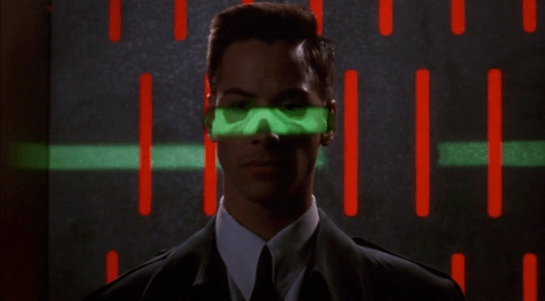
The green light runs over Johnny from top to bottom.
Looking at the picture, we can see that this green light is somehow making Johnny’s skeleton visible. It would be possible, by having an X-ray imaging system running at the same time and then re-projecting the X-ray image back onto the body, but why? Since there don’t appear to be any actual human beings on duty, I can only suggest that it is meant to look intimidating and impressive to encourage obedience. In the film Johnny appears to be alone and cannot see this himself, but it would be much more common for there to be multiple passengers, so each could watch the others being scanned.
There is also a screen showing another scan, a blurry body image, and text appearing on the right side. A voice repeats the text content. For the first time we see a blue background, the most common color for futuristic film interfaces.
The scanner detects Johnny’s implant, but whatever secrecy measures are present cause the system to decide that it is a registered dyslexia aid. The popup alert below includes the registration issuer and a domain name, so perhaps this is online verification over the Internet. Presumably Johnny can see this screen himself, if he cares.
The voiceover helpfully informs Johnny that there is “synaptic seepage”, and he should seek medical attention within 24 hours. This shows quite high level decision making by the system and an offer of assistance. Johnny says “thanks” in reply, an anthropomorphic response to this seemingly intelligent machine.
However, there seems to be a more detailed explanation in smaller text on the right of the display, and this isn’t announced. It’s not clear in this scene whether Johnny can see this display or not, but even if he could it would be difficult to read. Perhaps this is a legacy system from the days when airport security had actual staff.
Next
At this point Johnny leaves the airport, riding in a taxi from the airport. It is a good time for the first review of a group of related interfaces, which will be the next series of posts.
It was my intention to simply show you some images of fictional United States Presidents using interfaces in science fiction movies for Presidents’ Day. But alas. They don’t.
I’m not going to claim this is exhaustive, but I looked at five Presidents:
President Merkin Muffley from Dr. Strangelove or: How I Learned to Stop Worrying and Love the Bomb (1964)
President Beck from Deep Impact (1998)
President James Dale from Mars Attacks! (1996)
President Thomas J. Whitmore from Independence Day (1996)
President McKenna from X2 (2003)
Over these movies, Presidents can be seen reading displays and teleprompters,…
President Beck explains dire asteroids to the public.
President McKenna prepares to read some dire news for mutants.
…speaking into public address systems,…
President Dale delivers dire news about Martians.
…and standing around military displays,…
…but not really using any computer interfaces. The closest we come to a real interface is when President Whitmore pulls a Star Trek and declares himself part of the away team to pilot a fighter at a city-destroying alien spaceship swarming with deadly, deadly defense fighters, even though he risks dispiriting the entire nation with his possible battlefield death. But, hey, he is an angry man in need of revenge.
It’s worth noting that here he’s not using a presidential interface but a military one.
Given my definition of interfaces, i.e. all parts of a thing that enable its use, we can accept that paper and pen are the most common means by which presidents typically control the state of the system they’re using, which is the U.S. government. Fine. But the primary focus of this blog is human-computer interaction. Maybe someone else can take up the service and graphic design issues in another blog.
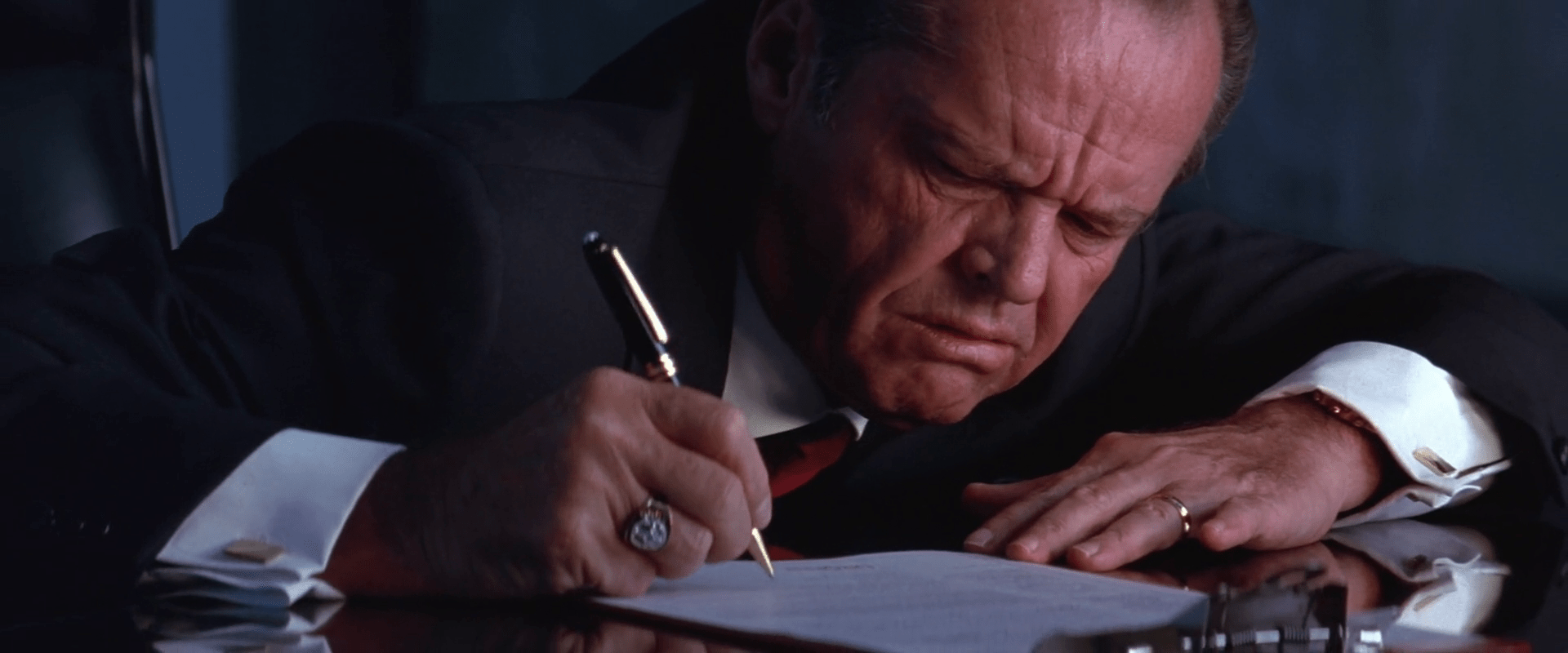
President Dale worriedly signs the orders to launch nukes.
So if sci-fi Presidents don’t use interfaces, it tells us a bit about the nature of the Presidency. At least as far as Hollywood is concerned, it is a role of consideration and decision-making. They are not a do-er, and so putting their hands on an interface would not befit the position.
But more importantly, it also tells us something about the relationship of status to computers. When you’re at the top, computers are not as easy to use as people. The boss has people to do that kind of thing on his or her behalf. The rest of us schlubs get stuck figuring out where the hell they hid the Airdrop button this time. And I suspect until we get a computer that is as comfortable to use as a person, but more useful in other ways, this will continue to be the case. Keep an eye out for films that showcase a President in the time of strong artificial intelligence and perfect voice recognition.
People in positions of power ensure that their world is as easy to use as possible, and this miniature Presidents’ Day survey reminds us that, still, humans are the most comfortable interface for other humans.
13 OCT 2019 Update: While reviewing Colossus: The Forbin Project, I noted that the President actually does terminate his call with the Russian Chairman—to date the only time in the survey I’ve ever seen a president use an interface.
Yesterday I offered extra credit if a reader could name the first floor sweeping robot in a film in the Make It So survery. Pixel I/O smartly noted that The Jetsons (debut 1962) had one—its autovac. (Thanks to Matt Houghton of TechVert.com for posting the image.)
This is a great catch, but Pixel I/O rightly acknowledged that The Jetsons was not a film, so off by a technicality. Shouts out anyway, as this example was a full three or four years before the film I did have in mind, which was the only-nominally sci-fi comedy The Glass Bottom Boat (1966). Still, I happened to come across it in research and captured it.
In the film, the inventor Rod (Bruce Templeton) tries to impress Jennifer (Doris Day) with this floor-cleaning robot. It only manages to pop out of its door to arc towards a dropped banana peel and through reversed footage, arc right back into its home under the kitchen island.
What’s interesting about these two examples are their similarity. They’re each the size of a small dog. Each has an antenna and two eyes. The antennae speak of the radio-controlled paradigm of the era. Audiences needed to know how they are being controlled, and this shortcut answered the question at a glance. The eyes hint at a need for anthropomorphism, or possibly zoomorphism, for users to understand the thing’s capabilities. We know it can see us and the things around it because of this simple visual affordance.
To illustrate his capitalist ideology, (a high-tech version of the parable of the broken window) Zorg activates his automatic cleaning robots. To do this, he deliberately crashes a glass to the floor, where a set of robots come scuttling out from beneath his desk and begin cleaning up.
Three of them serve to demarcate the space as a ”robots working” zone, with tall masts from which red beacon lights warn anyone nearby. In the middle of these three, a sweeper robot gathers the large pieces of glass with broom and dustbin actuators.
Then, a vacuum robot spins above the location to remove the fine pieces of glass.
Finally, a hemispheric robot also comes to sterilize the area, or possibly to just spray a pleasing scent in the air. After they are done, they retreat automatically to the desk, and a new drinking glass rises from a hidden compartment to Zorgs desktop, filling with water to the accompaniment of a small voice that announces “water” and, as a bowl of the stuff also raises, “fruit.”
As Zorg pulls a cherry from the bowl, the same voice announces somewhat pointlessly, “a cherry.” (Perhaps useful if the eater is unfamiliar with basic types of fruit.)
Analysis
The robots are meant to do their job safely and efficiently, and then put themselves away as quickly as possible. The main “interface” task they have is to keep nearby humans informed and safe. (Did Asimov write a law for vacuum cleaners?) A minor secondary goal might be to distinguish the function of each by their shape. The robots inform observers explicitly with the stanchion robots’ beacon lights and bright red patterns. In addition, the whirring sounds of each robot’s motors and actuators help to reinforce the fact that they are working. If they were completely silent they would be more problematic for people not looking or unable to see. The beacon might be a bit of overkill and distracting to someone at a distance, but since the robots are small enough to be a trip hazard, and Cornelius is in fact less than a meter away at the time of sweeping, I can see why it might be needed in this particular case. That they are each readily distinguishable means it might be easier to intervene or select a particular one for maintenance. So, aside from the faulty logic they’re meant to embody, mostly really well designed.
The main improvement I can imagine is that the system might reduce the trip hazard by unifying these disparate functions in a single device, and then either keeping them stanchion-high or flattening its top out like a step. But then we’d just have invented Roomba five years early.
Extra credit
This isn’t the first floor cleaning robot seen on the silver screen. There was another movie over three decades before that included one, even though it wasn’t what most people would consider sci-fi. Can any of the Make It So readers identify that film in the comments? (I’ll post pics of the answer once someone guesses it.)
Rotwangs Machine-Man is the most magical technology seen in the film. This is understandable since there the only common precedent available to the audience were stories of golems and imps, soulless and wicked servants out to wreck havoc at their masters bidding. Despite this imp paradigm, many of the interfaces around the Machine-Man are worthy of note.
Rotwang reveals the Machine-Man.
When Rotwang first reveals the Machine-Man to Joh, he does so with a dramatic yank of a curtain to the side. There sits the automaton, in a throne before a catwalk. In response to the curtains opening, the catwalk gradually illuminates. Did the Man-Machine turn the lights on? Was it a curtain switch? The movie gives no clues, but the lesson is clear. Light signals power, and the Machine-Man is imbued with a lot of it.
The Machine-Woman awaits Rotwang’s instructions.
The Machine-Man as Joh meets it is entirely machine in appearance. (Beautifully designed by Walter Schulze-Mittendorff. This piece of sci-fi is so iconic and seminal that it warrants its own Wikipedia page.) At Joh’s instruction, Rotwang gives the Machine-Man the outward likeness of Maria. How he is actually able to accomplishing this is vague, but note that as he twists up the power, more and more bars illuminate at the foot of the table. An early establishment that, as power increases, so does light.
Rotwang powers the transformation table.
This “light = power” theme is reinforced a number of times throughout this sequence.
Some machine glows as Rotwang turns it on.
With a switch the transformation begins.
Rotwang increases the power to the transformation table.
What does the tall tank, the arcing sphere, or the large wafer switch do? We don’t know. But with the flick of a switch, something glows, and even without any sound to tell us, we know that he’s summoning a great deal of power for what hes about to do next.
Machine-Maria devises her saboteur’s scheme.
Machine-Maria looks nearly identical to the real Maria. But in seeking to make the differences clear to the audience, actress Brigitte Helm needed to supply some kind of uncanny valley a century before the term was invented. Her response, which underscores the evil twin nature of Machine-Maria, was to adopt sharp, precise movements, an under-the-brow stare, and asymmetry. These simple cues let us know in a few seconds that she is not human and not to be trusted.
On the pyre, Machine-Maria reverts to her original form.
Machine-Marias death also underscores its deeply magical roots. When burning on the pillar, Machine-Maria transforms back to her original, machine-like form for little given reason other than her spell has been somehow broken.