In one of the story threads, Matt uses an interface as part of his day job at Smartelligence to wrangle an AI that is the cloned a mind of a client named Greta. Matt has three tasks in this role.
He has to explain to her that she is an artificial intelligence clone of a real world person’s mind. This is psychologically traumatic, as she has decades of memories as if she were a real person with a real body and full autonomy in the world.
He has to explain how she will do her job: Her responsibilities and tools.
He has to “break” her will and coerce her to faithfully serve her master—who is the the real-world Greta. (The idea is that since virtual Greta is an exact copy, she understands real Greta’s preferences and can perform personal assistant duties flawlessly.)
The AI is housed in a small egg-shaped device with a single blue light camera lens. The combination of the AI and the egg-shaped device is called “The Cookie.” Why it is not called The Egg is a mystery left for the reader, though I hope it is not just for the “Cookie Monster” joke dropped late in the episode.
Communication in & out
The blue light illuminates when the AI’s attention is on a person in the environment. She can hear through a microphone embedded in the device. She can speak only with someone who is wearing a paired headset. Matt wears one during training. Without a paired headset, the AI cannot directly communicate with the outside world, only control other technologies in the house.
There is a fully immersive way for Matt to participate in the virtual world that will be discussed in the Mind Crimes post.
To keep any chat threads focused, subsequent posts will discuss separately:
It’s going to be a dark few posts. Sorry about that. This is Black Mirror, after all. On the upside, Jon Hamm have us two delightful reaction gifs across these scenes. I shall share them anon.
If Jasper’s car is aftermarket, Syd’s built-in display seems to be more consumer-savvy. It is a blue electroluminescent flat display built into the dashboard. It has more glanceable information with a cleaner information hierarchy. It has no dangerous keyboard entry. All we see of the display in these few glimpses is the speedometer, but even that’s enough to illustrate these differences.
Johnny leaves the airport by taxi, ending up in a disreputable part of town. During his ride we see another video phone call with a different interface, and the first brief appearance of some high tech binoculars. I’ll return to these later, for the moment skipping ahead to the last of the relatively simple and single-use physical gadgets.
Johnny finds the people he is supposed to meet in a deserted building but, as events are not proceeding as planned, he attaches another black box with glowing red status light to the outside of the door as he enters. Although it looks like the motion detector we saw earlier, this is a bomb.
This is indeed a very bad neighbourhood of Newark. Inside are the same Yakuza from Beijing, who plan to remove Johnny’s head. There is a brief fight, which ends when Johnny uses his watch to detonate the bomb. It isn’t clear whether he pushes or rotates some control, but it is a single quick action.
This demonstrates an interesting difference between interface design for the physical world and for software systems. Inside a computer, actions are just flipping bits in storage and thus easy to undo. Even supposedly destructive actions such as erasing files can often be reversed. In the real world, the effects of, for example, explosions tend to be much more permanent.
We generally don’t want destructive actions to be too easy to perform, from guns and other things that go boom to formatting computer disks.
A widely used solution in the real world is the safety catch, as with guns, or arming switch, seen in countless thriller films with nuclear weapons. Another example are the two-hand safety switches used in high voltage electrical distribution panels. Activation of these requires two individual actions, separated in time and at least a short distance in space. Some systems, both real and in film, go even further and have covers on the arming switches, so even just preparing for activation requires two separate physical actions.
While the bomb is on his belt, Johnny doesn’t have to worry about accidentally pressing the “explode” button on his watch because the bomb is not active. Only after he has armed it and placed on the door can the watch activate the bomb, so he can take his time and verify whether or not it is necessary before doing so. And when it is active, he can do so very quickly even though he is in the middle of a fight.
But safety catches and arming switches introduce modes to an interaction, which have a bad reputation in interface design. Had the watch-bomb designers followed most conventional GUI design guidelines, there would be no arming switch on the bomb. Instead the watch would have popped up a “Do you really want to explode the bomb (Y/N)?” dialog, possibly with a short delay to ensure Johnny thought about his decision before answering. He would have been decapitated.
Compare to LoTek
Later on in the film we see an example of a poorly designed system without a safety catch. The LoTeks in their bridge home have a defensive “bug dropper”, so called because it drops ancient Volkswagens from a great height.
The bug dropper can be activated by pushing just a single handle. Because there is no safety switch, a guard accidentally drops a flaming VW Beetle onto the lead characters, nearly killing them.
Conclusion
From the description above it would seem that safety catches are the obvious solution. But of course it’s more complicated than that. Consider what would have happened if Johnny had met friends instead of enemies and settled down for a conversation. Thirty minutes later they’ve agreed on another meeting, and Johnny taps his watch to bring up the reminders app. Oops!
Should the bomb have disarmed itself after a given time period? If it did, how would Johnny be notified of this?
Most of us do not design interfaces for lethal hardware and life or death situations. There are however an increasing number of drones and other physical devices which are now remotely controlled from phone or tablet apps rather than dedicated hardware controllers as in the past. The “Internet of Things” will bring even more real world actions under computer interface control. In the future, we will most likely see more of these safety catches and arming switches in computer interfaces, and we need to figure out how to use them properly.
Once Johnny has installed his motion detector on the door, the brain upload can begin.
3. Building it
Johnny starts by opening his briefcase and removing various components, which he connects together into the complete upload system. Some of the parts are disguised, and the whole sequence is similar to an assassin in a thriller film assembling a gun out of harmless looking pieces.
It looks strange today to see a computer system with so many external devices connected by cables. We’ve become accustomed to one piece computing devices with integrated functionality, and keyboards, mice, cameras, printers, and headphones that connect wirelessly.
Cables and other connections are not always considered as interfaces, but “all parts of a thing which enable its use” is the definition according to Chris. In the early to mid 1990s most computer user were well aware of the potential for confusion and frustration in such interfaces. A personal computer could have connections to monitor, keyboard, mouse, modem, CD drive, and joystick – and every single device would use a different type of cable. USB, while not perfect, is one of the greatest ever improvements in user interfaces.
Why not go wireless? Wireless devices remove the need for a physical connection, but this means that anyone, not just you, could potentially connect. So instead of worrying about whether we have the right kind of cable, we now worry about the right kind of Bluetooth pairing and WiFi encryption password scheme. Mobile wireless devices also need their own batteries, which have to be charged. So wireless may seem visually cleaner, but comes with its own set of problems.
As of early 2016 we have two new standards, Lightning and USB-C, that are orientation-independent (only fifty years after audio cables), high bandwidth, and able to transmit power to peripherals as well. Perhaps by 2021 cables will have made a comeback as the usual way to connect devices.
2. Explaining it
Johnny explains the process to the scientists. He needs them to begin the upload by pushing a button, helpfully labelled “start”, on the gadget that resembles an optical disk drive. There’s a big red button as well, which is not explained but would make an excellent “cancel” button.
It would be simpler if Johnny just did this himself. But we will shortly discover that the upload process is apparently very painful. If Johnny had his hands near the system, he might involuntarily push another button or disturb a cable. So for them, having a single, easily differentiated button to press minimizes their chance of messing it up.
1. Making codes
He also sticks a small black disk on the hotel room’s silver remote control. The small disk is evidently is a wireless controller or camera of some kind. The scientists must watch the upload progress counter, and as it approaches the end, use this modified remote to grab three frames from the TV display, which will become the “access code” for the data. (More on this below.)
None of the buttons on this remote have markings or labels, but neither Johnny nor the scientist who will be using it are bothered. Perhaps this hotel chain tries to please every possible guest by not favouring any particular language? But even in that case, I’d expect there to be some kind of symbols on the buttons and a multilingual manual to explain the meaning of each. Maybe Johnny spends so much time in hotel suites that he has memorised the button layout?
Short of a mind reading remote that can translate any button press into “what the user intended”, I have to admit this is a terrible interface.
(There is a label on the black disk, but I have no idea what it means or even which script that is. Anyone?)
0. Go go go
Johnny plugs in his implant, puts on a headset with more cables, and bites down on a mouthguard. He’s ready.
The scientist pushes the start button and the upload begins. Johnny sees the data stream in his headset as a flood of graphics and text.
Why does he need the headset when there is a direct cable connection to the implant? The movie doesn’t make it explicit. It could be related to the images used as the access code. (More on this below.) Perhaps the images need to be processed by the recipient’s own optic nerve system for more reliable storage?
Still, in the spirit of apologetics we should try to find a better explanation than “an opportunity for 1995 cutting edge computer generated graphics.” Perhaps it is a very flashy progress indicator? Older computer systems had blinking lights on disk drives to indicate activity, copied on some of today’s USB sticks. Current-day file upload or download GUIs have progress bars. As processing and graphics capabilities increase, it will be possible for software to display thumbnails or previews of the actual data being transferred without slowing down.
Unfortunately there is an argument against this, which is that the obvious upload progress indicator is a numeric display counting gigabytes down to zero, and it makes a fast chirping sound as a sonic indicator as well. The counter shows the data flowing at gigabytes per second, the entire upload lasting about a minute. There’s also the problem that it’s not Johnny who is interested in knowing whether the upload is scientific data rather than, say, a video collection; but the scientists, and they can’t see it.
As the counter drops below one hundred, the scientist points the remote with black disk at the TV display, currently showing a cartoon, and presses the middle button. The image from the TV appears overlaid on the data stream to Johnny. This is a little odd, because Johnny assured the scientists that he wouldn’t know what the access codes were himself. Maybe these brief flashes are not enough time for him to remember these particular images among the gigabytes of visual content. But the way they’re shown to us, I’ll bet you can remember them when they come up again later in the plot.
Two more images are grabbed before the counter stops. When the upload finishes, the three images are printed out. (In the original film this is shown upside down, so I have rotated the image.)
Tagged:
So what are the images for? The script isn’t clear. I suggest that the images are being used as the equivalents of very large random numbers for whatever cryptography scheme protects the data against unauthorised access. Some current day systems use the timing of key presses and mouse movements as a source of randomness because humans simply can’t move their fingers with microsecond precision. Here, the human element makes it impossible to predict exactly which frame is chosen.
Humans also find images much easier to recognise than hundred digit numbers. Anyone who has seen the printout will be able to say whether a particular image is part of the access code or not with a high degree of confidence. In computer systems today, Secure Shell, or ssh, is a widely used encrypted terminal program for secure access to servers. Recent versions of ssh have a ‘randomart’ capability which shows a small ASCII icon generated from the current cryptographic key to everyone who logs on. If this ASCII icon appears different, this alerts everyone that the server key has been changed.
There’s one potential usability problem with the whole “pick three random images” mechanism. The last frame was grabbed when the counter was very close to zero. What would have happened if he had been too slow and missed altogether? Wouldn’t it be more reliable to have the upload system automatically grab the images rather than rely on a human? Chris suggests that maybe it secretly did grab three images that could have used without human input, but privileged the human input since it was more reliably random.
Quick aside: You may be asking, if images would be so wonderful, why aren’t we using them in this way already? It’s because our current security systems need not just very large random numbers, but very large random numbers with particular mathematical properties such as being prime. But let’s cut Johnny Mnemonic some slack, saying that by 2021 we may have new algorithms.
OK, back to the plot.
-1. Sharing the codes
The access codes are to be faxed from Beijing to Newark, although this gets interrupted by the Yakuza intruders. This is yet another device with unmarked buttons.
This device makes the same beeps and screeches as a 1990s analog fax machine. Since we’ll later learn that all the fax messages and phone calls are stored digitally in cyberspace, this must be a skeuomorphism, the old familiar audio tones now serving just as progress indicators.
As with other audio output, the tones allow the user to know that the transmission is proceeding and when it ends without having to pay full attention to the device. On the other hand, there is potential for confusion here as the digital upload is (presumably) much faster. Most current day computer systems could upload three photos, even in high resolution, well before the sequence of tones would complete. Users would most likely wait longer than actually necessary before moving on to their next task.
-2. Washing up
During the upload Johnny clenches his fists and bites his mouthguard. When the upload finishes, he retreats to the bathroom in considerable pain. At one point blood flows from his nose, and he swipes his hand over the tap to wash it down the drain. The bathroom announces that the water temperature is 17 degrees. We’ll come back to this later.
As Make It So emphasises in the chapter on brain interfaces, there is nothing in our current knowledge to suggest that writing or reading memories to or from a human brain would be painful. On the other hand, we know that information in the brain isthe shape of the neurons in the brain. Who knows what side effects will happen as those neurons are disconnected and reconnected as they need to be? We don’t know, so can’t really say whether it would hurt or not.
-3. Escaping the Yakuza
As mentioned in a prior post, while he is in the bathroom, the motion detector Johnny installed on the hotel door isn’t very effective and the Yakuza break in, kill everyone else, and acquire the second of the three access code images. Johnny escapes with the first image and flies to Newark, North America.
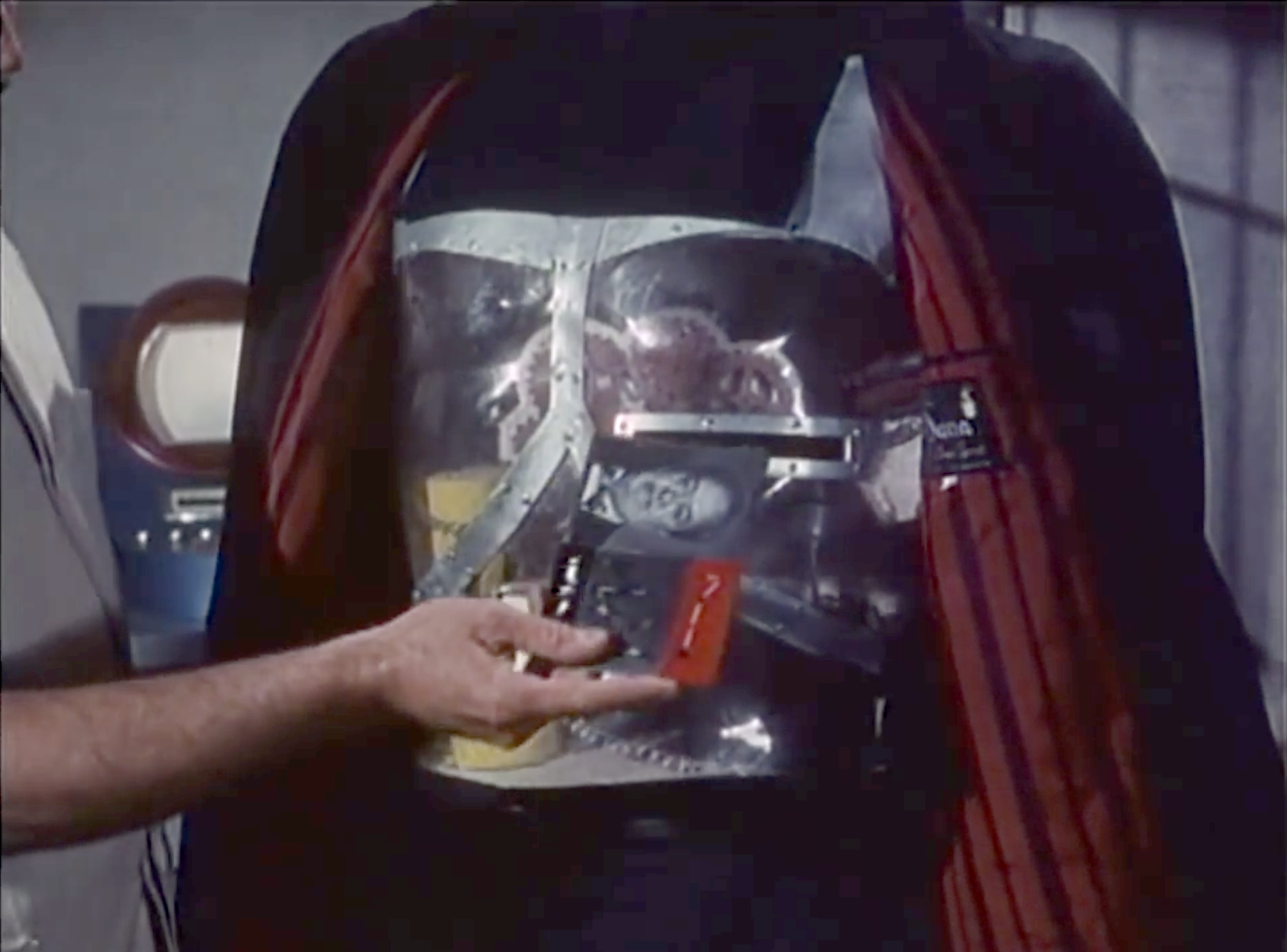
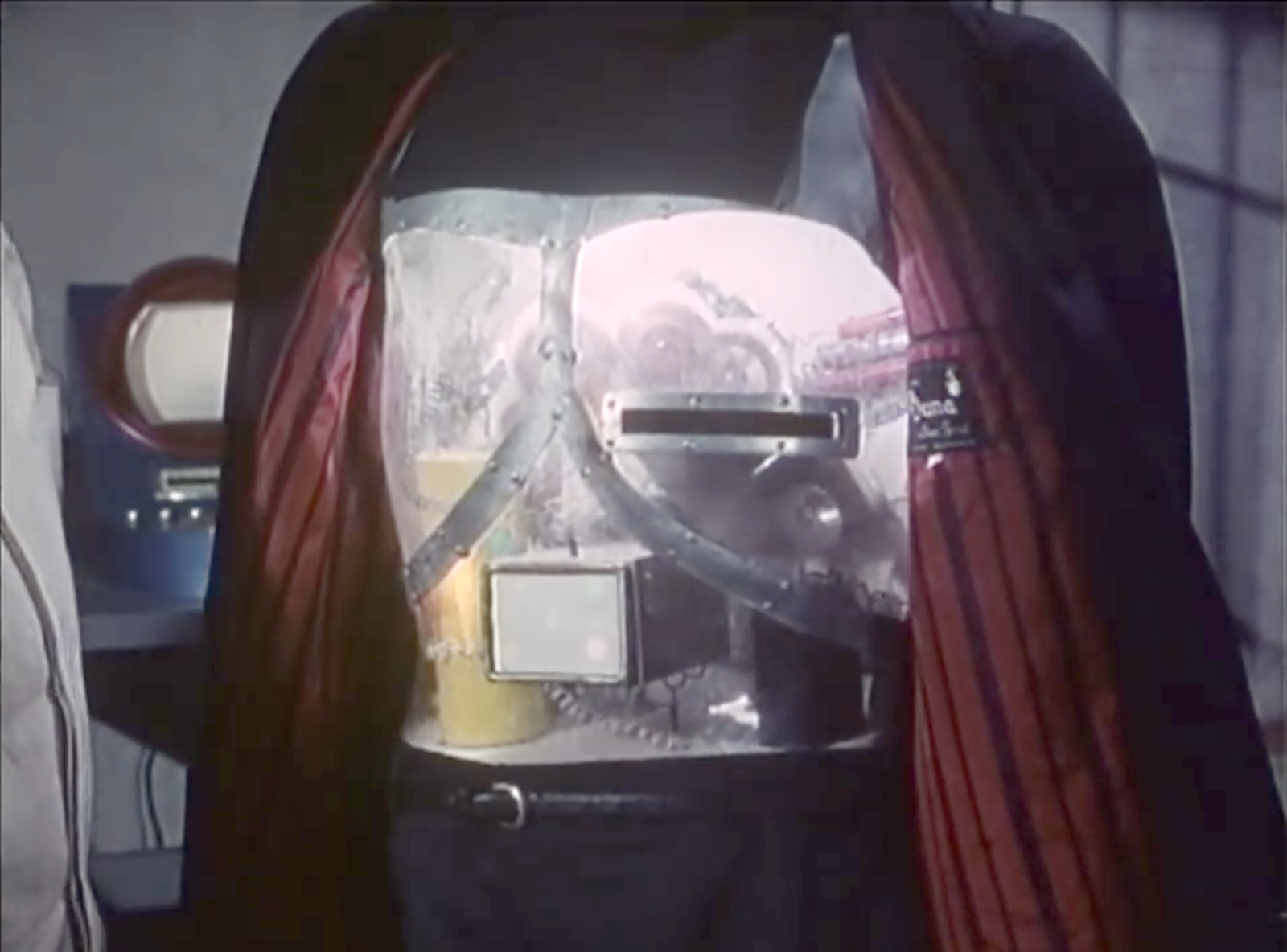
In Beijing, Johnny steps into a hotel lift and pulls a small package out his pocket. He unwraps it to reveal the “Pemex MemDoubler”.
Johnny extends the cable from the device and plugs it into the implant in his head. The socket glows red once the connection is made.
Analysis: The jack
The jack looks like an audio plug, and like most audio plugs is round and has no coronal-orientation requirement. It also has a bulbous rather than pointed tip. Both of these are good design, as Johnny can’t see the socket directly and while accidentally poking yourself with a headphone style point is unlikely to be harmful, it would certainly be irritating.
The socket’s glow would be a useful indicator that the thing is working, but Johnny can’t see it! Probably these sockets and jacks are produced and used for other devices as well, as red status lights are common in this world.
There are easier and more convenient fictional brain plug interfaces, such as the neck plugs previously discussed on this website for Ghost In The Shell. But Johnny doesn’t want his implant to be too obvious, so this not so convenient plug may be a deliberate choice. Perhaps he tells inquisitive people that it’s for his Walkman.
Analysis: The device
The product name got a few chuckles from audiences in the 1990s, as the name is similar to a common classic Macintosh extension at the time, the Connectix RAM Doubler. This applied in-memory lossless data compression techniques to allow more or larger programs to run within the existing RAM.
The MemDoubler is apparently a software or firmware updater, modifying Johnny’s implant to use brain tissue twice as efficiently as before. It has voice output, again a slightly artificial sounding but not unpleasant voice. This announces that Johnny’s current capacity is 80 gigabytes. As the update is applied, a glowing progress bar gradually fills until the voice announces the new capacity of 160G.
(Going from 80G to 160G seems quaint today. But we should remember that the value of a mnemonic courier is secrecy, not quantity.)
Why does the MemDoubler need voice output? For such a simple task, the progress bar and a three digit numeric counter would seem adequate. But if there are complications—which for something wired into the brain might have an all too literal meaning for “fatal error”—a voice announcement would be able to include much more detail about the problem, or even alert bystanders if Johnny is rendered unconscious by the problem. (Given how current software installers operate, Johnny is fortunate that the MemDoubler did not insist on reciting the entire end user license agreement and warranty before the update could start.) Maybe the visual should be the default (to respect his professional need for secrecy), and the voice announcement adopted in an alert mode.
It’s also interesting that Johnny installs this immediately before he needs it, in the lift that is taking him to the hotel room where he will receive the data to be stored. Suppose someone else had been in the lift with him? In this world of routine body implants doubling your memory is probably not a crime, but at the time of writing diabetics will inject themselves in private even though that is harmless and necessary. Perhaps body-connected technology will be common enough in 2021 that public operation is considered normal, just as we have become accustomed to mobile phone conversations being carried out in public.
After Pepper tosses off the sexy bon mot “Work hard!” and leaves Tony to his Avengers initiative homework, Tony stands before the wall-high translucent displays projected around his room.
Amongst the videos, diagrams, metadata, and charts of the Tesseract panel, one item catches his attention. It’s the 3D depiction of the object, the tesseract itself, one of the Infinity Stones from the MCU. It is a cube rendered in a white wireframe, glowing cyan amidst the flat objects otherwise filling the display. It has an intense, cold-blue glow at its center. Small facing circles surround the eight corners, from which thin cyan rule lines extend a couple of decimeters and connect to small, facing, inscrutable floating-point numbers and glyphs.
Wanting to look closer at it, he reaches up and places fingers along the edge as if it were a material object, and swipes it away from the display. It rests in his hand as if it was a real thing. He studies it for a minute and flicks his thumb forward to quickly switch the orientation 90° around the Y axis.
Then he has an Important Thought and the camera cuts to Agent Coulson and Steve Rogers flying to the helicarrier.
So regular readers of this blog (or you know, fans of blockbuster sci-fi movies in general) may have a Spidey-sense that this feels somehow familiar as an interface. Where else do we see a character grabbing an object from a volumetric projection to study it? That’s right, that seminal insult-to-scientists-and-audiences alike, Prometheus. When David encounters the Alien Astrometrics VP, he grabs the wee earth from that display to nuzzle it for a little bit. Follow the link if you want that full backstory. Or you can just look and imagine it, because the interaction is largely the same: See display, grab glowing component of the VP and manipulate it.
Two anecdotes are not yet a pattern, but I’m glad to see this particular interaction again. I’m going to call it grabby holograms (capitulating a bit on adherence to the more academic term volumetric projection.) We grow up having bodies and moving about in a 3D world, so the desire to grab and turn objects to understand them is quite natural. It does require that we stop thinking of displays as untouchable, uninterruptable movies and more like toy boxes, and it seems like more and more writers are catching on to this idea.
More graphics or more information?
Additionally, the fact that this object is the one 3D object in its display is a nice affordance that it can be grabbed. I’m not sure whether he can pull the frame containing the JOINT DARK ENERGY MISSION video to study it on the couch, but I’m fairly certain I knew that the tesseract was grabbable before Tony reached out.
On the other hand, I do wonder what Tony could have learned by looking at the VP cube so intently. There’s no information there. It’s just a pattern on the sides. The glow doesn’t change. The little glyph sticks attached to the edges are fuigets. He might be remembering something he once saw or read, but he didn’t need to flick it like he did for any new information. Maybe he has flicked a VP tesseract in the past?
Augmented “reality”
Rather, I would have liked to have seen those glyph sticks display some useful information, perhaps acting as leaders that connected the VP to related data in the main display. One corner’s line could lead to the Zero Point Extraction chart. Another to the lovely orange waveform display. This way Tony could hold the cube and glance at its related information. These are all augmented reality additions.
Augmented VP
Or, even better, could he do some things that are possible with VPs that aren’t possible with AR. He should be able to scale it to be quite large or small. Create arbitrary sections, or plan views. Maybe fan out depictions of all objects in the SHIELD database that are similarly glowy, stone-like, or that remind him of infinity. Maybe…there’s…a…connection…there! Or better yet, have a copy of JARVIS study the data to find correlations and likely connections to consider. We’ve seen these genuine VP interactions plenty of places (including Tony’s own workshop), so they’re part of the diegesis.
In any case, this simple setup works nicely, in which interaction with a cool media helps underscore the gravity of the situation, the height of the stakes. Note to selves: The imperturbable Tony Stark is perturbed. Shit is going to get real.
Dr. Brown gives Marty some 21st century clothes in order to blend in. The first of these items are shoes. Marty is surprised to see no laces. To activate them, he pushes his foot into the shoe. When his heel makes contact, the main strap constricts to hold his heel in place. Then the laces constrict to hold the ball of the heel down. Finally, the tongue of the shoe and the Nike logo glow.
Yep. Perfect. The activation is natural to the act of putting on the device. The glow acts as a status indicator and symbol. No wonder everyone wanted them.
When driving in the sky along with other flying cars that fill the skies in 2015, Doc follows a proscribed path in the sky called a skyway. Lanes are distinguished by floating lightposts, which the pilot keeps to his left. It all seems a little chaosy, but so does driving in Mumbai to the outsider, and it works if you know how. The other brilliance of the skyway is that suddenly flying cars make some sense systemically. Before this, I certainly thought of flying cars as personal helicopters, taking you from point to point. But of course that becomes an air traffic control nightmare. Much better to adapt a known system that puts the onus of control to the operators.
Less successful are the road signs.
Road signs
Road signs are large 7-segment green LED marquees, the largest of which displays the exit, and smaller scrolling lines above and below include other information like current time, weather, and traffic times. One reminds us that its end destinations include Phoenix, Boston, and London. Certainly a major improvement would be to lose the 7-segments and replace it with something more resolved for legibility.
Other signs around the city alert fliers to the skyway conditions, including weather and wind direction. This is fairly useful for someone to know whether it’s a good time to get into their car, but would also be useful for drivers to hand in hand while on the road. Still the LED display is pretty crappy typography compared to what we’re used to today.
In contrast the Hill Valley sign is lovely partially because it’s fixed and fully resolved typography.
Since Tony disconnected the power transmission lines, Pepper has been monitoring Stark Tower in its new, off-the-power-grid state. To do this she studies a volumetric dashboard display that floats above glowing shelves on a desktop.
Volumetric elements
The display features some volumetric elements, all rendered as wireframes in the familiar Pepper’s Ghost (I know, I know) visual style: translucent, edge-lit planes. A large component to her right shows Stark Tower, with red lines highlighting the power traveling from the large arc reactor in the basement through the core of the building.
The center of the screen has a similarly-rendered close up of the arc reactor. A cutaway shows a pulsing ring of red-tinged energy flowing through its main torus.
This component makes a good deal of sense, showing her the physical thing she’s meant to be monitoring but not in a photographic way, but a way that helps her quickly locate any problems in space. The torus cutaway is a little strange, since if she’s meant to be monitoring it, she should monitor the whole thing, not just a quarter of it that has been cut away.
Flat elements
The remaining elements in the display appear on a flat plane.
To her upper left a spectrum analysis shows bars all near the middle, and the status is confirmed with a label as REACTOR OUTPUT NORMAL. Notably the bars are bright cyan at their top and fade to darker near their bases, drawing attention to the total arc. There few bands that are lower or higher than others are immediately visible from the contrast. That’s good visual design for attention management.
In the top center is a ring chart with three bands of colors: slate gray, cyan, and dark red. A large percentage read out in the center hovers around 90%. To her upper right are three other ring charts with the same color scheme. Above the three rings is a live trend line chart in red with a separate line in white (Target? Trend line?). A tiny side view of Stark Tower stands to the left of the three rings and trend line. The purpose of these are unclear as the labels are too small to read, but it seems strange to have the physical representation here. If the rings or trend lines are related to the physical tower, how they are related is unclear. If they are unrelated, having the rendering present there is misleading.
In a band across the middle are some tiny text blocks spitting out lines of data and auto scrolling. There are more of these, so for ease of reference, let’s call them teletype boxes. They look too small and move too fast to convey much meaning, as such things often do.
The lower left of the screen has a dim white section labeled MAGNETIC CONTAINMENT. It contains a 3D cuboid with a wildly undulating surface. As this shape doesn’t match anything else in the display, nor is it visually connected, its utility is unclear. If she is meant to track some variable other than undulationness, I can’t see how this would help. Also in this panel are some sliders wildly sliding back and forth, and some more teletype boxes.
In the lower center part of the screen is an overhead-view wireframe of the reactor that does not change in this segment, as well as a dim white box that appears to contain a static formula.
This display is not fit to Pepper’s task
Sadly, Gwen Paltrow looks a little wall-eyed here, so it’s hard to tell where exactly where she’s looking to determine as she says that “Levels are holding steady.” Her gaze appears roughly above the large ring chart, so let’s presume she’s looking there. If she is actually meant to be monitoring a set of levels to determine if they’re fluctuating or not, the ring chart and percentage are the wrong display types. These are valuable for showing a state that doesn’t change very often, i.e. where change over time is not of concern.
Sure, she might be able to suss out the steadiness of the variables by focusing on the percentage and the ring chart elements to see if they’re currently wobbling, but that requires her to keep her focus there to observe what’s happening with those pixels. That puts an unnecessary burden on her attention and short term memory. What if she has to glance away for a few seconds, and in those seconds, levels begin to wobble unsteadily? Sure, an alert could sound, but when she looks back she’ll have no idea what has happened while her attention was elsewhere. Humane interfaces remove unnecessary burdens from their users, and this display should do the same.
Use line charts and sparklines to show change over time
For any variable that is meant to be monitored for changes over time—like the scripted steadiness of levels—theline chartorsparkline is much more fit to task. Each plots variables over time, so even if a user glances away for a bit, it’s not a problem, she can look back and quickly suss out what’s been happening. The thing she’s looking at should look more like a ECG than a page out of an annual report.
To restore the power that Nedry foolishly shut down (and thereby regain a technological advantage over the dinosaurs), Dr. Sattler must head into the utility bunker that routes power to different parts of the park.
Once she is there Hammond, back in the Visitors Center, communicates to her via two-way radio that operating it is a two part process: Manually providing a charge to the main panel, and then closing each of the breakers.
The Main Panel
To restore a charge to the main panel, she manually cranks a paddle (like a kinetic-powered watch, radio, or flashlight), then firmly pushes a green button labeled “Push to Close”. We hear a heavy click inside the panel as the switch flips something, and then the lights on the Breaker Panel list light up green.
Now that she has built up a charge in the circuit, she has to turn on each of the breakers one by one.
The Breakers
Each individual circuit has a dedicated button to open/close it. Each is switched with a simple illuminated button protected by a heavy, clear pushbutton cover that has to be opened manually.
Green indicates that the circuit has tripped, and power is not flowing to that part of the park. Red means that the circuit is closed and live. Slowly, one by one, Dr. Sattler flips the cover and presses the red button for each part of the breaker panel. These switches are clearly labeled as HERBIVORE FEEDING COMPOUND, or VISITORS CNTR.
As she flips each circuit on, red lights behind the label turn on.
The Circuit Breakers
The pushbutton covers do a good job of protecting against inadvertent flips, but could be made better by having hinges that close them automatically. It is unlikely that someone would accidentally push one of the buttons, but the high-risk nature of the panel begs for more protection. Spring hinges would also make closing the panel up after service quicker.
A second consideration is an emergency scenario: there is no obvious way to flip all the circuits off at once, or turn them all back on quickly. Here, all that extra time is super dramatic since it happens to save Dr. Grant and the kids, hanging at this same moment as they are from the unpowered electrified fence. But if someone was trying to reactivate the park quickly, to say, save the visitors from being eaten, this circuit-by-circuit method takes a surprising amount of time.
Labeling & Color
The labeling here is good, but could still be better. The lights are the first thing to draw attention, but it’s actually the charging panel that needs to be tended to first. A good flowchart of how a person is supposed to use the panel would be an effective addition; as would a map showing which labeled breaker leads to which area of the park.
At first the red-and-green colors are backwards, but it turns out a longstanding standard within electrical engineering uses red to indicate “shock hazard” rather than “operating normally”, so this color coding is actually OK. But it might be more effective to only light up the breakers’ labels when power is actually flowing to them. For someone not experienced with the interface or electrical engineering conventions, having a few of the breakers active and a few flipped could be extremely confusing. Are the lit ones active? Inactive? Is power flowing to the panels with lights?
This panel would be a solid candidate for usability testing.