Disclosure (1994)

Our next 3D file browsing system is from the 1994 film Disclosure. Thanks to site reader Patrick H Lauke for the suggestion.

Like Jurassic Park, Disclosure is based on a Michael Crichton novel, although this time without any dinosaurs. (Would-be scriptwriters should compare the relative success of these two films when planning a study program.) The plot of the film is corporate infighting within Digicom, manufacturer of high tech CD-ROM drives—it was the 1990s—and also virtual reality systems. Tom Sanders, executive in charge of the CD-ROM production line, is being set up to take the blame for manufacturing failures that are really the fault of cost-cutting measures by rival executive Meredith Johnson.

The Corridor: Hardware Interface

The virtual reality system is introduced at about 40 minutes, using the narrative device of a product demonstration within the company to explain to the attendees what it does. The scene is nicely done, conveying all the important points we need to know in two minutes. (To be clear, some of the images used here come from a later scene in the film, but it’s the same system in both.)

The process of entangling yourself with the necessary hardware and software is quite distinct from interacting with the VR itself, so let’s discuss these separately, starting with the physical interface.

Tom wearing VR headset and one glove, being scanned. Disclosure (1994)

In Disclosure the virtual reality user wears a headset and one glove, all connected by cables to the computer system. Like most virtual reality systems, the headset is responsible for visual display, audio, and head movement tracking; the glove for hand movement and gesture tracking. 

There are two “laser scanners” on the walls. These are the planar blue lights, which scan the user’s body at startup. After that they track body motion, although since the user still has to wear a glove, the scanners presumably just track approximate body movement and orientation without fine detail.

Lastly, the user stands on a concave hexagonal plate covered in embedded white balls, which allows the user to “walk” on the spot.

Closeup of user standing on curved surface of white balls. Disclosure (1994)

Searching for Evidence

The scene we’re most interested in takes place later in the film, the evening before a vital presentation which will determine Tom’s future. He needs to search the company computer files for evidence against Meredith, but discovers that his normal account has been blocked from access.   He knows though that the virtual reality demonstrator is on display in a nearby hotel suite, and also knows about the demonstrator having unlimited access. He sneaks into the hotel suite to use The Corridor. Tom is under a certain amount of time pressure because a couple of company VIPs and their guests are downstairs in the hotel and might return at any time.

The first step for Tom is to launch the virtual reality system. This is done from an Indy workstation, using the regular Unix command line.

The command line to start the virtual reality system. Disclosure (1994)

Next he moves over to the VR space itself. He puts on the glove but not the headset, presses a key on the keyboard (of the VR computer, not the workstation), and stands still for a moment while he is scanned from top to bottom.

Real world Tom, wearing one VR glove, waits while the scanners map his body. Disclosure (1994)

On the left is the Indy workstation used to start the VR system. In the middle is the external monitor which will, in a moment, show the third person view of the VR user as seen earlier during the product demonstration.

Now that Tom has been scanned into the system, he puts on the headset and enters the virtual space.

The Corridor: Virtual Interface

“The Corridor,” as you’ve no doubt guessed, is a three dimensional file browsing program. It is so named because the user will walk down a corridor in a virtual building, the walls lined with “file cabinets” containing the actual computer files.

Three important aspects of The Corridor were mentioned during the product demonstration earlier in the film. They’ll help structure our tour of this interface, so let’s review them now, as they all come up in our discussion of the interfaces.

  1. There is a voice-activated help system, which will summon a virtual “Angel” assistant.
  2. Since the computers themselves are part of a multi-user network with shared storage, there can be more than one user “inside” The Corridor at a time.
    Users who do not have access to the virtual reality system will appear as wireframe body shapes with a 2D photo where the head should be.
  3. There are no access controls and so the virtual reality user, despite being a guest or demo account, has unlimited access to all the company files. This is spectacularly bad design, but necessary for the plot.

With those bits of system exposition complete, now we can switch to Tom’s own first person view of the virtual reality environment.

Virtual world Tom watches his hands rezzing up, right hand with glove. Disclosure (1994)

There isn’t a real background yet, just abstract streaks. The avatar hands are rezzing up, and note that the right hand wearing the glove has a different appearance to the left. This mimics the real world, so eases the transition for the user.

Overlaid on the virtual reality view is a Digicom label at the bottom and four corner brackets which are never explained, although they do resemble those used in cameras to indicate the preferred viewing area.

To the left is a small axis indicator, the three green lines labeled X, Y, and Z. These show up in many 3D applications because, silly though it sounds, it is easy in a 3D computer environment to lose track of directions or even which way is up. A common fix for the user being unable to see anything is just to turn 180 degrees around.

We then switch to a third person view of Tom’s avatar in the virtual world.

Tom is fully rezzed up, within cloud of visual static. Disclosure (1994)

This is an almost photographic-quality image. To remind the viewers that this is in the virtual world rather than real, the avatar follows the visual convention described in chapter 4 of Make It So for volumetric projections, with scan lines and occasional flickers. An interesting choice is that the avatar also wears a “headset”, but it is translucent so we can see the face.

Now that he’s in the virtual reality, Tom has one more action needed to enter The Corridor. He pushes a big button floating before him in space.

Tom presses one button on a floating control panel. Disclosure (1994)

This seems unnecessary, but we can assume that in the future of this platform, there will be more programs to choose from.

The Corridor rezzes up, the streaks assembling into wireframe components which then slide together as the surfaces are shaded. Tom doesn’t have to wait for the process to complete before he starts walking, which suggests that this is a Level Of Detail (LOD) implementation where parts of the building are not rendered in detail until the user is close enough for it to be worth doing.

Tom enters The Corridor. Nearby floor and walls are fully rendered, the more distant section is not complete. Disclosure (1994)

The architecture is classical, rendered with the slightly artificial-looking computer shading that is common in 3D computer environments because it needs much less computation than trying for full photorealism.

Instead of a corridor this is an entire multistory building. It is large and empty, and as Tom is walking bits of architecture reshape themselves, rather like the interior of Hogwarts in Harry Potter.

Although there are paintings on some of the walls, there aren’t any signs, labels, or even room numbers. Tom has to wander around looking for the files, at one point nearly “falling” off the edge of the floor down an internal air well. Finally he steps into one archway room entrance and file cabinets appear in the walls.

Tom enters a room full of cabinets. Disclosure (1994)

Unlike the classical architecture around him, these cabinets are very modern looking with glowing blue light lines. Tom has found what he is looking for, so now begins to manipulate files rather than browsing.

Virtual Filing Cabinets

The four nearest cabinets according to the titles above are

  1. Communications
  2. Operations
  3. System Control
  4. Research Data.

There are ten file drawers in each. The drawers are unmarked, but labels only appear when the user looks directly at it, so Tom has to move his head to centre each drawer in turn to find the one he wants.

Tom looks at one particular drawer to make the title appear. Disclosure (1994)

The fourth drawer Tom looks at is labeled “Malaysia”. He touches it with the gloved hand and it slides out from the wall.

Tom withdraws his hand as the drawer slides open. Disclosure (1994)

Inside are five “folders” which, again, are opened by touching. The folder slides up, and then three sheets, each looking like a printed document, slide up and fan out.

Axis indicator on left, pointing down. One document sliding up from a folder. Disclosure (1994)

Note the tilted axis indicator at the left. The Y axis, representing a line extending upwards from the top of Tom’s head, is now leaning towards the horizontal because Tom is looking down at the file drawer. In the shot below, both the folder and then the individual documents are moving up so Tom’s gaze is now back to more or less level.

Close up of three “pages” within a virtual document. Disclosure (1994)

At this point the film cuts away from Tom. Rival executive Meredith, having been foiled in her first attempt at discrediting Tom, has decided to cover her tracks by deleting all the incriminating files. Meredith enters her office and logs on to her Indy workstation. She is using a Command Line Interface (CLI) shell, not the standard SGI Unix shell but a custom Digicom program that also has a graphical menu. (Since it isn’t three dimensional it isn’t interesting enough to show here.)

Tom uses the gloved hand to push the sheets one by one to the side after scanning the content.

Tom scrolling through the pages of one folder by swiping with two fingers. Disclosure (1994)

Quick note: This is harder than it looks in virtual reality. In a 2D GUI moving the mouse over an interface element is obvious. In three dimensions the user also has to move their hand forwards or backwards to get their hand (or finger) in the right place, and unless there is some kind of haptic feedback it isn’t obvious to the user that they’ve made contact.

Tom now receives a nasty surprise.

The shot below shows Tom’s photorealistic avatar at the left, standing in front of the open file cabinet. The green shape on the right is the avatar of Meredith who is logged in to a regular workstation. Without the laser scanners and cameras her avatar is a generic wireframe female humanoid with a face photograph stuck on top. This is excellent design, making The Corridor usable across a range of different hardware capabilities.

Tom sees the Meredith avatar appear. Disclosure (1994)

Why does The Corridor system place her avatar here? A multiuser computer system, or even just a networked file server,  obviously has to know who is logged on. Unix systems in general and command line shells also track which directory the user is “in”, the current working directory. Meredith is using her CLI interface to delete files in a particular directory so The Corridor can position her avatar in the corresponding virtual reality location. Or rather, the avatar glides into position rather than suddenly popping into existence: Tom is only surprised because the documents blocked his virtual view.

Quick note: While this is plausible, there are technical complications. Command line users often open more than one shell at a time in different directories. In such a case, what would The Corridor do? Duplicate the wireframe avatar in each location? In the real world we can’t be in more than one place at a time, would doing so contradict the virtual reality metaphor?

There is an asymmetry here in that Tom knows Meredith is “in the system” but not vice versa. Meredith could in theory use CLI commands to find out who else is logged on and whether anyone was running The Corridor, but she would need to actively seek out that information and has no reason to do so. It didn’t occur to Tom either, but he doesn’t need to think about it,  the virtual reality environment conveys more information about the system by default.

We briefly cut away to Meredith confirming her CLI delete command. Tom sees this as the file drawer lid emitting beams of light which rotate down. These beams first erase the floating sheets, then the folders in the drawer. The drawer itself now has a red “DELETED” label and slides back into the wall.

Tom watches Meredith deleting the files in an open drawer. Disclosure (1994)

Tom steps further into the room. The same red labels appear on the other file drawers even though they are currently closed.

Tom watches Meredith deleting other, unopened, drawers. Disclosure (1994)

Talking to an Angel

Tom now switches to using the system voice interface, saying “Angel I need help” to bring up the virtual reality assistant. Like everything else we’ve seen in this VR system the “angel” rezzes up from a point cloud, although much more quickly than the architecture: people who need help tend to be more impatient and less interested in pausing to admire special effects.

The voice assistant as it appears within VR. Disclosure (1994)

Just in case the user is now looking in the wrong direction the angel also announces “Help is here” in a very natural sounding voice.

The angel is rendered with white robe, halo, harp, and rapidly beating wings. This is horribly clichéd, but a help system needs to be reassuring in appearance as well as function. An angel appearing as a winged flying serpent or wheel of fire would be more original and authentic (yes, really: ​​Biblically Accurate Angels) but users fleeing in terror would seriously impact the customer satisfaction scores.

Now Tom has a short but interesting conversation with the angel, beginning with a question:

  • Tom
  • Is there any way to stop these files from being deleted?
  • Angel
  • I’m sorry, you are not level five.
  • Tom
  • Angel, you’re supposed to protect the files!
  • Angel
  • Access control is restricted to level five.

Tom has made the mistake, as described in chapter 9 Anthropomorphism of the book, of ascribing more agency to this software program than it actually has. He thinks he is engaged in a conversational interface (chapter 6 Sonic Interfaces) with a fully autonomous system, which should therefore be interested in and care about the wellbeing of the entire system. Which it doesn’t, because this is just a limited-command voice interface to a guide.

Even though this is obviously scripted, rather than a genuine error I think this raises an interesting question for real world interface designers: do users expect that an interface with higher visual quality/fidelity will be more realistic in other aspects as well? If a voice interface assistant has a simple polyhedron with no attempt at photorealism (say, like Bit in Tron) or with zoomorphism (say, like the search bear in Until the End of the World) will users adjust their expectations for speech recognition downwards? I’m not aware of any research that might answer this question. Readers?

Despite Tom’s frustration, the angel has given an excellent answer – for a guide. A very simple help program would have recited the command(s) that could be used to protect files against deletion. Which would have frustrated Tom even more when he tried to use one and got some kind of permission denied error. This program has checked whether the user can actually use commands before responding.

This does contradict the earlier VR demonstration where we were told that the user had unlimited access. I would explain this as being “unlimited read access, not write”, but the presenter didn’t think it worthwhile to go into such detail for the mostly non-technical audience.

Tom is now aware that he is under even more time pressure as the Meredith avatar is still moving around the room. Realising his mistake, he uses the voice interface as a query language.

“Show me all communications with Malaysia.”
“Telephone or video?”
“Video.”

This brings up a more conventional looking GUI window because not everything in virtual reality needs to be three-dimensional. It’s always tempting for a 3D programmer to re-implement everything, but it’s also possible to embed 2D GUI applications into a virtual world.

Tom looks at a conventional 2D display of file icons inside VR. Disclosure (1994)

The window shows a thumbnail icon for each recorded video conference call. This isn’t very helpful, so Tom again decides that a voice query will be much faster than looking at each one in turn.

“Show me, uh, the last transmission involving Meredith.”

There’s a short 2D transition effect swapping the thumbnail icon display for the video call itself, which starts playing at just the right point for plot purposes.

Tom watches a previously recorded video call made by Meredith (right). Disclosure (1994)

While Tom is watching and listening, Meredith is still typing commands. The camera orbits around behind the video conference call window so we can see the Meredith avatar approach, which also shows us that this window is slightly three dimensional, the content floating a short distance in front of the frame. The film then cuts away briefly to show Meredith confirming her “kill all” command. The video conference recordings are deleted, including the one Tom is watching.

Tom is informed that Meredith (seen here in the background as a wireframe avatar) is deleting the video call. Disclosure (1994)

This is also the moment when the downstairs VIPs return to the hotel suite, so the scene ends with Tom managing to sneak out without being detected.

Virtual reality has saved the day for Tom. The documents and video conference calls have been deleted by Meredith, but he knows that they once existed and has a colleague retrieve the files he needs from the backup tapes. (Which is good writing: the majority of companies shown in film and TV never seem to have backups for files, no matter how vital.) Meredith doesn’t know that he knows, so he has the upper hand to expose her plot.

Analysis

How believable is the interface?

I won’t spend much time on the hardware, since our focus is on file browsing in three dimensions. From top to bottom, the virtual reality system starts as believable and becomes less so.

Hardware

The headset and glove look like real VR equipment, believable in 1994 and still so today. Having only one glove is unusual, and makes impossible some of the common gesture actions described in chapter 5 of Make It So, which require both hands.

The “laser scanners” that create the 3D geometry and texture maps for the 3D avatar and perform real time body tracking would more likely be cameras, but that would not sound as cool.

And lastly the walking platform apparently requires our user to stand on large marbles or ball bearings and stay balanced while wearing a headset. Uh…maybe…no. Apologetics fails me. To me it looks like it would be uncomfortable to walk on, almost like deterrent paving.

Software

The Corridor, unlike the 3D file browser used in Jurassic Park, is a special effect created for the film. It was a mostly-plausible, near future system in 1994, except for the photorealistic avatar. Usually this site doesn’t discuss historical context (the  “new criticism” stance), but I think in this case it helps to explain how this interface would have appeared to audiences almost two decades ago.

I’ll start with the 3D graphics of the virtual building. My initial impression was that The Corridor could have been created as an interactive program in 1994, but that was my memory compressing the decade. During the 1990s 3D computer graphics, both interactive and CGI, improved at a phenomenal rate. The virtual building would not have been interactive in 1994, was possible on the most powerful systems six years later in 2000, and looks rather old-fashioned compared to what the game consoles of the 21st C can achieve.

For the voice interface I made the opposite mistake. Voice interfaces on phones and home computing appliances have become common in the second decade of the 21st C, but in reality are much older. Apple Macintosh computers in 1994 had text-to-speech synthesis with natural sounding voices and limited vocabulary voice command recognition. (And without needing an Internet connection!) So the voice interface in the scene is believable.

The multi-user aspects of The Corridor were possible in 1994. The wireframe avatars for users not in virtual reality are unflattering or perhaps creepy, but not technically difficult. As a first iteration of a prototype system it’s a good attempt to span a range of hardware capabilities.

The virtual reality avatar, though, is not believable for the 1990s and would be difficult today. Photographs of the body, made during the startup scan, could be used as a texture map for the VR avatar. But live video of the face would be much more difficult, especially when the face is partly obscured by a headset.

How well does the interface inform the narrative of the story?

The virtual reality system in itself is useful to the overall narrative because it makes the Digicom company seem high tech. Even in 1994 CD-ROM drives weren’t very interesting.

The Corridor is essential to the tension of the scene where Tom uses it to find the files, because otherwise the scene would be much shorter and really boring. If we ignore the virtual reality these are the interface actions:

  • Tom reads an email.
  • Meredith deletes the folder containing those emails.
  • Tom finds a folder full of recorded video calls.
  • Tom watches one recorded video call.
  • Meredith deletes the folder containing the video calls.

Imagine how this would have looked if both were using a conventional 2D GUI, such as the Macintosh Finder or MS Windows Explorer. Double click, press and drag, double click…done.

The Corridor slows down Tom’s actions and makes them far more visible and understandable. Thanks to the virtual reality avatar we don’t have to watch an actor push a mouse around. We see him moving and swiping, be surprised and react; and the voice interface adds extra emotion and some useful exposition. It also helps with the plot, giving Tom awareness of what Meredith is doing without having to actively spy on her, or look at some kind of logs or recordings later on.

Meredith, though, can’t use the VR system because then she’d be aware of Tom as well. Using a conventional workstation visually distinguishes and separates Meredith from Tom in the scene.

So overall, though the “action” is pretty mundane, it’s crucial to the plot, and the VR interface helps make this interesting and more engaging.

How well does the interface equip the character to achieve their goals?

As described in the film itself, The Corridor is a prototype for demonstrating virtual reality. As a file browser it’s awful, but since Tom has lost all his normal privileges this is the only system available, and he does manage to eventually find the files he needs.

At the start of the scene, Tom spends quite some time wandering around a vast multi-storey building without a map, room numbers, or even coordinates overlaid on his virtual view. Which seems rather pointless because all the files are in one room anyway. As previously discussed for Johnny Mnemonic, walking or flying everywhere in your file system seems like a good idea at first, but often becomes tedious over time. Many actual and some fictional 3D worlds give users the ability to teleport directly to any desired location.

Then the file drawers in each cabinet have no labels either, so Tom has to look carefully at each one in turn. There is so much more the interface could be doing to help him with his task, and even help the users of the VR demo learn and explore its technology as well.

Contrast this with Meredith, who uses her command line interface and 2D GUI to go through files like a chainsaw.

Tom becomes much more efficient with the voice interface. Which is just as well, because if he hadn’t, Meredith would have deleted the video conference recordings while he was still staring at virtual filing cabinets. However neither the voice interface nor the corresponding file display need three dimensional graphics.

There is hope for version 2.0 of The Corridor, even restricting ourselves to 1994 capabilities. The first and most obvious is to copy 2D GUI file browsers, or the 3D file browser from Jurassic Park, and show the corresponding text name next to each graphical file or folder object. The voice interface is so good that it should be turned on by default without requiring the angel. And finally add some kind of map overlay with a you are here moving dot, like the maps that players in 3D games such as Doom could display with a keystroke.

Film making challenge: VR on screen

Virtual reality (or augmented reality systems such as Hololens) provide a better viewing experience for 3D graphics by creating the illusion of real three dimensional space rather than a 2D monitor. But it is always a first person view and unlike conventional 2D monitors nobody else can usually see what the VR user is seeing without a deliberate mirroring/debugging display. This is an important difference from other advanced or speculative technologies that film makers might choose to include. Showing a character wielding a laser pistol instead of a revolver or driving a hover car instead of a wheeled car hardly changes how to stage a scene, but VR does.

So, how can we show virtual reality in film?

There’s the first-person view corresponding to what the virtual reality user is seeing themselves. (Well, half of what they see since it’s not stereographic, but it’s cinema VR, so close enough.) This is like watching a screencast of someone else playing a first person computer game, the original active experience of the user becoming passive viewing by the audience. Most people can imagine themselves in the driving seat of a car and thus make sense of the turns and changes of speed in a first person car chase, but the film audience probably won’t be familiar with the VR system depicted and will therefore have trouble understanding what is happening. There’s also the problem that viewing someone else’s first-person view, shifting and changing in response to their movements rather than your own, can make people disoriented or nauseated.

A third-person view is better for showing the audience the character and the context in which they act. But not the diegetic real-world third-person view, which would be the character wearing a geeky headset and poking at invisible objects. As seen in Disclosure, the third person view should be within the virtual reality.

But in doing that, now there is a new problem: the avatar in virtual reality representing the real character. If the avatar is too simple the audience may not identify it with the real world character and it will be difficult to show body language and emotion. More realistic CGI avatars are increasingly expensive and risk falling into the Uncanny Valley. Since these films are science fiction rather than factual, the easy solution is to declare that virtual reality has achieved the goal of being entirely photorealistic and just film real actors and sets. Adding the occasional ripple or blur to the real world footage to remind the audience that it’s meant to be virtual reality, again as seen in Disclosure, is relatively cheap and quick.
So, solving all these problems results in the cinematic trope we can call Extradiegetic Avatars, which are third-person, highly-lifelike “renderings” of characters, with a telltale Hologram Projection Imperfection for audience readability, that may or may not be possible within the world of the film itself.

Jefferson Projection

SWHS-musicVP-01

When Imperial troopers intrude to search the house, one of the bullying officers takes interest in a device sitting on the dining table. It’s the size of a sewing machine, with a long handle along the top. It has a set of thumb toggles along the top, like old cassette tape recorder buttons.

Saun convinces the officer to sit down, stretches the thin script with a bunch of pointless fiddling of a volume slider and pantomimed delays, and at last fumbles the front of the device open. Hinged at the bottom like a drawbridge, it exposes a small black velvet display space. Understandably exasperated, the officer stands up to shout, “Will you get on with it?” Saun presses a button on the opened panel, and the searing chord of an electric guitar can be heard at once.

SWHS-musicVP-04

Inside the drawbridge-space a spot of pink light begins to glow, and mesmerized officer who, moments ago was bent on brute intimidation, but now spends the next five minutes and 23 seconds grinning dopily at the volumetric performance by Jefferson Starship.

During the performance, 6 lights link in a pattern in the upper right hand corner of the display. When the song finishes, the device goes silent. No other interactions are seen with it.

tappa

Many questions. Why is there a whole set of buttons to open the thing? Is this the only thing it can play? If not, how do you select another performance?Is it those unused buttons on the top? Why are the buttons unlabeled? Is Jefferson Starship immortal? How is it that they have only aged in the long, long time since this was recorded? Or was this volumetric recording somehow sent back in time?  Where is the button that Saun pressed to start the playback? If there was no button, and it was the entire front panel, why doesn’t it turn on and off while the officer taps (see above)? What do the little lights do other than distract? Why is the glow pink rather than Star-Wars-standard blue? Since volumetric projections are most often free-floating, why does this appear in a lunchbox? Since there already exists ubiquitous display screens, why would anyone haul this thing around? How does this officer keep his job?

Perhaps it’s best that these questions remain unanswered. For if anything were substantially different, we would risk losing this image, of the silhouette of the lead singer and his microphone. Humanity would be the poorer for it.

SWHS-musicVP-09

Flight Recorder

image04

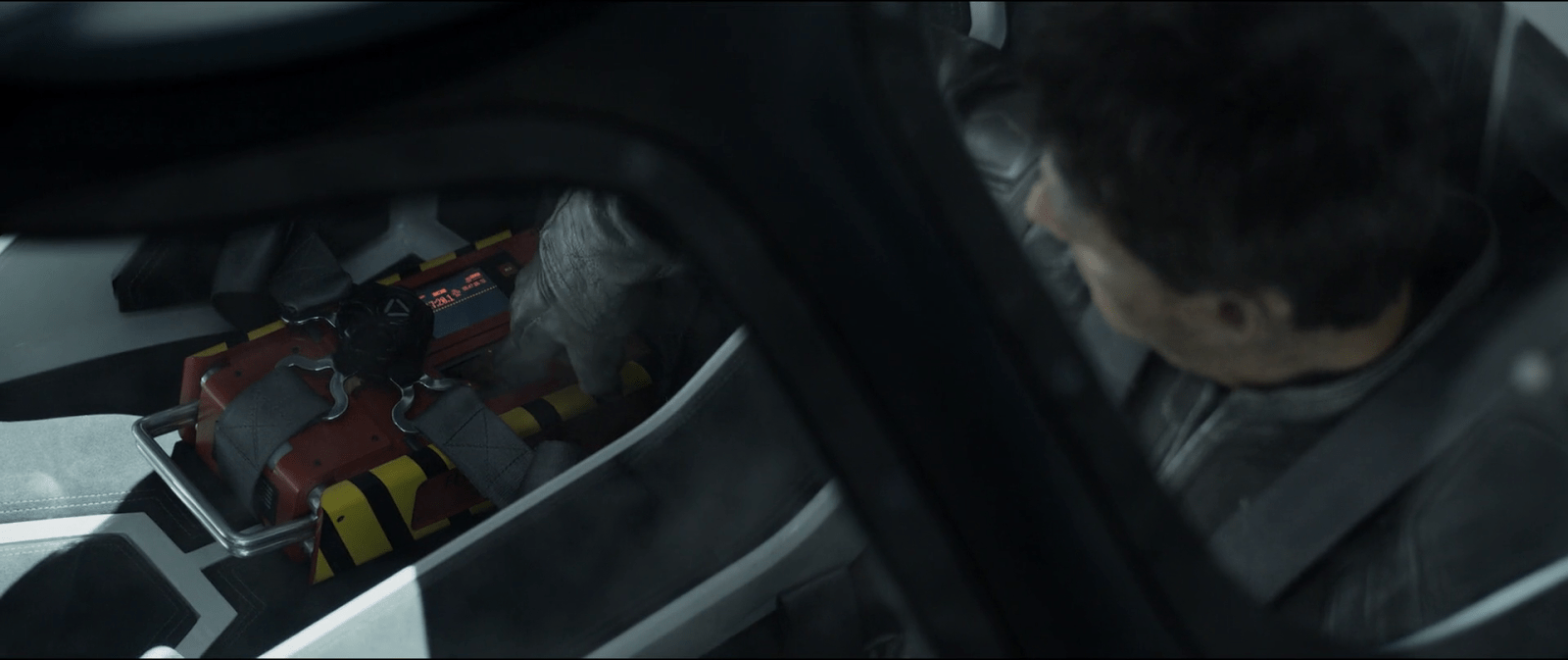
Jack flies the airship most of the way to the TET when he decides to listen the recordings of the Odyssey. He presses the play button on the recorder, it makes a beep and an electronic voice says, “Flight recorder playback for the Odyssey mission, 3 May 2017.” Then the playback starts.

First, real flight recorders

Before starting the analysis of the black box in Oblivion I thought it could be helpful to do some research on real-word black boxes. That way I had a reference point, something to compare this to. Oddly enough, there is a lot of information on the internet about the required recording and survival aspects of the device, but not much about means to find it after a crash. Beacons and transmitters are mentioned, but not many requirements to facilitate a person actually spotting it. Anyway, after that research I came up with a list of requirements for the device. It must…

  • Survive extreme temperature, pressure, and water conditions.
  • Record both ship and crew´s data on the flight.
  • Be easy to find in a crash site.
  • Provide quick access to the stored data.

You can think of modern flight recorders as big and tough hard drives that make digital recordings of both ship data and cockpit voice. Most modern commercial jets use a “quick access recorder” that stores data in a removable memory that can be plugged in to a common computer. And some recorders can also have an USB or Ethernet port for quick access, too. But often the device is damaged by the crash, and the full data needs to be accessed with special equipment.

So it’s against these requirements that we can analyze the real-world design of the flight recorder.

And really, this thing is like a Christmas tree of attention getting lights and sounds in comparison.

Great: Commanding attention

I have to give it to them here, they did a really good job. Aside from the normal design patterns for black boxes, the flight recorder in the movie provides other ways to find the device. The flashing white light can be easily spotted in the dark —and also on the day if bright enough. Even more, flashing is one of the most attention-getting signals that there are, neurologically speaking. And it can be instantly associated with an electronic device, while a fixed flight could be taken as a reflection on some debris.

Irregular flashing is even more powerful: A pattern that is semi random (or stochastic in the literature), with some flashes slightly offset from the main pattern. That difference in the flashing is even more attention getting that a regular one. This too would be really helpful in a crash site where you have an important amount of flashes going on as well: police cars, ambulances and fire cars. In that situation, the randomness of the flashing can help in distinguishing the device from the surroundings.

Julia was wandering through the Odyssey´s wreckage when she heard a soft and repeating sound. She pulled out some wreckage to find the flight recorder. These sound signals help her to locate the device more precisely when at close distance, even when it´s covered by debris if the sound is strong enough.

Oblivion-Flight-Recorder-Beacon

She takes it out to give it a look, and it´s here when we see the device.

image03

When Julia finds the recorder, she knows that she and Jack need to carry it back to the Tower to better examine it. And as the recorder is kind of heavy, Julia folds out an small handler and uses it to lift up the recorder.

Great: Even better than a flash memory

The recorder in the movie also provides a way to instantly access the voice recordings of the crew. It uses a display and several buttons in a way that is similar to a music player, and building on a known mental model means that anyone looking for the device is going to be able to use it.

Assistive tools for the emergency mode

The recorder in the movie also seems to have two different modes or settings, an “emergency” mode when it has to be found and another mode to play the recordings. As with real flight recorders, the emergency mode could be activated by internal sensors. These could detect the crash via a sudden and/or significant change in velocity, for example. But it ought to have a manual control of some sort to return to normal mode.

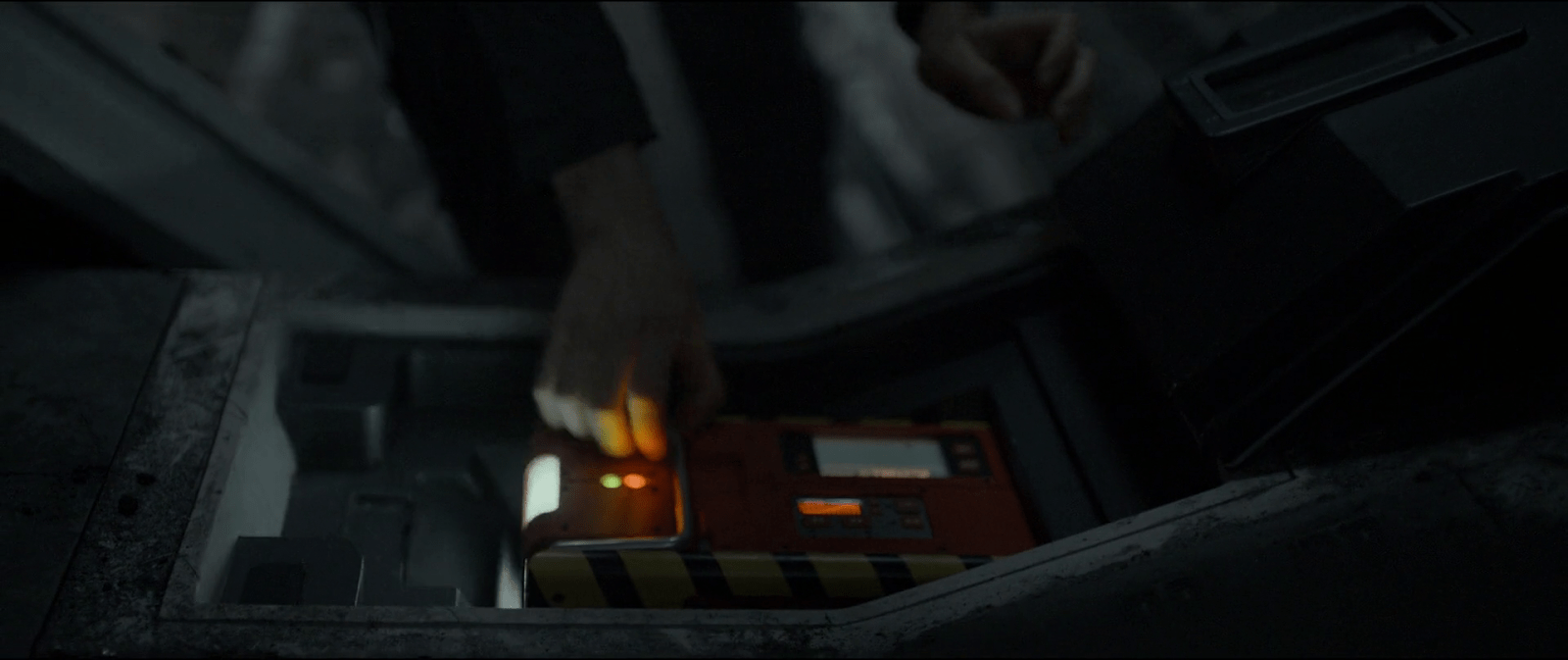
When Julia finds the recorder, the device was beeping and using a light as beacon. It also had two status LEDs turned on and the small display was showing a graph curve in red. In contrast, when Jack is hearing the playbacks, the recorder doesn´t show any of those functions. Both the beeping, the lights, and the small screen display are all turned off, and the graph isn´t showing anymore.

What is that red graph supposed to mean anyway?

It´s not very clear what the purpose of the small screen display is. What is it meant to communicate? Additionally the display is oddly placed next to the controls of the recorder, which implies a mapping that doesn’t really seem logical. But mapping is not the only issue, because when the recorder is actually playing, this display is always off.

Given that It´s only on when Julia finds the recorder and the device is capable of playing the recordings by itself, it might be a way to tell the amount of battery life of the device. Although even then, a graph is something that shows change through time. When you need to know the energy levels at one specific moment, using a common battery indicator, or even a depletion bar would work better.

So maybe the graph is telling us that the device has some way of recharging itself. In that case, the graph could be showing charge and discharge cycles—or energy consumption rates—and by association also telling about some problem with the charging system. Even assuming this is the case, it´s odd that the display is always off during playback so it probably has some control to turn it on and off.

A screen dedicated to sound.

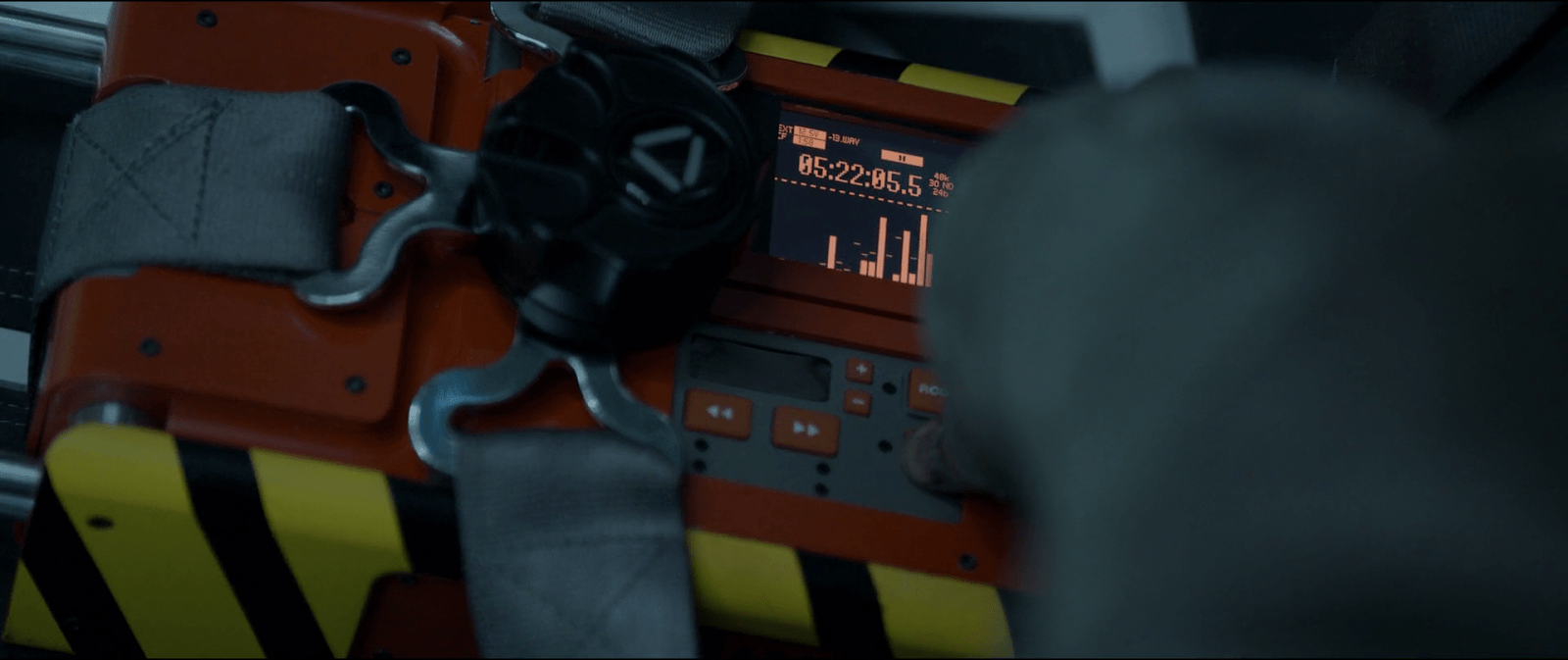
The recorder uses another, bigger display to show a number that indicates some time value, like recording or playback time. The bottom half of the display shows a spectrum analyzer of the recording playing at the moment, but when the recorder is not working this part of the display remains empty. During the movie we see that the recorder plays only sound, i.e. the voice recordings during the mission.

This screen offers some visualization but showing the spectrum analysis of the playback seems like a secondary feature. You know, given that it´s not necessary to actually hear the playback. But the display has a MODE button, so maybe the recorder can also record video to take advantage of the full size of the screen. In that case maybe the crew of the Odyssey just chose to only record audio, be it for privacy or to save storage space for the rest of the mission.

image01

Jack was already in space and closing in to the Tet. And as he has to maintain his cover until he gets inside the Tet with the bomb, he stops the recording of the Odyssey.

After getting permission to dock in the Tet, Jack the returns to the playback. But the recording suddenly stops when the command module of the Odyssey got inside the Tet, then there´s only static and an—end of recording—message.

After getting permission to dock in the Tet, Jack the returns to the playback. But the recording suddenly stops when the command module of the Odyssey got inside the Tet, then there´s only static and an—end of recording—message.

But again, we never actually see the recorder playing video. And the display has a low resolution, monochrome screen—like some early PDAs. So making sense of any video playing from there would definitely be a challenge.

Fed Communication Service

StarshipTroopers-FedComm000

When they are in basic training, Carmen and Johnny exchange video messages to stay in touch. Videos are recorded locally to small discs and sent to the other through the Fed post. Carmen has her own computer station in her berth for playing Johnny’’s messages. Johnny uses the single player available on the wall in the barracks. Things are different in the roughnecks than on the Rodger Young.

StarshipTroopers-FedComm003

To play her message, he inserts the small compact disk she sent him into a vertical holder, closes the hinged cover, and presses the rightmost of five similar metal buttons below the screen to play it. After the (sad breakup) message is done, the player displays an “END OF MESSAGE” screen that includes the message ID. Three lights sit in the lower left hand part of the interface. An amber light glows in the lower right near text reading, “P3.” There is a large dial on the left (a frustum of a cone, to be all geometric about it) with some debossed shapes on it that is likely a dial, but we never see these controls in use. In fact, there’s not a lot of interaction there at all for us to evaluate.

StarshipTroopers-FedComm005

Usually you’d expect a dial to operate volume (useful in the noisy narracks), with controls for play, pause, and some controls for either fast forward / reverse, or non-linear access of chapters in the message. The number of controls certainly could accommodate either of those structures, even if it was an old two-button model of play and stop rather than the more modern toggle. Certainly these could use better affordance, as they do not convey their behavior at this distance. Even at Rico’s distance, it’s faster for him to be able to see than to read the controls.

We could also ask what good the message ID is since it’s on screen and not very human-readable or human-memorable, but it does help remind Rico that his messages are being monitored by the fascism that is the Federation. So that’s a helpful reminder, if not useful data.

StarshipTroopers-FedComm001

For the larger interaction, most of the complexities in sending a message—initiating a recording, editing, encoding, specifying a recipient, and sending it—are bypassed offscreen by the physical medium, so it’s not worth speculating on how well this is from a larger standpoint. Of course we could ding them for not thinking that video could be sent faster and cheaper digitally via interstellar transmission than a fragile little disc, but that’s a question for which we just don’t have enough information. (And in which the filmmakers would have had a little trouble explaining how it wasn’t an instant video call.)

Alien Astrometrics

Prometheus-222

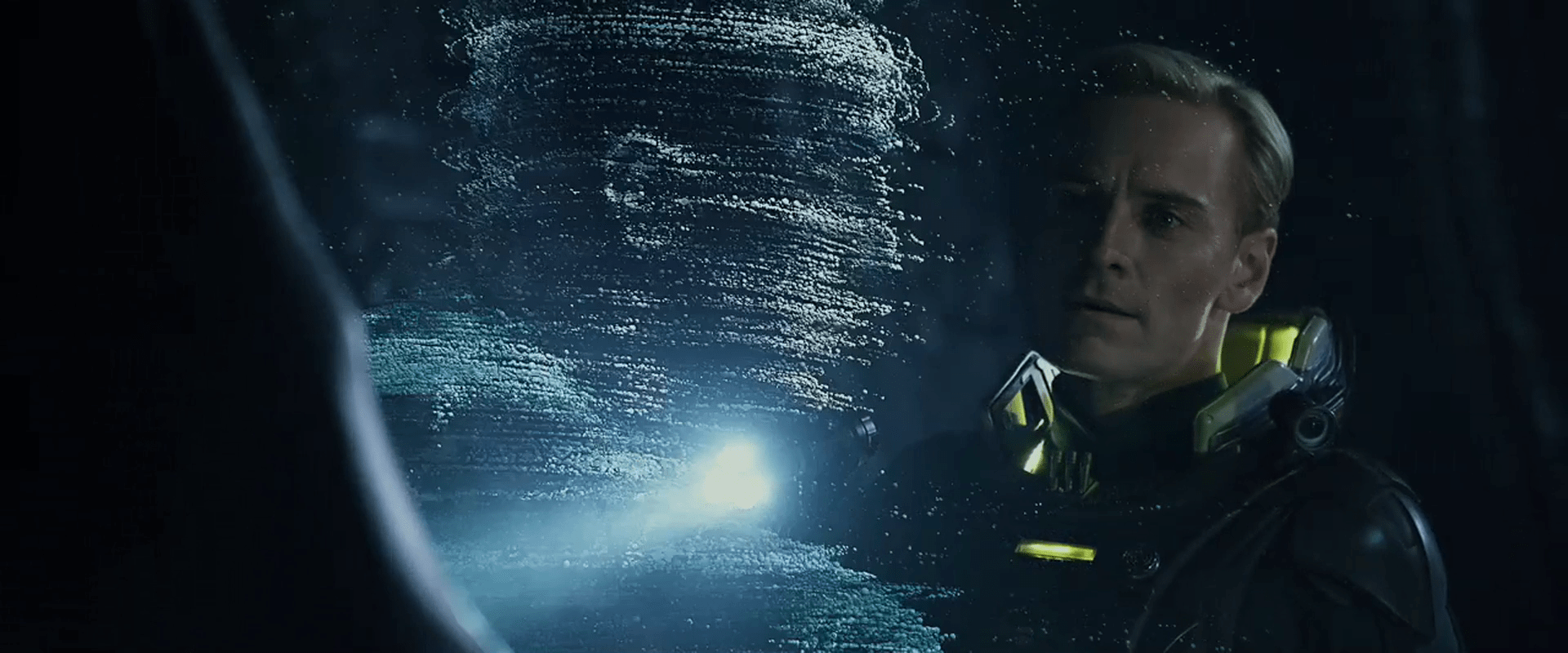
When David is exploring the ancient alien navigation interfaces, he surveys a panel, and presses three buttons whose bulbous tops have the appearance of soft-boiled eggs. As he presses them in order, electronic clucks echo in in the cavern. After a beat, one of the eggs flickers, and glows from an internal light. He presses this one, and a seat glides out for a user to sit in. He does so, and a glowing pollen volumetric projection of several aliens appears. The one before David takes a seat in the chair, which repositions itself in the semicircular indentation of the large circular table.

Prometheus-204

The material selection of the egg buttons could not be a better example of affordance. The part that’s meant to be touched looks soft and pliable, smooth and cool to the touch. The part that’s not meant to be touched looks rough, like immovable stone. At a glance, it’s clear what is interactive and what isn’t. Among the egg buttons there are some variations in orientation, size, and even surface texture. It is the bumpy-surfaced one that draws David’s attention to touch first that ultimately activates the seat.

The VP alien picks up and blows a few notes on a simple flute, which brings that seat’s interface fully to life. The eggs glow green and emit green glowing plasma arcs between certain of them. David is able to place his hand in the path of one of the arcs and change its shape as the plasma steers around him, but it does not appear to affect the display. The arcs themselves appear to be a status display, but not a control.

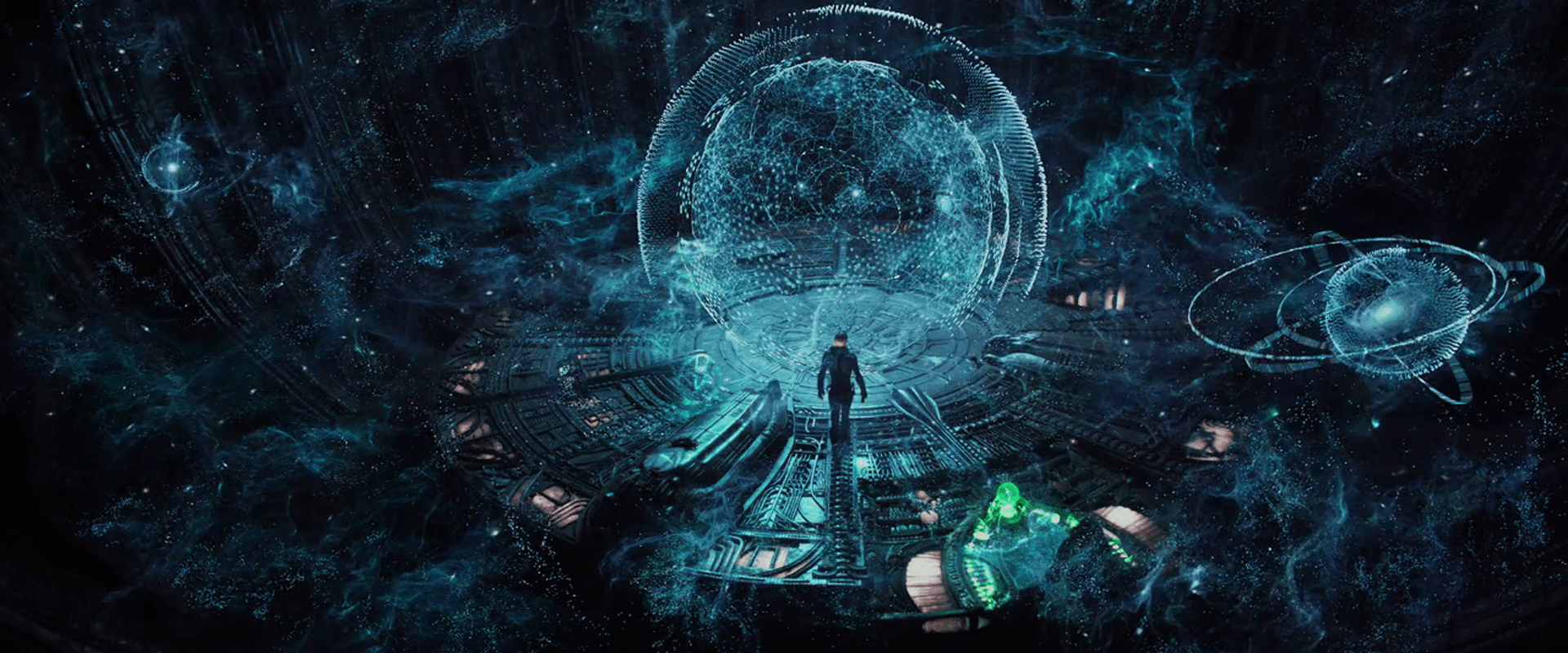
After the alien manipulates these controls for a bit, a massive, cyan volumetric projection appears and fills the chamber. It depicts a fluid node network mapped to the outside of a sphere. Other node network clouds appear floating everywhere in the room along with objects that look like old Bohr models of atoms, but with galaxies at their center. Within the sphere three-dimensional astronomical charts appear. Additionally huge rings appear and surround the main sphere, rotating slowly. After a few inputs from the VP alien at the interface, the whole display reconfigures, putting one of the small orbiting Bohr models at the center, illuminating emerald green lines that point to it and a faint sphere of emerald green lines that surround it. The total effect of this display is beautiful and spectacular, even for David, who is an unfeeling replicant cyborg.

Prometheus-226

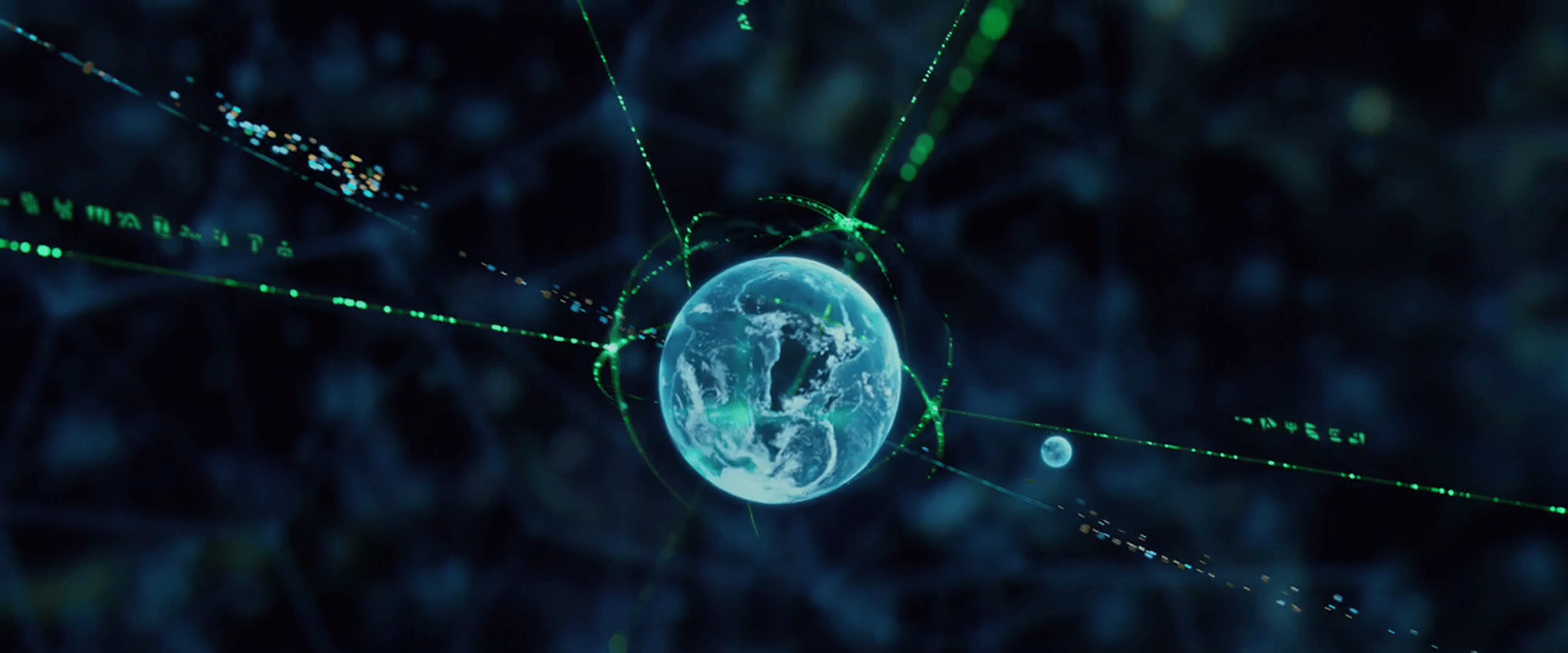
At the center of the display, David observes that the green-highlighted sphere is the planet Earth. He reaches out towards it, and it falls to his hand. When it is within reach, he plucks it from its orbit, at which point the green highlights disappear with an electronic glitch sound. He marvels at it for a bit, turning it in his hands, looking at Africa. Then after he opens his hands, the VP Earth gently returns to its rightful position in the display, where it is once again highlighted with emerald, volumetric graphics.

Prometheus-229

Finally, in a blinding flash, the display suddenly quits, leaving David back in the darkness of the abandoned room, with the exception of the small Earth display, which is floating over a small pyramid-shaped protrusion before flickering away.

After the Earth fades, david notices the stasis chambers around the outside of the room. He realizes that what he has just seen (and interacted with) is a memory from one of the aliens still present.

Prometheus-238

Prometheus-239

Hilarious and insightful Youtube poster CinemaSins asks in the video “Everything Wrong with Prometheus in 4 minutes or Less,” “How the f*ck is he holding the memory of a hologram?” Fair question, but not unanswerable. The critique only stands if you presume that the display must be passive and must play uninterrupted like a television show or movie. But it certainly doesn’t have to be that way.

Imagine if this is less like a YouTube video, and more like a playback through a game engine like a holodeck StarCraft. Of course it’s entirely possible to pause the action in the middle of playback and investigate parts of the display, before pressing play again and letting it resume its course. But that playback is a live system. It would be possible to run it afresh from the paused point with changed parameters as well. This sort of interrupt-and-play model would be a fantastic learning tool for sensemaking of 4D information. Want to pause playback of the signing of the Magna Carta and pick up the document to read it? That’s a “learning moment” and one that a system should take advantage of. I’d be surprised if—once such a display were possible—it wouldn’t be the norm.

Starmetheus

The only thing I see that’s missing in the scene is a clear signal about the different state of the playback:

  1. As it happened
  2. Paused for investigation
  3. Playing with new parameters (if it was actually available)

David moves from 1 to 2, but the only change of state is the appearance and disappearance of the green highlight VP graphics around the Earth. This is a signal that could easily be missed, and wasn’t present at the start of the display. Better would be some global change, like a global shift in color to indicate the different state. A separate signal might compare As it Happened with the results of Playing with new parameters, but that’s a speculative requirement of a speculative technology. Best to put it down for now and return to what this interface is: One of the most rich, lovely, and promising examples of sensemaking interactions seen on screen. (See what I did there?)

For more about how VP might be more than a passive playback, see the lesson in Chapter 4 of Make It So, page 84, VP Systems Should Interpret, Not Just Report.

Alien VPs

In the volumetric projection chapter of Make It So, we note that sci-fi makers take pains to distinguish the virtual from the real most often with a set of visual treatments derived from the “Pepper’s Ghost” parlor trick, augmented with additional technology cues: translucency, a blue tint, glowing whites, supersaturated colors for wireframed objects, clear pixels and/or flicker, with optional projection rays.

Prometheus has four types of VPs that adhere to this style in varying degrees. Individual displays (with their interactions) are discussed in other posts. This collection of posts compares their styles. This particular post describes the alien VPs.

Prometheus-223

The two alien VPs are quite different from the human VPs in appearance and behavior. The first thing to note is that they adhere to the Pepper’s Ghost style more readily, with glowing blue-tinted whites and transparency. Beyond that they differ in precision and implied technology.

Precision VPs

The first style of alien VP appears in the bridge of the alien vessel, where projection technology can be built into the architecture. The resolution is quite precise. When the grapefruit-sized Earth gets close to the camera in one scene, it appears to have infinite resolution, even though this is some teeny tiny percentage of the whole display.

Prometheus-228

Glowing Pollen

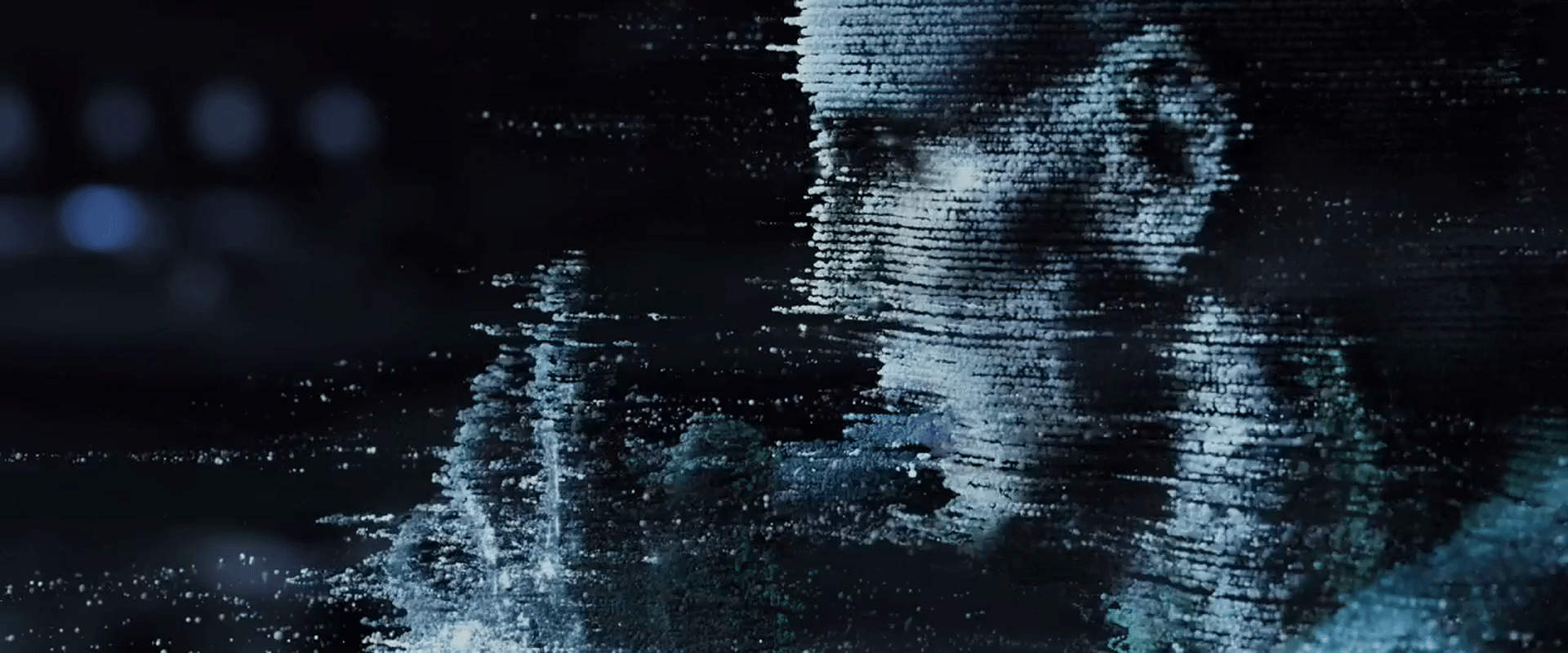
The other alien VP tech is made up of small, blue-white voxels that float, move in space, obey some laws of physics, and provide a crude level of resolution. These appear in the caves of the alien complex where display tech is not present in the walls, and again as “security footage” in the bridge of the alien ship. Because the voxels obey some laws of physics, it’s easier to think of them as glowing bits of pollen.

Prometheus-211 Prometheus-140

Pollen behavior

These voxels appear to not be projections of light in space, but actual motes that float through the air. When David activates the “security footage” in the alien complex, a wave of this pollen appears and flows past him. It does not pass through him, but collides with him, each collided mote taking a moment to move around him and regain its roughly-correct position in the display. (How it avoids getting in his mouth is another question entirely.) The motes even produce a gust of wind that disturb David’s bleached coif.

Pollen inaccuracy

The individual lines of pollen follow smooth arcs through the air, but lines appear to be slightly off from one another.

Prometheus-215

This style is beautiful and unique, and conveys a 3D display technology that can move to places even where there’s not a projector in line of sight. The sci-fi makers of this speculative technology use this inaccuracy to distinguish it from other displays. But if a precise understanding of the shapes being described is useful to its viewers, of course it would be better if the voxels were more precisely positioned in space. That’s a minor critique. The main critique of this display is when it gets fed back into the human displays as an arbitrary style, as I’ll discuss in the next post about the human-tech, floating-pixel displays.

Krell technology

Morbius is the inheritor of a massive underground complex of technology once belonging to a race known as the Krell. As Morbius explains, ““In times long past, this planet was the home of a mighty and noble race of beings which called themselves the Krell….”

Morbius tours Adams and Doc through the Krell technopolis.

“Ethically as well as technologically, they were a million years ahead of humankind; for in unlocking the mysteries of nature they had conquered even their baser selves… “…seemingly on the threshold of some supreme accomplishment which was to have crowned their entire history, this all but divine race perished in a single night.

““In the centuries since that unexplained catastrophe even their cloud-piercing towers of glass and porcelain and adamantine steel have crumbled back into the soil of Altair, and nothing——absolutely nothing——remains above ground.””

Despite this advancement, unless we ascribe to the Krell some sort of extra sensory perception and control, much of the technology we see has serious design flaws.

Morbius plays half-a-million-year-old Krell music.

The first piece of technology is a Krell recorded-music player, which Morbius keeps on the desk in his study. The small cylindrical device stands upright, bulging slighty around its middle. It is made of a gray metal, with a translucent pink band just below the middle. A hollow button sits on top.

The cylinder rests in a clear plastic base, with small, identical metal slugs sitting upright in recessions evenly spaced around it. To initiate music playback, Morbius picks one of the slugs and inserts it into the hollow of the button. He then depresses the momentary button once. The pink translucent band illuminates, and music begins to flow from unseen speakers around the office.

Modern audiences have a good deal of experience with music players, and so the device raises a great many questions. How does a user know which slug relates to what music? The slugs all look the same so this seems difficult at best. How does a user eject the slug? If by upending the device, one hopes that the cylinder comes free from the base easily, or the other slugs will all fall out as well. It must have impressed audiences to see music contained in such small containers, but otherwise the device is more attractive than usable.

Morbius inputs the combination to open the door.

Many Krell doors are protected by a combination lock. The mechanism stands high enough that Morbius can easily reach out and operate it. Its large circular face has four white triangles printed on its surface at the cardinal points, and other geometric red and yellow markings around the remainder. A four-spoke handle is anchored to a swivel joint at the center of the face. To unlock the door, a user twists the handle such that one of its spokes lines up with the north point, and then angles the handle to touch the spoke to the triangle there, before returning the handle to a neutral angle and twisting to the next position in the combination. When the sequence is complete, the triangles, the tips of the spokes, and a large ring around the face all light up and blink as the two-plane aperture doors slide open.

Even Walter Pigeon has trouble making sense of this awkward device. There appear to be no snap-to affordances for the neutral angle of the handle or the cardinal orientations, leaving the user unsure if each step in the sequence has been received correctly. Additionally, if the combination consists of particular spokes at this one point, why are the spokes undifferentiated? If the combination consists of pointing to different triangles, why are there four spokes instead of one? Is familiarity with some subtle cue part of the security measures?

Morbius shares operation of the Krell encyclopedia.

All of Krell wisdom and knowledge is contained in a device that Morbius shows to Adams and Doc. It consists of an underlit scroll of material sliding beneath a rectangular hole cut in the surface of a table. To illuminate it, Morbius turns one of the two ridged green dials located to the left of the “screen” about 45 degrees clockwise. To move the scroll, Morbius turns the other green dial clockwise as well.

Why is the least frequently used dial, i.e. the power button, closer than the more frequently used button, i.e. the scroll wheel? This requires the reader to be stretched awkwardly. Why is the on-off dial free spinning? There appear to be only two states: lit and unlit. The dial should have two states as well. If the content of the pages is discretely chunked into pages, it would also argue for a click-stop rather than free-spinning dial as well, but we do not get a good look at the scroll contents. One might also question the value of a scroll as the organizing method for a vast body of information, since related bits of information may be distractingly far apart.