Ford Explorers

image01

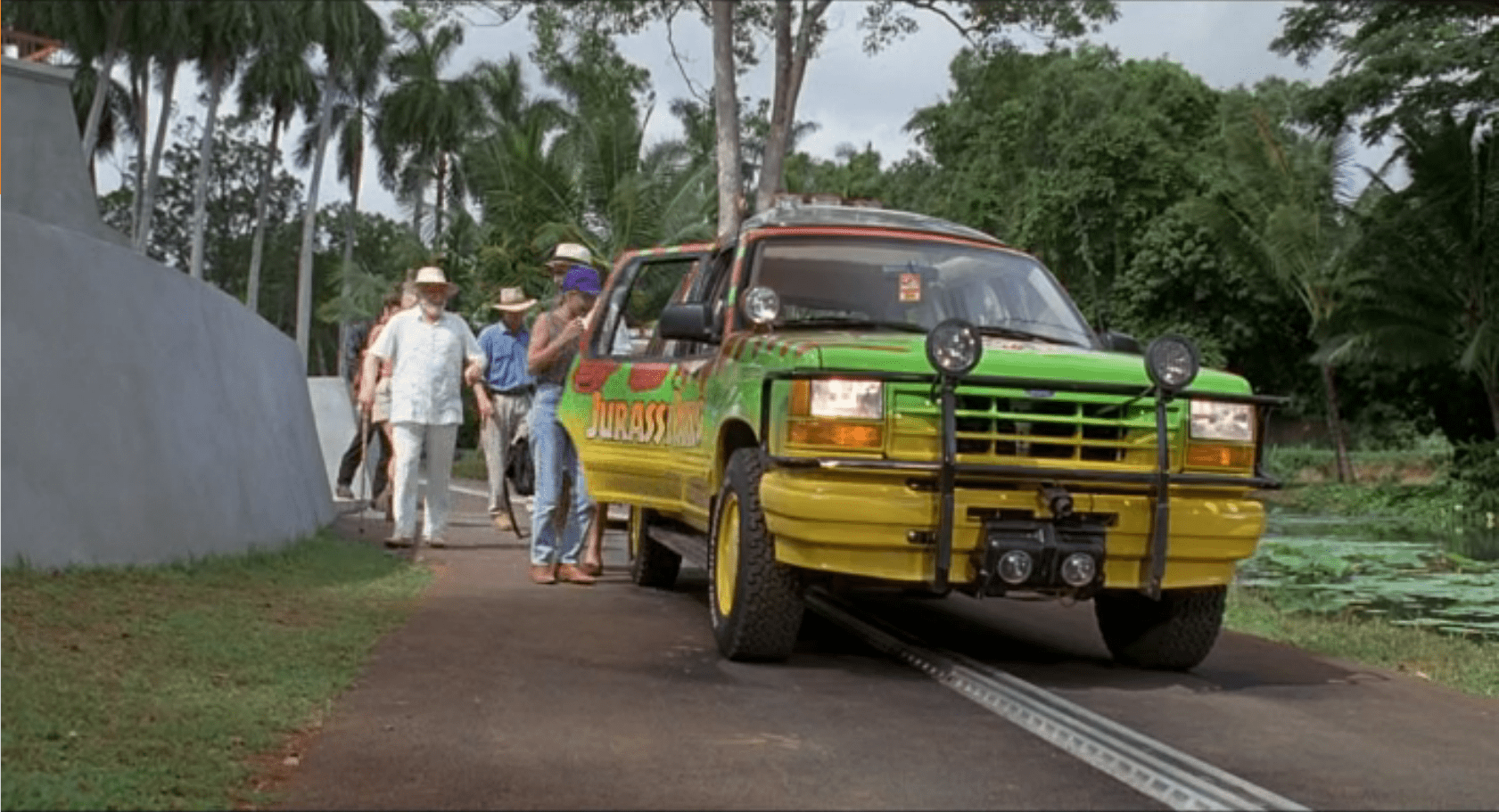
The Ford Explorer is an automated vehicle driven on an electrified track through a set route in the park.  It has protective covers over its steering wheel, and a set of cameras throughout the car:

  • Twin cameras at the steering wheel looking out the windshield to give a remote chauffeur or computer system stereoscopic vision
  • A small camera on the front bumper looking down at the track right in front of the vehicle
  • Several cameras facing into the cab, giving park operators an opportunity to observe and interact with visitors. (See the subsequent SUV Surveillance post.)

Presumably, there are protective covers over the gas/brake pedal as well, but we never see that area of the interior; evidence comes from when Dr. Grant and Dr. Saddler want to stop and look at the triceratops they don’t even bother to try and reach for the brake pedal, but merely hop out of the SUV.
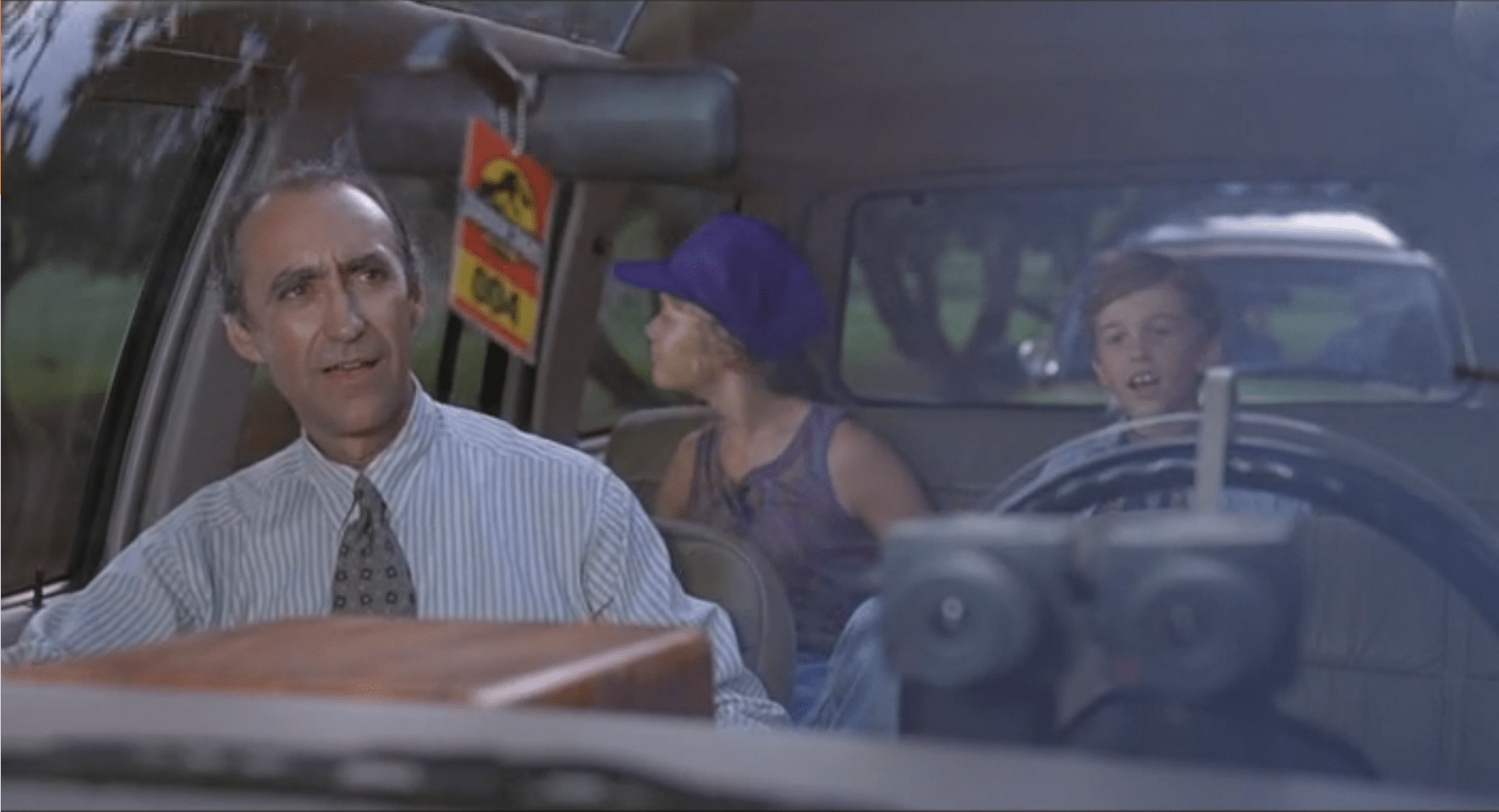
image02

The SUVs also have an interactive CD-ROM player in the center console with a touchscreen.  The CD-ROM has narrated, basic information about the park and exhibits, and has set points during the tour that it plays information about specific areas or dinosaurs.

image00

The Single, Central Screen

For what should be a focal point and value add for everyone in the car is poorly placed and in-optimally set up.  This would be the perfect situation for a second screen in the second console, at least.  If we look to more modern technology, we could start to include HUD overlays on all the windows of the Ford Explorer to track dinosaurs (so passengers would know where to look).  This could integrate with the need for better Night Vision Goggles.

A second concern is the hand-controlled interface.  Suddenly, everyone in the SUV is subservient to the two people who are within touch distance of the screen. Jurassic Park has enough location data and content in the presentation to be able to customize the play order to the tour.  This would keep an overactive kid from taking control of the screen and ruining the tour for everyone else in the car.

Steering Controls

The Ford Explorers maintain the steering wheel and gear selectors from their off-the-shelf compatriots.  This has two detriments on the passengers:

  • Cramps the person in the driver’s seat
  • Gives a false impression of control

The space is the most detrimental to the tour experience.  While the passenger has legroom, arm room, and plenty of space to turn around; the driver is forced to deal with the space hogging controls that are unusable.

By keeping the steering wheel, the SUV also implies that the driver could take control of the car.  We see no evidence of that, and Dr. Grant even climbs into the back of the Explorer instead of staying in the driver’s position.

The SUV drives itself, and shouldn’t give a false affordance that people are used to.

Comfort
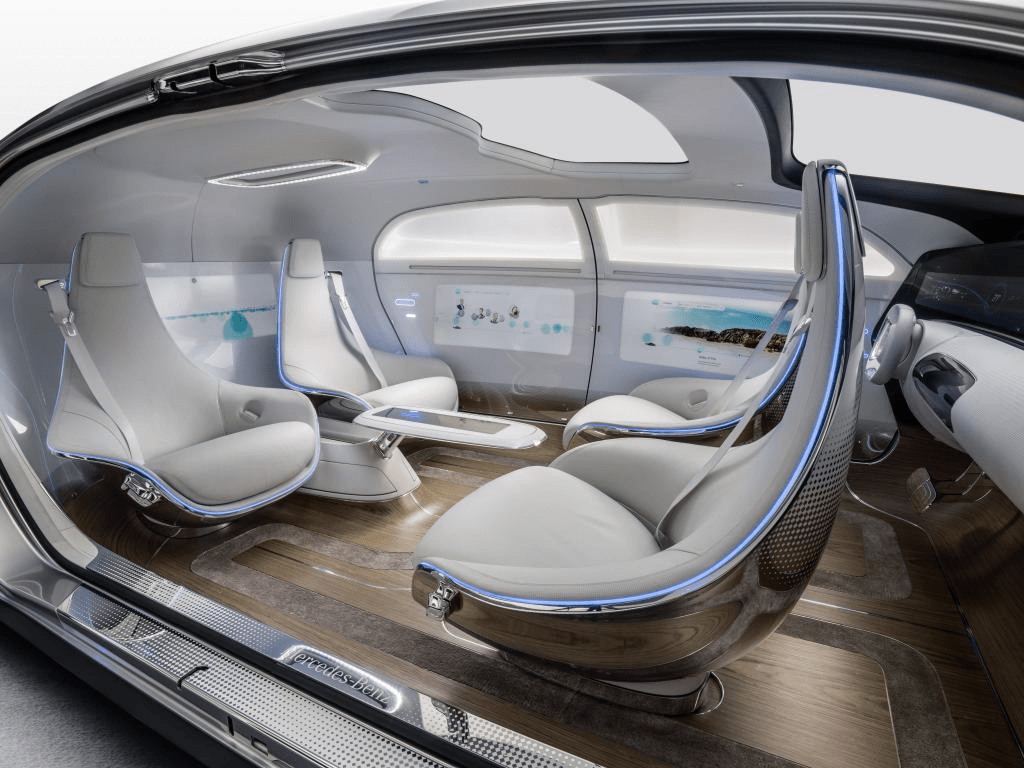
image03
The Mercedes F015 Self Driving Concept Car

A more radical concept would be completely custom vehicles.  Mercedes recently revealed a concept car focused around a lounge feel.  Other carmakers have done the same (Ford, Chevy, ect…).  It’s advantages are the increased social focus of the interior, and the easier access to all the windows.

Would this be more expensive? Yes, but as Hammond mentions frequently, they “spared no expense” to improve the experience for the guests.

The original article referenced these as Jeep Grand Cherokees… which they definitely are not.  As pointed out by Cary (http://smokeythejeep.wordpress.com/), the only Jeeps on the island are the gas powered models that the park rangers and staff use to get around the island.  These, as the article now states, are Ford Explorers ca. 1992.

Weather Monitor

Jurassic Park’s weather prediction software sits on a dedicated computer. It pulls updates from some large government weather forecast (likely NOAA).  The screen is split into three sections (clockwise from top left):

  1. 3D representation of the island and surrounding ocean with cloud layers shown
  2. plan view of the island showing cloud cover
  3. A standard climate metrics along the bottom with data like wind direction (labeled Horizontal Direction), barometric pressure, etc.

We also see a section labeled “Sectors”, with “Island 1” currently selected (other options include “USA” and “Island 2”…which is suitably mysterious).

JurassicPark_weather01

Using the software, they are able to pan the views to the area of ocean with an incoming tropical storm.  The map does not show rainfall, wind direction, wind speed, or distance; but the control room seems to have another source of information for that.  They discuss the projected path of the storm while looking at the map.

JurassicPark_weather03

Missing Information

The park staff relies on the data from weather services of America and Costa Rica, but doesn’t trust their conclusions (Muldoon asks if this storm will swing out of the way at the last second despite projections, “like the last one”).  But the team at Jurassic Park doesn’t have any information on what’s actually happening with the storm.

Unlike local weather stations here in the U.S., or sites like NOAA weather maps, there is in this interface a lack of basic forecasting information like, say, precipitation amount, precipitation type, individual wind speeds inside the storm, direction, etc… Given the deadly, deadly risks inherent in the park, this seems like a significant oversight.

The software has spent a great deal of time rendering a realistic-ish cloud (which, we should note looks foreshadowingly like a human skull), but neglects to give information that is taken for granted by common weather information systems.

Prediction

When the park meteorologist isn’t on duty, or isn’t awake, or has his attention on the Utahraptor trying to smash its way into the control room, the software should provide some basic information to everyone on staff:

  • What does the weather forecast look like over the next few hours and days?

When the weather is likely to be severe, there’s more information, and it needs to urgently get the attention of the park staff.

  • What’s the prediction?
  • Which parts of the park will be hit hardest?
  • Which tours and staff are in the most dangerous areas?
  • How long will the storm be over the island?

If this information tied into mobile apps or Jurassic Park’s wider systems, it could provide alerts to individual staff, tourists, and tours about where they could take shelter.

JurassicPark_weather02

Make the Information Usable

Reorienting information that is stuck on the bottom bar and shifting it into the 3d visual would lower the cognitive load required to understand everything that’s going on.  Adding in visuals for other weather data (taken for granted in weather systems now) would bring it at least up to standard.

Finally, putting it up on the big monitor either on demand or when it is urgent would make it available to everyone in the control room, instead of just whoever happened to be at the weather monitor. Modern systems would push the information information out to staff and visitors on their mobile devices as well.

With those changes, everyone could see weather in real time to adjust their behavior appropriately (like, say, delaying the tour when there’s a tropical storm an hour south), the programmer could check the systems and paddocks that are going to get hit, and the inactive consoles could do whatever they needed to do.

J.D.E.M. LEVEL 5

The first computer interface we see in the film occurs at 3:55. It’s an interface for housing and monitoring the tesseract, a cube that is described in the film as “an energy source” that S.H.I.E.L.D. plans to use to “harness energy from space.” We join the cube after it has unexpectedly and erratically begun to throw off low levels of gamma radiation.

The harnessing interface consists of a housing, a dais at the end of a runway, and a monitoring screen.

Avengers-cubemonitoring-07
Fury walks past the dais they erected just because.

The housing & dais

The harness consists of a large circular housing that holds the cube and exposes one face of it towards a long runway that ends in a dais. Diegetically this is meant to be read more as engineering than interface, but it does raise questions. For instance, if they didn’t already know it was going to teleport someone here, why was there a dais there at all, at that exact distance, with stairs leading up to it? How’s that harnessing energy? Wouldn’t you expect a battery at the far end? If they did expect a person as it seems they did, then the whole destroying swaths of New York City thing might have been avoided if the runway had ended instead in the Hulk-holding cage that we see later in the film. So…you know…a considerable flaw in their unknown-passenger teleportation landing strip design. Anyhoo, the housing is also notable for keeping part of the cube visible to users near it, and holding it at a particular orientation, which plays into the other component of the harness—the monitor.

Avengers-cubemonitoring-03

The monitor

In the underground laboratory, an (unnamed?) technician warns lead scientist Selvig that, “it’s spiking again,” and the camera pans down to this monitoring interface.

JDEM

Header

The header is a static barcode followed by the initialism J.D.E.M. along with its full name, the Joint Dark Energy Mission. (Sounds super cool and sci-fi, right? Turns out it is a real program between NASA and the US DOE.) Another label across the top identifies the screen as LEVEL 5 and that it belongs to PROJECT PEGASUS and NASA.

3D map

A main display shows a 3D wireframe of the tesseract, with color-coded nebula-like shapes within the cube. The wireframe (and most of the text on screen) are a bright cyan, with internal features progressing in color from the cyan through white to a blood red, all the way to lens flares near the most active areas in the cube. The color choices make for a quick read of what is “cool” and what is “hot,” so are effective for being immediate, but if the lens flares are designed into the system to indicate peakness, it’s a bad choice for obscuring other data in the display.

Note that the wireframe of the cube is also rotating slightly, which is  very helpful for a user to more fully understand 3D information from a 2D screen. It might be even better mapping with less cognitive load if the display was a volumetric projection. (VPs exist within the Marvel Cinematic Universe (MCU), but so far I believe we’ve only ever seen them in Tony Stark’s possession so perhaps he has not released it to the outside world.) Hopefully in its rotation on this monitor it does not rotate in 360°, as the regularness of the cube would make it difficult to understand where an internal anomaly might exist in the real thing. Hopefully the wireframe only wavers back and forth within a few degrees, and is oriented in roughly the same way an observer glancing at the real thing would see it in the housing, to allow for instant mapping of problem areas.

Avengers-cubemonitoring-01

Warning

Just to the left of the 3D map is a data monitoring panel. Its top label blinks a red WARNING CRITICAL ENERGY LEVELS and a percentage readout. The panel also features a key whose colors match those of the map. (As it should.) Hopefully a microinteraction allows a user to touch any part of the map, freeze the rotation, and get the percentage details of the touched point. A detail box wavers its vertical position along the key to provide a user a quick assessment of its value, and also contains a percentage readout for precision. Judging by the position of the box and the readout, it looks like the 100% mark is about halfway up the screen. Hopefully the upper part of the scale is logarithmic to accommodate massive surges in values.

Additional elements of the display include several scrolling waveforms and text boxes with inscrutable data and labels. It’s easy to imagine these as useful (say total energy values for specific electromagnetic frequencies) but they’re difficult to read, so difficult to formally evaluate.

All told, a nice display (per some assumptions) for monitoring what’s happening with the cube.

Now if only they had applied that solid design thinking to that dais vs. cage problem.

Avengers-cubemonitoring-04

The Gatekeeper

WallE-Gatekeeper04

After the security ‘bot brings Eve across the ship (with Wall-e in tow), he arrives at the gatekeeper to the bridge. The Gatekeeper has the job of entering information about ‘bots, or activating and deactivating systems (labeled with “1”s and “0”s) into a pedestal keyboard with two small manipulator arms. It’s mounted on a large, suspended shaft, and once it sees the security ‘bot and confirms his clearance, it lets the ‘bot and the pallet through by clicking another, specific button on the keyboard.

The Gatekeeper is large. Larger than most of the other robots we see on the Axiom. It’s casing is a white shell around an inner hardware. This casing looks like it’s meant to protect or shield the internal components from light impacts or basic problems like dust. From the looks of the inner housing, the Gatekeeper should be able to move its ‘head’ up and down to point its eye in different directions, but while Wall-e and the security ‘bot are in the room, we only ever see it rotating around its suspension pole and using the glowing pinpoint in its red eye to track the objects its paying attention to.

When it lets the sled through, it sees Wall-e on the back of the sled, who waves to the Gatekeeper. In response, the Gatekeeper waves back with its jointed manipulator arm. After waving, the Gatekeeper looks at its arm. It looks surprised at the arm movement, as if it hadn’t considered the ability to use those actuators before. There is a pause that gives the distinct impression that the Gatekeeper is thinking hard about this new ability, then we see it waving the arm a couple more times to itself to confirm its new abilities.

WallE-Gatekeeper01

The Gatekeeper seems to exist solely to enter information into that pedestal. From what we can see, it doesn’t move and likely (considering the rest of the ship) has been there since the Axiom’s construction. We don’t see any other actions from the pedestal keys, but considering that one of them opens a door temporarily, it’s possible that the other buttons have some other, more permanent functions like deactivating the door security completely, or allowing a non-authorized ‘bot (or even a human) into the space.

An unutilized sentience

The robot is a sentient being, with a tedious and repetitive job, who doesn’t even know he can wave his arm until Wall-e introduces the Gatekeeper to the concept. This fits with the other technology on board the Axiom, with intelligence lacking any correlation to the robot’s function. Thankfully for the robot, he (she?) doesn’t realize their lack of a larger world until that moment.

So what’s the pedestal for?

It still leaves open the question of what the pedestal controls actually do. If they’re all connected to security doors throughout the ship, then the Gatekeeper would have to be tied into the ship’s systems somehow to see who was entering or leaving each secure area.

The pedestal itself acts as a two-stage authentication system. The Gatekeeper has a powerful sentience, and must decide if the people or robots in front of it are allowed to enter the room or rooms it guards. Then, after that decision, it must make a physical action to unlock the door to enter the secure area. This implies a high level of security, which feels appropriate given that the elevator accesses the bridge of the Axiom.

Since we’ve seen the robots have different vision modes, and improvements based on their function, it’s likely that the Gatekeeper can see more into the pedestal interface than the audience can, possibly including which doors each key links to. If not, then as a computer it would have perfect recall on what each button was for. This does not afford a human presence stepping in to take control in case the Gatekeeper has issues (like the robots seen soon after this in the ‘medbay’). But, considering Buy-N-Large’s desire to leave humans out of the loop at each possible point, this seems like a reasonable design direction for the company to take if they wanted to continue that trend.

It’s possible that the pedestal was intended for a human security guard that was replaced after the first generation of spacefarers retired. Another possibility is that Buy-N-Large wanted an obvious sign of security to comfort passengers.

What’s missing?

We learn after this scene that the security ‘bot is Otto’s ‘muscle’ and affords some protection. Given that the Security ‘bot and others might be needed at random times, it feels like he would want a way to gain access to the bridge in an emergency. Something like an integrated biometric scanner on the door that could be manually activated (eye scanner, palm scanner, RFID tags, etc.), or even a physical key device on the door that only someone like the Captain or trusted security officers would be given. Though that assumes there is more than one entrance to the bridge.

This is a great showcase system for tours and commercials of an all-access luxury hotel and lifeboat. It looks impressive, and the Gatekeeper would be an effective way to make sure only people who are really supposed to get into the bridge are allowed past the barriers. But, Buy-N-Large seems to have gone too far in their quest for intelligent robots and has created something that could be easily replaced by a simpler, hard-wired security system.

WallE-Gatekeeper05

Brain VP

GitS-VPbrain-04

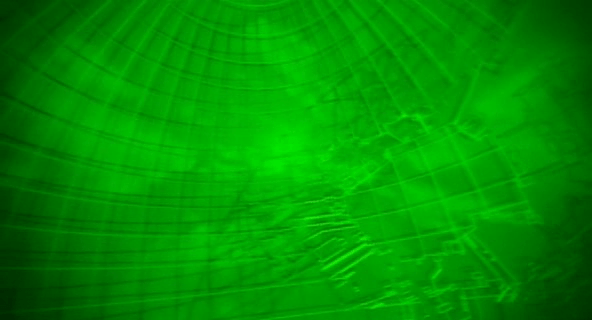
When trying to understand the Puppet Master, Kusanagi’s team consults with their staff Cyberneticist, who displays for them in his office a volumetric projection of the cyborg’s brain. The brain floats free of any surrounding tissue, underlit in a screen-green translucent monochrome. The edge of the projection is a sphere that extends a few centimeters out from the edge of the brain. A pattern of concentric lines routinely passes along the surface of this sphere. Otherwise, the "content" of the VP, that is, the brain itself, does not appear to move or change.

The Cyberneticist explains, while the team looks at the VP, "It isn’t unlike the virtual ghost-line you get when a real ghost is dubbed off. But it shows none of the data degradation dubbing would produce. Well, until we map the barrier perimeter and dive in there, we won’t know anyting for sure."

GitS-VPbrain-01

GitS-VPbrain-02

GitS-VPbrain-03

The VP does not appear to be interactive, it’s just an output. In fact, it’s just an output of the surface features of a brain. There’s no other information called out, no measurements, or augmenting data. Just a brain. Which raises the question of what purpose does this projection serve? Narratively, of course, it tells us that the Cyberneticist is getting deep into neurobiology of the cyborg. But he doesn’t need that information. Kunasagi’s team doesn’t even need that information. Is this some sort of screen saver?

And what’s up with the little ripples? It’s possible that these little waves are more than just an artifact of the speculative technology’s refresh. Perhaps they’re helping to convey that a process is currently underway, perhaps "mapping the barrier perimeter." But if that was the case, the Cyberneticist would want to see some sense of progress against a goal. At the very least there should be some basic sense of progress: How much time is estimated before the mapping is complete, and how much time has elapsed?

Of course any trained brain specialist would gain more information from looking at the surface features of a brain than us laypersons could understand. But if he’s really using this to do such an examination, the translucency and peaked, saturated color makes that task prohibitively harder than just looking at the real thing an office away or a photograph, not to mention the routine rippling occlusion of the material being studied.

Unless there’s something I’m not seeing, this VP seems as useless as an electric paperweight.

Section No9’s crappy security

GitS-Sec9_security-01

The heavily-mulleted Togusa is heading to a company car when he sees two suspicious cars in the parking basement. After sizing them up for a moment, he gets into his car and without doing anything else, says,

"Security, whose official vehicles are parked in the basement garage?"

It seems the cabin of the car is equipped to continuously monitor for sound, and either an agent from security is always waiting, listening at the other end, or by addressing a particular department by name, a voice recognition system instantly routs him to an operator in that department, who is able to immediately respond:

"They belong to Chief Nakamura of the treaties bureau and a Dr. Willis."

"Give me the video record of their entering the building."

In response, a panel automatically flips out of the dashboard to reveal a monitor, where he can watch the the security footage. He watches it, and says,

"Replay, infrared view"

After watching the replay, he says,

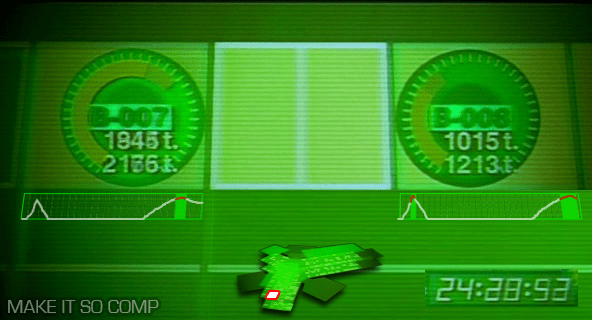
"Send me the pressure sensor records for basement garage spaces B-7 and 8."

The screen then does several things at once. It shows a login screen, for which his username is already supplied. He mentally supplies his password. Next a menu appears on a green background with five options: NET-WORK [sic], OPTICAL, PRESSURE, THERMO, and SOUND. "PRESSURE" highlights twice with two beeps. Then after a screen-green 3D rendering of Section 9 headquarters builds, the camera zooms around the building and through floorplans to the parking lot to focus on the spaces, labeled appropriately. Togusa watches as pea green bars on radial dials bounce clockwise, twice, with a few seconds between.

The login

Sci-fi logins often fail for basic multifactor authentication, and at first it appears that this screen only has two parts: a username and password. But given that Togusa connects to the system first vocally and then mentally, it’s likely that one of these other channels supplies a third level of authentication. Also it seems odd to have him supply a set of characters as the mental input. Requiring Togusa to think a certain concept might make more sense, like a mental captcha.

The zoom

Given that seconds can make a life-or-death difference and that the stakes at Section 9 are so high, the time that the system spends zooming a camera around the building all the way to the locations is a waste. It should be faster. It does provide context to the information, but it doesn’t have to be distributed in time. Remove the meaningless and unlabeled dial in the lower right to gain real estate, and replace it with a small version of the map that highlights the area of detail. Since Togusa requested this information, the system should jump here immediately and let him zoom out for more detail only if he wants it or if the system wants him to see suspect information.

The radial graphs

The radial graphs imply some maximum to the data, and that Nakamura’s contingent hits some 75% of it. What happens if the pressure exceeds 37 ticks? Does the floor break? (If so, it should have sent off structural warning alarms at the gate independently of the security question.) But presumably Section 9 is made of stronger stuff than this, and so a different style of diagram is called for. Perhaps remove the dial entirely and just leave the parking spot labels and the weight. Admittedly, the radial dial is unusual and might be there for consistency with other, unseen parts of the system.

Moreover, Togusa is interested in several things: how the data has changed over time, when it surpassed an expected maximum, and by how much. This diagram only addresses one of them, and requires Togusa to notice and remember it himself. A better diagram would trace this pressure reading across time, highlighting the moments when it passed a threshold. (This parallels the issues of medical monitoring highlighted in the book, Chapter 12, Medicine.)

SECURITY_redo

Even better would be to show this data over time alongside or overlaid with any of the other feeds, like a video feed, such that Togusa doesn’t have to make correlations between different feeds in his head. (I’d have added it to the comp but didn’t have source video from the movie.)

The ultimately crappy Section No9 security system

Aside from all these details of the interface and interaction design, I have to marvel at the broader failings of the system. This is meant to be the same bleeding-edge bureau that creates cyborgs and transfers consciousnesses between them? If the security system is recording all of this information, why is it not being analyzed continuously, automatically? We can presume that object recognition is common in the world from a later scene in which a spider tank is able to track Kunasagi. So as the security system was humming along, recording everything, it should have also been analyzing that data, noting the discrepancy between of the number of people it counted in any of the video feeds, the number of people it counted passing through the door, and the unusual weight of these "two" people. It should have sent a warning to security at the gate of the garage, not relied on the happenstance of Togusa’s hunch and good timing.

This points to a larger problem that Hollywood has with technology being part of its stories. It needs heroes to be smart and heroic, and having them simply respond to warnings passed along by smart system can seem pointedly unheroic. But as technology gets smarter and more agentive, these kinds of discrepancies are going to break believability and get embarassing.

REAL TIME FULL SCAN HACKING

GitS-cybrain-06

When Section 9 monitors a cyborg’s brain for real-time evidence of hacking, we see a monitoring scan. It shows a screen-green wireframe brain floating at an oblique angle in a black space. A 2D rectangle repeatedly builds it with a “wipe” from front to back, which leaves a dim 3D trail in its passing that describes the brain shape. Fans of the National Library of Medicine’s The Visible Human Project may see similarities, though the project’s visualizations would not be available until a year after the film’s release.

In the upper left is a legend reading, “REAL TIME FULL SCAN HACKING” with some numbers, with another unintelligible legend in the lower right. The values in the upper left never change, and the values in the lower legend change too rapidly to read them. After a beat, a text overlay appears on the right hand side of the screen with vaguely-medical terms listed in all capital letters, flying by too quickly to read*. There is an additional device seen in the corner of the frame, with progress-bar-like displays with thick green lines that wobble left and right. Two waveforms hang above this, their labels off screen. Yellow “fireworks” appear near the “temples” of the brain, indicating the parts under attack.

A question of usefulness

If data doesn’t change or changes too fast to read, it is worth asking if the data should be shown at all. If it’s moving too fast, other representations might work better, like a progress bar, a map, or sparkline. Of course, we know that many programmers may use this kind of output during the run of a program so that if the program stops, the last few activities may be immediately known, so this may be more code than interface.

*Vaguely-medical terms

If you’re the sort of nerd who obsesses over details, following is the text that flashes on the right hand side of the display. There’s nothing in it that is really helpful or informative to a review. It’s mostly internal organs or parts of the brain augmented with “CHECKS” and “CONNECTS”. There’s one exception, about halfway through the 5-second sequence, where it reads “M.YGODDESS CHECK.” Diegetically, it could be a programmers slang for a body part. More likely it’s a reference to Oh! My Goddess!, a manga by Kosuke Fujishima that’s been in print since 1988.

GitS-cybrain-07

ACCESS
CHECK CONNECT
MOTOR FIBERS CHECK
CONNECT POINT NCL
NCL. AMBIGUOUS
SEARCH AN ARTFICIAL B
NCL. AMBIGUOUS CHECK
AN ARTIFICIAL BODY’S PO
GANGLION SUPERIUS CHECK
NO REJECTION
FORAMEN JUGULARE PAG
GANGLION INFERIUS
GANGLION INFERIUS
PROPER VOLTAGE
RAMIPHARMNGEI CAL.L.D
N. LARYNGEUS SUPERIOR
RAMIPHARYNGI CHECK
PLEXUS PHARYNGEUS CHECK
NEXT
M.LEVATOR VELI PALAT
MM.CONSTRICTORES PHA
CALLING…
M.LEVATOR VELI PALAT
MM.CONSTRICTORES PHA
CONNECT
N.LARYNGEUS SUPERIOR
N.LARYNGEUS RECURRE
RAMUS EXTERNUS CHECK
NEXT
M.CIRCOTHYROIDEUS
RAMIESOPHAGEI CALLIN
N.LARYNGEUS RECURRED
NO REJECTION
CHECK FEEDBACK TO
NCL. AMBIGUUS
RAMITRACHEALES CHEC
FEEDBACK TO NCL. AMBI
RAMIESOPHAGEI CHECK
NEXT
N.LARYNGEUS INFERIOR
CONNECT N.VAGUS MOTOR
CHECK OVER
EXTEROCEPTIVE SENSOR
CHECK STRAT
CONNECT POINT NCL
NCL. SPINALIS N TRIG
SEARCH AN ARTIFICAL B
NCL.SPINALIS N.TRIGG
CHECK
AN ARTIFICIAL BODY’S PO
TR.SPINALIS N. TIGGER
NO REJECTION
TR.SPINALIS N.TRIGE
CANALICULUS MASTOID
VISCEROMOTOR FIBERS
CANALICULUS MASTOIDS
CONNECT POINT NCL
NCL. DORSALIS N. VAGI
RAMUS AURICULARIS CH
CHECK FEEDBACK TO
NCL. SPINALIS N. TRIGEG
SEARCH AN ARTIFICIAL B
N. VAGUS ENERROCEPTIN
FEEDBACK TO
NCL. SPINALIS TRIGER
CHECK OVER
ANARTIFICAL BODY’S PO
NCL.DORSAL IS N. VAGI
GANGLION SUPERIUS
NO REJECTION
GANGLION SUPERIUS CH
FORAMEN JUGULARE PAS
GANGLION INFERIUS CHE
SAFETY CONNECT PROGR
RAMICORDIACICERVICA
CALLING…
RAMICORDIACICERVICA
NO REJECTION
NEXT
RAMICORDIACICERVICA
CALLING…
PLESUS CARDIACUS CAL
RAMICORDIACICERVICA
PLESUS CARDIACUS CHE
M. ATSUMO TOKAORU CHE
ATOMIC DISPOSITION C
M.YGODDESS CHECK
CHECK OVER
GUSTATORY FIBERS
CHECK STRAT
CONNECT POINT NCL.
NCL. SOLITARIUS
SEARCH AN ARTIFICAIAL B
NCL. SOLITARIUS CHECK
AN ARTIFICIAL BODY’S PO
GANGLION SUPERIUS
NO NOIZE
NEXT
GANGLION SUPERIUS CH
FORAMEN JUGULARE PRE
GANGLION INFERIUS CHE
RAMIPHARYNGEI CALLING
RAMIPHARYNGEI CHECK
PLEXUS PHARYNGEUS CA
NO REJECTION
PLEXUS PHARYNGEUS CH
TASTE BUDS CALLING
CHECK FEEDBACK TO
NCL. SOLITARIUS
TASTE BUDS CONNECT
FEEDBACK NCL. SOLITAR
CHECK OVER
VISCEPOSENSORY FIBER
CHECK STRAT
CONNECT POINT NCL
NCL SOLITARIUS
SEACH AN ARTIFICIAL B
NCL. SOLITARIUS CHECK
AN ARTIFICIAL BODY’S PO
TRACTUS SOLITARIUS C
NO NOIZE
TRACTUS SOLITARIUS C
GANGLION SUPERIUS CA
NO REJECTION
GANGLION SUPERIUS CH
FORAMEN JUGULARE PAS
GANGLION INFERIUS CA
N.LARYNGEUS SUPERIOR
N.LARYNGEUS RECURRED
PLEXUS PULMONAL IS CA
N. LARYNGEUS RECURRED
RAMIESOPHAGUI CALLI
N. LARYNGEYS INFERIOR
RAMITRACHEALES SUPERIOR
RAMUS INTERNUS CALLI
PLEXUS INTERNUS CALLI
PLEXUS PULMONALIS CH
PLEXUS ESOPHAGEUS CA
RAMIESOPHAGEI CHECK
N.LARYNGEUS INFERIOR
PLEXUS EXOPHAGEUS CH
TRUNCUS VAGALIS POST
RAMITRACHEALES CHEC
TRUNCUS VAGALIS ANTE
RAMUS INTERNUS CHECK
VOCAL CORO CALLING
TRUNCUS VAGALIS POST
RAMICOEL CALLING
RAMIRENALES CALLING
TRUNCUS VAGALIS ANTE
RAMIHEPATICI CHECK
PLEXUS HAPATICUS CAL
RAMIGASTRICIPOSTER
RAMIRENALES CHECK
PLEXUS RENALIS CALLI
RAMICOELIACI CHECK
PLEXUS COELICUS CALL
RAMIHEPATICI CHECK
PLEXUSHEPATICUS CALL
RAMIGASTRICI ANTERIO
PLEXUS COELICUS CHEC
RAMI GASTRICIPOSTER
PLEXUS RENALIS CHECK
RAMIGASTRICI ANTERIO
CHECK FEEDBACK TO
BCL. SOLITARUS
PLEXUS HEPATICUS CHE
FEEDBACK TO NCL. SOLIT
VOCAL CORD CHECK
CHECK OVER
CHECK CONNECT
MOTOR FIBERS CHECK
CONNECT POINT NCL
NCL. AMBIGUUS
SEARCH AN ARTIFICAL B
NCL.AMBIGUOUS CHECK
AN ARTIFICAL BODY’S
GANGLION SUPERIUS CA
GANGLION SUPERIUS CH
NO REJECTION
FORAMEN JUGULARE PAS
GANGLION INFERIUS CAL
GANGLION INFERIUS CHE
PROPER VOLTAGE

Virtual 3D Scanner

GitS-3Dscanner-001

Visualization

The film opens as a camera moves through an abstract, screen-green 3D projection of a cityscape. A police dispatch voice says,

“To all patrolling air units. A 208 is in progress in the C-13 district of Newport City. The airspace over this area will be closed. Repeat:…”

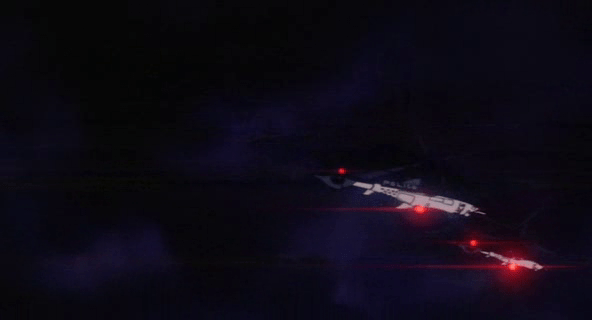
The camera floats to focus on two white triangles, which become two numbers, 267 and 268. The thuck-thuck sounds of a helicopter rotor appear in the background. The camera continues to drop below the numbers, but turns and points back up at them. When the view abruptly shifts to the real world, we see that 267 and 268 represent two police helicopters on patrol.

GitS-3Dscanner-008

Color

The roads on the map of the city are a slightly yellower green, and the buildings are a brighter and more saturated green. Having all of the colors on the display be so similar certainly sets a mood for the visualization, but it doesn’t do a lot for its readability. Working with broader color harmonies would help a reader distinguish the elements and scan for particular things.

colorharmonies

Perspective

The perspective of the projection is quite exaggerated. This serves partly as a modal cue to let the audience know that it’s not looking at some sort of emerald city, but also hinders readability. The buildings are tall enough to obscure information behind them, and the extreme perspective makes it hard to understand their comparative heights or their relation to the helicopters, which is the erstwhile point of the screen.

perspectives

There are two ways to access and control this display. The first is direct brain access. The second is by a screen and keyboard.

Brain Access

Kusanagi and other cyborgs can jack in to the network and access this display. The jacks are in the back of their neck and as with most brain interfaces, there is no indication about what they’re doing with their thoughts to control the display. She also uses this jack interface to take control of the intercept van and drive it to the destination indicated on the map.

During this sequence the visual display is slightly different, removing any 3D information so that the route can be unobscured. This makes sense for wayfinding tasks, though 3D might help with a first-person navigation tasks.

GitS-3Dscanner-010

Screen and keyboard access

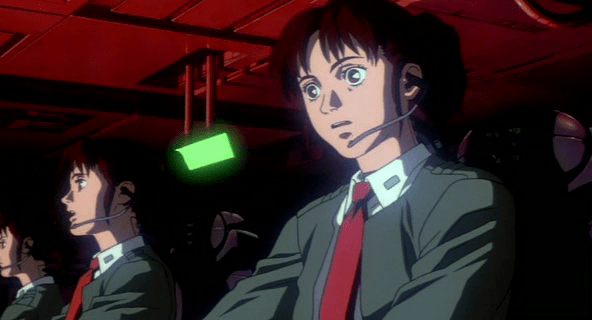
While Kusanagi is piloting an intercept van, she is in contact with a Section 9 control center. Though the 3D visualization might have been disregarded up to this point as a film conceit, here see that it is the actual visualization seen by people in the diegesis. The information workers at Section 9 Control communicate with agents in the field through headsets, type onto specialized keyboards, and watch a screen that displays the visualization.

GitS-3Dscanner-036

Their use is again a different mode of the visualization. The information workers are using it to locate the garbage truck. The first screens they see show a large globe with a white graticule and an overlay reading “Global Positioning System Ver 3.27sp.” Dots of different sizes are positioned around the globe. Triangles then appear along with an overlay listing latitude, longitude, and altitude. Three other options appear in the lower-right, “Hunting, Navigation, and Auto.” The “Hunting” option is highlighted with a translucent kelley green rectangle.

After a few seconds the system switches to focus on the large yellow triangle as it moves along screen-green roads. Important features of the road, like “Gate 13” are labeled in a white, rare serif font, floating above the road, in 3D but mostly facing the user, casting a shadow on the road below. The projected path of the truck is drawn in a pea green. A kelley green rectangle bears the legend “Game 121 mile/h / Hunter->00:05:22 ->Game.” The speed indicator changes over time, and the time indicator counts down. As the intercept van approaches the garbage truck, the screen displays an all-caps label in the lower-left corner reading, somewhat cryptically, “FULL COURSE CAUTION !!!”

The most usable mode

Despite the unfamiliar language and unclear labeling, this “Hunter” mode looks to be the most functional. The color is better, replacing the green background with a black one to create a clearer foreground and background for better focus. No 3D buildings are shown, and the camera angle is similar to a real-time-strategy angle of around 30 degrees from the ground, with a mild perspective that hints at the 3D but doesn’t distort. Otherwise the 3D information of the roads’ relationship to other roads is shown with shape and shadow. No 3D buildings are shown, letting the user keep her focus on the target and the path of intercept.

GitS-3Dscanner-035

Floating-pixel displays

In other posts we compared the human and alien VPs of Prometheus. They were visually distinct from each other, with the alien “glowing pollen” displays being unique to this movie.

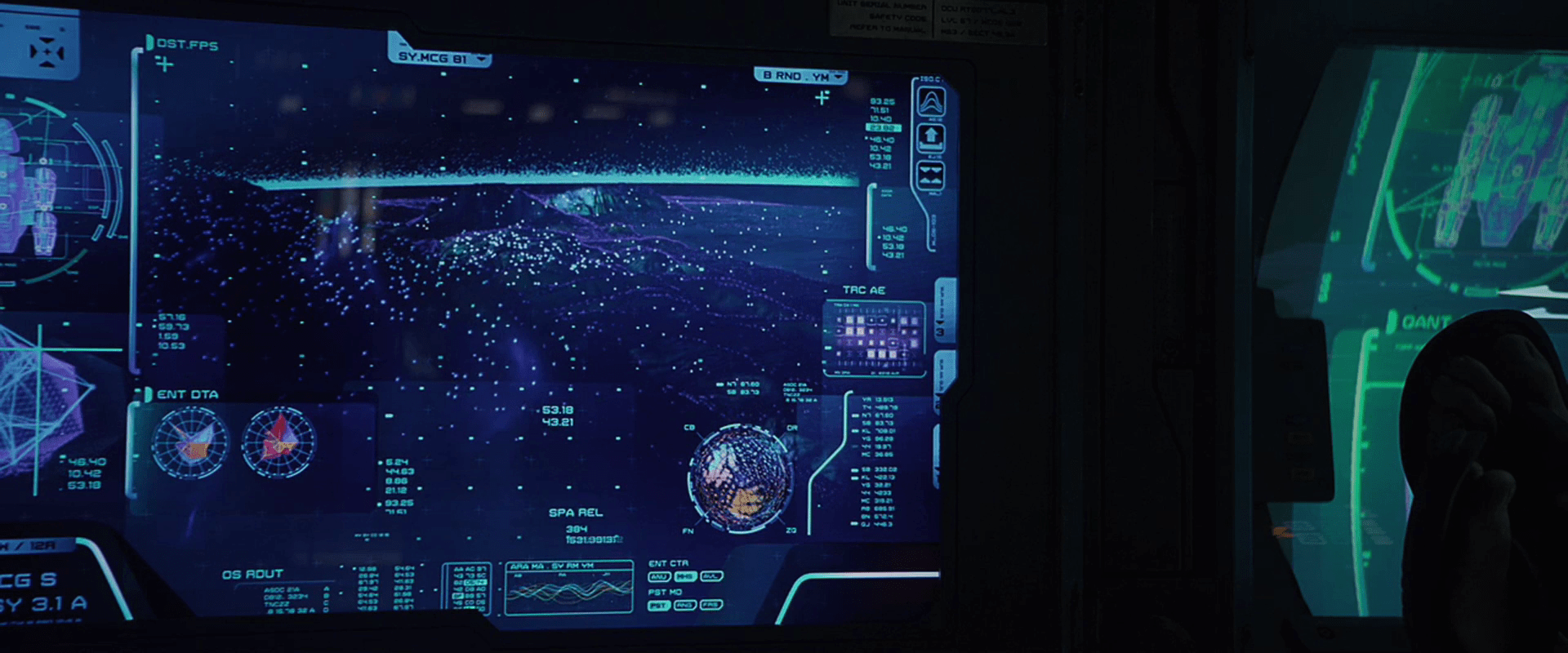
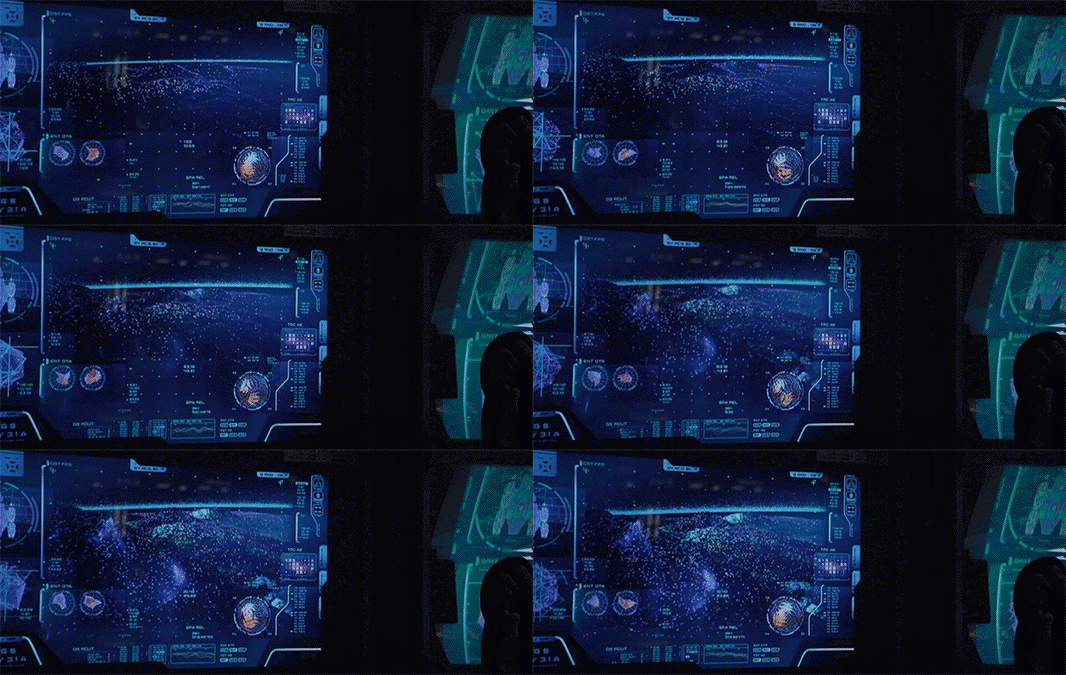
There is a style of human display in Prometheus that looks similar to the pollen. Since the users of these displays don’t perceive these points in 3D, it’s more precise to call it a floating-pixel style. These floating-pixel displays appear in three places.

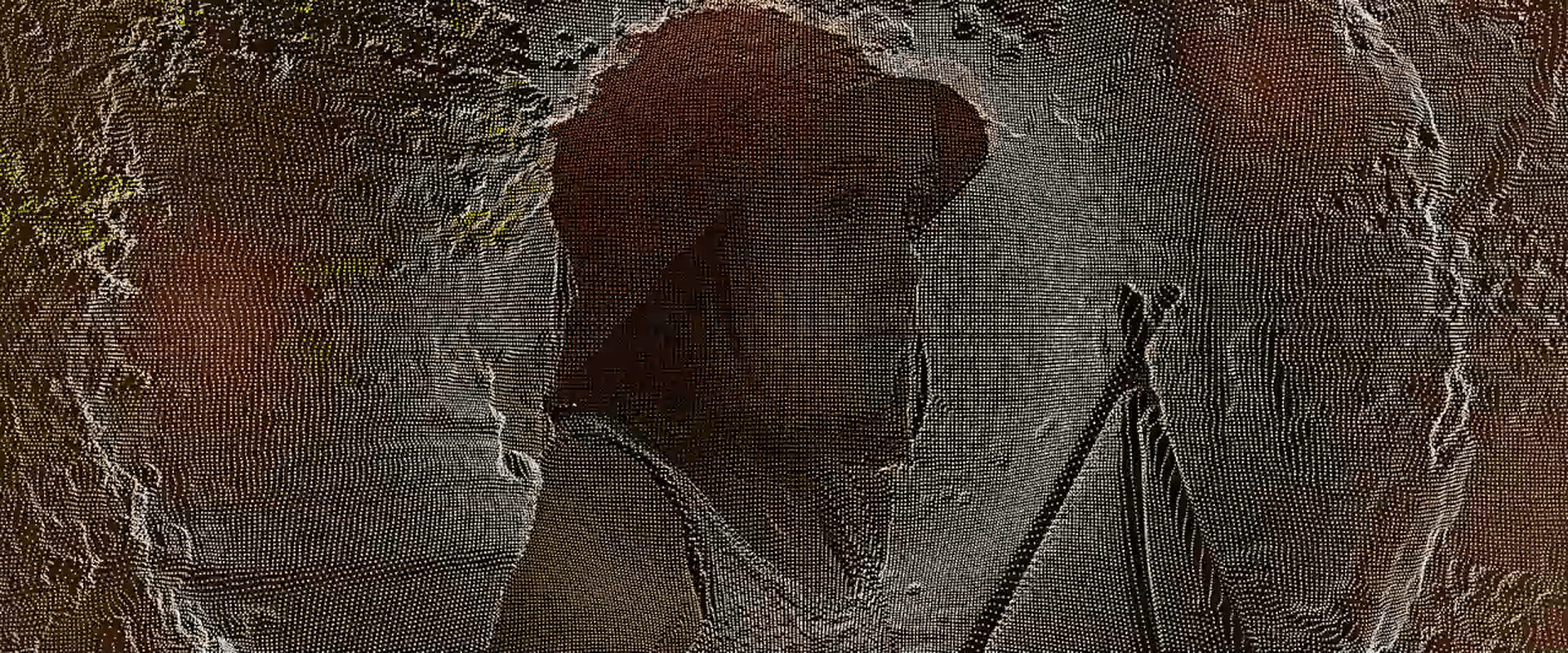
  • David’s Neurovisor for peering into the dreams of the hypersleeping Shaw. (Note this may be 3D for him.)
  • The landing-sequence topography displays
  • The science lab scanner, used on the alien head
Prometheus-007
Prometheus-096
Prometheus-165

There is no diegetic reason offered in the movie for the appearance of an alien 3D display technology in human 2D systems. When I started to try and explain it, it quickly drifted away from interaction design and into fan theory, so I have left it as an exercise for the reader. But there remains a question about the utility of this style.

Poor cues for understanding 3D

Floating, glowing points are certainly novel to our survey as a way to describe 3D shapes for users. And in the case of the alien pollen, it makes some sense. Seeing these in the world, our binocular vision would help us understand the relationships of each point as well as the gestalt, like walking around a Christmas tree at night.

But in 2D, simple points are not ideal for understanding 3D surfaces. Especially when the pixels are all the same apparent size. We normally use the small bits of scale to help us understand an object’s relative distance from us. Though the shape can be kind-of inferred through motion, it still creates a great deal of visual noise. It also hurts when the points are too far apart. It doesn’t give us a gestalt sense of surface.

I couldn’t find any scientific studies of the readability of this style, this is my personal take on it. But we also can look to the real world, namely to the history of maps, where cartographers have wrestled with similar problems to show topography. Centuries of their trial-and-error have resulted in four primary techniques for describing 3D shapes on a 2D surface: hachures, contour lines, hypsometric tints, and shaded relief.

(images from http://www.siskiyous.edu/shasta/map/map/)

These styles utilize lines, shades, and colors to describe topography, and notably not points. Even modern 3D modeling software uses tessellated wireframes instead of floating points as a lightweight rendering technique. To my knowledge, only geographic information systems display anything similar, and that’s only when the user wants to see actual data points.

These anecdotal bits of evidence combine with my observations of these interfaces in Prometheus to convince me that while it’s stylistically unique (and therefore useful to the filmmakers), it’s seriously suboptimal for real-world adoption.

Neuro-Visor

The second interface David has to monitor those in hypersleep is the Neuro-Visor, a helmet that lets him perceive their dreams. The helmet is round, solid, and white. The visor itself is yellow and back-lit. The yellow is the same greenish-yellow underneath the hypersleep beds and clearly establishes the connection between the devices to a new user. When we see David’s view from inside the visor, it is a cinematic, fully-immersive 3D projection of events in her dreams, that is presented in the “spot elevations” style that is predominant throughout the film (more on this display technique later).

Later in the movie we see David using this same helmet to communicate with Weyland who is in a hypersleep chamber, but Weyland is somehow conscious enough to have a back-and-forth dialogue with David. We don’t see either David’s for Weyland’s perspective in the scene.

David communicated with Weyland.

As an interface, the helmet seems straightforward. He has one Neuro-Visor for all the hypersleep chambers, and to pair the device to a particular one, he simply touches the surface of the chamber near the hyper sleeper’s head. Cyan interface elements on that translucent interface confirm the touch and presumably allow some degree of control of the visuals. To turn the Neuro-Visor off, he simply removes it from his head. These are simple and intuitive gestures that makes the Neuro-Visor one of the best and most elegantly designed interfaces in the movie.