In the world of “White Christmas”, everyone has a networked brain implant called Zed-Eyes that enables heads-up overlays onto vision, personalized audio, and modifications to environmental sounds. The control hardware is a thin metal circle around a metal click button, separated by a black rubber ring. People can buy the device with different color rings, as we see alternately see metal, blue, and black versions across the episode.
To control the implant, a person slides a finger (thumb is easiest) around the rim of a tiny touch device. Because it responds to sliding across its surface, let’s say the device must use a sensor similar to the one used in The Entire History of You (2011) or the IBM Trackpoint,
A thumb slide cycles through a carousel menu. Sliding can happen both clockwise and counterclockwise. It even works through gloves.
The button selects or executes the selected action. The complete list of carousel menu options we see in the episode are: Search, Camera, Music, Mail, Call, Magnify, Block, Map. The particular options change across scenes, so it is context-aware or customizable. We will look at some of the particular functions in later posts. For now, let’s discuss the “platform” that is Zed-eyes.
Analysis
There’s not much to discuss about the user interface. The carousel a mature, if constrained, interface model familiar to anyone who has used an iPod. We know the constraints and benefits of such a system, and the Zed-Eyes content seems to fit this kind of interface well.
Hardware
The main question about the hardware is that is must be very very easy to lose or misplace. It would make sense for the Zed-Eyes to help you locate it when you need help, but we don’t see a hint of this in the show.
I think the little watch-battery form factor is a bad design. It’s easy to lose and hard to find and requires a lot of precision to use. Since this exists in a world with very high fidelity image recognition and visual processing, better would be to get rid of input hardware altogether.
Let the user swipe with their thumb across their index finger (or really, any available surface) and have the HUD read that as input. To distinguish real-world interactions that should not have consequence—like swiping dust off a computer—from input meant for the HUD, it could track the user’s visual focal point. When the user’s eyes focus on the empty space in the air right above where they’re swiping, the system knows swiping is meant to affect the interface.
With this kind of interaction there would be no object to lose, and of course save whatever entity provides this service the costs of the hardware and maintenance.
We must note that such a design might not play well cinematically, as viewers might not understand what was happening at first, but understanding the hardware is not critical to understanding the plot-critical effects of using the technology.
Cyborgs in social space
A last question is about the invisibility of the technology. This can cause problems when a user is known to be hearing, but functionally deaf because they are listening to music loudly, and the people around them can’t tell that. Someone could be speaking to the user and believe their non-response is disrespect. It could cause safety problems as, say, a bicyclist barrels towards them on a sidewalk, ringing their bell, expecting the user to move. This can allow privacy abuse as a user can take pictures in circumstances that should be private.
Joe, the moment he is taking a picture of Beth.
One solution would be to make the presence of the tech and interactions quite visible. Glowing pupils and large, obvious gestural control, for example. But in a world where everyone has the technology, the Zed-Eyes can simply limit the behavior of photographs to permitted places, times, and according to the preferences of the people in the photograph. If someone is listening to music and functionally deaf, a real time overlay could inform people around them. This guy is listening to music. If a place is private, the picture option could be disabled with feedback to the user of this. Sorry, pictures are not allowed here.
The visibility we want for ubiquitous technology can be virtual, and provide feedback to everyone involved.
This is one of those sci-fi interactions that seems simple when you view it, but then on analysis it turns out to be anything but. So set aside some time, this analysis will be one of the longer ones even broken into four parts.
The Eye of Agamotto is a medallion that (spoiler) contains the emerald Time Infinity Stone, held on by a braided leather strap. It is made of brass, about a hand’s breadth across, in the shape of a stylized eye that is covered by the same mystical sigils seen on the rose window of the New York Sanctum, and the portal door from Kamar-Taj to the same.
World builders may rightly ask why this universe-altering artifact bears a sigil belonging to just one of the Sanctums.
We see the Eye used in three different places in the film, and in each place it works a little differently.
The Tibet Mode
The Hong Kong Modes
The Dark Dimension Mode
The Tibet Mode
When the film begins, the Eye is under the protection of the Masters of the Mystic Arts in Kamar-Taj, where there’s even a user manual. Unfortunately it’s in mysticalese (or is it Tibetan? See comments) so we can’t read it to understand what it says. But we do get a couple of full-screen shots. Are there any cryptanalysists in the readership who can decipher the text?
They really should put the warnings before the spells.
The power button
Strange opens the old tome and reads “First, open the eye of Agamotto.” The instructions show him how to finger-tut a diamond shape with both hands and spread them apart. In response the lid of the eye opens, revealing a bright green glow within. At the same time the components of the sigil rotate around the eye until they become an upper and lower lid. The green glow of this “on state” persists as long as Strange is in time manipulation mode.
Once it’s turned on, he puts the heels of his palms together, fingers splayed out, and turns them clockwise to create a mystical green circle in the air before him. At the same time two other, softer green bands spin around his forearm and elbow. Thrusting his right hand toward the circle while withdrawing his left hand behind the other, he transfers control of the circle to just his right hand, where it follows the position of his palm and the rotation of his wrist as if it was a saucer mystically glued there.
Then he can twist his wrist clockwise while letting his fingers close to a fist, and the object on which he focuses ages. When he does this to an apple, we see it with progressively more chomps out of it until it is a core that dries and shrivels. Twisting his wrist counter clockwise, the focused object reverses aging, becoming younger in staggered increments. With his middle finger upright, the object reverts to its “natural” age.
Pausing and playing
At one point he wants to stop practicing with the apple and try it on the tome whose pages were ripped out. He relaxes his right hand and the green saucer disappears, allowing him to manipulate it and a tome without changing their ages. To reinstate the saucer, he extends his fingers out and gives his hand a shake, and it fades back into place.
Tibet Mode Analysis: The best control type
The Eye has a lot of goodness to it. Time has long been mapped to circles in sun dials and clock faces, so the circle controls fit thematically quite well. The gestural components make similar sense. The direction of wrist twist coincides with the movement of clock hands, so it feels familiar. Also we naturally look at and point at objects of focus, so using the extended arm gesture combined with gaze monitoring fits the sense of control. Lastly, those bands and saucers look really cool, both mystical in pattern and vaguely technological with the screen-green glow.
Readers of the blog know that it rarely just ends after compliments. To discuss the more challenging aspects of this interaction with the Eye, it’s useful to think of it as a gestural video scrubber for security footage, with the hand twist working like a jog wheel. Not familiar with that type of control? It’s a specialized dial, often used by video editors to scroll back and forth over video footage, to find particular sequences or frames. Here’s a quick show-and-tell by YouTube user BrainEatingZombie.
Is this the right kind of control?
There are other options to consider for the dial types of the Eye. What we see in the movie is a jog dial with hard stops, like you might use for an analogue volume control. The absolute position of the control maps to a point in a range of values. The wheel stops at the extents of the values: for volume controls, complete silence on one end and max volume at the other.
But another type is a shuttle wheel. This kind of dial has a resting position. You can turn it clockwise or counterclockwise, and when you let go, it will spring back to the resting position. While it is being turned, it enacts a change. The greater the turn, the faster the change. Like a variable fast-forward/reverse control. If we used this for a volume control: a small turn to the left means, “Keep lowering the volume a little bit as long as I hold the dial here.” A larger turn to the left means, “Get quieter faster.” In the case of the Eye, Strange could turn his hand a little to go back in time slowly, and fully to reverse quickly. This solves some mapping problems (discussed below) but raises new issues when the object just doesn’t change that much across time, like the tome. Rewinding the tome, Strange would start slow, see no change, then gradually increase speed (with no feedback from the tome to know how fast he was going) and suddenly he’d fly way past a point of interest. If he was looking for just the state change, then we’ve wasted his time by requiring him to scroll to find it. If he’s looking for details in the moment of change, the shuttle won’t help him zoom in on that detail, either.
There are also free-spin jog wheels, which can specify absolute or relative values, but since Strange’s wrist is not free-spinning, this is a nonstarter to consider. So I’ll make the call and say what we see in the film, the jog dial, is the right kind of control.
So if a jog dial is the right type of dial, and you start thinking of the Eye in terms of it being a video scrubber, it’s tackling a common enough problem: Scouring a variable range of data for things of interest. In fact, you can imagine that something like this is possible with sophisticated object recognition analyzing security footage.
The investigator scrubs the video back in time to when the Mona Lisa, which since has gone missing, reappears on the wall.
INVESTIGATOR
Show me what happened—across all cameras in Paris—to that priceless object…
She points at the painting in the video.
…there.
So, sure, we’re not going to be manipulating time any…uh…time soon, but this pattern can extend beyond magic items a movie.
The scrubber metaphor brings us nearly all the issues we have to consider.
What are the extents of the time frame?
How are they mapped to gestures?
What is the right display?
What about the probabilistic nature of the future?
What are the extents of the time frame?
Think about the mapping issues here. Time goes forever in each direction. But the human wrist can only twist about 270 degrees: 90° pronation (thumb down) and 180° supination (thumb away from the body, or palm up). So how do you map the limited degrees of twist to unlimited time, especially considering that the “upright” hand is anchored to now?
The conceptually simplest mapping would be something like minutes-to-degree, where full pronation of the right hand would go back 90 minutes and full supination 2 hours into the future. (Noting the weirdness that the left hand would be more past-oriented and the right hand more future-oriented.) Let’s call this controlled extents to distinguish it from auto-extents, discussed later.
What if -90/+180 minutes is not enough time to entail the object at hand? Or what if that’s way too much time? The scale of those extents could be modified by a second gesture, such as the distance of the left hand from the right. So when the left hand was very far back, the extents might be -90/+180 years. When the left hand was touching the right, the extents might be -90/+180 milliseconds to find detail in very fast moving events. This kind-of backworlds the gestures seen in the film.
That’s simple and quite powerful, but doesn’t wholly fit the content for a couple of reasons. The first is that the time scales can vary so much between objects. Even -90/+180 years might be insufficient. What if Strange was scrubbing the timeline of a Yareta plant (which can live to be 3,000 years old) or a meteorite? Things exist in greatly differing time scales. To solve that you might just say OK, let’s set the scale to accommodate geologic or astronomic time spans. But now to select meaningfully between the apple and the tome his hand must move mere nanometers and hard for Strange to get right. A logarithmic time scale to that slider control might help, but still only provides precision at the now end of the spectrum.
If you design a thing with arbitrary time mapping you also have to decide what to do when the object no longer exists prior to the time request. If Strange tried to turn the apple back 50 years, what would be shown? How would you help him elegantly focus on the beginning point of the apple and at the same time understand that the apple didn’t exist 50 years ago?
So letting Strange control the extents arbitrarily is either very constrained or quite a bit more complicated than the movie shows.
Could the extents be automatically set per the focus?
Could the extents be set automatically at the beginning and end of the object in question? Those can be fuzzy concepts, but for the apple there are certainly points in time at which we say “definitely a bud and not a fruit” and “definitely inedible decayed biomass.” So those could be its extents.
The extents for the tome are fuzzier. Its beginning might be when its blank vellum pages were bound and its cover decorated. But the future doesn’t have as clean an endpoint. Pages can be torn out. The cover and binding could be removed for a while and the pages scattered, but then mostly brought together with other pages added and rebound. When does it stop being itself? What’s its endpoint? Suddenly the Eye has to have a powerful and philosophically advanced AI just to reconcile Theseus’ paradox for any object it was pointed at, to the satisfaction of the sorcerer using it and in the context in which it was being examined. Not simple and not in evidence.
Auto-extents could also get into very weird mapping. If an object were created last week, each single degree of right-hand-pronation would reverse time by about 2 hours; but if was fated to last a millennium, each single degree of right-hand-supination would advance time by about 5 years. And for the overwhelming bulk of that display, the book wouldn’t change much at all, so the differences in the time mapping between the two would not be apparent to the user and could cause great confusion.
So setting extents automatically is not a simple answer either. But between the two, starting with the extents automatically saves him the work of finding the interesting bits. (Presuming we can solve that tricky end-point problem. Ideas?) Which takes us to the question of the best display, which I’ll cover in the next post.
After Jasper tells a white lie to Theo, Miriam, and Kee to get them to escape the advancing gang of Fishes, he returns indoors. To set a mood, he picks up a remote control and presses a button on it while pointing it at a display.
He watches a small transparent square that rests atop some things in a nook. (It’s that decimeter-square, purplish thing on the left of the image, just under the lampshade.) The display initially shows an album queue, with thumbnails of the album covers and two bright words, unreadably small. In response to his button press, the thumbnail for Franco Battiato’s album FLEURs slides from the right to the left. A full song list for the album appears beneath the thumbnail. Then track two, the cover of Ruby Tuesday, begins to play. A small thumbnail to the right of the album cover appears, featuring some white text on a dark background and a cycling, animated border. Theo puts the remote control down, picks up the Quietus box, and walks over to Janice. *sniff*
This small bit of speculative consumer electronics gets around 17 seconds of screen time, but we see enough to consider the design.
Persistent display
One very nice thing about it is that it is persistently visible. As Marshall McLuhan famously noted, we are simply not equipped with earlids. This means that when music is playing in a space, you can’t really just turn away from it to stop listening. You’ll still hear it. In UX parlance, sound is non-modal.
Yet with digital music players, the visual displays that tell you about what’s being played, or the related interfaces that help you know what you can do with the music are often hidden behind modes. Want to know what that song you can’t stop hearing is? Find your device, wake it up, enter a password, find the app, and even then you may have to root around to find the software to find what you’re looking for.
But a persistent object means that non-modal sound is accompanied by (mostly) non-modal visuals. This little box is always somewhere, glowing, and telling you what’s playing, what just played, and what’s next.
Remote control
Finding the remote is a different problem, of course, and if your household is like my household, it is a thing which seems to want to be lost. To keep that non-modality of sound matched by the controls, it would be better to have the device or the environment know when Jasper is looking at the display, and enable loose gestural or voice controls to control it.
Imagine the scene if he grabs the Quietus box, looks up to the display, and says, “Play…” then pause while he considers his options, and says “…‘Ruby Tuesday’…the Battiato one.” We would have known that his selection has deep personal meaning. If Cuarón wanted to convey that this moment has been planned for a while, Jasper could even have said, “Play her goodbye song.”
Visual layout
The visual design of the display is, like most of the technology, meant to be a peripheral thing, accepting attention but not asking for it. In this sense it works. The text is so small the audience is not tempted to read it. The thumbnails are so small it is only if you already knew the music that it would refresh your memory. But if this was a real product meant to live in the home, I would redesign the display to be usable at the 3–6 meter distance, which would require vastly reducing the number of elements, increasing their size, and perhaps overlaying text on image.
Johnny, with newly upgraded memory, goes straight to the hotel room where he meets the client’s scientists. Before the data upload, he quickly installs a motion detector on the hotel suite door. This is a black box that he carries clipped to his belt. He uses his thumb to activate it as he takes hold and two glowing red status lights appear.
Once placed on the door, there is just one glowing light. We don’t see exactly how Johnny controls the device, but for something this simple just one touch button would be sufficient.
A little later, after the brain upload (discussed in the next post), the motion detector goes off when four heavily armed Yakuza arrive outside the door. The single light starts blinking, and there’s a high pitched beep similar to a smoke alarm, but quieter.
Analysis
A sonic alarm is good, because it is omnidirectional. But being omnidirectional it might also notify the would-be attackers that they have been detected. Here the designers have erred too far on the side of caution. The alarm is so quiet that none of the scientists notice, and Johnny himself is lucky to be within a few metres when it goes off. The Yakuza burst in and slaughter the unaware scientists. It would almost certainly have been better for the alarm to be configured as loud as possible, ensuring everyone who needed to hear did so. And while the attackers would have been alerted, they might have been deterred by the thought of witnesses arriving.
At every major intersection, and at the entrance to each room, the Battlestar Galactica has very large pressure doors. These doors each have a handle and a large wheel on each side. During regular operation crewmembers open the door with the handle and close it firmly, but do not spin the wheel. Occasionally, we see crew using the wheel as a leverage point to close the door.
Sealing it off
We never directly see a crewmember spin the wheel on the door after it closes. While Chief Tyrol is acting as head of damage control, he orders all bulkheads in a section of the ship sealed off. This order is beyond the typical door closing that we witness day-to-day.
This implies that the door has three modes: Open, Closed, and Sealed.
Crewmembers could use the door most of their day in an open or closed mode, where an easy pull of the handle unlatches the door and allows them to enter or leave quickly. In an emergency, a closed door could be sealed by spinning the valve wheel on one side of the door.
Danger?
As with other parts of the Galactica, the doors are completely manual, and cannot be activated remotely. (Because Cylon hacking made them go network-less.) Someone has to run up to the door in an emergency and seal it off.
One worry is that, because there is a valve wheel on both sides, an untrained crewmember might panic and try to unseal the door by turning it in the wrong direction. This would endanger the entire crew.
The other worry is that the valve spins along a single axis (we see no evidence either way during the show), requiring the crew to know which side of the door they were on to seal it against a vacuum. “Righty Tighty, Lefty Loosey” would fail in this instance, and might cause hesitation or accidental unsealing in an actual emergency.
Ideally, the doors would have wheels that spun identically on either side, so that a clockwise spin always sealed the door, and a counter-clockwise spin always unsealed it.
Current water-tight doors have two sides, the ‘important’ side and the ‘unimportant’ side. The important side faces towards the ‘center’ of the vessel, or the core of the larger block of the ship, and can be sealed off quickly from that side with a wheel and heavy ‘dogs’.
Weathertight doors have a handle-latch on both sides that is connected (much like a doorknob), and can seal/unseal the door from either side.
If there is a technical limitation to that mechanism (unlikely, but possible), then a large and obvious graphic on the door (a clockwise or counterclockwise arrow) could serve to remind the crew which direction of turn sealed the door. In this case, sealing the door is the primary action to call out because it is the action done under a panic situation, and the action most easily forgotten in the heat of the moment.
Otherwise, the doors could be a danger to the crew: the crew on the ‘safe’ side could seal the door against depressurization, but crew on the ‘unsafe’ side might try to unseal it to save themselves in a panic.
Air pressure might keep the door properly closed in this instance, but it is still a risk.
Effective?
We see during the damage control incident that the doors are quickly closed and sealed by the crew, even in an emergency, making the rest of the ship airtight. This either shows that the doors are effective at their job, or the crew is very well trained for such a situation.
Like the rest of the Galactica, the technology relies on people to work. A couple hints or minor tweaks to that technology could make the crew’s lives much easier without putting them at danger from the Cylons or the empty void of space.
The Galactica’s fighter launch catapults are each controlled by a ‘shooter’ in an armored viewing pane. There is one ‘shooter’ for every two catapults. To launch a Viper, he has a board with a series of large twist-handles, a status display, and a single button. We can also see several communication devices:
Ear-mounted mic and speaker
Board mounted mic
Phone system in the background
These could relate to one of several lines of communication each:
The Viper pilot
Any crew inside the launch pod
Crew just outside the launch pod
CIC (for strategic status updates)
Other launch controllers at other stations
Engineering teams
‘On call’ rooms for replacement operators
Each row on the launch display appears to conform to some value coming off of the Viper or the Galactica’s magnetic catapults. The ‘shooter’ calls off Starbuck’s launch three times due to some value he sees on his status board (fluctuating engine power right before launch).
We do not see any other data inputs. Something like a series of cameras on a closed circuit could show him an exterior view of the entire Viper, providing additional information to the sensors.
When Starbuck is ready to launch on the fourth try, the ‘shooter’ twists the central knob and, at the same time and with the same hand, pushes down a green button. The moment the ‘shooter’ hits the button, Starbuck’s Viper is launched into space.
There are other twist knobs across the entire board, but these do not appear to conform directly to the act of launching the Viper, and they do not act like the central knob. They appear instead to be switches, where turning them from one position to another locks them in place.
There is no obvious explanation for the number of twist knobs, but each one might conform to an electrical channel to the catapult, or some part of the earlier launch sequence.
Manual Everything
Nothing in the launch control interprets anything for the ‘shooter’. He is given information, then expected to interpret it himself. From what we see, this information is basic enough to not cause a problem and allow him to quickly make a decision.
Without networking the launch system together so that it can poll its own information and make its own decisions, there is little that can improve the status indicators. (And networking is made impossible in this show because of Cylon hackers.) The board is easily visible from the shooter chair, each row conforms directly to information coming in from the Viper, and the relate directly to the task at hand.
The most dangerous task the shooter does is actually decide to launch the Viper into space. If either the Galactica or the Viper isn’t ready for that action, it could cause major damage to the Viper and the launch systems.
A two-step control for this is the best method, and the system now requires two distinct motions (a twist-and-hold, then a separate and distinct *click*). This is effective at confirming that the shooter actually wants to send the Viper into space.
To improve this control, the twist and button could be moved far enough apart (reference, under “Two-Hand Controls” ) that it requires two hands to operate the control. That way, there is no doubt that the shooter intends to activate the catapult.
If the controls are separated like that, it would take some amount of effort to make sure the two controls are visually connected across the board, either through color, or size, or layout. Right now, that would be complicated by the similarity in the final twist control, and the other handles that do different jobs.
Changing these controls to large switches or differently shaped handles would make the catapult controls less confusing to use.
The Battlestar Galactica has at least two Faster-than-Light engines (which might be easier to think of as teleportation engines), activated during a complex sequence. The sequence involves:
An explicit, direct command from Commander Adama
Complex calculations on dedicated computers
Double-checking by a large portion of the CIC staff
and finally, a dedicated key and button to initiate the actual jump
Making an FTL jump is not a standard procedure for the Galactica, and it is implied that it has been decades since the ship carried out an actual jump. This is because of the danger in landing off-course, the difficulty in the calculations, and wear on what is likely a very expensive component. We see that many civilian ships do not have FTL capability.
The FTL engine allows the Galactica to instantly travel between one point in the star system, and another point in the star system. Dense books of pre-made calculations are kept in the Galactica’s CIC to enter into the ship’s FTL computers.
Multiple teams each begin separate calculations, using the Galactica’s FTL computers as giant calculators for their hand-written/typed equations. The teams then cross-check their answers against each other, using a senior officer (in this case, Lt. Gaeta) as the final confirmation.
Once all teams agree on an FTL jump coordinate, the information is plugged into a separate system to “spool up” the FTL drive.
Lt. Gaeta then pulls out a special key that fits into a dedicated slot in the FTL system in the CIC. The key has two cylindrical pins that each glow a distinct blue, and are each different lengths. The handle of the key has a matching shape on the console as well, so that the key can only fit in one way.
Once the key is inserted, Lt. Gaeta turns the key and announces that the FTL drive is active. Commander Adama then gives the order to jump, and Lt. Gaeta pushes a separate button (which has until now been inactive) that jumps the Galactica to the coordinates entered.
After the Galactica finishes its FTL Jump, Commander Adama asks for confirmation that they have arrived successfully at their destination. Lt. Gaeta runs across the CIC to a navigation console and checks the screen there for the ship’s location. From the information on that screen, Lt. Gaeta confirms that the Galactica has re-entered real space at exactly the place they were intended to be. (Or might report an error, but we never see this.)
The entire CIC lets out a breath of relief and begins clapping in celebration. Lt. Gaeta congratulates his navigation team for their work, and the CIC slowly resumes their task of running the ship. The CIC crew is clearly unnerved by the jump, and everyone is thankful when they arrive safely at their destination.
The Current Position Screen
This is the screen that Lt. Gaeta uses to confirm that they have successfully landed at their current target: geosynchronous orbit above their target body of mass. He does not visibly use any of the controls on the console. The screen autonomously zooms in on the ‘X’ marker, then displays a large, red, blinking triangle with “BSG 75” written above it (The Battlestar Galactica’s registry code). The red ‘X’ is written inside a large sphere, which appears to be the object the Galactica was attempting to jump to.
All of the lines on this graph describe arcs, and appear to be orbital paths. The Galactica is marked as being directly on one of these arcs. Dotted arcs connect many other objects on the screen to each other. These have no clear purpose or legend.
At the bottom center of the screen are the words “Waypoint Time”, “Waypoint Distance”, and “T.O.T.” Above those words is a small label: “Synthetic Gravity Field 74.56”. To the left of those words is an area of data that has been boxed off with the label “Optic Nav System Control.”
More text to the top left lists out information in a table format, but is unreadable to the viewer due to the resolution of the screens in the CIC. The two rows of data beside the labels do not have column headers or unit indicators.
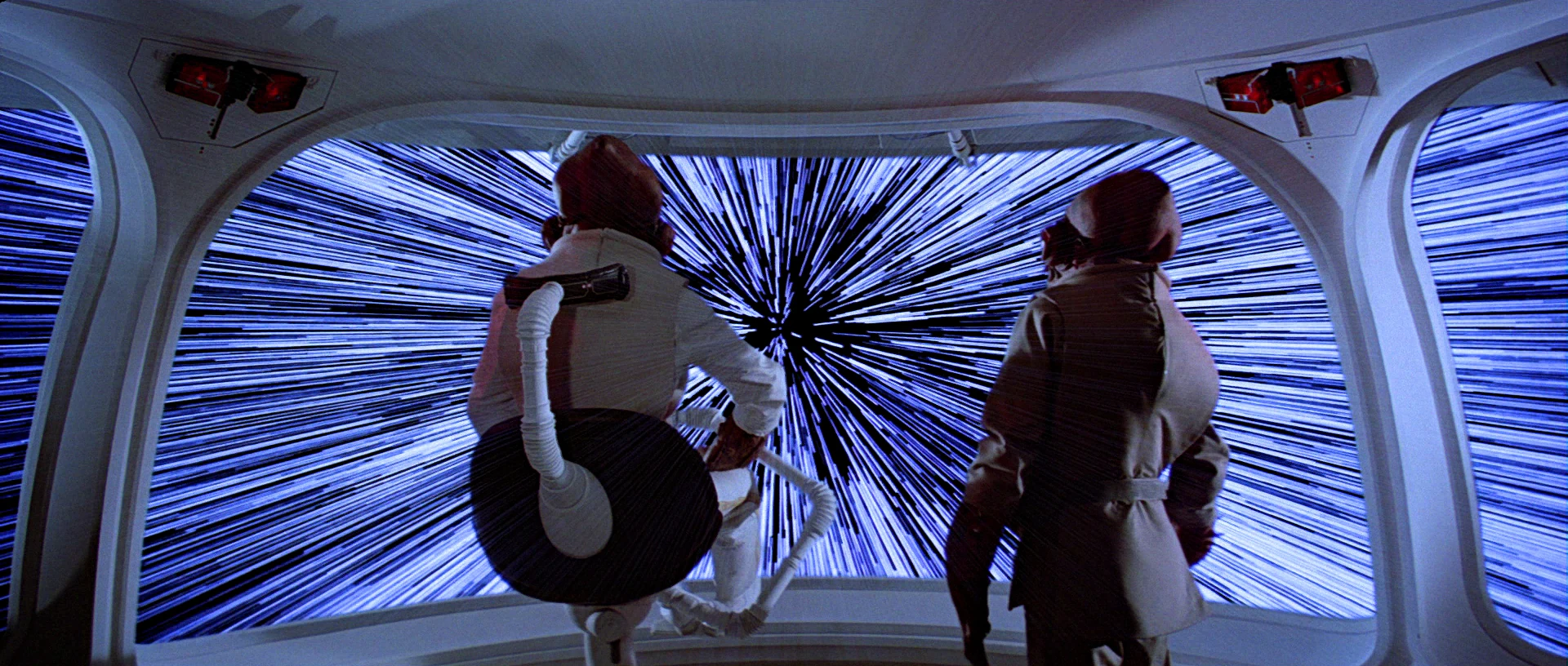
Faster than light travel (FTL) is a(n as-yet) fictional trope that is used to allow stories to happen on scales larger than a single solar system. Nothing we’ve found so far indicates that faster than light travel is possible, let alone practical, but it makes things like Star Wars, Star Trek, and Battlestar Galactica possible as stories.
As noted on TV Tropes, there are three broad ‘favorites’ when it comes to FTL:
“Warp” Drives: the ship distorts space around it to go really fast, so it stays in this universe but breaks the laws of physics in ways we haven’t figured out how to yet. Star Trek has made this a household word.
“Jump” Drives: the ship finds itself in a special point in space, does some math, pushes a button, and appears instantly at its destination. This is the kind that the Galactica uses.
“Hyperdrives”: the ship somehow breaks out of our current universe into a place where the ‘speed of light’ is faster. Star Wars and Hitchhikers Guide to the Galaxy prefer this type of FTL.
Overall, the actual mechanics don’t effect the story, but it’s an interesting topic in and of itself. For as much information as you could possibly want, the fantastic website Atomic Rockets has a large page on it: http://www.projectrho.com/public_html/rocket/fasterlight.php
When Imperial troopers intrude to search the house, one of the bullying officers takes interest in a device sitting on the dining table. It’s the size of a sewing machine, with a long handle along the top. It has a set of thumb toggles along the top, like old cassette tape recorder buttons.
Saun convinces the officer to sit down, stretches the thin script with a bunch of pointless fiddling of a volume slider and pantomimed delays, and at last fumbles the front of the device open. Hinged at the bottom like a drawbridge, it exposes a small black velvet display space. Understandably exasperated, the officer stands up to shout, “Will you get on with it?” Saun presses a button on the opened panel, and the searing chord of an electric guitar can be heard at once.
Inside the drawbridge-space a spot of pink light begins to glow, and mesmerized officer who, moments ago was bent on brute intimidation, but now spends the next five minutes and 23 seconds grinning dopily at the volumetric performance by Jefferson Starship.
During the performance, 6 lights link in a pattern in the upper right hand corner of the display. When the song finishes, the device goes silent. No other interactions are seen with it.
Many questions. Why is there a whole set of buttons to open the thing? Is this the only thing it can play? If not, how do you select another performance?Is it those unused buttons on the top? Why are the buttons unlabeled? Is Jefferson Starship immortal? How is it that they have only aged in the long, long time since this was recorded? Or was this volumetric recording somehow sent back in time? Where is the button that Saun pressed to start the playback? If there was no button, and it was the entire front panel, why doesn’t it turn on and off while the officer taps (see above)? What do the little lights do other than distract? Why is the glow pink rather than Star-Wars-standard blue? Since volumetric projections are most often free-floating, why does this appear in a lunchbox? Since there already exists ubiquitous display screens, why would anyone haul this thing around? How does this officer keep his job?
Perhaps it’s best that these questions remain unanswered. For if anything were substantially different, we would risk losing this image, of the silhouette of the lead singer and his microphone. Humanity would be the poorer for it.
With the salacious introduction, “Itchy, I know what you’d like,” Saun Dann reveals himself as a peddler of not just booby trapped curling irons, but also softcore erotica! The Life Day gift he gives to the old Wookie is a sexy music video for his immersive media chair.
The chair sits in the family living room, and has a sort of helmet fixed in place such that Itchy can sit down and rest his head within it. On the outside of the helmet are lights that continuously blink out of sync with each other and seem unrelated to the actual function of the chair. Maybe a fairy-lights power indicator?
Saun first powers the device by inserting a “proton pack” into the back of the chair. This is kind of strange since none of the other devices seen in the home require batteries or charging. Are they lower power so batteries last longer? Is there an unseen electrical infrastructure but that monitors any plugged in object for illegal-device signatures? Whatever the reason, the battery pack plugs in and the chair comes to life.
When Itchy sits down, he rests his head in the helmet, and Saun puts a media cartridge into a tray sticking out of the armrest. There is a single red button on the forward edge. He then engages the cartridge by slapping it on edge so the tray slides into a recess. Then he lowers the forehead plate of the helmet over Itchy, who sits back to enjoy the show. Saun wishes him, “Happy Life Day!” and then with a nudge-nudge-wink-wink-you-know-seeeeexxxxx tone in his voice, leans in to reiterate, “And I do mean Happy Life Day!”
Itchy punches the top of the armrest with his hairy finger, and the media plays, full of theremin meanderings, stage lights and spandex dancers shot through a kaleidoscope-refraction lens, and a scantily-feathered singer (IMDB tells me the character name is Mermeia Holographic Wow, played by the diva Diahann Carroll) who purrs out a full 5 minutes of mind-numbing introduction before a 4-minute musical number. You can almost hear the director saying over a soggily-chewed stogie, “Sorry, Diahann, but we don’t have a lot to work with, here, you’re really going to have to stretch this out.”
I know you’re searching for me Searching Searching I am here My voice is for you alone I am found in your eyes only I exist for you I am in your mind As you create me Oh yes I can feel my creation {Giggle} I’m getting your message Are you getting mine?
Itchy growls and spasms in his chair enthusiastically.
Oh, oh! We are excited aren’t we? Well just relax Just relax Yes
{More Itchy grunting}
Now We can have a good time Can’t we?
{spasming, panting}
I’ll tell you a secret I find you adorable
Itchy loves this assertion so much that he punches a control on the armrest, and the playback jumps back to replay the line again. And again. And again. Four times in total.
(I find you adorable) (I find you adorable) (I find you adorable) I don’t need to ask how you found me You see, I am your fantasy I am your experience So experience me I am your pleasure So enjoy me This is our moment together in time That we might turn this moment an eternity
{Music mercifully begins}
I’m sorry to have to remind people about this low point in your career, Diahann.
So…Exactly what is this machine?
So, if the words of the recording are to be believed, this machine automatically reads the mind (or stored preferences) of its user to create a custom, on-the-fly immersive video.
Here you should note that Itchy’s species of sexual preference is human, not Wookie, and then note with sadness that Chewie is not mixed-species. Itchy is living an unfulfilled life.
If it constructs its visions on-the-fly, then what is the cartridge for? It can’t be Itchy’s preferences. Why would Saun have them? My best guess is that the cartridge contains the template of the song, This Minute Now, and the device reads the wearer’s in-the-moment preferences to pick the avatar that sings it. That template isn’t neutral, though. It has to be a sexy template, because Saun does all the nod’s as good as a wink to a blind bat routine. Aww, yeah, sexy template for Life Day.
Knowing that this might be a privately-observed sexytime moment, I’d recommend the designers add a curtain or perhaps situate the chair inside a private chamber to make the user less exposed. Otherwise it might be awkward—for a human user at least—for other members of the family to observe him becoming visibly and audibly aroused (the panting), much less do…uh…anything about it. Of course I don’t know Wookie social rules, so this might be well within their social norms. Kinda makes you wonder about how Chewie spends his idle time on the Falcon in front of Han. “Chewie. Do you mind? Take it into your berth!”
Controls
The instant replay feature is useful to the task. And it’s quite well executed, since it’s a quick-to-press button to replay the last moment, and that moment is of unspecified length. The media must have very sophisticated and detailed markup for a “repeat that bit” to work, and it does. Of course, it also can read Itchy’s mind, so maybe it just knows to play across the most-recent high-excitement part. It’s a self-administered dopamine hit.
A better tool might monitor the user’s brainwaves for a perfect combination of tension and release to ensure a perfectly satisfying experience. No button needed. That would also alleviate the problem that the user’s hand might be otherwise engaged during the exciting part to try and target a button. The (prolly NSFW text, even if it’s WebMD) sexual response cycle of humans is a known thing, so surely a Wookie’s is too. Let me disturb you by visualizing the combination of concepts so implied.
But we also have to ask after the placement and purpose of that sole red button. Saun slapped the cartridge edge-on to lodge the tray in place. But that’s where the button is. Did the lodging activate the play, or did pressing the button?
If the cartridge, what does the button do? (Not replay, Itchy clearly presses the top of the armrest for that.) And how does it avoid accidental activation while being slapped in?
If the button, why have the tray slide in and out? To keep it private? Sorry, you lost that battle with the living room masturbatorium. To protect the media? Then why have it in the armrest where it’s sure to be subject to the bangings of Wookie demands for again!?
With the commercial release of Oculus Rift just about to ship post-CES, let’s not turn to this device for any immersive-media lessons. There is better blind-use masturbation VR in Strange Days, more dystopic ones in THX-1138 (yes, I now realize, it’s a recurring Lucas theme), more private ones in Sleeper, and less creepy things almost anywhere you turn.
Let’s just let Itchy have his personalized-avatar, happy Life Day, there, in the middle of the astroturfed family room.