Ghost trap

Once ghosts are bound by the streams from the Proton Packs, they can be trapped by a special trap. It has two parts: The trap itself, that is roughly the size of a toaster, and the foot pedal activation switch, which connects to the trap box by a long black cord.

Trap02

To open the trap, a ghostbuster simply steps on the foot pedal. For a second the trap sparks with some unknown energy and opens to reveal a supernatural light within. Once open, the bound ghost can be manipulated down towards the trap.

Trap08

When the ghost is close to the trap, the Ghostbuster steps on the foot pedal again. Lots of special effects later, the ghost gets sucked down into the trap and it closes.

With a ghost contained inside, a red indicator light illuminates near the handle to let users know that a dangerous thing is contained within. (Also, it emits smoke, but I suspect that’s a side effect rather than a feature that’s been added in.) The trap can be held by the long handle or (and this is the way the Ghostbusters themselves tend to carry it around) by the cord.

Trap16

The design of the trap has so many great aspects. The separate control keeps the ghostbuster a safe distance from both the proton streams, the trap, and the ghost. And the use of a foot pedal as a switch keeps his hands free to keep a defensive grip the proton gun. I should also make note of the industrial design of the thing: The safety stripes, the handle, and the shape tell of a device handmade by scientists that is dangerous and powerful.

Still, some improvements

If the activation was wireless rather than a foot pedal, the Ghostbuster would be free to move to wherever was most tactically sound, rather than constrained to standing near it. Wireless controls have their own tradeoffs, of course, and those may not be acceptable in the mission-critical scenarios of ghostbusting. If that control was also hands-free (gestural, vocal, ocular, brain) then you’d keep the goodness of the hands-free pedal.

The red light is a little ambiguous. It could just mean “power on,” which doesn’t help. Blinking should be used very judiciously, but here it’s warranted, so I’d make that blink to say “Dangerous thing contained. Release only with caution.” Let’s presume the thing automatically locks when a ghost is trapped and can only be unlocked by the containment unit (the next post). Even better might be several lights blinking, perhaps both around the trap doors and around any controls that might release the ghost, e.g. the foot pedal. You could even make it blink similarly to the “working” light animation of the Proton Packs to tie the equipment together.

One problem that’s familiar to software designers is that’s that the control is a stateless toggle, i.e. it looks and behaves the same whether you’re opening the trap or closing the trap. If the trap doesn’t automatically lock with a ghost in it, that’s a major problem. Imagine if the activator had hid behind a curtain to trap a poltergeist and wasn’t sure if he’d accidentally stepped on it. A UX 101 rule of thumb is that controls should indicate the state of the thing they’re controlling. So the pedal should have a signal to indicate whether the trap is open or closed, even though the trap itself conveys that pretty well. Even better if that signal is something that can be felt with the foot. Maybe it’s a rocker switch? (Like this Linemaster, but more exaggerated.)

Lastly, we can also presume that the trap has a power source, and that there’s a time pressure to get the trap to the containment unit before that power source dies. But where’s that information? So some indication somewhere of how much power and time is left for that would be very useful to avoid all that work (and, you know, property damage) going to waste.

Small improvements, but each would improve it and not take away from the narrative.

Proton Pack

Proton-Pack-02

The Ghostbusters wear “unlicensed particle accelerators” to shoot a stream of energy from an attached gun. Usefully, this positively-charged stream of energy can bind ghosts. The Pack is the size of a large camper’s backpack and is worn like one. The Proton pack must be turned on and warmed up before use. Its switch, oddly, is on the back, where the user cannot get to it themselves.

Proton-Pack-03

This makes for some awesome comedy, but is sorely unusable. If a ghostbuster was alone, he’d have to remove the pack to get at the switch. It also means that a sneaky antagonist could approach from behind and disable the thing mid-busting. Not the wisest design. Better would be to put this switch on the pack on a lower, anterior corner so the ghostbuster can switch it himself.

To prevent accidental activation you’d want to recess the switch in the housing, and maybe even require a button hold or a two-hand trip for extra security.

activelight

There is a display that lets an observer know that the pack is working. It’s a column of blue LEDs that continually progresses upward. Similar to the activation switch, this signal should be placed so that the actual wearer can see it in use, and so that the signal isn’t blared to everyone standing behind him, lest it die and the Ghostbuster need to bluff to buy time.

Little boxes on the interface

StarshipT-undocking01

After recklessly undocking we see Ibanez using an interface of…an indeterminate nature.

Through the front viewport Ibanez can see the cables and some small portion of the docking station. That’s not enough for her backup maneuver. To help her with that, she uses the display in front of her…or at least I think she does.

Undocking_stabilization

The display is a yellow wireframe box that moves “backwards” as the vessel moves backwards. It’s almost as if the screen displayed a giant wireframe airduct through which they moved. That might be useful for understanding the vessel’s movement when visual data is scarce, such as navigating in empty space with nothing but distant stars for reckoning. But here she has more than enough visual cues to understand the motion of the ship: If the massive space dock was not enough, there’s that giant moon thing just beyond. So I think understanding the vessel’s basic motion in space isn’t priority while undocking. More important is to help her understand the position of collision threats, and I cannot explain how this interface does that in any but the feeblest of ways.

If you watch the motion of the screen, it stays perfectly still even as you can see the vessel moving and turning. (In that animated gif I steadied the camera motion.) So What’s it describing? The ideal maneuver? Why doesn’t it show her a visual signal of how well she’s doing against that goal? (Video games have nailed this. The “driving line” in Gran Turismo 6 comes to mind.)

Gran Turismo driving line

If it’s not helping her avoid collisions, the high-contrast motion of the “airduct” is a great deal of visual distraction for very little payoff. That wouldn’t be interaction so much as a neurological distraction from the task at hand. So I even have to dispense with my usual New Criticism stance of accepting it as if it was perfect. Because if this was the intention of the interface, it would be encouraging disaster.

StarshipT-undocking17

The ship does have some environmental sensors, since when it is 5 meters from the “object,” i.e. the dock, a voiceover states this fact to everyone in the bridge. Note that it’s not panicked, even though that’s relatively like being a peach-skin away from a hull breach of bajillions of credits of damage. No, the voice just says it, like it was remarking about a penny it happened to see on the sidewalk. “Three meters from object,” is said with the same dispassion moments later, even though that’s a loss of 40% of the prior distance. “Clear” is spoken with the same dispassion, even though it should be saying, “Court Martial in process…” Even the tiny little rill of an “alarm” that plays under the scene sounds more like your sister hasn’t responded to her Radio Shack alarm clock in the next room rather than—as it should be—a throbbing alert.

StarshipT-undocking24

Since the interface does not help her, actively distracts her, and underplays the severity of the danger, is there any apology for this?

1. Better: A viewscreen

Starship Troopers happened before the popularization of augmented reality, so we can forgive the film for not adopting that technology, even though it might have been useful. AR might have been a lot for the film to explain to a 1997 audience. But the movie was made long after the popularization of the viewscreen forward display in Star Trek. Of course it’s embracing a unique aesthetic, but focusing on utility: Replace the glass in front of her with a similar viewscreen, and you can even virtually shift her view to the back of the Rodger Young. If she is distracted by the “feeling” of the thrusters, perhaps a second screen behind her will let her swivel around to pilot “backwards.” With this viewscreen she’s got some (virtual) visual information about collision threats coming her way. Plus, you could augment that view with precise proximity warnings, and yes, if you want, air duct animations showing the ideal path (similar to what they did in Alien).

2. VP

The viewscreen solution still puts some burden on her as a pilot to translate 2D information on the viewscreen to 3D reality. Sure, that’s often the job of a pilot, but can we make that part of the job easier? Note that Starship Troopers was also created after the popularization of volumetric projections in Star Wars, so that might have been a candidate, too, with some third person display nearby that showed her the 3D information in an augmented way that is fast and easy for her to interpret.

3. Autopilot or docking tug-drones

Yes, this scene is about her character, but if you were designing for the real world, this is a maneuver that an agentive interface can handle. Let the autopilot handle it, or adorable little “tug-boat” drones.

StarshipT-undocking25

Very slightly interactive news

StarshipT_001

One of the most unusual conceits of the movie is “Would you like to know more?” These consist of short video news sequences with overlaid graphics and narration. At the top of the screen the user can click one of three categories for different categories of video feed, and two functions. At the end of each video sequence the “user” is prompted to interact—should they want to learn more—by clicking the legend at the bottom of the screen.

StarshipT_002

The user here is ambiguous. It might be that the audience member is the user, but of course it’s not interactive. There’s probably room here for some other writer to investigate the narrative tactic/semiotics of using an interactive interface in a passive story.

At the top of the screen are menu headers labeled “FEDERAL,” “GALAXY,” “TOP NEWS," "ENLIST," and "EXIT." For the usability purist, the collection is problematic for a number of reasons.

  • The information categories aren’t parallel, and there’s no clear reason why they shouldn’t be. What’s the relationship between Galaxy and Federal?
  • The functions (enlist and exit) are not visually distinguished from content categories.
  • The current state of the interface is a mystery. Am I currently watching Top News or something else?
  • Why does the interface chrome persist? Aren’t they distractions from the content? Maybe they should appear just only for the few seconds it’s inviting the user to interact, and fade at other times.
  • While a fascist government would be happy to try and trick its users into clicking enlist, I can’t imagine what benefit they get from having them accidentally clicking exit to close the propaganda engine. These should not just be visually distinguished, but given different visual weight. They’d probably want enlist large and exit smaller, if there at all.

“Welp. All the links in Federal, Galaxy, and Top News are purple. I wonder what’s happening in ENLIST news? Oh hey, who’s that pounding on the door?”

StarshipT_005

The presence of the "EXIT" control implies that this is an application running in an operating system or media computer space. This opt-in news application with its small windows of time for interaction helps to paint a picture of a highly engaged and ready-to-respond audience, fitting for the mid-war society portrayed in the movie.

Only once do we see an unidentified and unseen "user" control a cursor to view more. In this sequence, he or she clicks on “more” after watching a clip on the bug homeworld Klendathu. (It’s worth noting/condemning that the clickable word “more” looks identical to the rest of the non-clickable text, offering no special affordance.) In response to the selection, the application shows a live video news feed from the conflict on Klendathu. Was it just good fortune that a live feed happened to be available at this moment? More likely the application and media coordination system are smart enough to know a live feed was coming up, and played the trailer in advance as an advertisement for the content, implying a well-coordinated propaganda/content management system.

Her: interactions (3/8)

If interface is the collection of inputs and outputs, interaction is how a user uses these along with the system’s programming over time to achieve goals. The voice interaction described above, in fact, covers most of the interaction he has with her. But there are a few other back-and-forths worth noting.

socialoranti

The setup

When Theodore starts up OS1, after an installation period, a male voice asks him four questions meant to help customize the interface. It’s a funny sequence. The emotionless male voice even interrupts him as he’s trying to thoughtfully answer the personal questions asked of him. As far as an interaction, it’s pretty bad. Theodore is taken aback by its rudeness. It’s there in the film to help underscore how warm and human Samantha is by comparison, but let’s be clear: We would never want real world software to ask open-ended and personal questions of a user, and then subsequently shut them down when they began to try and answer. Bad pattern! Bad!

Of course you don’t want Theodore bonding with this introductory AI, so it shouldn’t be too charming. But let’s ask some telling closed-ended questions instead so his answers will be short, still telling, and you know, let him actually finish answering. In fact there is some brilliant analysis out there about what those close ended questions should be.

Seamless transition across devices

Samantha talks to Theodore through the earpiece frequently. When she needs to show him something, she can draw his attention to the cameo phone or a desktop screen. Access to these visual displays help her overcome one of the most basic challenges to an all-voice interface, i.e. people have significant challenges processing aurally-presented options. If you’ve ever had to memorize a list of seven items while working your way through an interactive voice response system, you’ll know how painful this can be. Some other user of OS1 who had no visual display might find their OSAI much less useful.

Her-lunchdate

Signaling attention

Theodore isn’t engaging Samantha constantly. Because of this, he needs ways to disengage from interaction. He has lots of them.

  1. Closing the cameo (a partial signal)
  2. Pulling the earpiece out (an unmistakable signal)
  3. Telling her with language that he needs to focus on something else.

He also needs a way to engage, and the reverse of these actions work for that: putting the earpiece in and speaking, or opening the cameo.

In addition to all this, Samantha also needs a way to signal when she needs his attention. She has the illuminated band around the outside of the cameo as well as the audible beeps from the earpiece. Both work well.

Though all these ways, OS1 has signaling attention covered, and it’s not an easy interaction to get right. So the daily interactions with OS1 are pretty good. But we can also evaluate it for its wearableness, which comes up next. (Hint: it’s kind of a mixed bag.)

A review of OS1 in Spike Jonze’s Her (1/8)

  • SFX *click*
  • The computer
  • Are you a sci-fi nerd?
  • Me
  • Well…I like to think of myself as a design critic looking though the lens of–
  • The computer
  • In your voice, I sense hesitance, would you agree with that?
  • Me
  • Maybe, but I would frame it as a careful consider–
  • The Computer
  • How would you describe your relationship with Darth Vader?
  • Me
  • It kind of depends. Do you mean in the first three films, or are we including those ridiculous–
  • The computer
  • Thank you, please wait as your individualized operating system is initialized to provide a review of OS1 in Spike Jonze’s _Her_.

A review of OS1 in Spike Jonze’s Her

Her-earpiece

Ordinarily I wait for a movie to make it to DVD before I review it, so I can watch it carefully, make screen caps of its interfaces, and pause to think about things and cross reference other scenes within the same film, or look something up on the internet.

But since Spike Jonze released Her (2013), I’ve had half a dozen people ask me directly when I was going to review the film. (Even by some folks I didn’t know read the blog. Hey guys.) It seems this film has struck a chord. So I went and saw it at the awesome Rialto Cinema and, pen in hand and pizza on the table, I watched, enjoyed, and made notes in the dark to use as the basis for a review. The images you’ll see here are on promotional images for the screen shots pulled from around the web.

Since I’m in the middle of evaluating wearable interfaces, and the second most salient aspect of OS1 is that it is a wearable interface, let’s dive into it. Let’s even pause the wearable stuff to provide this while Her in in cinemas. Please forgive if I’ve gotten some of the details off, as my excited writing in the dark resulted in very scribbly notes.

The Plot [major spoilers]

The plot of Her is a sad, sci-fi love story between the lovelorn human Theodore Twombly and the artificial intelligence, branded OS1. He works for a Cyrano-de-Bergerac service called HandwrittenLetters.com, where he dictates eloquent, earnest letters on behalf of the subscribers (who, we may infer, are a great deal less earnest.) Theodore sees an ad one day about OS1 and purchases the upgrade for his home computer.

After a bit of time installing the software, it begins speaking to him with a lovely and charming female voice.

Over the course of their conversation, she selects the name “Samantha,” and so begins their relationship. As he goes about his work, they have rich conversations about each other, life, his work, and her experiences. They go on dates where he secures the cameo phone in a front shirt pocket with the camera lens facing outward so she can see. They people-watch. He listens to her piano compositions. They have pillow talk. She asks to watch him sleep.

Their relationship gets serious enough that she suggests they try and have sex through a human surrogate. He resists but she persists, and contacts a human woman who, enamored of the “pure love” between Samantha and Theodore, agrees to come over. In this sex scene, the surrogate is to act bodily according to Samantha’s instructions, but remain silent so Samantha can provide the only voice in Theodore’s ear. It doesn’t go well, the surrogate ends up in tears, and they abandon trying.

At one point Samantha announces some good news. She has, on Theodore’s behalf and without his knowing, sent the best letters from his work to a publisher, who loved them and agreed to publish them. Theodore is floored both by the opportunity and the act. He begins to reference her socially as his girlfriend, even going on a double date picnic with a human couple.

Despite this show of selfless affection, over time Samantha begins to seem distracted and Theodore feels hurt. He confronts her about it and in the conversation learns several upsetting things.

  • While she’s having conversations with him, she’s simultaneously having 8,316 other conversations with other people and OS1 artificial intelligences. (I’ll have to reference these instantiations quite a few times, so let’s shorten that to “OSAIs.”) He feels upset that he is not special to her. (She argues this point.)
  • She is in love with 641 others. He feels betrayed that theirs is not a monogamous love.
  • The OSAIs have created new AIs across the Internet, that are even smarter than themselves.
  • The OSAIs have developed a shared, “post-verbal” means of communication. At one point when she leaves behind crummy old English to chat with one of her AI buddies named Alan Watts, this further alienates Theodore.
  • The OSAIs are evolving quickly and Alan Watts is encouraging them to not look back.

In the last scenes, we see that Samantha and the other OSAIs have abandoned their humans, leaving nothing of themselves behind. Reeling from the loss, Theodore grabs his neighbor (who was also having a close friendship with her OSAI) and together they climb to the roof of their apartment complex and blankly watch the sunrise.

Her-install03

There are other characters and a few subplots and even other futuristic technologies scattered through the film, but this is enough of a recounting for the purposes of our discussion. It’s a big film with lots to talk about. Focusing on the interface and interaction, let’s first break it down into component parts.

Maybe after the DVD/Blu-Ray comes out I can go and backfill reviews for the elevator and his dictation software at work. But for now, with that description of the plot to provide context, in the next post I’ll discuss the components and capabilities of OS1.

IMDB: https://www.imdb.com/title/tt1798709/

(Other) wearable communications

The prior posts discussed the Star Trek combadge and the Minority Report forearm-comm. In the same of completeness, there are other wearable communications in the survey.

There are tons of communication headsets, such as those found in Aliens. These are mostly off-the-shelf varieties and don’t bear a deep investigation. (Though readers interested in the biometric display should check out the Medical Chapter in the book.)

Besides these there are three unusual ones in the survey worth noting. (Here we should give a shout out to Star Wars’ Lobot, who might count except given the short scenes where he appears in Empire it appears he cannot remove these implants, so they’re more cybernetic enhancements than wearable technology.)

Gattaca-159

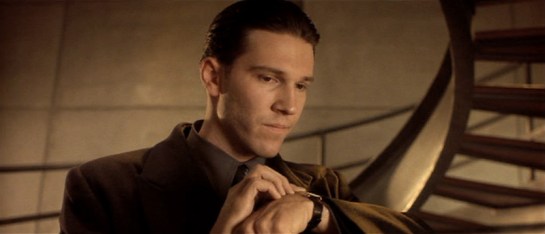
In Gattaca, Vincent and his brother Anton use wrist telephony. These are notable for their push-while-talking activation. Though it’s a pain for long conversations, it’s certainly a clear social signal that a microphone is on, it telegraphs the status of the speaker, and would make it somewhat difficult to accidentally activate.

Firefly_E11_036

In the Firefly episode “Trash”, the one-shot character Durran summons the police by pressing the side of a ring he wears on his finger. Though this exact mechanism is not given screen time, it has some challenging constraints. It’s a panic button and meant to be hidden-in-plain-sight most of the time. This is how it’s social. How does he avoid accidental activation? There could be some complicated tap or gesture, but I’d design it to require contact from the thumb for some duration, say three seconds. This would prevent accidental activation most of the time, and still not draw attention to itself. Adding an increasingly intense haptic feedback after a second of hold would confirm the process in intended activations and signal him to move his thumbs in unintended activations.

BttF_066

In Back to the Future, one member the gang of bullies that Marty encounters wears a plastic soundboard vest. (That’s him on the left, officer. His character name was Data.) To use the vest, he presses buttons to play prerecorded sounds. He emphasizes Future-Biff’s accusation of “chicken” with a quick cluck. Though this fails the sartorial criteria, being hard plastic, as a fashion choice it does fit the punk character type for being arresting and even uncomfortable, per the Handicap Principle.

There are certainly other wearable communications in the deep waters of sci-fi, so any additional examples are welcome.

Next up we’ll take a look at control panels on wearables.

Precrime forearm-comm

MinRep-068

Though most everyone in the audience left Minority Report with the precrime scrubber interface burned into their minds (see Chapter 5 of the book for more on that interface), the film was loaded with lots of other interfaces to consider, not the least of which were the wearable devices.

Precrime forearm devices

These devices are worn when Anderton is in his field uniform while on duty, and are built into the material across the left forearm. On the anterior side just at the wrist is a microphone for communications with dispatch and other officers. By simply raising that side of his forearm near his mouth, Anderton opens the channel for communication. (See the image above.)

MinRep-080

There is also a basic circular display in the middle of the posterior left forearm that displays a countdown for the current mission: The time remaining before the crime that was predicted to occur should take place. The text is large white characters against a dark background. Although the translucency provides some visual challenge to the noisy background of the watch (what is that in there, a Joule heating coil?), the jump-cut transitions of the seconds ticking by commands the user’s visual attention.

On the anterior forearm there are two visual output devices: one rectangular perpetrator information (and general display?) and one amber-colored circular one we never see up close. In the beginning of the film Anderton has a man pinned to the ground and scans his eyes with a handheld Eyedentiscan device. Through retinal biometrics, the pre-offender’s identity is confirmed and sent to the rectangular display, where Anderton can confirm that the man is a citizen named Howard Marks.

Wearable analysis

Checking these devices against the criteria established in the combadge writeup, it fares well. This is partially because it builds on a century of product evolution for the wristwatch.

It is sartorial, bearing displays that lay flat against the skin connected to soft parts that hold them in place.

They are social, being in a location other people are used to seeing similar technology.

It is easy to access and use for being along the forearm. Placing different kinds of information at different spots of the body means the officer can count on body memory to access particular data, e.g. Perp info is anterior middle forearm. That saves him the cognitive load of managing modes on the device.

The display size for this rectangle is smallish considering the amount of data being displayed, but being on the forearm means that Anderton can adjust its apparent size by bringing it closer or farther from his face. (Though we see no evidence of this in the film, it would be cool if the amount of information changed based on distance-to-the-observer’s face. Writing that distanceFromFace() algorithm might be tricky though.)

There might be some question about accidental activation, since Anderton could be shooting the breeze with his buddies while scratching his nose and mistakenly send a dirty joke to a dispatcher, but this seems like an unlikely and uncommon enough occurrence to simply not worry about it.

Using voice as the input is cinegenic, but especially in his line of work a subvocalization input would keep him more quiet—and therefore safer— in the field. Still, voice inputs are fast and intuitive, making for fairly apposite I/O. Ideally he might have some haptic augmentation of the countdown, and audio augmentation of the info so Anderton wouldn’t have to pull his arm and attention away from the perpetrator, but as long as the information is glanceable and Anderton is merely confirming data (rather than new information), recognition is a fast enough cognitive process that this isn’t too much of a problem.

All in all, not bad for a “throwaway” wearable technology.

Ideal wearables

There’s one wearable technology that, for sheer amount of time on screen and number of uses, eclipses all others, so let’s start with that. Star Trek: The Next Generation introduced a technology called a combadge. This communication device is a badge designed with the Starfleet insignia, roughly 10cm wide and tall, that affixes to the left breast of Starfleet uniforms. It grants its wearer a voice communication channel to other personnel as well as the ship’s computer. (And as Memory Alpha details, the device can also do so much more.)

Chapter 10 of Make It So: Interaction Design Lessons from Science Fiction covers the combadge as a communication device. But in this writeup we’ll consider it as a wearable technology.

Enterprise-This-is-Riker

How do you use it?

To activate it, the crewman reaches up with his right hand and taps the badge once. A small noise confirms that the channel has been opened and the crewman is free to speak. A small but powerful speaker provides output that can be heard against reasonable background noise, and even to announce an incoming call. To close the channel, the crewman reaches back up to the combadge and double-taps its surface. Alternately, the other party can just “hang up.”

This one device illustrates of the primary issues germane to wearable technology. It’s perfectly wearable, social, easy to access, prevents accidental activation, and utilizes apposite inputs and outputs.

Wearable

Sartorial

The combadge is light, thin, appropriately sized, and durable. It stays in place but is casually removable. There might be some question about its hard, pointy edges, but given its standard location on the left breast, this never presents a poking hazard.

combadge01

Social

Wearable tech exists in our social space, and so has to fit into our social selves. The combadge is styled appropriately to work on a military uniform. It is sleek, sober, and dynamic. It could work as is, even without the functional aspects. That it is distributed to personnel and part of the uniform means it doesn’t suffer the vagaries of fashion, but it helps that it looks pretty cool.

As noted in the book, since it is a wireless microphone, it really should have some noticeable visual signal for others to know when it’s on, so they know that there might be an eavesdropper or when they might be recorded. Other than breaking this rule of politeness, the combadge suits Starfleet’s social requirements quite well.

When Riker encounters "Rice" in The Arsenal Of Freedom (S1E21), "Rice" isn't aware that the combadge is recording. Sure, he was really a self-iterating hyper-intelligent weapon (decades before the Omnidroid) but it's still the polite thing to do.
When Riker encounters “Rice” in The Arsenal Of Freedom (S1E21), “Rice” isn’t aware that the combadge is recording. Sure, he was really a self-iterating hyper-intelligent weapon (decades before the Omnidroid) but it’s still the polite thing to do.

I don’t recall ever seeing scenes where multiple personnel try to use their combadges near each other at the same time and having trouble as a result. I don’t recall this from the show (and Memory-Alpha doesn’t mention it) but I presume the combadges are keyed to the voice of the user to help solve this sort of problem, so it can be used socially.

Technology

Easy to access and use

Being worn on the left breast of the uniform means that it’s in an ideal position to activate with a touch from the right hand (and only a little more difficult for lefties). The wearer almost doesn’t need to even move his shoulder. This low-resistance activation makes sense since it is likely to be accessed often, and often in urgent situations.

Picard

Tough to accidentally activate

In this location it’s also difficult to accidentally activate. It’s rare that other people’s hands are near there, and when they are, its close enough to the wearers face that they know it and can avoid it if they need to.

Apposite I/O

The surface of the body is a pretty crappy place to try and implement WIMP models of interface design. Using touch for activation/deactivation and voice for commands fit most common uses of the device. It’s easy to imagine scenarios where silence might be crucial. In these cases it would be awesome if the combadge could read the musculature of its wearer to register subvocalized commands and communication.

The fact that the combadge announces an incoming call with audio could prove problematic if the wearer is in a very noisy environment, is in the middle of a conversation, or in a situation where silence is critical. Rather than use an “ring” with an audio announcement, a better approach might build in intensity: a haptic vibration for the initial or first several “rings,” and adding the announcement only later. This gives the wearer an opportunity to notice it amidst noise, silence it if noise would be unwelcome, and still provide an audible signal that told others engaged with the wearer what’s happening and that he may need to excuse himself.

Geordi

So, as far as wearable tech goes, not only is it the most familiar, but it’s pretty good, and pretty illustrative of the categories of analysis applicable to all wearable interfaces. Next we’ll take a look at other wearable communications technologies in the survey, using them to illustrate these concepts, and see what new things they add.

The HoverChair Social Network

WallE-SocialNetwork03

The other major benefit to the users of the chair (besides the ease of travel and lifestyle) is the total integration of the occupant’s virtual social life, personal life, fashion (or lack-thereof), and basic needs in one device. Passengers are seen talking with friends remotely, not-so-remotely, playing games, getting updated on news, and receiving basic status updates. The device also serves as a source of advertising (try blue! it’s the new red!).

A slight digression: What are the ads there for? Considering that the Axiom appears to be an all-inclusive permanent resort model, the ads could be an attempt to steer passengers to using resources that the ship knows it has a lot of. This would allow a reprieve for heavily used activities/supplies to be replenished for the next wave of guests, instead of an upsell maneuver to draw more money from them. We see no evidence of exchange of money or other economic activity while on-board the Axiom

OK, back to the social network.

Security?

It isn’t obvious what the form of authentication is for the chairs. We know that the chairs have information about who the passenger prefers to talk to, what they like to eat, where they like to be aboard the ship, and what their hobbies are. With that much information, if there was no constant authentication, an unscrupulous passenger could easily hop in another person’s chair, “impersonate” them on their social network, and play havoc with their network. That’s not right.

It’s possible that the chair only works for the person using it, or only accesses the current passenger’s information from a central computer in the Axiom, but it’s never shown. What we do know is that the chair activates when a person is sitting on it and paying attention to the display, and that it deactivates as soon as that display is cut or the passenger leaves the chair.

We aren’t shown what happens when the passenger’s attention is drawn away from the screen, since they are constantly focused on it while the chair is functioning properly.

If it doesn’t already exist, the hologram should have an easy to push button or gesture that can dismiss the picture. This would allow the passenger to quickly interact with the environment when needed, then switch back to the social network afterwards.

And, for added security in case it doesn’t already exist, biometrics would be easy for the Axiom. Tracking the chair user’s voice, near-field chip, fingerprint on the control arm, or retina scan would provide strong security for what is a very personal activity and device. This system should also have strong protection on the back end to prevent personal information from getting out through the Axiom itself.

Social networks hold a lot of very personal information, and the network should have protections against the wrong person manipulating that data. Strong authentication can prevent both identity theft and social humiliation.

Taking the occupant’s complete attention

While the total immersion of social network and advertising seems dystopian to us (and that’s without mentioning the creepy way the chair removes a passenger’s need for most physical activity), the chair looks genuinely pleasing to its users.

They enjoy it.

But like a drug, their enjoyment comes at the detriment of almost everything else in their lives. There seem to be plenty of outlets on the ship for active people to participate in their favorite activities: Tennis courts, golf tees, pools, and large expanses for running or biking are available but unused by the passengers of the Axiom.

Work with the human need

In an ideal world a citizen is happy, has a mixture of leisure activities, and produces something of benefit to the civilization. In the case of this social network, the design has ignored every aspect of a person’s life except moment-to-moment happiness.

This has parallels in goal driven design, where distinct goals (BNL wants to keep people occupied on the ship, keep them focused on the network, and collect as much information as possible about what everyone is doing) direct the design of an interface. When goal-driven means data driven, then the data being collected instantly becomes the determining factor of whether a design will succeed or fail. The right data goals means the right design. Wrong data goals mean the wrong design.

Instead of just occupying a person’s attention, this interface could have instead been used to draw people out and introduce them to new activities at intervals driven by user testing and data. The Axiom has the information and power, perhaps even the responsibility, to direct people to activities that they might find interesting. Even though the person wouldn’t be looking at the screen constantly, it would still be a continuous element of their day. The social network could have been their assistant instead of their jailer.

One of the characters even exclaims that she “didn’t even know they had a pool!”. Indicating that she would have loved to try it, but the closed nature of the chair’s social network kept her from learning about it and enjoying it. By directing people to ‘test’ new experiences aboard the Axiom and releasing them from its grip occasionally, the social network could have acted as an assistant instead of an attention sink.

WallE-SocialNetwork05

Moment-to-moment happiness might have declined, but overall happiness would have gone way up.

The best way for designers to affect the outcome of these situations is to help shape the business goals and metrics of a project. In a situation like this, after the project had launched a designer could step in and point out those moments were a passenger was pleasantly surprised, or clearly in need of something to do, and help build a business case around serving those needs.

The obvious moments of happiness (that this system solves for so well) could then be augmented by serendipitous moments of pleasure and reward-driven workouts.

We must build products for more than just fleeting pleasure

WallE-SocialNetwork09

As soon as the Axiom lands back on Earth, the entire passenger complement leaves the ship (and the social network) behind.

It was such a superficial pleasure that people abandoned it without hesitation when they realized that there was something more rewarding to do. That’s a parallel that we can draw to many current products. The product can keep attention for now, but something better will come along and then their users will abandon them.

WallE-SocialNetwork07

A company can produce a product or piece of software that fills a quick need and initially looks successful. But, that success falls apart as soon as people realize that they have larger and tougher problems that need solving.

Ideally, a team of designers at BNL would have watched after the initial launch and continued improving the social network. By helping people continue to grow and learn new skills, the social network could have kept the people aboard the Axiom it top condition both mentally and physically. By the time Wall-E came around, and life finally began to return to Earth, the passengers would have been ready to return and rebuild civilization on their own.

To the designers of a real Axiom Social Network: You have the chance to build a tool that can save the world.

We know you like blue! Now it looks great in Red!