Video Phone Calls

The characters in Johnny Mnemonic make quite a few video phone calls throughout the film, enough to be grouped in their own section on interfaces.

The first thing a modern viewer will note is that only one of the phones resembles a current day handheld mobile. This looks very strange today and it’s hard to imagine why we would ever give up our beloved iPhones and Androids. I’ll just observe that accurately predicting the future is difficult (and not really the point) and move on.

More interesting is the variety of phones used. In films from the 1950s to the 1990s, everyone uses a desk phone with a handset. (For younger readers: that is the piece you picked up and held next to your ear and mouth. There’s probably one in your parents’ house.) The only changes were the gradual replacement of rotary dials by keypads, and some cordless handsets. In 21st century films everyone uses a small sleek handheld box. But in Johnny Mnemonic every phone call uses a different interface.

New Darwin

First is the phone call Johnny makes from the New Darwin hotel.

jm-3-phone-hotel-c-adjusted

As previously discussed, Johnny is lying in bed using a remote control to select numbers on the onscreen keypad. He is facing a large wall mounted TV/display screen, with what looks like a camera at the top. The camera is realistic but unusual: as Chapter 10 of Make It So notes, films very rarely show the cameras used in visual communication.

Taxi

The second phone call takes place in Newark, as Johnny rides in a taxi from the airport. Since this is a moving vehicle rather than a room, it shows that wireless videophones also exist. We don’t see how the call is made, just the conversation. Johnny is looking at and speaking into a small screen in front of his seat.

jm-10-taxi-a-adjusted

Quick aside: The blue lines at the bottom of the screen are a street map, with the glowing dot being the taxi. While it’s not the focus of this particular interface, it’s interesting that this map seems to be fixed with the indicator moving sideways. Aircraft and now car navigators use a moving map with the indicator moving up for forward. But this is for the passenger rather than the driver so doesn’t need to be particularly useful. And it’s blue, so must be advanced.

At the other end is Ralphie, who is using a desk screen with a keyboard.

jm-10-taxi-b-adjusted

We get to see things from Ralphie’s end. His keyboard only has ten keys in two rows of five. Ralphie touches the middle key in the bottom row to end the call.

Is this a dedicated phone rather than a computer? The only full-sized keyboards we see in Johnny Mnemonic are part of systems implied to be outdated or salvaged. Perhaps by 2021 voice recognition is good enough to handle most input. Or perhaps by 2021 status indicators have changed and once again nobody who considers themselves important would have a QWERTY keyboard on their desk, leaving others to do the more “menial” typing.

Shinji’s mobile

There is a cyberspace sequence (discussed in a separate post) during which there is a conversation between a Pharmakom tracker and Shinji, the leader of the Yakuza searching for Johnny, who is in en route by car. Shinji’s phone seems to be just like a current day mobile, if perhaps a little smaller than we’re used to.

jm-12-1-car-phone

Takahashi’s desk phone

Takahashi, head of Pharmakom in Newark, has a desktop screen too. This is a general purpose computer which at various times displays video of his daughter and a corporate database entry about Anna, the Pharmakom founder.

jm-15-takahashi-a-adjusted

There is no keyboard, but later we will see that the desk surface has hand gesture tracking capability. Here the screen displays an onscreen video phone window and numeric keypad, similar to what we saw in the New Darwin sequence, but Takahashi doesn’t use that interface. Instead he just says “Get me Karl” and the phone dials the recipient automatically.

Takahashi doesn’t prefix his command with a control phrase such as“Siri” or “Computer” which would imply that the computer is always listening. For an executive with a private office this would be reasonable: who else could he be addressing? A second possibility is that the computer does voice recognition and would not respond to commands from anyone else.

Street Preacher’s Phone

As before, the recipient has chosen to show a video splash screen on connection instead of a live video feed.
jm-15-takahashi-b-adjusted

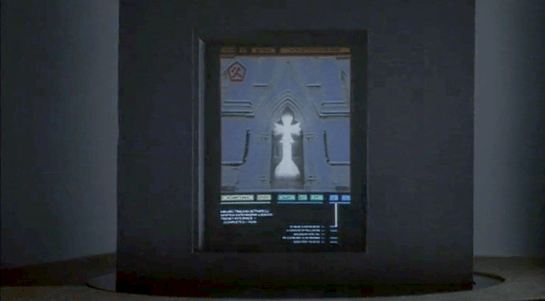
“Karl” is more commonly known as Street Preacher and works within a church of sorts. We don’t know whether this is genuine religion belief on his part or a cover operation. His phone system is built into a large book, which I thought was intended to be a Bible but Chris identifies as a 16th century ecclesiastical history. There are no controls visible, but we see Karl “pick up” by opening the book so perhaps he “hangs up” by closing it again. Otherwise it could be operated purely by voice.

jm-15-takahashi-c-adjusted

Public phone

Earlier in the film, Johnny picked up an “Infobahn 3000” handset with built in phone keypad.

jm-16-phonebooth-a

His next phone call is from a public phone booth. On screen we see the now familiar videophone keypad. (Apparently this time in cyan, although it’s a very minor color shift.). To the right of the screen are physical buttons, some of which are labelled “start” “stop” and “pause” so perhaps duplicate the onscreen controls. Johnny begins by borrowing Jane’s phone card and swiping it through the payment slot.

jm-16-phonebooth-b-adjusted

The red Infobahn handset is connected to Jane’s card by a cable, although we don’t see Johnny doing this. Johnny types on the handset keypad rather than using the onscreen controls, presumably doing some hacking through the interface.

At first sight it seems unlikely that the phone system could be hacked through an EFTPOS card reader. However there is a long and unhappy history of programmers leaving backdoors and unused functionality in products, often excused with “Well, nobody else knows about it”, which are then exploited. Payment cards themselves often have embedded integrated circuits. This particular hack is not completely implausible.

jm-16-phonebooth-c

When the Pharmakom splash screen appears, Johnny types again on the handset. He is manipulating the internal company phone system to gain access to a number that normally would not be available to the public.

jm-16-phonebooth-e-adjusted

The new number connects Johnny to a surprised corporate type who wants to know how Johnny got through.

jm-16-phonebooth-g-adjusted

We’ll learn later on that this gentleman is not at all who he seems to be. For now, note that Johnny talks and listens directly to the screen and speakers in the phone booth, not the handset he is holding.

Spider phone

Just before his brain is scanned by Spider, Johnny tries to make another call. This time he uses a typical 1990s computer CRT display and keyboard. He wears a conventional looking earpiece and microphone, and there is a small camera mounted on top of the display. He types the number on the keyboard and reaches a Pharmakom receptionist, but Johnny is interrupted.

jm-19-old-phonecall-adjusted

Van call

The last phone call is made by Johnny to Pharmakom again. This time he is in Spider’s van, which doesn’t have a built in phone like the taxi we saw earlier. He uses the handset for audio and a small portable screen for video. There must be a wireless transmitter and receiver somewhere, but it isn’t obvious.

jm-22-puppet-call-a-adjusted
jm-22-puppet-call-b-adjusted

Johnny doesn’t realise that he is actually talking to Takahashi, the head of Pharmakom, through a puppet avatar, which I’ll talk about in the next post. 

High Tech Binoculars

In Johnny Mnemonic we see two different types of binoculars with augmented reality overlays and other enhancements: Yakuz-oculars, and LoTek-oculars.

Yakuz-oculars

The Yakuza are the last to be seen but also the simpler of the two. They look just like a pair of current day binoculars, but this is the view when the leader surveys the LoTek bridge.

jm-25-yakuza-binocs-adjusted

I assume that the characters here are Japanese? Anyone?

In the centre is a fixed-size green reticule. At the bottom right is what looks like the magnification factor. At the top left and bottom left are numbers, using Western digits, that change as the binoculars move. Without knowing what the labels are I can only guess that they could be azimuth and elevation angles, or distance and height to the centre of the reticule. (The latter implies some sort of rangefinder.)

So far, this is a simple uncluttered display. But why is there a brightly glowing Pharmakom logo at the top right? It blocks part of the view, and probably doesn’t help anyone trying to keep their eyes adapted for night vision.

LoTek-oculars

The LoTeks, despite their name, have more impressive binoculars. They’re first used when Johnny gets out of his airport taxi.

jm-11-lotek-binocs-a-adjusted

There’s a third tube above the optics, a rectangular inlet, and an antenna.

In these binoculars, the augmented reality overlay is much more dynamic. Instead of a fixed circle, green lines converge in a bounding box around the image of Johnny. Text slides onto the display from left to right, the last line turning yellow.

jm-11-loteks-animated

Zoomrect

The animated transition of the bounding box resembles what Classic MacOS programmers of the 1990s called “zoomrects” used for showing windows opening or closing. It’s a very effective technique to draw attention to a particular area of an image.

Animated text

Text appearing character by character is ubiquitous in film interfaces. In the 1960s and 1970s mainframe and minicomputer terminals really did display incrementally, as the characters arrived one by one over slow serial port links. On any more recent computer it actually takes extra programming to achieve this effect, as the normal display of text is so fast that we would perceive it as instantaneous. But people like to see incremental text, or have been conditioned by film to expect it, so why not?

Bioscanning

The binoculars detect Johnny’s implant. It might just be possible to detect this passively from infrared or electronic signals, but more likely the binoculars include a high resolution microwave radar as well. If there had been more than one person in view, the bounding box would indicate which one the text refers to. And note that the last line of text is a different color. What that means is unclear here, but it becomes clear (and I’ll discuss it) later.

The second time we see the LoTek binoculars is when a lookout spots Street Preacher, a very bad guy and another who wants to remove Johnny’s head. Once again the binoculars have performed more than just a visual scan.

jm-17-lotek-binocs-a-adjusted

The binocular view and overlay are being relayed to another character, the LoTek leader J-Bone who can watch on a monitor. Here the film anticipates the WiFi webcam.

jm-17-lotek-binocs-b-adjusted

The overlay text now changes.

jm-17-lotek-binocs-c-adjusted

Narrow AI?

This is interesting, because the binoculars can not only detect implants and other cyborg modifications, but are apparently able to evaluate and offer advice. It appears that the green text is used for the factual (more or less) information about what has been detected, while yellow text is uncertain or or speculative.

Does this imply a general artificial intelligence? Not necessarily. This warning could be based solely on the detected signature, in the same way that current day military passive sonars and radar warning receivers can identify threats based on identifying characteristics of a received signal. In the world of Johnny Mnemonic it would make sense to assume that anyone with full custom biomechanics is extremely dangerous. Or, since Street Preacher is a resident rather than a stranger and already feared by others, his appearance and the warning could have been entered into a LoTek facial recognition database that the binocular system uses as a reference.

These textual overlays are an excellent interface, not interfering with normal vision and providing a fast and easy-to-understand analysis. But, the user must have faith that the computer analysis is accurate. There’s no reason given as to why any of the text is displayed. If Johnny was carrying an implant in his pocket instead of his brain, would the computer know the difference?

An alternative approach would be some kind of sensor fusion or false spectrum display, with the raw infrared or radar image overlaid over the visuals and the viewer responsible for interpreting the data. The problem with such systems is that our visual system didn’t evolve to interpret such imagery, so a lot of training and practice is required to be both fast and accurate. And the overlay itself interferes with our normal visual recognition and processing. If the computer can do a better job of deciphering the meaning of non-visual data, it should do so and summarise for the human viewer.

Further advantages of this interface are that even a novice sentry will benefit from the built-in scanning and threat analysis, and the wireless transmission ensures that the information is shared rather than being limited to the person on watch. 

Bulkhead Doors

image09

At every major intersection, and at the entrance to each room, the Battlestar Galactica has very large pressure doors.  These doors each have a handle and a large wheel on each side.  During regular operation crewmembers open the door with the handle and close it firmly, but do not spin the wheel.  Occasionally, we see crew using the wheel as a leverage point to close the door.


Sealing it off

We never directly see a crewmember spin the wheel on the door after it closes.  While Chief Tyrol is acting as head of damage control, he orders all bulkheads in a section of the ship sealed off.  This order is beyond the typical door closing that we witness day-to-day.

image14

This implies that the door has three modes: Open, Closed, and Sealed.

image08

Crewmembers could use the door most of their day in an open or closed mode, where an easy pull of the handle unlatches the door and allows them to enter or leave quickly.  In an emergency, a closed door could be sealed by spinning the valve wheel on one side of the door.


Danger?

As with other parts of the Galactica, the doors are completely manual, and cannot be activated remotely. (Because Cylon hacking made them go network-less.) Someone has to run up to the door in an emergency and seal it off.

One worry is that, because there is a valve wheel on both sides, an untrained crewmember might panic and try to unseal the door by turning it in the wrong direction.  This would endanger the entire crew.

image13  image10

The other worry is that the valve spins along a single axis (we see no evidence either way during the show), requiring the crew to know which side of the door they were on to seal it against a vacuum.  “Righty Tighty, Lefty Loosey” would fail in this instance, and might cause hesitation or accidental unsealing in an actual emergency.

Ideally, the doors would have wheels that spun identically on either side, so that a clockwise spin always sealed the door, and a counter-clockwise spin always unsealed it.

image15

Current water-tight doors have two sides, the ‘important’ side and the ‘unimportant’ side.  The important side faces towards the ‘center’ of the vessel, or the core of the larger block of the ship, and can be sealed off quickly from that side with a wheel and heavy ‘dogs’.

Weathertight doors have a handle-latch on both sides that is connected (much like a doorknob), and can seal/unseal the door from either side.

If there is a technical limitation to that mechanism (unlikely, but possible), then a large and obvious graphic on the door (a clockwise or counterclockwise arrow) could serve to remind the crew which direction of turn sealed the door.  In this case, sealing the door is the primary action to call out because it is the action done under a panic situation, and the action most easily forgotten in the heat of the moment.

Otherwise, the doors could be a danger to the crew: the crew on the ‘safe’ side could seal the door against depressurization, but crew on the ‘unsafe’ side might try to unseal it to save themselves in a panic.

Air pressure might keep the door properly closed in this instance, but it is still a risk.


Effective?

image12

We see during the damage control incident that the doors are quickly closed and sealed by the crew, even in an emergency, making the rest of the ship airtight.  This either shows that the doors are effective at their job, or the crew is very well trained for such a situation.

Like the rest of the Galactica, the technology relies on people to work.  A couple hints or minor tweaks to that technology could make the crew’s lives much easier without putting them at danger from the Cylons or the empty void of space.

Imperial-issue Media Console

SWHS-mediaconsole-01

When she wonders about Chewbacca’s whereabouts, Malla first turns to the Imperial-issue Media Console. The device sits in the living space, and consists of a personal console and a large wall display. The wall display mirrors the CRT on the console. The console has a QWERTY keyboard, four dials, two gauges, a sliding card reader, a few red and green lights on the side, and a row of randomly-blinking white lights along the front.

SWHS-mediaconsole-02

Public Service Requests

As Malla approaches it, it is displaying an 8-bit kaleidoscope pattern and playing a standard-issue “electronics” sound. Malla presses a handful of buttons—here it’s important to note the difficulty of knowing what is being pressed when the hand we’re watching is covered in a mop—and then moves through a confusing workflow, where…

  1. She presses five buttons
  2. She waits a few seconds
  3. As she is pressing four more buttons…
  4. …the screen displays a 22-character string (a password? A channel designation?) ↑***3-   ↓3&39÷   ↑%63&-:::↓
  5. A screen flashes YOU HAVE REACHED TRAFFIC CONTROL in black letters on a yellow background
  6. She presses a few more buttons, and another 23-character string appears on screen ↑***3-   XOXOO   OXOOX   XOOXO-↑ (Note that the first six characters are identical to the first six characters of the prior code. What’s that mean? And what’s with all the Xs and Os? Kisses and hugs? A binary? I checked. It seems meaningless.)
  7. An op-art psychedelic screen of orange waves on black for a few seconds
  8. A screen flashes NO STARSHIPS IN AREA
  9. Malla punches the air in frustration.

So the first string is, what, a channel? And how do the five buttons she pressed map to that 22 character string? A macro? Why drop to a semi-binary for one command? And are the hugs-and-kisses an instruction? Is that how you write Shyriiwook? Why would it be Latin letters and Unicode characters rather than, say, Aurebesh? Who designed this command language? This orthography? This interface? Maybe it was what this guy was assigned to do after he was relieved of duty.

Video calls

When technology fails to find her sweetheart, Malla turns to her social network. She first uses her Illegal Rebel Comms device to talk to Luke and R2-D2 (next post), and afterwards, returns to the Media Console, which is back to its crappy TSR-80 BASIC-coded screen saver mode.

  1. She taps a few keys (a macro?)
  2. A new code appears: ↑***C-   ↓&&&0-   446B°-   TP%C↓
  3. The display reads: SUB TERMINAL 4468 (or 446E or maybe 446B. It’s a square font and Malla’s hairy arm is in the way.)
  4. She presses a few more keys
  5. The screen displays STAND BY for a few seconds
  6. Then the word CONNECT flashes a few times
  7. She presses a single button
  8. TRADING POST WOOKIE PLANET C flashes
  9. A live camera feed displays of the trading post

So it’s actually nice to see the first 5 characters of the string be different since this is a different mode: public function (↑***3-) versus video phone (↑***C-). It made me wonder if the codes were some sort of four part IP address, but then I saw the traffic control command is only three lines, so it’s not a consistent enough pattern. So I was hoping to find some secret awesomeness, but no.

Here’s the flow chart as completed by the demoted Stormtrooper designer (translated from the Aurebesh).

Imperial-Workflow
SWHS-mediaconsole-21.jpg

Public Addresses

Not only is the interaction terrible, but it’s not really your device anyway. The Empire can take control of these screens for government business, like paging errant Stormtroopers. In these cases, an alarm sounds in the house, and then the Empire Video Feed comes online. No bizarre character strings. No flashing text. No arbitrary key presses.

SWHS-mediaconsole-21

After all that, an Easy Mode

As if that wasn’t enough, the thing works differently later in the show. After he returns to the tree house, Saun uses the system to call the Imperial Officer to cover Han and Chewie’s murderous tracks with a lie. To make the call, all Saun has to do is insert an identification card, press the same key on the keyboard six times, and with no weird codes or substation identification interstitials, he is connected immediately to the Imperial officer. After the officer terminates their call, Saun presses another button a few times and removes his card. That’s it. It was almost easy.

SWHS-mediaconsole-22

This tells us that the system can work fairly simply. If you’re calling the Empire. Or if you’re high enough social status and have the card to prove it. This technology just sucks. Maybe this is why the rebellion started.

Videoconferencing

BttF_122

Marty Sr. answers a call from a shady business colleague shortly after coming home. He takes the call in the den on the large video screen there. As he approaches the screen, he sees a crop of a Renoir painting, “Dance at La Moulin de la Galette,” with a blinking legend “INCOMING CALL” along the bottom. When he answers it, the Renoir shrinks to a corner of the screen, revealing the live video feed with his correspondent. During the conversation, the Renoir disappears, and text appears near the bottom of the screen providing reminders about the speaker. This appears automatically, with no prompting from Marty Sr.

Needles, Douglas J.
Occupation: Sys Operations
Age: 47
Birthday: August 6, 1968
Address: 88 Oriole Rd, A6t
Wife: Lauren Anne
Children: Roberta, 23 Amy, 20
Food Prefence: Steak, Mex
Food Dislike: Fish, Tuna
Drinks: Scotch, Beer
Hobbies: Avid Basketball Fan
Sports: Jogging, Slamball, Tennis
Politics: None

This is an augmented reality teleconference, as mentioned in Chapter 8 of Make It So: Interaction Design Lessons from Science Fiction. See more information in that chapter. In short, it’s a particularly good example of one type of augmentation that is very useful for people having to interact with networks of people much larger than Dunbar’s number equips us for. Unfortunately, the information appears in a distracting scroll across the bottom, and is not particularly pertinent to the conversation, so could benefit from a bit of context awareness or static high-resolution display to be really useful.

When the conversation is done, the screen fades to black, and an animated AT&T logo appears as a female voice offers Thank you for using AT&T. Afterwards, another odd crop of a famous impressionist artwork appears on screen. (1887-88 Self-Portrait with Grey Felt Hatby Van Gogh, if you’re curious.) This must be a preference set by the McFlys.

During the conversation, Needles convinces Marty Sr. to front some money for a shady deal. To provide the money, he grabs his briefcase and presses one of several lit buttons on its surface. A thin reader raises from the surface on mechanized accordion arms. The slot glows white, and Marty inserts his ID card into the recess and yanks it to the right. Marty presses another button and the reader retracts.

Though pretty cool, this portable authenticator seems multimodal, the two objects are both of the same type, i.e. something he possesses, and so is only marginally more secure than unimodal systems.

BttF_131

Almost instantly, Marty is caught in the act and fired by his boss over the same video phone. To bring home the news, Fujitsu-san presses some button off screen and large letters YOU’RE FIRED appear overlaid on the screen, animating repeatedly for emphasis. Simultaneously, he sends Marty faxes, which Marty receives numerous times in the faxes in his suitcases and others which are installed all over the house, including the in the closet where Jennifer is hiding.

I’m not sure what would lead Needles or Marty(2015) to engage in something illegal that is obviously and instantly discoverable by authorities, but that is not a matter of interaction design.

Main Power Board

To restore the power that Nedry foolishly shut down (and thereby regain a technological advantage over the dinosaurs), Dr. Sattler must head into  the utility bunker that routes power to different parts of the park.

image02

Once she is there Hammond, back in the Visitors Center, communicates to her via two-way radio that operating it is a two part process: Manually providing a charge to the main panel, and then closing each of the breakers.

The Main Panel

image00

To restore a charge to the main panel, she  manually cranks a paddle (like a kinetic-powered watch, radio, or flashlight), then firmly pushes a green button labeled “Push to Close”.  We hear a heavy click inside the panel as the switch flips something, and then the lights on the Breaker Panel list light up green.

Now that she has built up a charge in the circuit, she has to turn on each of the breakers one by one.

The Breakers

image01

Each individual circuit has a dedicated button to open/close it.  Each is  switched with a simple illuminated button protected by a heavy, clear pushbutton cover that has to be opened manually.

Green indicates that the circuit has tripped, and power is not flowing to that part of the park.  Red means that the circuit is closed and live.  Slowly, one by one, Dr. Sattler flips the cover and presses the red button for each part of the breaker panel.  These switches are clearly labeled as HERBIVORE FEEDING COMPOUND, or VISITORS CNTR.

As she flips each circuit on, red lights behind the label turn on.

The Circuit Breakers

The pushbutton covers do a good job of protecting against inadvertent flips, but could be made better by having hinges that close them automatically.  It is unlikely that someone would accidentally push one of the buttons, but the high-risk nature of the panel begs for more protection.  Spring hinges would also make closing the panel up after service quicker.

A second consideration is an emergency scenario: there is no obvious way to flip all the circuits off at once, or turn them all back on quickly.  Here, all that extra time is super dramatic since it happens to save Dr. Grant and the kids, hanging at this same moment as they are from the unpowered electrified fence. But if someone was trying to reactivate the park quickly, to say, save the visitors from being eaten, this circuit-by-circuit method takes a surprising amount of time.

Labeling & Color

The labeling here is good, but could still be better.  The lights are the first thing to draw attention, but it’s actually the charging panel that needs to be tended to first.  A good flowchart of how a person is supposed to use the panel would be an effective addition; as would a map showing which labeled breaker leads to which area of the park.

At first the red-and-green colors are backwards, but it turns out a longstanding standard within electrical engineering uses red to indicate “shock hazard” rather than “operating normally”, so this color coding is actually OK. But it might be more effective to only light up the breakers’ labels when power is actually flowing to them. For someone not experienced with the interface or electrical engineering conventions, having a few of the breakers active and a few flipped could be extremely confusing. Are the lit ones active? Inactive? Is power flowing to the panels with lights?

This panel would be a solid candidate for usability testing.

Control Room Power Board

image00

Once Dr. Sattler restores power to the park, Arnold needs to reboot the computer systems. To do this, he must switch off the circuits (C1–C3 in the screenshot above), and then switch off-and-on a circuit labeled “Main”.

image01

It’s a good thing Arnold knows what he’s doing, since these switches are only labeled C1-3, and we don’t see any documentation in the camera frame.  As he turns off each circuit, different parts of the computer terminals in the Control Room shut down.  This implies that different computer banks are tied to the same power circuits as the systems they control.

So, since this is a major interface for the park, let’s make this bit explicit: When designing infrequently-used but mission-critical interfaces, take great care to explain use, using clear affordances and constraints so that mistakes are very, very difficult to make. 

It might look like a mistake to have all the little electrical labeling to the sides, since this cover would have to be removed to get the components where this information would be of use. But that’s perfect. A user needing to remove this panel must encounter this reference information to get to those components, and so would know where to find them. This is a brilliant example of the pattern Put the Signal in the Path. Let’s hope there are similar signs on other access panels.

image02

Wait…where are the backups?

These are the central computer terminals that run Jurassic Park, and keep visitors safe from the “attractions.”  And there is no backup power.

When Arnold turns off the main circuit breaker, the computers (and servers behind them) turn off immediately.  The purpose and effect of the power switch deactivates all the systems in Jurassic Park, without any kind of warning or backup system.

For something as dangerous as deadly deadly dinosaurs—raised from the 65 million-year deep grave of extinction—the system deactivation should at least trigger some kind of warning.

Tornado sirens have backup batteries in case the city power goes out.  They are a solid example of a backup system that should exist, at minimum, to warn park-goers to move quickly towards shelter.  A better backup system would be a duplicate server system that automatically activates all the fences in the park.

Redundant Systems

When Arnold cycles the visitor center’s power system, it also trips the breakers for all of the other power systems in the park.  Primary safety systems like that should be on their own circuit.  It’s ok if the fridges turn off and melt the ice cream (though it may be an inconvenience), but that same event shouldn’t also deactivate the velociraptor pen security.  Especially when the ‘raptor pen is right next to the visitor center and is a known, aforementioned, deadly deadly threat.

Abidjan Operation

Avengers_BartonCompromised

bartoncompromised

After Hawkeye is enthralled by Loki, agent Coulson has to call agent Romanoff in from the field, mid-mission. While he awaits her to extract herself from a situation, he idly glances at case file 242-56 which consists of a large video of Barton and Romanoff mid-combat, and overview profiles of the two agents. A legend in the upper right identifies this as STRIKE TEAM: DELTA, and a label at the top reads ABIDJAN OPERATION. There is some animated fuigetry on the periphery of the video, and some other fuigetry in windows that are occluded by the case file. 

Some things to note.

  • The four windows seem to be connected by content and by case file designation. But each has separate window controls in the upper right hand corner. (Not an aberration, we saw the same thing in Carrier Control.) If it’s a single case file, the layout ought to be handled automatically to save Coulson (or agent Stephen Morton, who appears per the text in the upper left to be the one actually logged in), from all that file management. It would even avoid the “error” of Barton’s profile being obscured by Romanoff’s, as in the image.
  • There are bar codes displayed on the agent profiles. Why would a computer operator need barcodes on a computer screen?
  • There is a miniature 3D rendering of a screw to the right of each of their portraits.
  • There are also three hexagrams from the I Ching on Romanoff’s profile. Each one of these is Ch’ien The Creative, which makes sense, she’s total Yang. Barton’s hexagrams are obscured by an overlap of her profile, but I really think it would be a lovely compliment if his were K’un The Receptive, or Yin. Also, OK, kind of weird that SHIELD would use the I Ching as part of official policy, but hey, crazier things have happened.
  • There is a snippet of text from a document about the fundamentals of lossy image compression in the background. It kind of makes sense given that there is clearly some face recognition going on in the video.
  • It must be hi-tech, as the container rule lines jog about semi-randomly. Nurnies to be sure.
  • The video controls along the bottom of the actual video are repeated in miniature along the bottom of the profile pictures, even though these profile images do not move. (Though if they were more like looping photographs in Harry Potter, that would have been cooler.)
  • Abidjan, you might know, is a large city on the Ivory Coast but the coordinates on the screen put this scene in the middle of the Gulf of Guinea. Which, though it’s 894 km east of Abidjan, is actually closer that I would have guessed it to be.

COURSE OPTION ANALYSIS

vlcsnap-2014-12-11-00h47m31s85

When Ibanez and Barcalow enter the atmosphere in the escape pod, we see a brief, shaky glimpse of the COURSE OPTION ANALYSIS interface. In the screen grab below, you can see it has a large, yellow, all-caps label at the top. The middle shows the TERRAIN PROFILE. This consists of a real-time, topography map as a grid of screen-green dots that produce a shaded relief map.

STARSHIP_TROOPERS_landing_trim

On the right is a column of text that includes:

  • The title, i.e., TERRAIN PROFILE
  • The location data: Planet P, Scylla Charybdis (which I don’t think is mentioned in the film, but a fun detail. Is this the star system?)
  • Coordinates in 3D: XCOORD, YCOORD, and ELEVATION. (Sadly these don’t appear to change, despite the implied precision of 5 decimal places)
  • Three unknown variables: NOMINAL, R DIST, HAZARD Q (these also don’t change)

The lowest part of the block reads that the SITE ASSESSMENT (at 74.28%, which—does it need to be said at this point—also does not change.)

Two inscrutable green blobs extend out past the left and bottom white line that borders this box. (Seriously what the glob are these meant to be?)

At the bottom is SCAN M and PLACE wrapped in the same purple “NV” wrappers seen throughout the Federation spaceship interfaces. At the bottom is an array of inscrutable numbers in white.

Since that animated gif is a little crazy to stare at, have this serene, still screen cap to reference for the remainder of the article.

vlcsnap-2014-12-11-00h47m37s145


Design

Three things to note in the analysis.

1. Yes, fuigetry

I’ll declare everything on the bottom to be filler unless someone out there can pull some apologetics to make sense of it. But even if an array of numbers was ever meant to be helpful, an emergency landing sequence does not appear to be the time. If it needs to be said, emergency interfaces should include only the information needed to manage the crisis.

2. The visual style of the topography

I have before blasted the floating pollen displays of Prometheus for not describing the topography well, but the escape pod display works while using similar pointillist tactics. Why does this work when the floating pollen does not? First, note that the points here are in a grid. This makes the relationship of adjacent points easy to understand. The randomness of the Promethean displays confounds this. Second, note the angle of the “light” in the scene, which appears to come from the horizon directly ahead of the ship. This creates a strong shaded relief effect, a tried and true method of conveying the shape of a terrain.

3. How does this interface even help?

Let’s get this out of the way: What’s Ibanez’ goal here? To land the pod safely. Agreed? Agreed.

Certainly the terrain view is helpful to understand the terrain in the flight path, especially in low visibility. But similar to the prior interface in this pod, there is no signal to indicate how the ship’s position and path relate to it. Are these hills kilometers below (not a problem) or meters (take some real care there, Ibanez.) This interface should have some indication of the pod. (Show me me.)

Additionally, if any of the peaks pose threats, she can avoid them tactically, but adjusting long before they’re a problem will probably help more than veering once she’s right upon them. Best is to show the optimal path, and highlight any threats that would explain the path. Doing so in color (presuming pilots who can see it) would make the information instantly recognizable.

Finally the big label quantifies a “site assessment,” which seems to relay some important information about the landing location. Presumably pilots know what this number represents (process indicator? structural integrity? deviation from an ideal landing strip? danger from bugs?) but putting it here does not help her. So what? If this is a warning, why doesn’t it look like one? Or is there another landing site that she can get to with a better assessment? Why isn’t it helping her find that by default? If this is the best site, why bother her with the number at all? Or the label at all? She can’t do anything with this information, and it takes up a majority of the screen. Better is just to get that noise off the screen along with all the fuigetry. Replace it with a marker for where the ideal landing site is, its distance, and update it live if her path makes that original site no longer viable.

landing_comp

Of course it must be said that this would work better as a HUD which would avoid splitting her attention from the viewport, but HUDs or augmented reality aren’t really a thing in the diegesis.

Narratively

The next scene shows them crashing through the side of a mountain, so despite this more helpful design, better for the scene might be to design a warning mode that reads SAFE SITE: NOT FOUND. SEARCHING… and let that blink manically while real-time, failing site assessments blink all over the terrain map. Then the next scene makes much more sense as they skip off a hill and into a mountain.

Federal Services Communiqué

StarshipTroopers-Communique-08

Live video in Starship Troopers works a little bit differently than video messages. When he wants to call his parents in Buenos Aires, he somehow sets up the call (it’s offscreen, so we really don’t know how he does it). When the call goes through, a soldier comes in to the barracks to tell Rico that it’s going through, and then tells him to take it. You know, three feet away. At the end of the barracks. That they’re currently in. In a giant wall display. So…short improvement #1: Maybe just let it ring with Rico’s name on it rather than require a communication officer to wander around the barracks just telling soldiers to take five steps in a certain direction.

StarshipTroopers-Communique-09

He approaches a semi-public wall-mounted screen on the wall of the barracks and presses one of the seven metal buttons. The CGA, 16-color screen tells him it is CONNECTING YOUR CALL as a dashed, yellow progress bar zips across the bottom. Second aside: The private video call screen only had five buttons. This is the same except for the two extra silver pushbuttons. What are the extra two here for?

StarshipTroopers-Communique-01

When the call is connected, he sees a full-screen image of his mother. Though no camera mechanism is visible, he is able to look and talk directly at her eyes. When she realizes it’’s Johnny calling, she calls out to her husband, and the screen automatically splits in two so that both can talk to him at once. Unfortunately we don’t see how this happens from the Dad’s point of view, because it’s instantaneous and seamless. We don’t see him moving a hand back from an interface or anything. Did he just happen to be in front of the video intercom? Or are there lots of screens everywhere around their house? Or can any surface act as a camera/screen? How did the mom signal that she wanted to share the call rather than pass it along?

It happens so seamlessly that I can’t help but think it’s automatic or possibly…agentive. But it has to be conjecture, because it all happens out of sight.

The call is cut off and after a moment of static, a screen tells him that the transmission was terminated in all-caps text that blinks between black and yellow. A female voice confirms by saying ““Your transmission has been terminated due to atmospheric interference. Please try your call again later.”” Then the screen returns to its idle status with a Federal logo.

Communique_15f
StarshipTroopers-Communique-07

Third aside: Any system error should explain its status unambiguously. This implies that the system is still working, but there was a problem with something on the far end. We know that’s not the case. It wouldn’t suit the narrative, but this should read something more like “SYSTEM DOWN.”