Who did it better? Fingernail-o-matic edition

The Fifth Element (1997)

fifthelement-088

When in The Fifth Element the Mangalore Aknot calls Zorg to report that the “mission is accomplished,” we get a few seconds of screen time with Zorg’s secretary who receives the call. During this moment, she’s a bit bored, and idly shoves a finger into a small, lipstick-case sized device. When she removes it, the device has colored her fingernail a lovely shade of #81002c.

fifthelement-100

The small device is finger-sized, the industrial design feels very much like cosmetics, and its simple design clearly affords inserting a finger. There’s also a little icon on the side that indicates its color. This one device speaks well of what the entire line of products might look like. All told, a simple and lovely interaction in a domain, i.e. cosmetics, that typically doesn’t get a lot of attention in sci-fi.

But what is even more remarkable is that this isn’t the only fingernail interface in the Make It So survey. There is one other, 7 years earlier, and it happens to be used by someone with the exact same job. This other interface comes from the 1990 movie Total Recall.

Total Recall (1990)

TotalRecall-032

As you can see, this receptionist has an interface for coloring her nails as well, but the interaction is entirely different. This device has something like a a tablet with a connected stylus. It displays 16 color options in a full screen grid. She selects a particular color with the tap of the stylus. Then when she taps the stylus to a nail, the nail wipe-transitions to the new color from the tip to the cuticle.

TotalRecall-025

This device is cumbersome. It’s not something that could fit into a purse. Does she just leave it on her desk? Doesn’t her supervisor have opinions about that? My sense is that this is something better suited to a salon than an office space.

As a selection and application mechanism, the stylus is a bad choice. It requires quite a bit of precision to tap the tip of the nail. Our old friend Paul Fitts certainly would use something different for his nails. Since the secretary has to have to have some kind of high-tech coating, perhaps similar to electrophoretic ink, why is the stylus necessary at all? Can’t she just tap her fingernails to the color square of her choice? That would disintermediate the interaction and save her the hassle of targeting her nails with that stylus, especially when she has to switch to her off-hand.

The color display poses some other interesting problems as well. It needs to show colors, but why just 16? We don’t see any means of selecting others. Are these just this season’s most popular? Why not offer her any color she likes? Or some means of capturing her current outfit and suggesting colors based on that? Even the layout is problematic. Because of the effect of simultaneous contrast, the perception of a color alters when seen directly adjacent to other colors. These squares should have some sort of neutral border around them to make perception of them more “true.” But why should we burden her with having to imagine what the color will look like? Show her an image of her hand and let her see in advance what the new color will look like on her fingers. Any sort of low-level augmented reality would help her feel less like she’s picking paint for her living room wall.

And the winner is…

Comparing the two, I’d say that The Fifth Element fingernail-o-matic wins out. It’s more personal, more ergonomic, fits into the user’s lifestyle more, feels more fashionable than techy (which that receptionist clearly cares about). Yes, it’s more restricted in choices, but I’d much rather figure out how to augment that little device with a color selector than try to make a stylus and tablet fingernail-o-matic actually work.

Profiling “CAT” scan

fifthelement-122

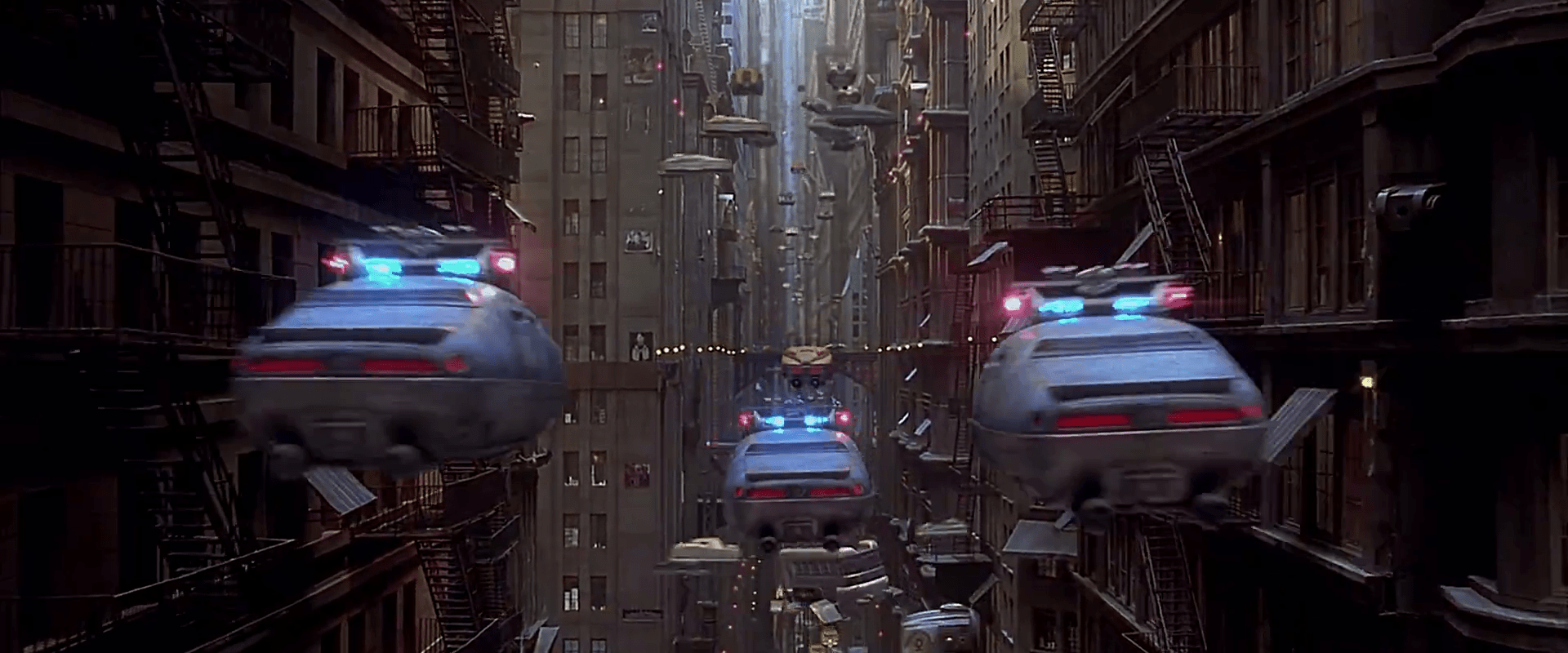
After her escape from the nucleolab, Leeloo ends up on a thin ledge of a building, unsure where to go or what to do. As a police car hovers nearby, the officers use an onboard computer to try and match her identity against their database. One officer taps a few keys into an unseen keyboard, her photograph is taken, and the results displays in about 8 seconds. Not surprisingly, it fails to find a match, and the user is told so with an unambiguous, red “NO FILE” banner across the screen.

fifthelement-128

This interface flies by very quickly, so it’s not meant to be read screen by screen. Still, the wireframes present a clear illustration of what the system doing, and what the results are.

The system shouldn’t just provide dead ends like this, though. Any such system has to account for human faces changing over the time since the last capture: aging, plastic surgery, makeup, and disfiguring accidents, to name a few. Since Leeloo isn’t inhuman, it could provide some results of “closest matches,” perhaps with a confidence percentage alongside individual results. Even if the confidence number was very low, that output would help the officers understand it was an issue with the subject, and not an issue of an incomplete database or weak algorithm.

One subtle element is that we don’t see or hear the officer telling the system where the perp is, or pointing a camera. He doesn’t even have to identify her face. It automatically finds her in the camera few, identifies her face, and starts scanning. The sliding green lines tell the officer what it’s finding, giving him confidence in its process, and offering an opportunity to intervene if it’s getting things wrong.

Nucleolab Progress Indicator

FifthE-nucleolab-009

As the nucleolab is reconstructing Leeloo, the screen on the control panel provides update, detailing the process. For the most part this update is a wireframe version of what everyone can see with their eyes.

FifthE-nucleolab-029

FifthE-nucleolab-015

The only time it describes something we can’t see with our own eyes is when Leeloo’s skin is being “baked” by an ultraviolet light under a metal cover. Of course we know this is a narrative device to heighten the power of the big reveal, but it’s also an opportunity for the interface to actually do something useful. It has a green countdown clock, and visualizes something that’s hidden from view.

FifthE-nucleolab-020

As far as a progress indicator goes, it’s mostly useful. Mactilburgh presumably knows roughly how long things take and even the order of operations. All he needs is confirmation that his system is doing what it’s supposed to be, and the absence of an error is enough for him. The timer helps, too, since he’s like a kid waiting for an Easy Bake Oven…of science.

But Munro doesn’t know what the heck is going on. Sure he knows some of the basics of biology. There’s going to be a skeleton, some muscle, some nerves. But beyond that, he’s got a job to do, and that’s to take this thing out the minute it goes pear-shaped. So he needs to know: Is everything going OK? Should I pop the top on a tall boy of Big Red Button? It might be that the interface has some kind of Dire Warning mode for when things go off the rails, but that doesn’t help during the good times. Giving Munro some small indicator that things are going well would remove any ambiguity and set him at ease.

An argument could be made that you don’t want Munro at ease, but a false positive might kill Leeloo and risk the world. A false negative (or a late negative) just risks her escape. Which happens anyway. Fortunately for us.

FifthE-nucleolab-024

Nucleolab Kill Switch

FifthE-nucleolab-005

General Munro isn’t sure what’s going to come out of the other end of Mactilburgh’s process. He’s never seen a Mondoshawan and doesn’t know if they can be trusted. Fortunately for his sense of panic, there’s a built in kill switch on the control panel facing the nucleolab chamber. To activate the switch, he slips his multipass into a slot. While this card is in the slot, a small red LED lights, and the Big Red Button is active.

FifthE-nucleolab-007

The interface is simple to read, which is nice. The button conveys a bit of its importance through its size and color. The order of operations is well laid out for a Western user: left to right, in the order of reading.

FifthE-nucleolab-008

Three improvements

There are lots of questions about the security strategy, though. Single-factor authentication is too easy to thwart. Couldn’t someone just take his multipass and use it? How does the system know it’s really Munro? Better would be multifactor authentication, requiring both this token and either a knowledge token like a password, or an inheritance factor. Maybe it could require Munro to place his other hand on a handprint reader before the button activates.

Another problem is that the signal that this button is active is too tiny: that little red LED that’s associated with the slot rather than the button. If this is an undoable action, you’d hope that the input would convey the sense of risk. Maybe have the button glow, or surround it with a glowing red ring (think the Krell warning system)?

If it really is a kill switch, i.e. would kill the subject, a nice safeguard against accidental activation would be a press-and-hold button, requiring Munro to hold it down for a few seconds while a warning klaxon sounds. This would give Munro the opportunity to change his mind or move his hand if he’d placed it accidentally. If it triggers something nonlethal, like an incapacitating sticky foam, then no such delay is necessary.

Mondoshawan Thrusters

Mondoengines

If you haven’t been following it, there’s been some great discussion in the comments about my critique of the Mondoshawan flight interface. Clayton and Phil raised some great points and the discussion necessitates understanding the apparent capabilities of the actuators, i.e. thrusters. So here are some images for reference.

FifthE-Mondoshawan-engines002

The capabilities may be fairly limited. The only evidence we have that the thrusters move at all are from early in the film. When the ship has to fight the gravity of a planet, they splay out like the ribs of an umbrella. Otherwise, in space we never see them move.

What’s worse is that the actual maneuverability of the ship seems minimal. When the ship is attacked by Mangalores, it doesn’t even turn to try and evade.

Most of the time interaction designers don’t have the opportunity to redesign actuators, only controls and displays. If we presume that the Mondoshawan thrusters can only splay from the ship’s axis, how would this change the fit of the controls?

NucleoLab Display

FifthE-nucleolab-002

The scientist Mactilburgh reconstructs Leeloo from a bit of her remains in his “nucleolab.” We see a few interfaces here.

FifthE-nucleolab-003

We never see Mactilburgh interact with the controls on this display: Potentiometers, dials with circular LED readout rings, glowing toggle buttons, and unlit buttons labeled “OFF” and “ESC.” There’s not much to grasp onto for analysis. These are just “sciencey” set of physical controls. The display is a bit of similar scienciness, meant to vaguely convey that Leeloo is a higher-order being, but beyond that, incomprehensible. Interestingly, the Mondoshawan DNA shows not just a more detailed graphic, but adds color to convey an additional level of complexity.

FifthE-nucleolab-004

An odd bit: In the lower right hand corner of the screen you can see the words “FAMILIAL HYPERCHOL TEROLEMIA.” Looking up this term reveals the genetic condition Familial Hypercholesterolemia. It’s only missing the “ES.” What’s this label doing here? This could be the area on the DNA chain where the markers appear for this predisposition to high cholesterol, but wouldn’t you expect that to take up 5000 times less room on a DNA strand of a perfect being, not the same percentage? Also it kind of takes the winds out of the sails of Mactilburgh’s breathless claim that she’s perfect. Anyway it’s a warning lesson for sci-fi interface designers: Watch where you pull your sciencey words from. If it’s a real thing, ask whether the meaning runs counter to your purposes or not.

Mondoshawan piloting

Mondoshawn_piloting

The Mondoshawan pilot grasps two handles. Each handle moves in a transverse plane (parallel to the floor), being attached to a base by two flat hinges. We only see this interface for a few seconds, but it seems very poorly mapped.

Here on Earth, a pilot primarily needs to specify pitch, roll, and thrust. She supplies this input through a control yoke and a throttle. Each action is clearly differentiated. Pitch is specified by pushing or pulling the yoke. Roll is specified by rolling the yoke like a steering wheel. Thrust is specified by pushing or pulling the throttle. It’s really rare that a pilot wanting to lift the plane will accidentally turn the yoke to the right.

But look at the Mondoshawan inputs. They can specify four basic variables, i.e., an X and a Z for each hand. Try as I might, I can’t elegantly make that fit the act of flying well. (Pipe up if I’m not seeing something obvious.) Even if roll, pitch, and thrust was each assigned to an axis arbitrarily, the pilot would end up having to use the same motion on different hands for different variables, and there would be one “extra” axis. Of course there are two other Mondoshawans visible in the ship, and perhaps between them they’re managing that third axis of control somehow. With training and their “200,000 DNA memo groups,” the Mondoshawans could probably manage it, but it would spell trouble for us poor humans with our measly 40 and need for more direct mapping and control differentiation.

fifthelement-079

Taxi navigation

FifthE-attackdetection-001

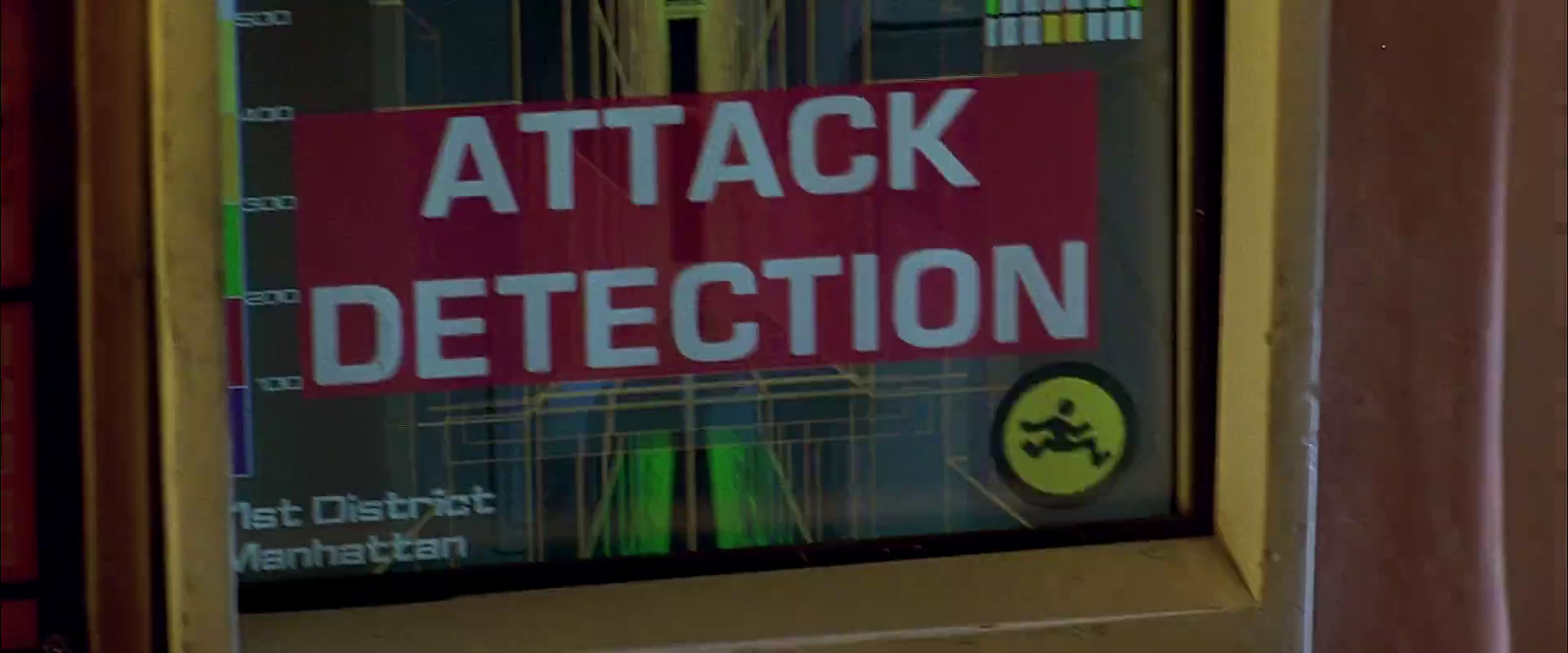
The taxi has a screen on the passenger’s side dashboard that faces the driver. This display does two things. First, it warns the driver when the taxi is about to be attacked. Secondly, it helps him navigate the complexities of New York circa 2163.

Warning system

After Korben decides to help Leeloo escape the police, they send a squadron of cop cars to apprehend them. And by apprehend I mean blow to smithereens. The moment Korben’s taxi is in sights, they don’t try to detain or disable the vehicle, but to blast it to bits with bullets and more bullets. It seems this is a common enough thing to have happen that Korben’s on-board computer can detect it in advance and provide a big, flashing, noisemaking warning to this effect.

FifthE-attackdetection-008

In many cases I object to the Big Label, but not here. In fact, for such a life-threatening issue, more of the taxi’s interface should highlight the seriousness. My life’s in danger? Go full red alert, car. Change the lights to crimson. Dim non-essential things. You’ve got an “automatic” button there. Does that include evasive maneuvering? If so, make that thing opt-out rather than opt-in. Help a brother out.

Navigation aid

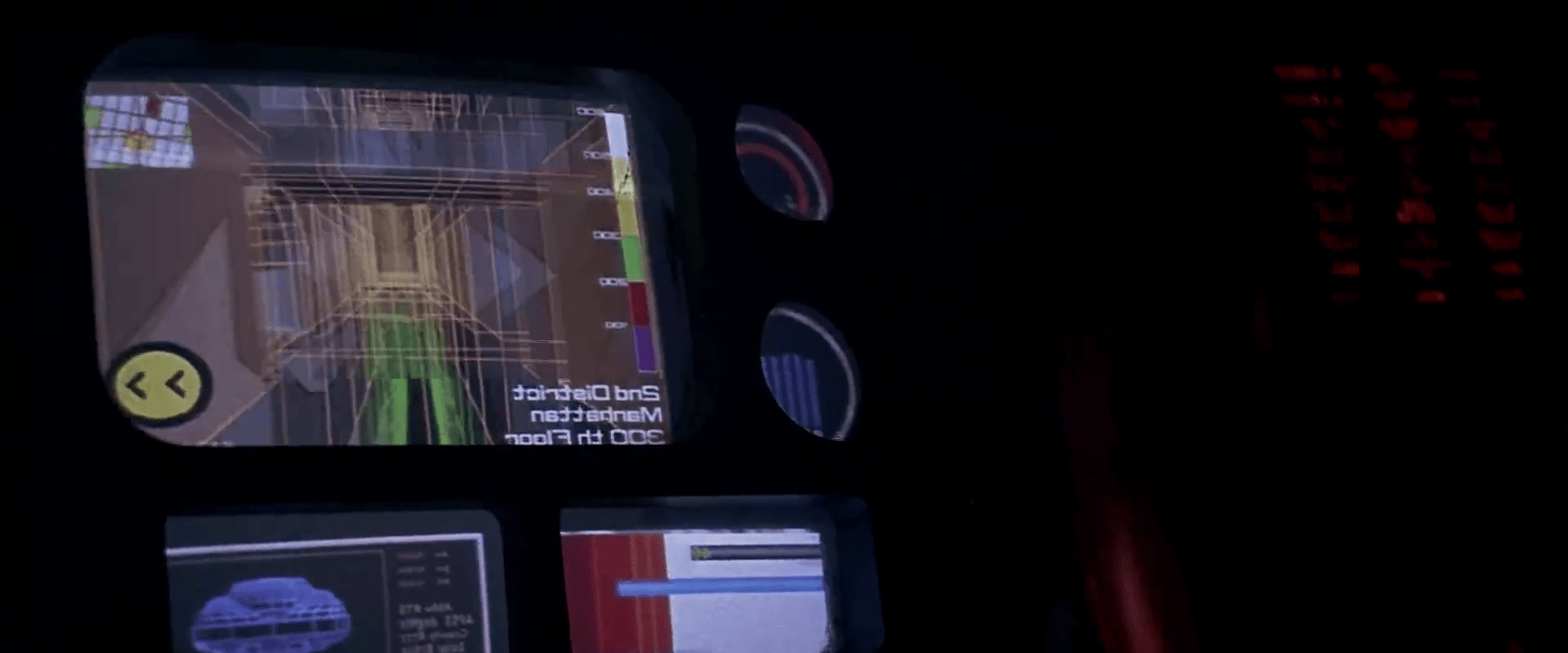
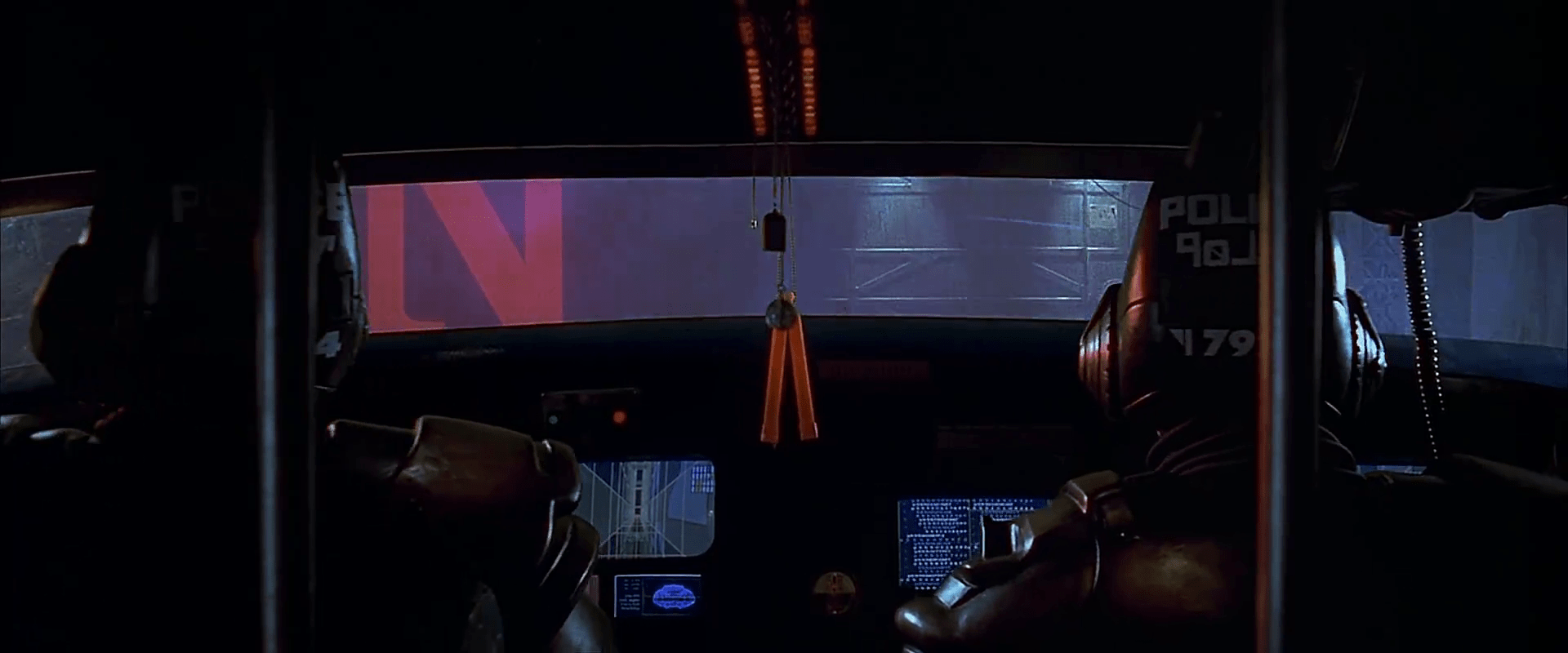
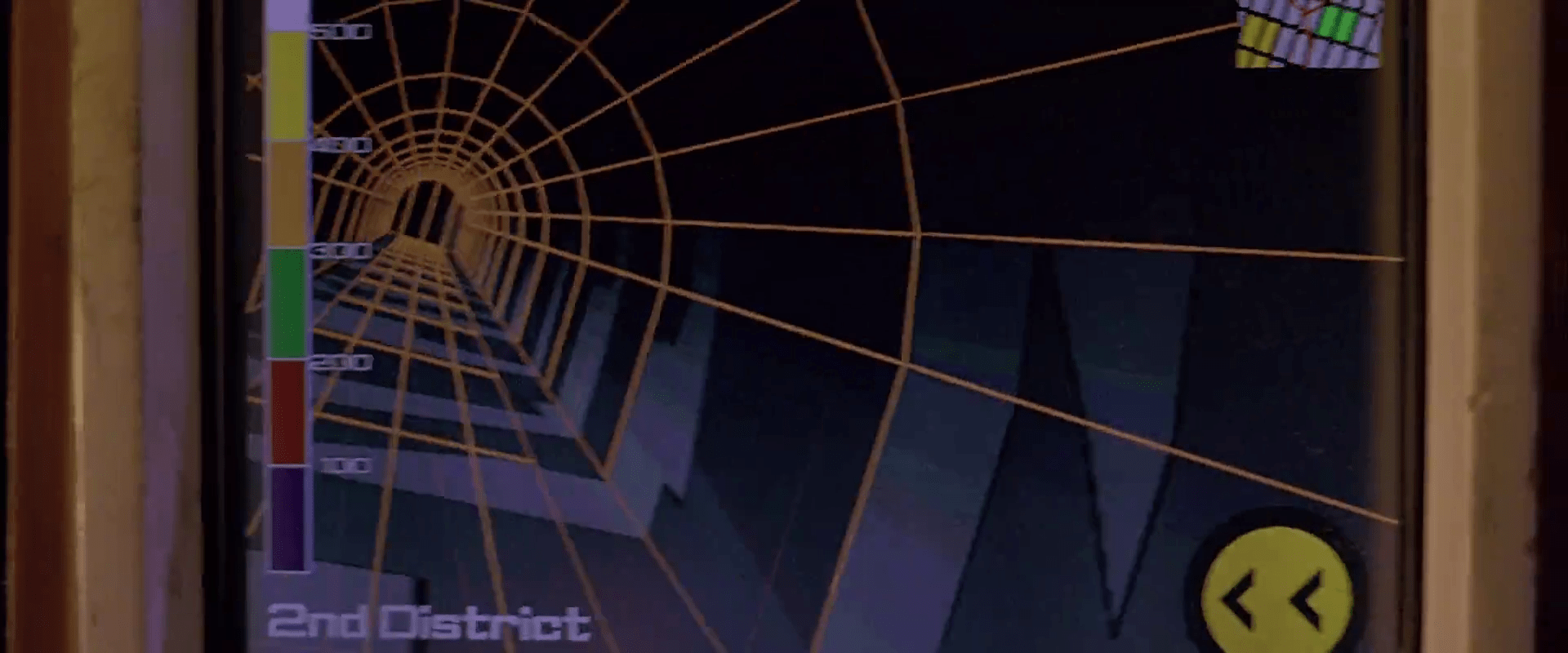
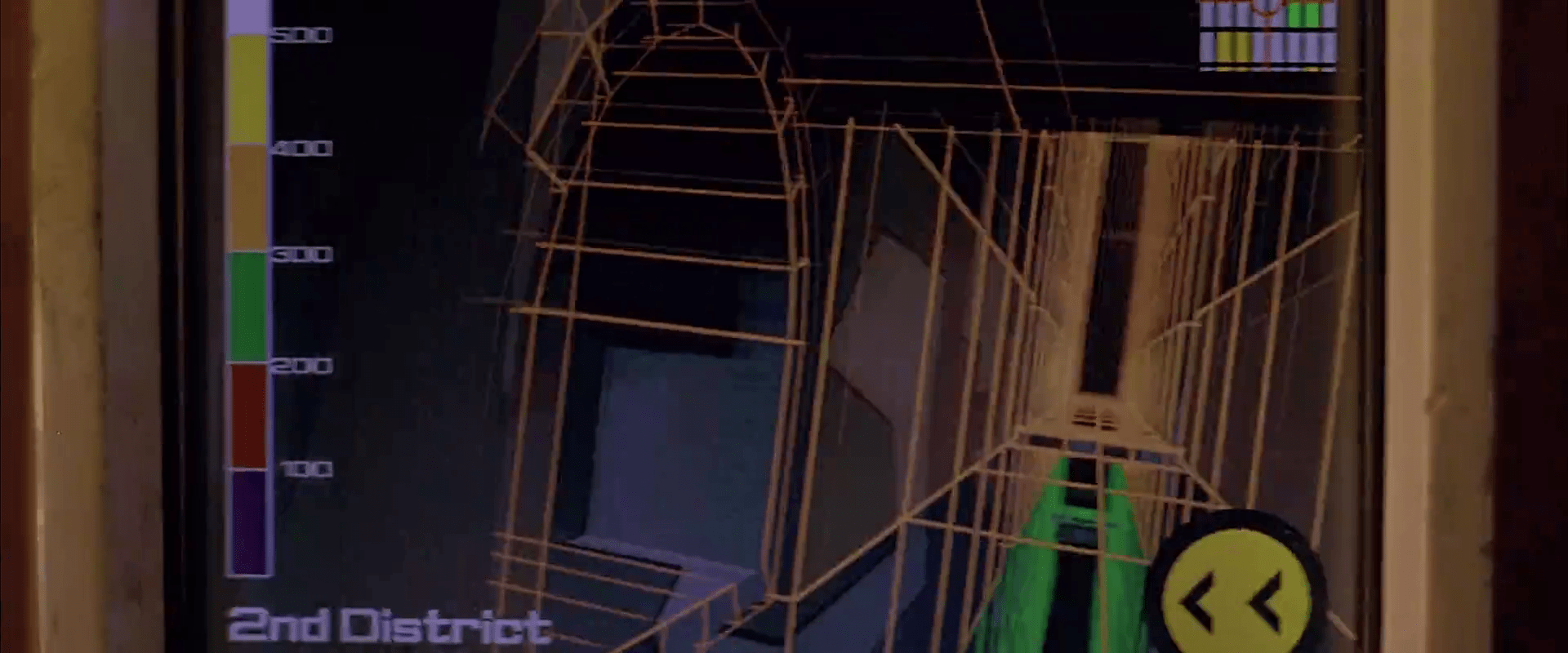
At other times during the chase scene, Korben can glance at the screen to see a wireframe of the local surroundings. This interface has a lot of problems.

1. This would work much, much more safely and efficiently for Korben if it was a heads-up display on the windshield. Let’s shrink that feedback loop. Every time a driver glances down he risks a crash and in this case, Korben risks the entire world. If HUD tech isn’t a part of the diegesis, audio cues might be some small help that don’t require him to take his eyes of the “road.”

2. How does the wireframe style help? It’s future-y of course, but it adds a lot of noise to what he’s got to process. He doesn’t need to understand tesselations of surfaces. He needs to understand the shapes and velocities of things around him so he can lose the tail.

FifthE-attackdetection-006

(Exercise for the reader: Provide a solid diegetic explanation for why this screen appeared in the film flipped horizontally.)

FifthE-attackdetection-010

3. There’s some missing information. If the onboard computer can do some real-time calculations and make a recommendation on the best next step, why not do it? We see above that the police have the same information that Korben does. So even better might be information on what the tail is likely to do so Korben can do the opposite. Or maneuvers that Korben can execute that the cop car can’t. If it’s possible to show places he should definitely not go, like dead ends or right into the path, say, of a firing squad of police cars, that would be useful to know, too.

FifthE-attackdetection-002

FifthE-attackdetection-004

4. What are those icons in the lower right meant to do? They’re not suggestions as they appear after Korben performs his maneuvers, and sometimes appear along with warnings instead of maneuvers.

Even if they are suggestions, what are they directions to? His original destination? He didn’t have one. Some new destination? When did he provide it? Simple, goal-aware directions to safety? Whatever the information, these icons add a lot cognitive weight and visual work. Surely there’s some more direct way to provide cues, like being superimposed on the 3D so he can see the information rather than read and interpret it.
If they’re something else other than suggestions, they’re just noise. In a pursuit scenario, you’d want to strip that stuff out of the interface.

FifthE-attackdetection-003

5. What is that color gradient on the left meant to tell him? All the walls in this corridor are 350…what? The screen shot above hints that it represents simple height from the ground, but the 2D map has these colors as well, and height cues wouldn’t make sense there. If it is height, this information might help Korben quickly build a 3D mental map of the information he’s seeing. But using arbitrary colors forces him to remember what each color means. Better would be to use something with a natural order to it like the visible spectrum or black-body spectrum. Or, since people already have lots of experience with monocular distance cues and lighting from above, maybe a simple rendering as if the shapes were sunlit would be fastest to process. Taking advantage of any of these perceptual faculties would let him build a 3D model quickly so he can focus on what he’s going to do with the information.

Side note: Density might actually make a great deal more sense to the readout, knowing that Korben has a penchant for ramming his taxi through things. If this was the information being conveyed, varying degrees of transparency might have served him better to know what he can smash through safely, and even what to expect on the other side.

6. Having the 2D map helps a bit to understand the current level of the city from a top-down view. Having it be small in the upper right is a sound placement, since that’s a less-important subset of the information he really needs. It has some color coding but as mentioned above it doesn’t seem to relate to what’s colored in the 3D portion, which could make for an interpretation disaster. In any case, Korben shouldn’t have to read this information in the tiny map. It’s a mode, a distraction. While he’s navigating the alleys and tunnels of the city, he’s thinking in a kind of 3D node-graph. Respect that kind of thinking with a HUD that puts information on the “edges” of the graph, i.e., the holes in the surfaces around him that he’s looking at. That’s his locus of attention. That’s where he’s thinking. Augment that.

So, you know…bad

Fortunately, given that the interface has so many problems, Korben only really glances at this once during the chase, and that’s at the warning sound. But if the younger Korben was meant to use this at all, there’s a lot of work to make this useful rather than dangerous.