Genetics Program

image01

According to Hammond, the geneticists in the lab and the software they’re using is “The Real Deal”.

It is a piece of software intended to view and manipulate dino DNA into a format that (presumably) can be turned into viable dinosaur embryos.  The screen is tilted away from us during viewing, and we aren’t able to see the extensive menu and labeling system on the left hand side of the desktop.

Behind it are more traditional microscopes, lab machines, and centrifugal separators.

Visible on the screen is a large pane with a 2D rendering of a 3d object that is the DNA that is being manipulated.  It is a roughly helical shape, with the green stripes corresponding to the protein structure, and various colored dots representing the information proteins in between.

JurassicPark_Genetics02 Continue reading

Explorer Surveillance

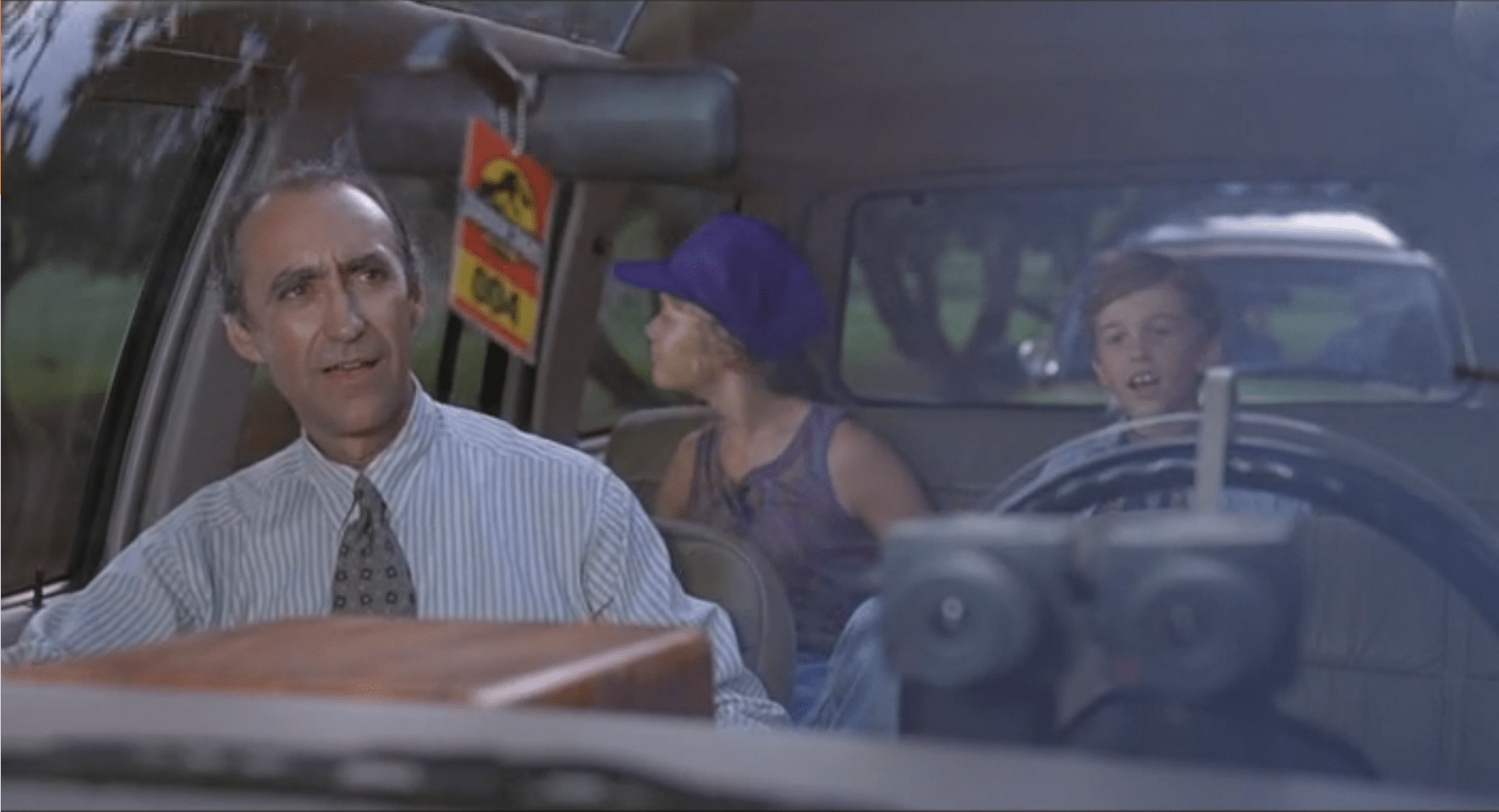
The Control Room of Jurassic Park has a basic video/audio feed to the Tour Explorers that a controller (or, in this case, John Hammond) can use to talk to the tour participants.  He is able to switch to different cameras using the number keys on the keyboard attached to the monitor. The cameras themselves appear to be fixed in place.

JurassicPark_FordSurveillance01

We never see the cameras themselves in the Explorers, but we do see Malcolm tap on one of the cameras during the tour while Hammond is watching it’s feed, so they are visible to the riders.

Hammond occasionally speaks through his audio link, and can hear a constant audio feed from the Explorers. He has some kind of mute button (he says a couple disparaging comments that the other characters don’t appear to hear), but the feed from the Explorers is real-time. It isn’t obvious how he switches between the different Explorers’ audio feeds, or whether he hears both Explorers simultaneously. Continue reading

Night Vision Goggles

Screenshot-(248)

Genarro: “Are they heavy?”
Excited Kid: “Yeah!”
Genarro: “Then they’re expensive, put them back”
Excited Kid: [nope]

The Night Vision Goggles are large binoculars that are sized to fit on an adult head.  They are stored in a padded case in the Tour Jeep’s trunk.  When activated, a single red light illuminated in the “forehead” of the device, and four green lights appear on the rim of each lens. The green lights rotate around the lens as the user zooms the binoculars in and out. On a styling point, the goggles are painted in a very traditional and very adorable green and yellow striped dinosaur pattern.

Tim holds the goggles up as he plays with them, and it looks like they are too large for his head (although we don’t see him adjust the head support at all, so he might not have known they were adjustable).  He adjusts the zoom using two hidden controls—one on each side.  It isn’t obvious how these work. It could be that…

  • There are no controls, and it automatically focuses on the thing in the center of the view or on the thing moving.
  • One side zooms in, and the other zooms out.
  • Both controls have a zoom in/zoom out ability.
  • Each side control powers its own lens.
  • Admittedly, the last option is the least likely.

Unfortunately the movie just doesn’t give us enough information, leaving it as an exercise for us to consider.

Screenshot (241) Continue reading

Ford Explorer Status

image00

One computer in the control room is dedicated to showing the status of the Jeeps out on tour, and where they currently are on the island.

Next to the vehicle outline, we see the words “Vehicle Type: Ford Explorer” (thank you, product placement) along with “EXP” 4–7.  EXP 4 & 5 look unselected, but have green dots next to them, while EXP 6 & 7 look selected with red dots next to them.  No characters interact with this screen. Mr. Arnold does tap on it with a pen (to make a point though, not to interact with it).

On the right hand side of the screen also see a top-down view of the car with the electric track shown underneath, and little red arrows pointing forward.  Below the graphic are the words “13 mph”.  The most visible and obvious indicator on the screen is the headlights.  A large “Headlights On” indicator is at the top of the screen, with highlighted cones coming out of the Jeep where the headlights are on the car. Continue reading

Ford Explorers

image01

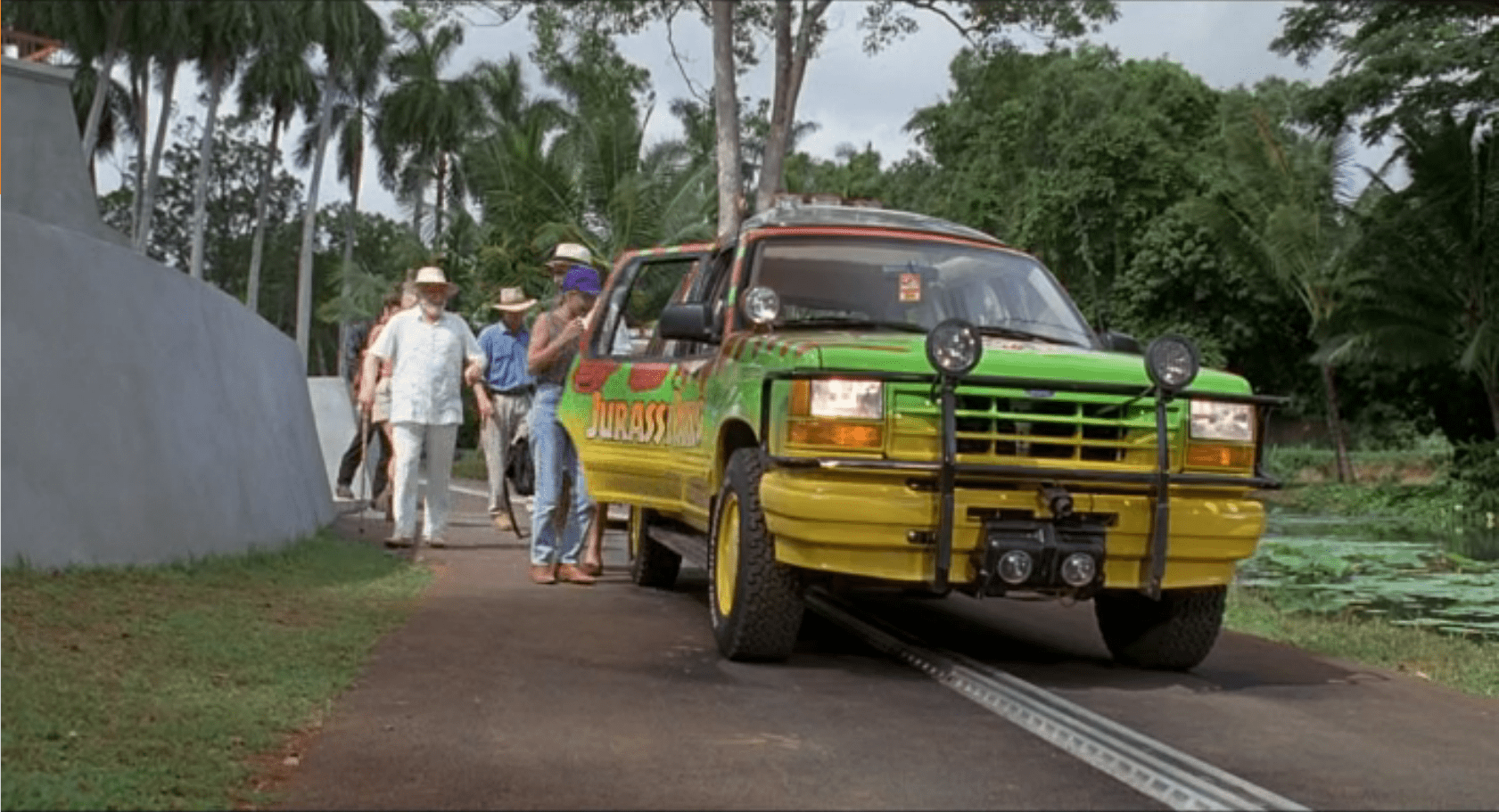
The Ford Explorer is an automated vehicle driven on an electrified track through a set route in the park.  It has protective covers over its steering wheel, and a set of cameras throughout the car:

  • Twin cameras at the steering wheel looking out the windshield to give a remote chauffeur or computer system stereoscopic vision
  • A small camera on the front bumper looking down at the track right in front of the vehicle
  • Several cameras facing into the cab, giving park operators an opportunity to observe and interact with visitors. (See the subsequent SUV Surveillance post.)

Presumably, there are protective covers over the gas/brake pedal as well, but we never see that area of the interior; evidence comes from when Dr. Grant and Dr. Saddler want to stop and look at the triceratops they don’t even bother to try and reach for the brake pedal, but merely hop out of the SUV.

image02 Continue reading

Weather Monitor

Jurassic Park’s weather prediction software sits on a dedicated computer. It pulls updates from some large government weather forecast (likely NOAA).  The screen is split into three sections (clockwise from top left):

  1. 3D representation of the island and surrounding ocean with cloud layers shown
  2. plan view of the island showing cloud cover
  3. A standard climate metrics along the bottom with data like wind direction (labeled Horizontal Direction), barometric pressure, etc.

We also see a section labeled “Sectors”, with “Island 1” currently selected (other options include “USA” and “Island 2”…which is suitably mysterious).

JurassicPark_weather01

Using the software, they are able to pan the views to the area of ocean with an incoming tropical storm.  The map does not show rainfall, wind direction, wind speed, or distance; but the control room seems to have another source of information for that.  They discuss the projected path of the storm while looking at the map.

JurassicPark_weather03

Missing Information

The park staff relies on the data from weather services of America and Costa Rica, but doesn’t trust their conclusions (Muldoon asks if this storm will swing out of the way at the last second despite projections, “like the last one”).  But the team at Jurassic Park doesn’t have any information on what’s actually happening with the storm.

Unlike local weather stations here in the U.S., or sites like NOAA weather maps, there is in this interface a lack of basic forecasting information like, say, precipitation amount, precipitation type, individual wind speeds inside the storm, direction, etc… Given the deadly, deadly risks inherent in the park, this seems like a significant oversight.

The software has spent a great deal of time rendering a realistic-ish cloud (which, we should note looks foreshadowingly like a human skull), but neglects to give information that is taken for granted by common weather information systems.

Prediction

When the park meteorologist isn’t on duty, or isn’t awake, or has his attention on the Utahraptor trying to smash its way into the control room, the software should provide some basic information to everyone on staff:

  • What does the weather forecast look like over the next few hours and days?

When the weather is likely to be severe, there’s more information, and it needs to urgently get the attention of the park staff.

  • What’s the prediction?
  • Which parts of the park will be hit hardest?
  • Which tours and staff are in the most dangerous areas?
  • How long will the storm be over the island?

If this information tied into mobile apps or Jurassic Park’s wider systems, it could provide alerts to individual staff, tourists, and tours about where they could take shelter.

JurassicPark_weather02

Make the Information Usable

Reorienting information that is stuck on the bottom bar and shifting it into the 3d visual would lower the cognitive load required to understand everything that’s going on.  Adding in visuals for other weather data (taken for granted in weather systems now) would bring it at least up to standard.

Finally, putting it up on the big monitor either on demand or when it is urgent would make it available to everyone in the control room, instead of just whoever happened to be at the weather monitor. Modern systems would push the information information out to staff and visitors on their mobile devices as well.

With those changes, everyone could see weather in real time to adjust their behavior appropriately (like, say, delaying the tour when there’s a tropical storm an hour south), the programmer could check the systems and paddocks that are going to get hit, and the inactive consoles could do whatever they needed to do.

Ground Penetrating Radar Gun

The ground penetrating radar gun is a cutting edge piece of technology used by Dr. Grant and Dr. Sattler for their field paleontology work. After firing a blank round into the ground, a second piece of equipment picks up the returning sound waves.

JurassicPark_RadarGun02

Those results are then displayed on a small CRT TV, to which they have taped a makeshift glare. A technician sits at the equipment stack with a keyboard, but no recognizable computer screen. Several buttons, dials, and a waveform monitor complement the setup.

JurassicPark_RadarGun01

After twiddling some dials, and punching a few keys, the technician makes the sonogram appear on the monitor, revealing a utahraptor velociraptor skeleton. Dr. Grant then tries to point out to eager onlookers some of the interesting features of the fossil on the screen. When he touches it, the screen fuzzes for a moment. It appears to be a very delicate piece of equipment in a very harsh part of the desert.

After Grant explains how the gun shows the fossils still in the ground, Sattler comments—foreshadowingly—that “Soon enough, we won’t even have to dig any more…” Enter Hammond and the ironic fulfillment narrative.

Iterate through the Prototype Phase

It looks like this is a very early version of the device, and still very much a prototype. This means it has a lot of issues: very delicate, obfuscated controls, and requires a small team dedicated to just making it work. It doesn’t look fully ready for the field yet…

…And that’s awesome.

This is the perfect example of a usability test: we now know that crotchety archeologists (the primary customer for this product) are going to want to poke it, prod it, and see a lot of detail.  Those are things that, at this stage, can probably still be fixed and improved.

The controls, if that’s what they really are, still have time to be iterated into a usable format.  We know they aren’t usable because even the archeology team struggles with it.

All vital information for getting back to the next iteration for making it better for actual field paleontologists. Until they’re rendered extinct, anyway.

Barbasol Can

JurassicPark_Barbasol02

The Barbasol can is a camouflaged container that Nedry uses to smuggle genetic information, i.e. dinosaur embryos, off the island to an unnamed group that is willing to pay him a lot of money for this act of industrial espionage.

JurassicPark_Barbasol03

The exterior case looks identical to an off-the-shelf can of Barbasol shaving cream, and hides a metal cradle for the DNA vials. With a twist, the cradle pops up.  When twisted back, the cradle locks into place.  Dennis uses this under tight time constraints to steal the DNA samples and carry them. Continue reading

Velociraptor Lock

The velociraptor pen is a concrete pit, topped with high-powered electric fences.  There are two ways into the pen: a hole at the top of the pen for feeding, and a large armored door at ground level for moving ‘raptors in and out. This armored door has the first interface seen in the film, the velociraptor lock.

JurassicPark_velociraptorlock03 Velociraptors are brought from breeding grounds within the park to a secure facility in a large, heavily armored crate. Large, colored-light indicators beside the door indicate whether the armored cages are properly aligned with the door.  The light itself goes from red when the cage is being moved, to yellow when the cage is properly aligned and getting close to the door, to green when the cage is properly aligned and snug against the concrete walls of the velociraptor pen.  There is also a loud ‘clang’ as the light turns to green.  It isn’t clear if this is an audio indicator from the pen itself, the cage hitting the concrete wall, or locks slamming into place; but if that audio cue wasn’t there, you’d want something like it since the price for getting that wrong is quite high.

The complete interface consists of four parts (kind of, read on): The lights, the door, the lock, and the safety. More on each below. Continue reading

Odyssey Navigation

image07

When the Odyssey needs to reverse thrust to try and counter a descent towards the TET, Jack calls for a full OMS (Orbital Maneuvering System) burn. We do not see what information he looks at to determine how fast he is approaching the TET, or how he knows that the OMS system will provide enough thrust.

We do see 4 motor systems on board the Odyssey

  1. The Main Engines (which appear to be Ion Engines)
  2. The OMS system (4 large chemical thrusters up front)
  3. A secondary set of thrusters (similar and larger than the OMS system) on the sleep module
  4. Tiny chemical thrusters like those used to change current spacecraft yaw/pitch/roll (the shuttle’s RCS).

image05

After Jack calls out for an OMS burn, Vika punches in a series of numbers on her keypad, and jack flips two switches under the keypad. After flipping the switches ‘up’, Jack calls out “Gimbals Set” and Vika says “System Active”.

Finally, Jack pulls back on a silver thrust lever to activate the OMS.

OMS

Why A Reverse Lever?

Typically, throttles are pushed forward to increase thrust. Why is this reversed? On current NASA spacecraft, the flight stick is set up like an airplane’s control, i.e., back pitches up, forward pitches down, left/right rolls the same. Note that the pilot moves the stick in the direction he wants the craft to move. In this case, the OMS control works the same way: Jack wants the ship to thrust backwards, so he moves the control backwards. This is a semi-direct mapping of control to actuator. (It might be improved if it moved not in an arc but in a straight forward-and-backward motion like the THC control, below. But you also want controls to feel different for instant differentiation, so it’s not a clear cut case.)

image03

Source: NASA

What is interesting is that, in NASA craft, the control that would work the main thrusters forward is the same control used for lateral, longitudinal, and vertical controls:

image00

Source: NASA

Why are those controls different in the Odyssey? My guess is that, because the OMS thrusters are so much more powerful than the smaller RCS thrusters, the RCS thrusters are on a separate controller much like the Space Shuttle’s (shown above).

And, look! We see evidence of just such a control, here:

image06

Separating the massive OMS thrusters from the more delicate RCS controls makes sense here because the control would have such different effects—and have different fuel costs—in one direction than in any other. Jack knows that by grabbing the RCS knob he is making small tweaks to the Odyssey’s flight path, while the OMS handle will make large changes in only one direction.

The “Targets” Screen

image02

When Jack is about to make the final burn to slow the Odyssey down and hold position 50km away from the TET, he briefly looks at this screen and says that the “targets look good”.

It is not immediately obvious what he is looking at here.

Typically, NASA uses oval patterns like this to detail orbits. The top of the pattern would be the closest distance to an object, while the further line would indicate the furthest point. If that still holds true here, we see that Jack is at the closest he is going to get to the TET, and in another orbit he would be on a path to travel away from the TET at an escape velocity.

Alternatively, this plot shows the Odyssey’s entire voyage. In that case, the red dotted line shows the Odyssey’s previous positions. It would have entered range of the TET, made a deceleration burn, then dropped in close.

Either way, this is a far less useful or obvious interface than others we see in the Odyssey.

The bars on the right-hand panel do not change, and might indicate fuel or power reserves for various thruster banks aboard the Odyssey.

Why is Jack the only person operating the ship during the burn?

This is the final burn, and if Jack makes a mistake then the Odyssey won’t be on target and will require much more complicated math and piloting to fix its position relative to the TET. These burns would have been calculated back on Earth, double-checked by supercomputers, and monitored all the way out.

A second observer would be needed to confirm that Jack is following procedure and gets his timing right. NASA missions have one person (typically the co-pilot) reading from the checklist, and the Commander carrying out the procedure. This two-person check confirms that both people are on the same page and following procedure. It isn’t perfect, but it is far more effective than having a single person completing a task from memory.

Likely, this falls under the same situation as the Odyssey’s controls: there is a powerful computer on board checking Jack’s progress and procedure. If so, then only one person would be required on the command deck during the burn, and he or she would merely be making sure that the computer was honest.

This argument is strengthened by the lack of specificity in Jack’s motions. He doesn’t take time to confirm the length of the burn required, or double-check his burn’s start time.

image01

If the computer was doing all that for him, and he was merely pushing the right button at the indicated time, the system could be very robust.

This also allows Vika to focus on making sure that the rest of the crew is still alive and healthy in suspended animation. It lowers the active flight crew requirement on the Odyssey, and frees up berths and sleep pods for more scientific-minded crew members.

Help your users

Detail-oriented tasks, like a deceleration burn, are important but let’s face it, boring. These kinds of tasks require a lot of memory on the part of users, and pinpoint precision in timing. Neither of those are things humans are good at.

If you can have your software take care of these tasks for your users, you can save on the cost of labor (one user instead of two or three), increase reliability, and decrease mistakes.

Just make sure that your computer works, and that your users have a backup method in case it fails.