Other floor cleaning robots

Yesterday I offered extra credit if a reader could name the first floor sweeping robot in a film in the Make It So survery. Pixel I/O smartly noted that The Jetsons (debut 1962) had one—its autovac. (Thanks to Matt Houghton of TechVert.com for posting the image.)

jetsons-autovac

This is a great catch, but Pixel I/O rightly acknowledged that The Jetsons was not a film, so off by a technicality. Shouts out anyway, as this example was a full three or four years before the film I did have in mind, which was the only-nominally sci-fi comedy The Glass Bottom Boat (1966). Still, I happened to come across it in research and captured it.

In the film, the inventor Rod (Bruce Templeton) tries to impress Jennifer (Doris Day) with this floor-cleaning robot. It only manages to pop out of its door to arc towards a dropped banana peel and through reversed footage, arc right back into its home under the kitchen island.

What’s interesting about these two examples are their similarity. They’re each the size of a small dog. Each has an antenna and two eyes. The antennae speak of the radio-controlled paradigm of the era. Audiences needed to know how they are being controlled, and this shortcut answered the question at a glance. The eyes hint at a need for anthropomorphism, or possibly zoomorphism, for users to understand the thing’s capabilities. We know it can see us and the things around it because of this simple visual affordance.

Floor sweeping robots

fifthelement-178

To illustrate his capitalist ideology, (a high-tech version of the parable of the broken window) Zorg activates his automatic cleaning robots. To do this, he deliberately crashes a glass to the floor, where a set of robots come scuttling out from beneath his desk and begin cleaning up.

Three of them serve to demarcate the space as a “”robots working”” zone, with tall masts from which red beacon lights warn anyone nearby. In the middle of these three, a sweeper robot gathers the large pieces of glass with broom and dustbin actuators.

fifthelement-183

Then, a vacuum robot spins above the location to remove the fine pieces of glass.

fifthelement-182

Finally, a hemispheric robot also comes to sterilize the area, or possibly to just spray a pleasing scent in the air. After they are done, they retreat automatically to the desk, and a new drinking glass rises from a hidden compartment to Zorg’s desktop, filling with water to the accompaniment of a small voice that announces ““water”” and, as a bowl of the stuff also raises, ““fruit.””

As Zorg pulls a cherry from the bowl, the same voice announces somewhat pointlessly, ““a cherry.”” (Perhaps useful if the eater is unfamiliar with basic types of fruit.)

TheFifthElement-life

Analysis

The robots are meant to do their job safely and efficiently, and then put themselves away as quickly as possible. The main “interface” task they have is to keep nearby humans informed and safe. (Did Asimov write a law for vacuum cleaners?) A minor secondary goal might be to distinguish the function of each by their shape. The robots inform observers explicitly with the stanchion robots’ beacon lights and bright red patterns. In addition, the whirring sounds of each robot’s motors and actuators help to reinforce the fact that they are working. If they were completely silent they would be more problematic for people not looking or unable to see. The beacon might be a bit of overkill and distracting to someone at a distance, but since the robots are small enough to be a trip hazard, and Cornelius is in fact less than a meter away at the time of sweeping, I can see why it might be needed in this particular case. That they are each readily distinguishable means it might be easier to intervene or select a particular one for maintenance. So, aside from the faulty logic they’re meant to embody, mostly really well designed.

The main improvement I can imagine is that the system might reduce the trip hazard by unifying these disparate functions in a single device, and then either keeping them stanchion-high or flattening its top out like a step. But then we’d just have invented Roomba five years early.

Extra credit

This isn’t the first floor cleaning robot seen on the silver screen. There was another movie over three decades before that included one, even though it wasn’t what most people would consider sci-fi. Can any of the Make It So readers identify that film in the comments? (I’ll post pics of the answer once someone guesses it.)

The Chanel eye-makeup-erator

TheFifthElement-eyemakeup-001

After David offers Leeloo some clothes, he also offers her a device for applying eye makeup. Leeloo only has the most rudamentary grasp of English at this point, so to demonstrate its use he holds it up to his eyes.

This is a clear enough signal for Leeloo, who puts the device up to her eyes like a large pair of sunglasses. She can feel the momentary button near her left fingertip and presses it. In response a white ring around a Chanel logo illuminates for a second. Leeloo feels an unfamiliar sensation and pulls her face away, and we see that the device has applied complete eye makeup for her.

TheFifthElement-eyemakeup-007 TheFifthElement-eyemakeup-008

Analysis

The industrial design of the device is brilliant. It’s sized to be slightly larger than the eye area and it has the right shape for someone to know where to place it. The activation button sits exactly where the user needs it, and with enough of a button-like affordance that even without looking she can find it and press it. The device is just heavy enough to encourage supporting it with palms, which provides a firm base to resist too much movement on activation (and thereby risking eyeshadow right on the eye). The shiny black plastic reads like a cosmetic object, and professional enough that you can presume it’s safe to use near delicate eye parts. The white ring is a simple cue for those nearby that it’s in progress and not to interrupt the user.

A minor improvement would be to improve that simple light on/off to a progress ring that swept around. This would gave a sense of how much time it will take and how much time is left, even if it’s only a second.

The main question of the device is of course how does Leeloo specify the details of the makeup. A quick Google image search shows that the number of parameters is…um…vast.

Of course, if the device had some kind of low-level artificial intelligence, that agentive algorithm could handle a lot of the complexity for her, deciding on the best match for her schedule, fashion trends, current outfit, and her preferred position in the fashion-aggression spectrum. (Would there be a device that went up to 11 for drag queens?) But, when the agentive algorithm got it wrong, and Leeloo wanted to override those settings, she’s back to needing to tell the device how she’d like to override its suggestions. How does she do that?

Which raises the question of those three buttons across the bridge of the device.

Those three buttons

Of course three momentary buttons aren’t enough to control all the variables in eye makeup. Even if these are dials that control three variables, three variables aren’t enough. (Even if they were dials, why would they look identical to the momentary buttons? Things that behave differently should look different.)

Even if these buttons are not controls for variables but rather presets for sets of variables (Such as: “Work,” “Formal wear,” or “Defeating ultimate evil”), they’re not signaling their state well. Looking at that screen grab, can you tell which one is currently selected? I can’t. It should be apparent at a glance, so no one accidentally applies “clubbing” makeup when they mean “funeral.” So there should be some indication of what’s currently selected. Note that a lit button is not enough. Some descriptive text is needed. Such text would ideally be on both the “inside” and the “outside” so no matter how it was lying on a dresser, its state could be read.

Anyway, since those buttons aren’t sufficient for setting up the eye makeup, let’s hope that it’s networked to some other device with a richer interface, like a voice interface or Cornelius’ WIMP computer, where she can have a rich interaction for setting up those buttons.

With all that in mind, here’s another comp to illustrate these ideas. Admittedly, Chanel’s brand police wouldn’t be comfortable with an LED font, but it would clearly communicate that the text represents a variable and not a product name.

Asskicking


Special shouts out to You Yeti! who corrected our tweet that the two Fingernail-o-matics were not the only cosmetic interfaces in the survey. I love writing for a sharp, eagle-eyed audience.

Who did it better? Fingernail-o-matic edition

The Fifth Element (1997)

fifthelement-088

When in The Fifth Element the Mangalore Aknot calls Zorg to report that the “mission is accomplished,” we get a few seconds of screen time with Zorg’s secretary who receives the call. During this moment, she’s a bit bored, and idly shoves a finger into a small, lipstick-case sized device. When she removes it, the device has colored her fingernail a lovely shade of #81002c.

fifthelement-100

The small device is finger-sized, the industrial design feels very much like cosmetics, and its simple design clearly affords inserting a finger. There’s also a little icon on the side that indicates its color. This one device speaks well of what the entire line of products might look like. All told, a simple and lovely interaction in a domain, i.e. cosmetics, that typically doesn’t get a lot of attention in sci-fi.

But what is even more remarkable is that this isn’t the only fingernail interface in the Make It So survey. There is one other, 7 years earlier, and it happens to be used by someone with the exact same job. This other interface comes from the 1990 movie Total Recall.

Total Recall (1990)

TotalRecall-032

As you can see, this receptionist has an interface for coloring her nails as well, but the interaction is entirely different. This device has something like a a tablet with a connected stylus. It displays 16 color options in a full screen grid. She selects a particular color with the tap of the stylus. Then when she taps the stylus to a nail, the nail wipe-transitions to the new color from the tip to the cuticle.

TotalRecall-025

This device is cumbersome. It’s not something that could fit into a purse. Does she just leave it on her desk? Doesn’t her supervisor have opinions about that? My sense is that this is something better suited to a salon than an office space.

As a selection and application mechanism, the stylus is a bad choice. It requires quite a bit of precision to tap the tip of the nail. Our old friend Paul Fitts certainly would use something different for his nails. Since the secretary has to have to have some kind of high-tech coating, perhaps similar to electrophoretic ink, why is the stylus necessary at all? Can’t she just tap her fingernails to the color square of her choice? That would disintermediate the interaction and save her the hassle of targeting her nails with that stylus, especially when she has to switch to her off-hand.

The color display poses some other interesting problems as well. It needs to show colors, but why just 16? We don’t see any means of selecting others. Are these just this season’s most popular? Why not offer her any color she likes? Or some means of capturing her current outfit and suggesting colors based on that? Even the layout is problematic. Because of the effect of simultaneous contrast, the perception of a color alters when seen directly adjacent to other colors. These squares should have some sort of neutral border around them to make perception of them more “true.” But why should we burden her with having to imagine what the color will look like? Show her an image of her hand and let her see in advance what the new color will look like on her fingers. Any sort of low-level augmented reality would help her feel less like she’s picking paint for her living room wall.

And the winner is…

Comparing the two, I’d say that The Fifth Element fingernail-o-matic wins out. It’s more personal, more ergonomic, fits into the user’s lifestyle more, feels more fashionable than techy (which that receptionist clearly cares about). Yes, it’s more restricted in choices, but I’d much rather figure out how to augment that little device with a color selector than try to make a stylus and tablet fingernail-o-matic actually work.

Profiling “CAT” scan

fifthelement-122

After her escape from the nucleolab, Leeloo ends up on a thin ledge of a building, unsure where to go or what to do. As a police car hovers nearby, the officers use an onboard computer to try and match her identity against their database. One officer taps a few keys into an unseen keyboard, her photograph is taken, and the results displays in about 8 seconds. Not surprisingly, it fails to find a match, and the user is told so with an unambiguous, red “NO FILE” banner across the screen.

fifthelement-128

This interface flies by very quickly, so it’s not meant to be read screen by screen. Still, the wireframes present a clear illustration of what the system doing, and what the results are.

The system shouldn’t just provide dead ends like this, though. Any such system has to account for human faces changing over the time since the last capture: aging, plastic surgery, makeup, and disfiguring accidents, to name a few. Since Leeloo isn’t inhuman, it could provide some results of “closest matches,” perhaps with a confidence percentage alongside individual results. Even if the confidence number was very low, that output would help the officers understand it was an issue with the subject, and not an issue of an incomplete database or weak algorithm.

One subtle element is that we don’t see or hear the officer telling the system where the perp is, or pointing a camera. He doesn’t even have to identify her face. It automatically finds her in the camera few, identifies her face, and starts scanning. The sliding green lines tell the officer what it’s finding, giving him confidence in its process, and offering an opportunity to intervene if it’s getting things wrong.

Nucleolab Progress Indicator

FifthE-nucleolab-009

As the nucleolab is reconstructing Leeloo, the screen on the control panel provides update, detailing the process. For the most part this update is a wireframe version of what everyone can see with their eyes.

FifthE-nucleolab-029

FifthE-nucleolab-015

The only time it describes something we can’t see with our own eyes is when Leeloo’s skin is being “baked” by an ultraviolet light under a metal cover. Of course we know this is a narrative device to heighten the power of the big reveal, but it’s also an opportunity for the interface to actually do something useful. It has a green countdown clock, and visualizes something that’s hidden from view.

FifthE-nucleolab-020

As far as a progress indicator goes, it’s mostly useful. Mactilburgh presumably knows roughly how long things take and even the order of operations. All he needs is confirmation that his system is doing what it’s supposed to be, and the absence of an error is enough for him. The timer helps, too, since he’s like a kid waiting for an Easy Bake Oven…of science.

But Munro doesn’t know what the heck is going on. Sure he knows some of the basics of biology. There’s going to be a skeleton, some muscle, some nerves. But beyond that, he’s got a job to do, and that’s to take this thing out the minute it goes pear-shaped. So he needs to know: Is everything going OK? Should I pop the top on a tall boy of Big Red Button? It might be that the interface has some kind of Dire Warning mode for when things go off the rails, but that doesn’t help during the good times. Giving Munro some small indicator that things are going well would remove any ambiguity and set him at ease.

An argument could be made that you don’t want Munro at ease, but a false positive might kill Leeloo and risk the world. A false negative (or a late negative) just risks her escape. Which happens anyway. Fortunately for us.

FifthE-nucleolab-024

An Interview with Christopher Kieffer and Coplin Le Bleu

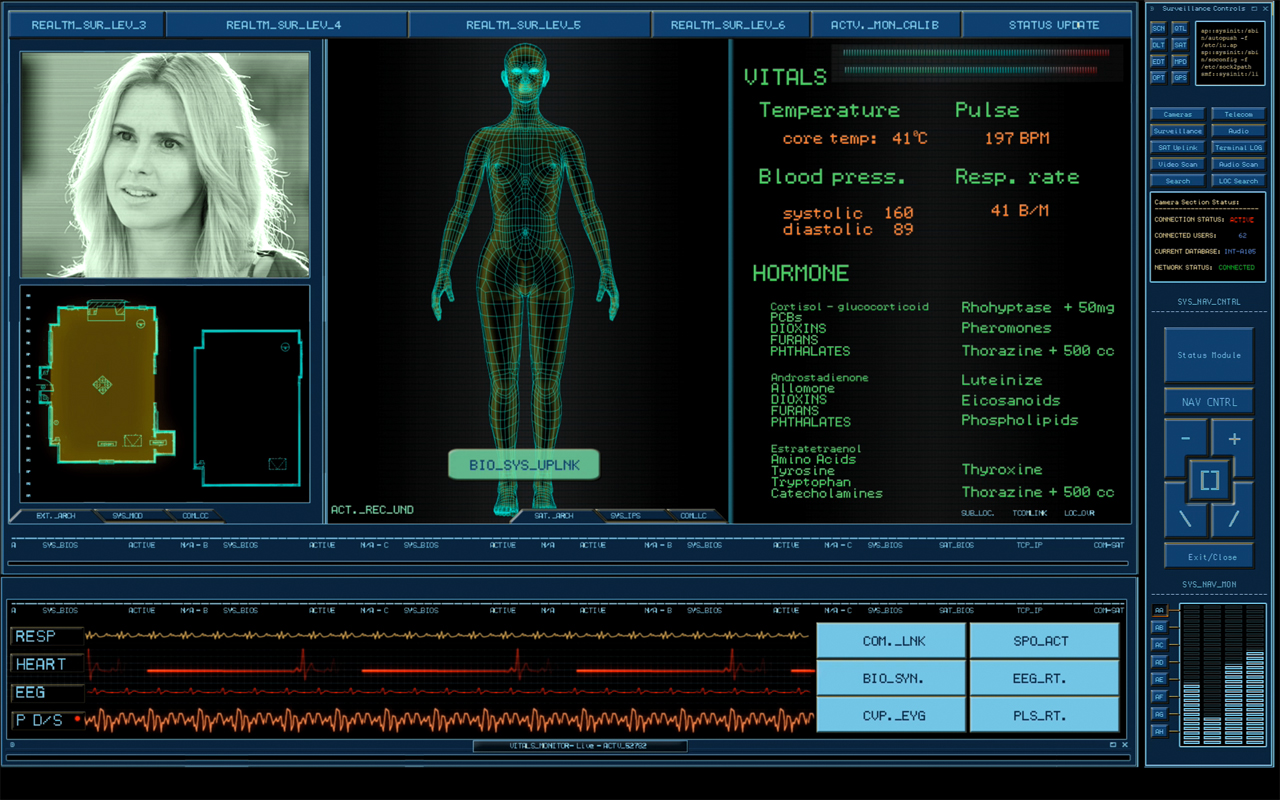
Chris Kieffer and Copin Le Bleu ran across my interview with Shaun Yue, and since they had done the interfaces for The Cabin in the Woods, contacted me eager to share their story as well. Since Cabin has the highest-rated interfaces in the Make It So survey so far, I was very glad to have the chance to talk with them as well. So in honor of the one-year anniversary of the film’s release…

CITW_FSS02

What brief did you receive? How did you interface with (director) Drew Goddard?

COPLIN: The one thing I really remember was that the control room needed to have an older feel to it, like it had been set up years ago but still functional… a kind of a low tech mechanical feel with high tech functions. I remember referencing photos of security/surveillance control rooms that you would see in a prison guard station. I didn’t communicate with Drew directly. All notes got were filtered down from the on set playback operator and supervisor.

CHRIS: When we started this project, design notes from Drew were given to our on-set playback supervisor Mike Sanchez in Canada, to relay to us here in the U.S. The notes said the control room is to look like its been there for a long, long time. As if they built this room with state of the art equipment years ago, but over time they have made some upgrades but kept the old stuff that still works there. So you could have a modern computer running software right next to an old light up panel with switches on it that work together. 

CINW_SS01

Tell me how you went about creating the interfaces for The Cabin the Woods? How did you handle the remote collaboration between you two?

COPLIN: I started designing the interface with the idea that it was an older system set up, that might have looked high tech in it’s prime but had "weathered" a little bit.  So I tried to add a lot of terminal and DOS style elements that would imply a lower, underlining level of programing.  I also felt it needed to have a utilitarian and mechanical feel to the design as it would be controlling and monitoring the different parts of the house.  Chris and I were in the same office, although we were balancing multiple projects together at that time.

CHRIS: Coplin started the initial design on the interface, but we had a few variations of interfaces to make. I started designing different parts of the system like the video surveillance setup and background screens that included video oscilloscopes, code screens, door keypads, and a lot of surveillance on different monitors. The remote aspect came into play when things needed to get approved or changed. We would send the files to Mike in Canada for Drew to look at, and if changes were needed he would send us drew’s notes. So there was a delay sometimes in getting things approved which made it harder to get things made in such a short time. 

CITW_FSS05

Were there any great ideas that didn’t make it to screen? What would you go back and redo given the opportunity?

COPLIN: Looking back on this project, there were a lot of ideas that I’m glad did not make the film. After reading the review on your blog (a very humbling and at times embarrassing experience), there are plenty of changes I would’ve made.  One in particular is the idea of making the deaths on the "kill" screen less noticeable as that information would be less important for their mission.  There’s not usually a lot of time to spend on the details.  My first requirement is to tell the story point efficiently and effectively as I can.  I would have liked to have had more time think about the details of the designs.

CHRIS: Yes, at one point we talked about having a monster select screen that showed all the monsters and their stats. That would have been fun to make but we were early in production and they hadn’t picked/designed all the monsters yet, so that was never finished. After I finish any project I learn so much and always look back and say I could have done this or that, but there’s never enough time.

CINW_SS02

What are your backgrounds? Are you interface designers or SFX artists by training?

COPLIN: I have a Bachelor of Arts degree in TV/Film Production from the University of New Orleans.  After college I became a self-taught motion graphics artist.

CHRIS: I have a BS in visual Communications, and an AS in Graphic Design. I started in print, designing packaging, advertising, and product design. I really liked animating graphics much more than print and so went in that direction instead. 

CITW_FSS04

What were the biggest challenges working on the film?

COPLIN: Time, as in all productions, seems to be one of the biggest challenges, as well as not physically being on set.  I find being on set helps me with designing the functionality of the screens, to see how they will be set up in their environment and how the surrounding set pieces interact with them.  Also it was very challenging for me to display a lot of "nondescript" information to make the screens look busy without tying that graphic to what ever pertinent plot point might be going on at the time.

CHRIS: I agree with Coplin on this one. We only had a couple of days to design and animate all the screens for the main control set. That includes making changes on the fly. It does make it hard not being there, not being able to see the actual set and see how something looks on a monitor and being able to adjust it. Then we have the “make it bigger, and red or green” problems. This is when we have to make some text on the screen very large and red if bad and green if good. We try very hard to avoid things like that but sometimes it’s out of our control. They need to get a specific point across to the audience quickly, and even though your computer wouldn’t say something like "Access Denied" in RED 72pt FONT, some of these just might.

CINW_SS03

What interfaces are you most proud of in the film? (And, of course, why?)

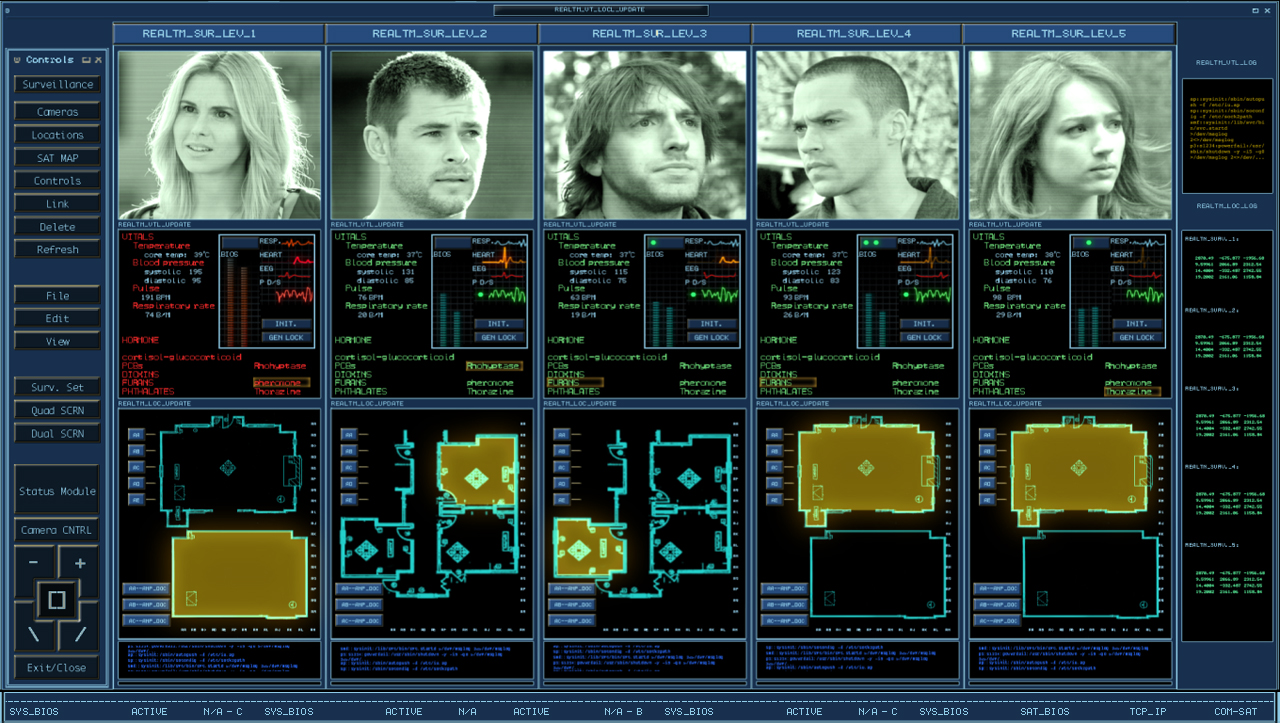
COPLIN: I guess I’m most proud of the "Penta-Vitals" aka "Marking the deaths" screens.  They’re dense and busy but I feel like you could easily at a glance tell who was where and how they were feeling. 

CHRIS: I actually liked making the older electronic equipment screens. The oscilloscope, waveform monitors, were a challenge to make look real. I found making the older tech screens look real was a lot harder than I thought. The look and feel they had on those tube monitors is almost impossible to match on an LCD or plasma, but some we made for tube monitors.

What’s your favorite sci-fi interface that someone else designed?

COPLIN: Of course I’m a really big fan of Mark Coleran‘s work and the stuff that Ash Thorp, David Lewandowski, Jayse Hansen, and Bradley G Munkowitz do (to name a few).  Anytime I see anything from those guys my mouth drops and I want to crawl into a hole.  One of my favorite sci-fi interfaces is from Moon, It’s fun, clean and memorable.

CHRIS: I like a lot of interfaces I see in films and tv shows, but off the top of my head I really like the look and movement of Ash Thorps recent work on Total Recall

CITW_FSS01

In your opinion, what makes a great sci-fi interface designer?

COPLIN: I think what makes a great sci-fi interface designer is someone who can artistically tell the story and creatively display pertinent information in a clear and concise manner.  Someone who can put themselves in the characters shoes and imagine what that character would want to see on the screen.

CHRIS: I agree, a designer should find a way to solve a problem or create a user interface that is fast and relevant to the story while making it artistically appealing to look at.

CITW_FSS03

What’s next for you?

COPLIN: I’m hoping to continue creating interactive motion graphics for on-set video playback and post production.

CHRIS: To continue working on interface design and animation for films and tv shows. Im starting on a new project right now designing a 3d Holographic navigational control system, and some HUDs for some space suits.


Images Copyright Lionsgate

Nucleolab Kill Switch

FifthE-nucleolab-005

General Munro isn’t sure what’s going to come out of the other end of Mactilburgh’s process. He’s never seen a Mondoshawan and doesn’t know if they can be trusted. Fortunately for his sense of panic, there’s a built in kill switch on the control panel facing the nucleolab chamber. To activate the switch, he slips his multipass into a slot. While this card is in the slot, a small red LED lights, and the Big Red Button is active.

FifthE-nucleolab-007

The interface is simple to read, which is nice. The button conveys a bit of its importance through its size and color. The order of operations is well laid out for a Western user: left to right, in the order of reading.

FifthE-nucleolab-008

Three improvements

There are lots of questions about the security strategy, though. Single-factor authentication is too easy to thwart. Couldn’t someone just take his multipass and use it? How does the system know it’s really Munro? Better would be multifactor authentication, requiring both this token and either a knowledge token like a password, or an inheritance factor. Maybe it could require Munro to place his other hand on a handprint reader before the button activates.

Another problem is that the signal that this button is active is too tiny: that little red LED that’s associated with the slot rather than the button. If this is an undoable action, you’d hope that the input would convey the sense of risk. Maybe have the button glow, or surround it with a glowing red ring (think the Krell warning system)?

If it really is a kill switch, i.e. would kill the subject, a nice safeguard against accidental activation would be a press-and-hold button, requiring Munro to hold it down for a few seconds while a warning klaxon sounds. This would give Munro the opportunity to change his mind or move his hand if he’d placed it accidentally. If it triggers something nonlethal, like an incapacitating sticky foam, then no such delay is necessary.

Mondoshawan Thrusters

Mondoengines

If you haven’t been following it, there’s been some great discussion in the comments about my critique of the Mondoshawan flight interface. Clayton and Phil raised some great points and the discussion necessitates understanding the apparent capabilities of the actuators, i.e. thrusters. So here are some images for reference.

FifthE-Mondoshawan-engines002

The capabilities may be fairly limited. The only evidence we have that the thrusters move at all are from early in the film. When the ship has to fight the gravity of a planet, they splay out like the ribs of an umbrella. Otherwise, in space we never see them move.

What’s worse is that the actual maneuverability of the ship seems minimal. When the ship is attacked by Mangalores, it doesn’t even turn to try and evade.

Most of the time interaction designers don’t have the opportunity to redesign actuators, only controls and displays. If we presume that the Mondoshawan thrusters can only splay from the ship’s axis, how would this change the fit of the controls?

NucleoLab Display

FifthE-nucleolab-002

The scientist Mactilburgh reconstructs Leeloo from a bit of her remains in his “nucleolab.” We see a few interfaces here.

FifthE-nucleolab-003

We never see Mactilburgh interact with the controls on this display: Potentiometers, dials with circular LED readout rings, glowing toggle buttons, and unlit buttons labeled “OFF” and “ESC.” There’s not much to grasp onto for analysis. These are just “sciencey” set of physical controls. The display is a bit of similar scienciness, meant to vaguely convey that Leeloo is a higher-order being, but beyond that, incomprehensible. Interestingly, the Mondoshawan DNA shows not just a more detailed graphic, but adds color to convey an additional level of complexity.

FifthE-nucleolab-004

An odd bit: In the lower right hand corner of the screen you can see the words “FAMILIAL HYPERCHOL TEROLEMIA.” Looking up this term reveals the genetic condition Familial Hypercholesterolemia. It’s only missing the “ES.” What’s this label doing here? This could be the area on the DNA chain where the markers appear for this predisposition to high cholesterol, but wouldn’t you expect that to take up 5000 times less room on a DNA strand of a perfect being, not the same percentage? Also it kind of takes the winds out of the sails of Mactilburgh’s breathless claim that she’s perfect. Anyway it’s a warning lesson for sci-fi interface designers: Watch where you pull your sciencey words from. If it’s a real thing, ask whether the meaning runs counter to your purposes or not.