Missile Scan

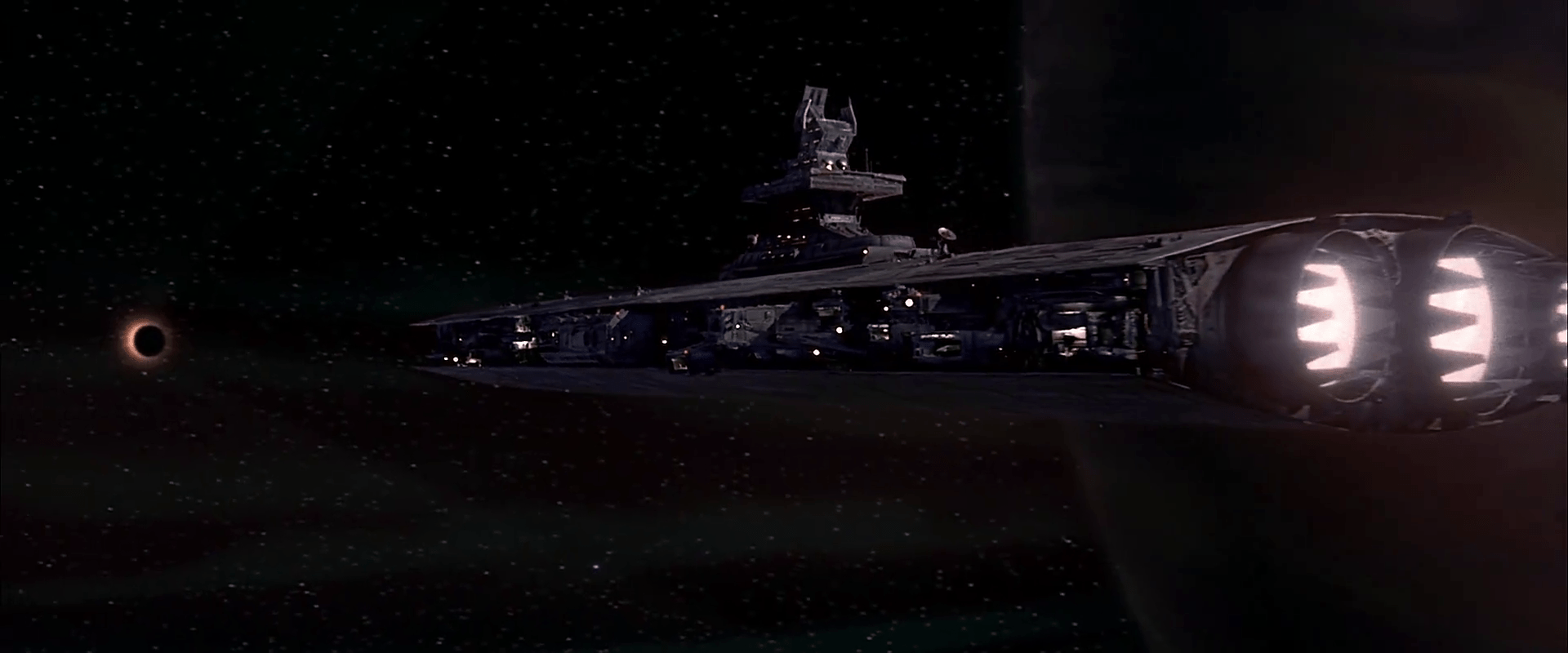
Despite its defenses, Staedert continues with the attack against the evil planet, and several screens help the crew monitor the attack with the “120” missiles.

fifthelement-030

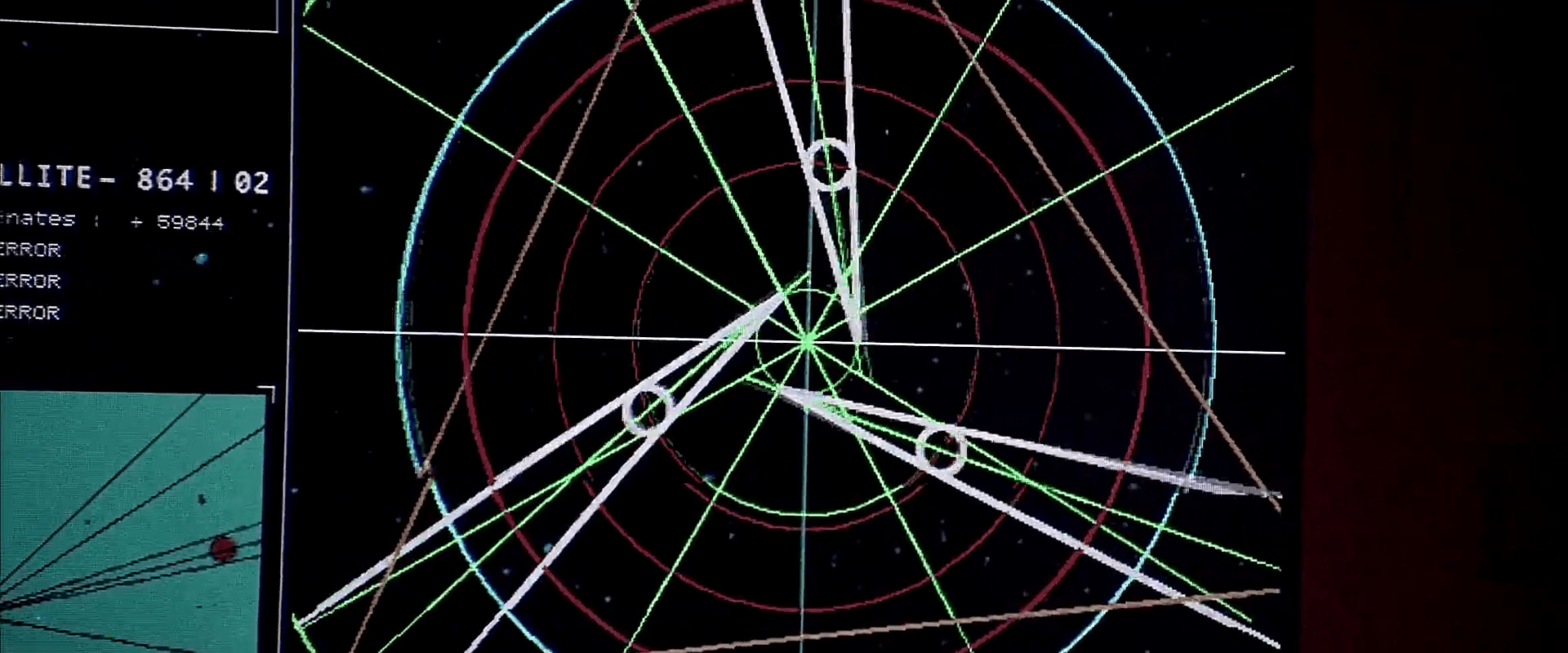
First there is an overhead view of the space between the ship and the planet. The ship is represented as a red dot, the planet as a red wireframe, and the path of the missiles magnified as a large white wireframe column. A small legend in the upper right reads “CODIFY” with some confirmation text. Some large text confirms the missiles are “ACTIVE” and an inscrutable “W 6654” appears in the lower right.

As the missiles launch, their location is tracked along the axis of the column as three white dots. The small paragraph of text in the upper right hand scrolls quickly, displaying tracking information about them. A number in the upper left confirms the number of missiles. A number below tracks some important pair of numeric variables. In the lower right, the label has changed to “SY 6654.” A red vertical line tracks with the missiles across the display, and draws the operator’s attention to another small pair of numeric variables that also follow along.

These missiles have no effect, so he sends a larger group of 9 “240” missiles. Operators watch its impact through the same display.

fifthelement-035

fifthelement-036

fifthelement-037

These screens are quite literal in the information they provide, i.e. physical objects in space, but abstract it in a way that helps a tactician keep track of and think about the important parts without the distraction of surface appearance, or, say, first-person perspective. Of all the scanner screens, these function the best, even if General Staedert’s tactics were ultimately futile.


FifthE-UFT015

Surface Scan

fifthelement-025

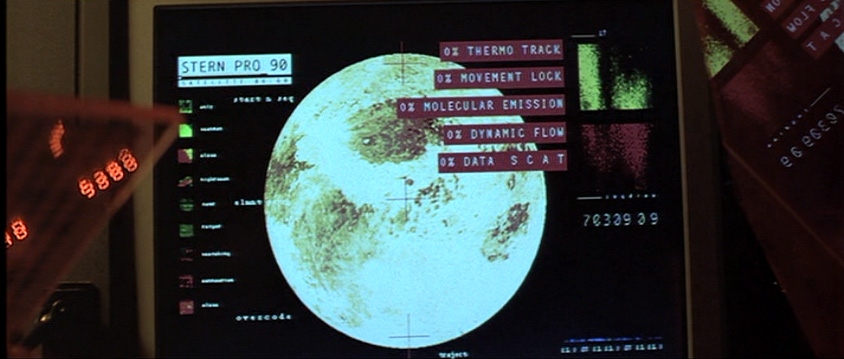
Later in the scene General Staedert orders a “thermonucleatic imaging.” The planet swallows it up. Then Staedert orders an “upfront loading of a 120-ZR missile” and in response to the order, the planet takes a preparatory defensive stance, armoring up like a pillbug. The scanner screens reflect this with a monitoring display.

fifthelement-026

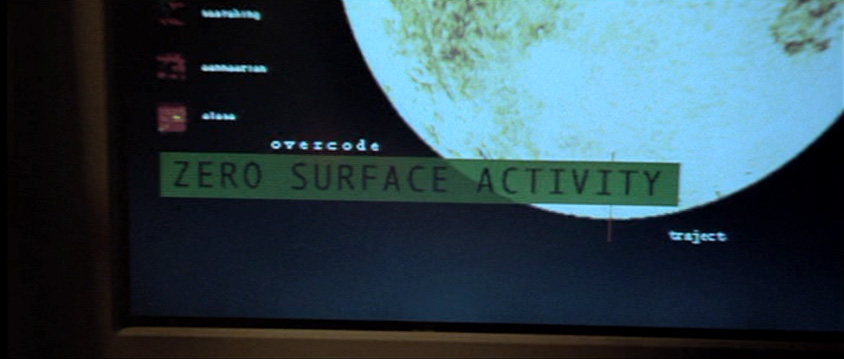
In contrast to the prior screen for the Gravity (?) Scan, these screens make some sense. They show:

  • A moving pattern on the surface of a sphere slowing down
  • clear Big Label indications when those variables hit an important threshold, which is in this case 0
  • A summary assessment, “ZERO SURFACE ACTIVITY”
  • A key on the left identifying what the colors and patterns mean
  • Some sciency scatter plots on the right

The majority of these would directly help someone monitoring the planet for its key variables.

fifthelement-027

Though these are useful, it would be even more useful if the system would help track these variables not just when they hit a threshold, but how they are trending. Waveforms like the type used in medical monitoring of the “MOVEMENT LOCK,” “DYNAMIC FLOW,” and “DATA S C A T” might help the operator see a bit into the future rather than respond after the fact.

Gravity (?) Scan

FifthE-UFT001

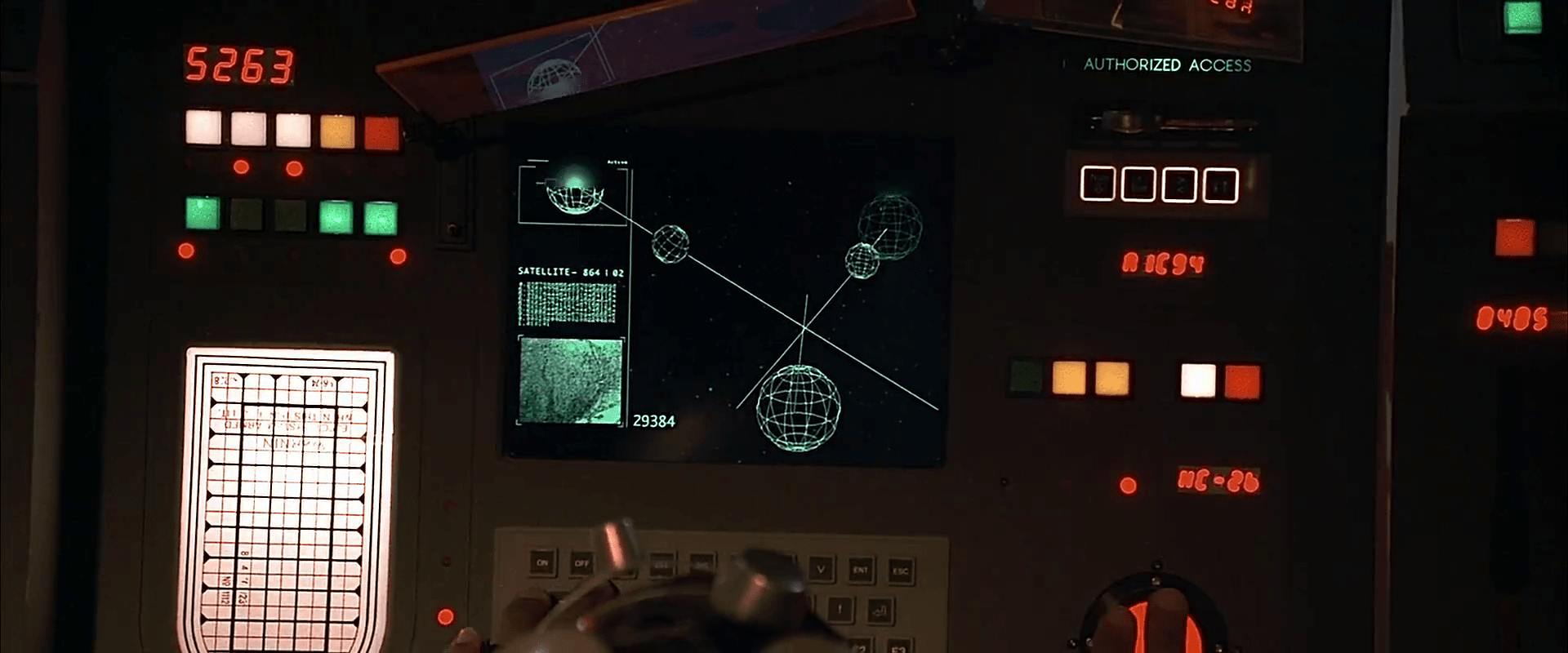
The first bit of human technology we see belongs to the Federation of Territories, as a spaceship engages the planet-sized object that is the Ultimate Evil. The interfaces are the screen-based systems that bridge crew use to scan the object and report back to General Staedert so he can make tactical decisions.

FifthE-UFT006

We see very few input mechanisms and very little interaction with the system. The screen includes a large image on the right hand side of the display and smaller detailed bits of information on the left. Inputs include

  • Rows of backlit modal pushbuttons adjacent to red LEDs
  • A few red 7-segment displays
  • An underlit trackball
  • A keyboard
  • An analog, underlit, grease-pencil plotting board.
    (Nine Inch Nails fans may be pleased to find that initialism written near the top.)

The operator of the first of these screens touches one of the pushbuttons to no results. He then scrolls the trackball downward, which scrolls the green text in the middle-left part of the screen as the graphics in the main section resolve from wireframes to photographic renderings of three stars, three planets, and the evil planet in the foreground, in blue.

FifthE-UFT008 FifthE-UFT014 FifthE-UFT010

The main challenge with the system is what the heck is being visualized? Professor Pacoli says in the beginning of the film that, “When the three planets are in eclipse, the black hole, like a door, is open.” This must refer to an unusual, trinary star system. But if that’s the case, the perspective is all wrong on screen.

Plus, the main sphere in the foreground is the evil planet, but it is resolved to a blue-tinted circle before the evil planet actually appears. So is it a measure of gravity and event horizons of the “black hole?” Then why are the others photo-real?

Where is the big red gas giant planet that the ship is currently orbiting? And where is the ship? As we know from racing game interfaces and first-person shooters, having an avatar representation of yourself is useful for orientation, and that’s missing.

And finally, why does the operator need to memorize what “Code 487” is? That places a burden on his memory that would be better used for other, more human-value things. This is something of a throw-away interface, meant only to show the high-tech nature of the Federated Territories and for an alternate view for the movie’s editor to show, but even still it presents a lot of problems.

Spacesuits

The surface of LV-223, as one imagines with the overwhelming majority of alien planets, is inhospitable to human life. For life support and protection, the crew wears suits complete with large clear “fishbowl” helmets that give a full-range of view. A sensor strip arcs across the forehead of the bowl, with all manner of sensors broadcasting information back to the ship. Crew also wear a soft fabric cap beneath the bowl with their name clearly stitched into a patch that sits above the forehead. (Type nerds: The face is modular, something similar to Eurostile. The name is in all caps. This is par for sci-fi typography, but poor for legibility at distance.)

Prometheus-105

Prometheus-106

Prometheus-107

Sadly for the crewmembers (and the actors as well) the air inside these bowls are not well filtered and circulated. The inside surface fogs up quite easily from the wearer’s breath.

Audio

Audio is handled intuitively, with all microphones between spacesuits being active all the time, with an individual’s volume relative to his or her proximity to the listener. Janek is at one point able to stand in front of the ship and address everyone inside it, knowing that the helmet microphones are monitored at all times.

Lights, Cameras

There are lights inside the helmet, placed over the forehead and pointing down to make the wearer’s face visible to others nearby, as well as anyone remote-monitoring the wearer with a backward-facing camera. A curious feature of the suits that they also include yellow lights that highlight the wearer’s neck. What is the purpose of these lights? Certainly it shows off Michael Fassbender’s immaculate jawline, but diegetically, it’s unclear what the purpose of these things are. It is after the scientists remove their helmets in the alien environment—against the direct orders of the Captain—it becomes clear that the spacesuits were designed with this in mind. This way the spacesuits can be operated helmetlessly while maintaining identification lights for other crew. The odds of this being a feature that would ever be used on an alien planet are astronomically low, but the designers accommodated the ability to be operated without helmets.

Prometheus-136

Sleeve computers

Holloway’s left sleeve has two small screens. The left one of these displays inscrutably small lines of cyan text. The right one has a label of PT011, with a 3×3 array of two-digit hexadecimal numbers beneath it.

Prometheus-130

A few of the hexadecimal pairs have highlight boxes around them. Looking at this grid, Holloway is able to report to the others that, “Look at the CO2 levels. Outside it’s completely toxic, and in here there’s nothing. It’s breathable.” It’s inscrutable, but believably shorthand for vital bits of information, understsandable to well-trained wearers. For inputs to the sleeve computer, he has four momentary buttons along the bottom and a rotary side-mounted dial. Using these controls, Holloway is able to disable his safety controls and remove the helmet.