Grade Board

When students want to know the results of their tests, they do so by a public interface. A large, tiled screen is mounted to a recessed section of wall in a courtyard. The display is divided into a grid of five columns and three rows. Each cell contains one student’s results for one test, as a percentage. One cell displays an ad for military service. Another provides a reminder for the upcoming sports game. Four keyboards are situated below the screens at waist level.

StarshipT_026

To find her score, Carmen approaches one of the keyboards and enters some identifying data. In response, the column above the screen displays her score and moves the data in the other cells up. There is no way to learn of one’s test scores privately. This hits Johnny particularly hard when he checks his scores to find he has earned 35% on his Math Final, a failing grade.

Worse, his friend Carl is able to walk up to the keyboard and with a few key presses, interrupt every other student looking at the grades, and fill the entire screen with Johnny’s score for all to see, with the failing number blinking red and white, ridiculing him before his peers. After a reprimand from Johnny, Carl returns the display to normal with the press of a button.

StarshipT_025

STARSHIP_TROOPERS_grade

Is ANSI the right input?

The keyboard would be a pain to keep clean, and you’d figure that a student ID would be a unique-and-memorable enough token. Does an entire ANSI keyboard need to be there? Wouldn’t a number pad be enough? But why a manual input at all? Nowadays you’d expect some near-field communication, or biometric token, which would obviate the keyboard entirely.

Are publicizing grades OK?

So there are input and interaction improvements to be made, for sure. But there’s more important issues to talk about here. Yes, students can accomplish one task with the interface well enough: Checking grades. But what about the giant, public output?

It’s fullfilling one of the dystopian goals of the fascist society in which the story takes place, which is that might makes right. Carl is a bully (even if Jonny’s friend) and in the culture of Starship Troopers, if he wants to increase Johnny’s public humiliation, why not? Johnny needs to study harder, take it on the chin, or make Carl stop. In this regard, the interface satisfies both the students’ task and the culture’s…um…values.

I originally wanted to counter that with a strong statement that, “But that’s not us.” After all, modern federal privacy laws in the United States forbid this public display as a violation of students’ privacy. (See FERPA laws.) But apparently not everyone believes this. A look on debate.org (at the time of writing) shows that opinion is perfectly split on the topic. I could lay out my thoughts on which side is better for learning, but it’s really beyond the scope of this blog to build a case for either side of Lakoff’s Moral Politics.

Screen cap from debate.org

You’re Doing More Than You Think You’re Doing

But it’s worth noting the scope of these issues at hand. This seems at first to be an interface just about checking grades, but when you look at the ecosystem in which it operates, it actually illustrates and reinforce a culture’s core virtues. The interface is sometimes not just the interface. Its designers are more than flowchart monkeys.

The secret of the tera-keyboard

GitS-Hands-01

Many characters in Ghost in the Shell have a particular cybernetic augmentation that lets them use specially-designed keyboards for input.

Triple-hands

To control this input device, the user’s hands are replaced with cybernetic ones. Normally they look and behave like normal human hands. But when needed, the fingers of these each split into three separate mini-fingers, which can move independently. These 30 spidery fingerlets triple the number of digits at play, dancing across the keyboard at a blinding 24 positions per second.

GitS-Hands-02

The tera-keyboard

The keyboards for which these hands were built have eight rows. The five rows nearest the user have single symbols. (QWERTY English?) Three rows farthest from the user have keys labeled with individual words. Six other keys at the top right are unlabeled. Each key glows cyan when pressed and is flush with the board itself. In this sense it works more like a touch panel than a keyboard. The board has around 100 keys in total.

GitS-Hands-03

What’s nifty about the keyboard itself is not the number of keys. Modern keyboards have about that many. What’s nifty is that you can see these keyboards are massively chorded, with screen captures from the film showing nine keys being pressed at once.

GitS-Hands-04

Let’s compare. (And here I owe a great mathematical debt of thanks to Nate Clinton for his mastery of combinatorics.) The keyboard I’m typing this blog post on has 104 keys, and can handle five keys being pressed at once, i.e, a base key like “S” and up to four modifier keys: shift, control, option, and command. If you do the math, this allows for 1600 different keypresses. That’s quite a large range of momentary inputs.

But on the tera-keyboard you’re able to press nine keys at once, and more importantly, it looks like any key can be chorded with any other key. If we’re conservative in the interpretation and presume that 9 keys must be pressed at once—leaving 6 fingerlets free to move into position for the next bit of input—that still adds up to a possible 2,747,472,247,520 possible keypresses (≈2.7 trillion). That’s about nine orders of magnitude more than our measley 1600. At 24 keypresses per second, that’s a data rate of 6.5939334e+13 per second.

GitS-Hands-05

So, ok, yes, fast, but it only raises the question:

What exactly is being input?

It’s certainly more than just characters. Unicode‘s 110,000 characters is a fraction of a fraction of this amount of data, and it covers most of the world’s scripts.

Is it words? Steven Pinker in his book The Language Instinct cites sources estimating the number of words in an educated person’s vocabulary is around 60,000. This excludes proper names, numbers, foreign words, any scientific terms, and acronyms, so it’s pretty conservative. Even if we double it, we’re still around the number of characters in Unicode. So even if the keyboard had one keypress for every word the user could possibly know and be thinking at any particular moment, the typist would only be using a fragment of its capacity.

typing

The only thing that nears this level of data on a human scale is the human brain. With a common estimate of 100 billion neurons, the keyboard could be expressing the state of it’s users brain, 24 times a second, distinguishing between 10 different states of each neuron.

This also bypasses one of the concerns of introducing an input mechanism like this that requires active manipulation: The human brain doesn’t have the mechanisms to manage 30 digits and 9-key-chording at this rate. To get it to where it could manage this kind of task would need fairly massive rewiring of the brain of the user. (And if you could do that, why bother with the computer?)

But if it’s a passive device, simply taking “pictures” of the brain and sharing those pictures with the computer, it doesn’t require that the human be reengineered, just re-equipped. It requires a very smart computer system able to cope with and respond to that kind of input, but we see that exact kind of artificial intelligence elsewhere in the film.

The “secret”

Because of the form factor of hands and keyboard, it looks like a manual input device. But looking at the data throughput, the evidence suggests that it’s actually a brain interface, meant to keep the computer up to date with whatever the user is thinking at that exact moment and responding appropriately. For all the futurism seen in this film, this is perhaps the most futuristic, and perhaps the most surprising.

GitS-Hands-06

5E-opedia: Search

TheFifthElement-eye

Leeloo learns about the facts of the human race which she is destined to save through an online encyclopedia available to her in many places: in Cornelius’’ home, the spaceship to Fhloston Paradise, and aboard Zorg’’s ship. Three modes are seen for it. Today we discuss the third mode, which is to search for an in-depth topic.

Search

When Leeloo experiences full-scale combat with Zorg and the Mangalores aboard Fhloston Paradise, she grows curious about war. On the route back to Earth aboard Zorg’s ship, she once again returns to the online encyclopedia she’s been referencing throughout the film. When she sits down, it just so happens that the system is in the middle of the W topics. It is amid “we*” and “wh*” words. “Weapon” is at the top, so maybe that’s what Zorg was looking for.

TheFifthElement-W TheFifthElement-weapon

To access a particular topic not on screen, she simply begins typing. She types “WAR,” the letters filling the screen in green all-caps, and the entry for war begins playing. This entry is different than the prior one seen on martial arts. This is simply a series of still images presented serially, around four dozen that culminate in an image of the French test of an atomic weapon at Mururoa Atoll.

TheFifthElement-wkey

TheFifthElement-war

TheFifthElement-war-043

Two small nuances to note. The first is that we don’t see a result of possible search results. Like Wikipedia, there is a main entry for war, and it presumes that’s the one she means. If it’s wrong, she can interrupt. That’s a smart default that will work in most cases.

The second is that we don’t see or hear Leeloo hit an “enter” key after she finishes typing “war.” (The other keys each emit a small beep.) How did the system know she wasn’t continuing on to “warrior” or “warship”? A smart system would be able to interpret the pause after the “r” as a likely end, once it passes an outer threshold for her typical typing speed, and begin to show her the “war” entry. Then, if she continued to add another letter just outside that threshold, it could evaluate the string. If it might be a continuation, like typing an “s” for “warship” it could pause the display and wait. If a continuation wouldn’t make any sense, like “warx,” it could presume she was entering a new word beginning with “x” or help her recover in case it was just a plain old typo.

Interestingly, this is kind of the way Google Instant search works. Did the designers for The Fifth Element accidentally invent it 13 years ahead of Google?

Despite that cool possibility, I have to ding this entry for not really explaining anything. Some aren’t really about war but about terror, such as the image of the burning cross at a KKK rally. But even for the others, yes, they are horrific images. And they are a stinging reminder of the horrors that accompany war. But they really only work for someone with the prior knowledge of what they describe. Steve McCurry‘s haunting image of a tank in Kuwait, for instance, inspires despair only if you know the full background story of that war, and this sequence certainly does not provide it to Leeloo.

TheFifthElement-war-033

Ultimately, regardless of the mode this encyclopedia is in, it is a cinematic conceit that we should not take as a good example of rapid learning for the real world.

Gravity (?) Scan

FifthE-UFT001

The first bit of human technology we see belongs to the Federation of Territories, as a spaceship engages the planet-sized object that is the Ultimate Evil. The interfaces are the screen-based systems that bridge crew use to scan the object and report back to General Staedert so he can make tactical decisions.

FifthE-UFT006

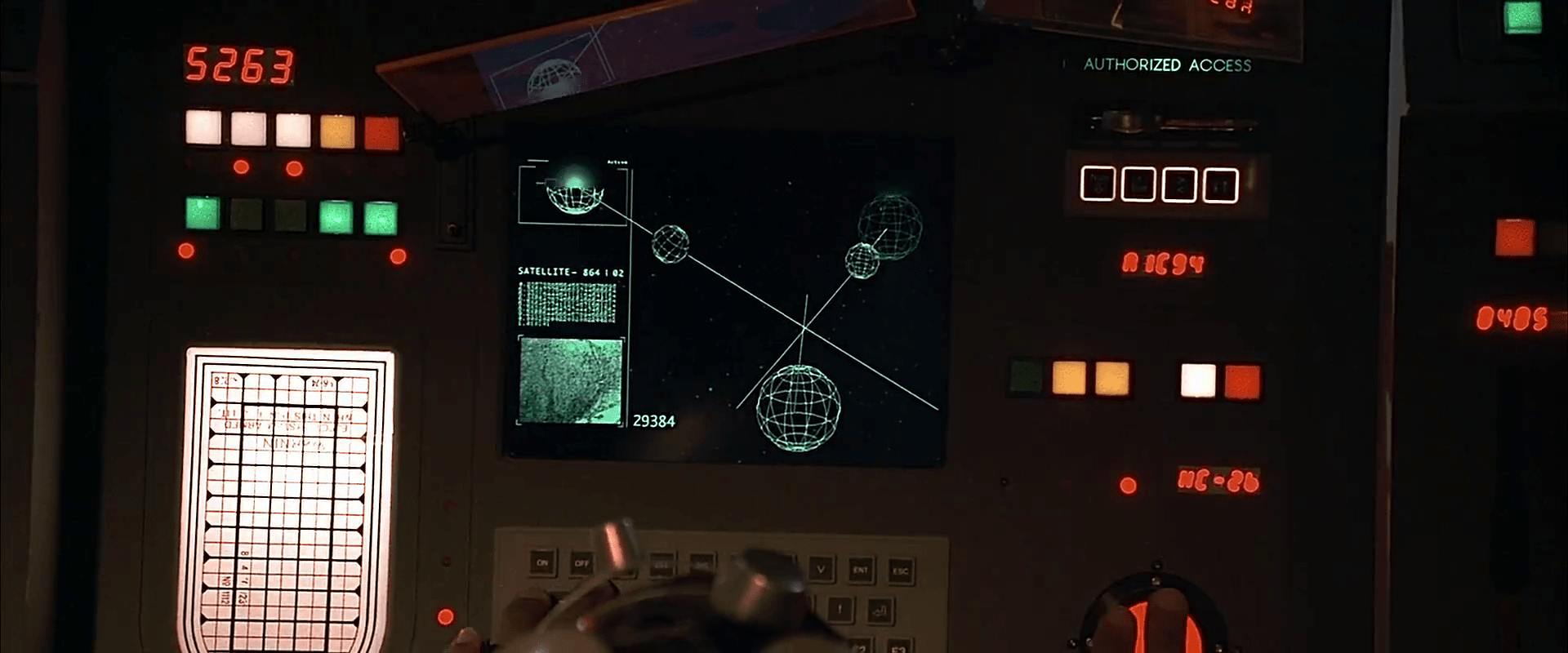
We see very few input mechanisms and very little interaction with the system. The screen includes a large image on the right hand side of the display and smaller detailed bits of information on the left. Inputs include

  • Rows of backlit modal pushbuttons adjacent to red LEDs
  • A few red 7-segment displays
  • An underlit trackball
  • A keyboard
  • An analog, underlit, grease-pencil plotting board.
    (Nine Inch Nails fans may be pleased to find that initialism written near the top.)

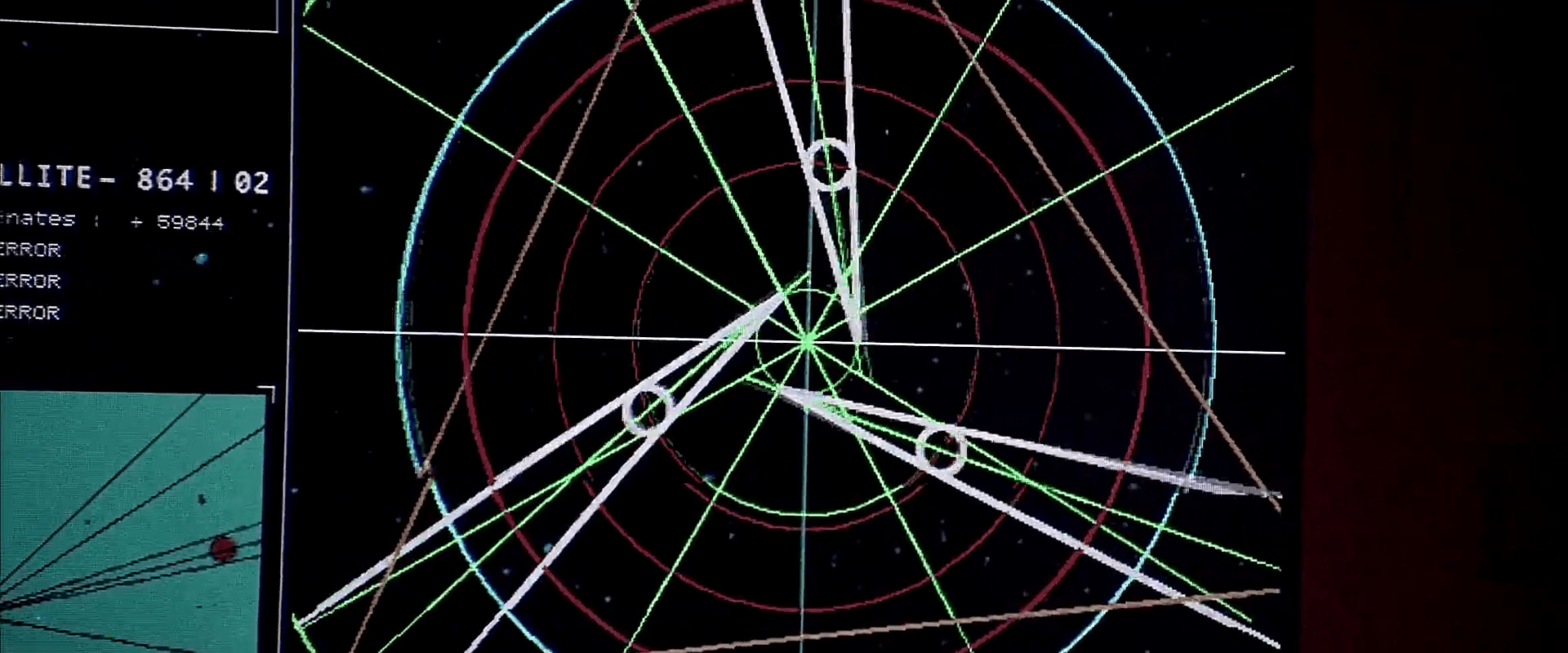
The operator of the first of these screens touches one of the pushbuttons to no results. He then scrolls the trackball downward, which scrolls the green text in the middle-left part of the screen as the graphics in the main section resolve from wireframes to photographic renderings of three stars, three planets, and the evil planet in the foreground, in blue.

FifthE-UFT008 FifthE-UFT014 FifthE-UFT010

The main challenge with the system is what the heck is being visualized? Professor Pacoli says in the beginning of the film that, “When the three planets are in eclipse, the black hole, like a door, is open.” This must refer to an unusual, trinary star system. But if that’s the case, the perspective is all wrong on screen.

Plus, the main sphere in the foreground is the evil planet, but it is resolved to a blue-tinted circle before the evil planet actually appears. So is it a measure of gravity and event horizons of the “black hole?” Then why are the others photo-real?

Where is the big red gas giant planet that the ship is currently orbiting? And where is the ship? As we know from racing game interfaces and first-person shooters, having an avatar representation of yourself is useful for orientation, and that’s missing.

And finally, why does the operator need to memorize what “Code 487” is? That places a burden on his memory that would be better used for other, more human-value things. This is something of a throw-away interface, meant only to show the high-tech nature of the Federated Territories and for an alternate view for the movie’s editor to show, but even still it presents a lot of problems.

The Shagpile Cockpit

Barbarella-029

Barbarella’‘s rocket ship has a single main room, which is covered wall-to-wall with shagpile carpet. The visual panel of her voice-interface computer, called Alphy, is built into the wall near the back. On the right side of Alphy sits the video phone statue. To the left a a large reproduction of Seurat’’s A Sunday Afternoon on the Island of La Grande Jatte masks a door to exit the ship.

Barbarella-015

A recessed, circular seating space near the front acts as the cockpit. From this position Barbarella can see through a large angled viewport. One nice aspect of the design of the cockpit is that when things are going poorly for the rocket ship, and Barbarella is being buffeted about, the pile keeps the damage to a minimum and, the recessed cockpit is likely to “catch” her and hold her there, in a place where she can try and remedy the situation. (This is exactly what happens when they encounter “magnetic disturbances” on their approach to Tau Ceti.)

Barbarella-038
Magnetic Disturbances

The control panel for the ship is a wide band of roughly 60 unlabeled black, white, and gray keys, curving around the pilot like amphitheater seating. The keys themselves are random lengths, stacking in some places two and three to a column. Barbarella presses these keys when she must manually pilot the ship, at one point pressing a particular one several times in quick succession. That action suggests not controls for building up commands like a computer keyboard, but rather direct-effect controls, like an automobile dashboard, where each key has a different, direct effect.

Barbarella-039

This keyboard panel lacks any clues as to the functions of the keys for first-time users, but the high-contrast and cluster patterns make it easy for expert users like Barbarella (being as she is a 5-star double-rated Astro-Navigatrix) to visually locate a particular key amongst them. But there’s a lot that could be improved. First and most obvious is that the extents of the keyboard are quite spread out from her immediate reach. Bringing them within easy reach would mean less physical work. We also know that like an automotive dashboard, unless these keys are all controlling things with direct, obvious consequences, some status indicators in the periphery of her vision would be damned handy. And even with the unique key configuration, Barbarella would have an even easier time of it with physically differentiated controls, ideally with carefully designed affordances.

The other features of the cockpit, including a concave panel in the wall to her left with large, round, colored lights, and a set of large, reflective black domes on the right hand side of the cockpit, are not seen in use.